
By now, you might have been aware that USB-C is the universal port type for data connectivity.
Here’s the thing: these ports are also used for power, both ways. You can use them to charge a connected device or power the host device itself. We have the USB Power Delivery (USB PD) standard to thank for that.
So, everything seems as convenient as plugging a cable into the form-fitting holes!
Is it, though?
As with data connectivity, just because there’s a universally fitting port, the USB-C, doesn’t mean the power output is the same. That’s not to mention the foreseeable future need for the legacy USB-A port. Like all things, USB PD charging can be complicated.
This post will explain all that in simple terms so that you can plug things into things with confidence.
Dong’s note: A portion of this piece was originally part of the post on the USB-C peripheral standard.
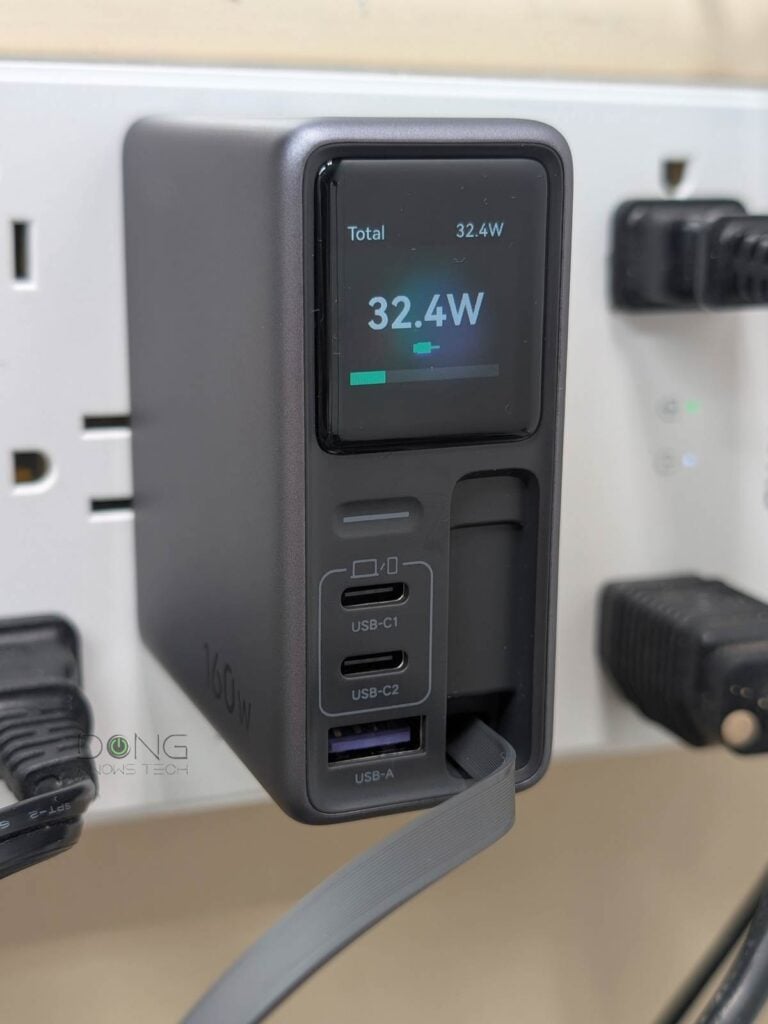
USB Power Delivery: A complex technology made convenient
To understand how USB Power Delivery works, we need to understand electricity at a basic level. Let’s do a quick and not-so-boring refresher.
The basics of electricity and charging
The flow of lectricity is somewhat like water. There are three things involved:
- Voltage (V) or Pressure: The force ready to be sent over the wire. It’s like the built-up water pressure before you open the valve or floodgate.
- Ampere (A) or Current: The size of the energy flow. It’s the pipe size in the flow of water or the size of the floodgate.
- Watts (W) or Hydraulic Force: The amount of energy being delivered or consumed in real time. In water delivery, it’s the force of the liquid flow from one container to another.
Here’s the relationship between these three:
W = V * A
Wattage means power: The higher the watts (W), the faster electricity moves from one place to another (charging speed) or the more energy it can produce (power output).
At the two ends of the electricity flow, we have the volume of electricity or the capacity, which is the amount of electricity accumulated or consumed—similar to the total amount of water in a tank (or lake). Electricity capacity is often measured in two units, depending on the size—the higher the value, the larger the capacity:
- Large batteries or devices (such as EVs) use Watt-hours (Wh), often kilowatt-hours (kWh). 1 kWh = 1000 Wh.
- Small batteries or devices (such as power banks, laptops, or smartphones) use Ampere-hours (Ah), often in milliampere-hours (mAh). 1 Ah = 1000 mAh.
Ampere-hours is generally more accurate than watt-hours because it focuses on small increments in quantity, but it applies only when the voltage (V) is predetermined, which is generally the case with electronic devices’ internal batteries. Here’s the relationship between the Wh and Ah:
mAh = (Wh × 1,000) ÷ V
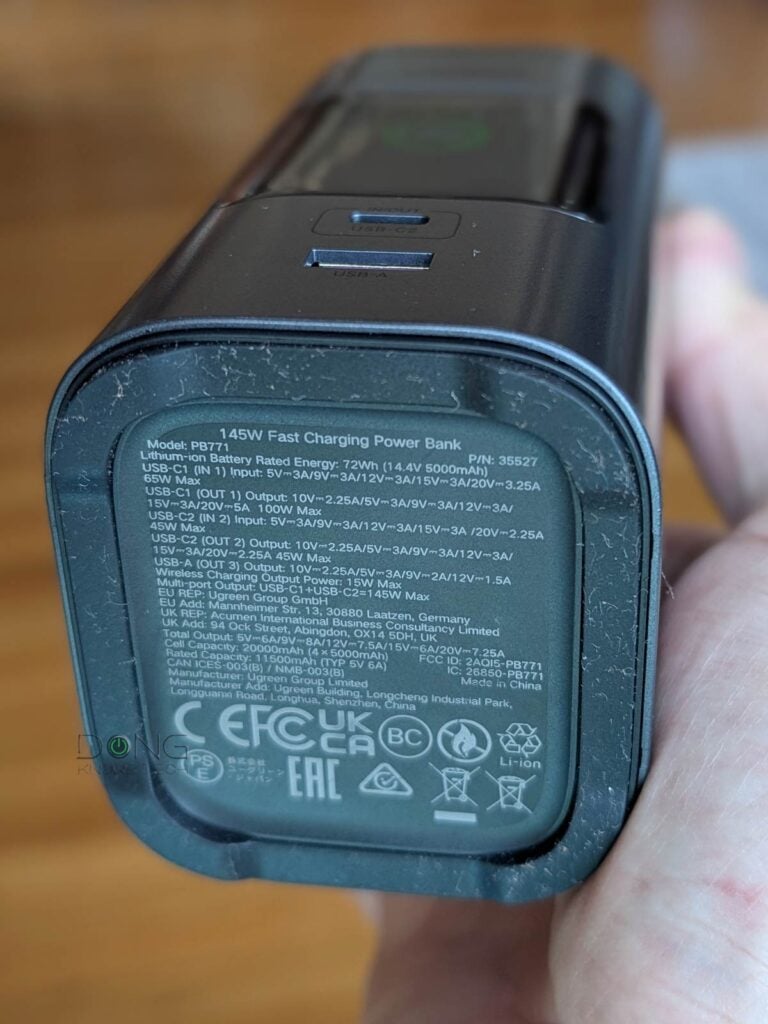
For example, a 72 Wh battery has a capacity of 14,400 mAh at 5V.
USB Power Delivery and port types
USB Power Delivery follows the same principle above and applies that to the USB port, originally invented primarily for data delivery, as an alternative to the standard power socket.
From the power source’s perspective, there are two main USB port types applicable to charging: type A (USB-A) and type C (USB-C).
USB PD and USB-A
The USB-A port type generally has low real-world power outputs and became part of USB Power Delivery version 1 in 2012, which generally formalized this port’s existing power outputs.
Even though USB PD 1.0 has multiple power profiles, as shown below, within it, USB-A has a realistic max real-world power output of 18 W. The point is that if you see a USB-A charging port, generally expect no more than 18W of charging speed.
Note: You may see some chargers or power banks with 22.5W output, or even higher, for their USB-A port. However, this level is not part of USB PD, but a different charging standard—more on this below.
The truth is that we still use USB-A for charging only for backward compatibility—generally, legacy USB devices that don’t use USB-C for charging only work well when plugged into a USB-A port.
USB PD and USB-C
It’s safe to say the power of USB charging is in the USB-C port type. In fact, true USB Power Delivery starts with version 2.0, released in 2014, which applies only to USB-C—later versions follow suit.
Here are some quick highlights of different USB PD versions:
- USB PD 2.0 (2014): Increases the max output to 100W via four voltage profiles of 5V, 9V, 15V, and 20V with a max amps of 5A. This version lacks flexibility (and, hence, efficiency): a voltage profile is generally fixed and can only be combined with a specific fixed amperage.
- USB PD 3.0 (2015): Adds support for Programmable Power Supply (PPS) for flexibility. Devices can request variable voltage or amperage in small increments—typically 20 mV and 50 mA, respectively. This version makes charging more efficient and safer—charger and devices have improved communication during the charging process. USB PD 3.0 is fully backward compatible with USB PD 2.0.
- USB PD 3.1 (2021): Adds a new voltage profile that includes three voltage levels of 28V, 36V, and 48V to deliver extended power range (EPR) with max output of 240W via enhanced requirements for USB-C cables for safety. This version is fully backward compatible with PD 2.0 and PD 3.0.
The tables below show the general specs of different USB Power Delivery versions.
USB PD ver. 1.0, established in 2012, formalizes the use of the USB-A port type for charging.
| Profile | Voltage | Ampere (current) | Max Output (charging speed) | Applicable Devices |
| 1 | 5V | 1.5A / 2A | 10W | Small legacy accessories |
| 2 | 12V | 1.5A | 18W | Portable drives, smartphones |
| 3 | 12V | 3A | 36W | Not available in real-world use |
| 4 | 20V | 3A | 60W | Not available in real-world use |
| 5 | 20V | 5A | 100W | Not available in real-world use |
USB PD version 2.0 (2014), 3.0 (2015), and 3.1 (2021) apply strictly to the USB-C port type.
| Profiles | Voltage | Ampere (current) | Max Output (charging speed) | Applicable Devices |
| 1 | 5V | .1A to 3A | 10W | Headphones, earbuds, small accessories |
| 2 | 9V | 1.67A to 3A | 27W | Smartphones, cameras, drones, toys |
| 3 | 15V | 1.8A to 3A | 45W | Tablet, small laptops |
| 4 | 20V | 3A to 5A | 100* | Large laptops, displays, hubs |
| 5** | 28V, 36V, 48V | 5A | 140W, 180W, 240W | Desktops, large appliances |
*100W-rated USB-C cable required
**High-power USB-C cable required, available in USB PD 3.1 (and later) only.
The main takeaway from the tables above is that all USB PD devices support at least USB PD version 2.0 and must use the USB-C port. Generally, a USB-C-enabled device or charger (power bank) with an output or input of over 100 W uses USB PD version 3.1.
Important: The maximum charging speed is for reference only. The actual speed is always lower after overhead and varies, among other things, depending on the quality of the charging cable and especially the device being charged. Generally, a battery charges most efficiently when it’s between 20% and 80% full.
USB Power Delivery profiles and their interchangeability
Here’s the most important thing about USB Power Delivery: No matter what version you use, the following are generally true:
- A higher-charging-profile power source (in Watts) does everything a lower-charging-profile one does without any harmful effects.
- A higher-charging-profile device can draw power from lower-charging-profile power sources at their highest compatible output.
- For safety reasons:
- USB Power Delivery’s amperage is limited to 5A.
- For 45W or lower power outputs, any USB-C cable will work. Higher power outputs generally require specific (rated) USB-C cables.
The point is that, thanks to USB PD, for charging, you can plug any USB-C-enabled battery-powered device into any USB-C power source without worrying about “frying” it. The power source will automatically deliver the lower of its maximum charging speed and the device’s maximum charging speed.
However, to power up USB-C devices that are not battery-operated, such as a router or a printer, you need to plug them into a power source with the same or higher power output than their power profile.
Brand-specific (proprietary) USB chargers and wireless charging
While USB Power Delivery has become universal, big-name hardware vendors have, over the years, made their own proprietary USB charging protocols for their products.
This approach allows them to create a device-specific USB charging protocol that achieves optimal charging speed, often exceeding USB PD.
Here are some examples among many existing brand-specific USB charging protocols:
- Apple: USB-A charger (5V/2.4A) for legacy iPhones and iPads that don’t use a USB-C port, or a USB-C charger with 30W+ power output for first-generation USB-C iDevices.
- Qualcomm Quick Charge (QC): An 18W USB-C charging protocol developed by Qualcomm for devices powered by its mobile chips.
- Samsung Adaptive Fast Charging (AFC): Similar to QC but tuned for Samsung devices.
End devices with these proprietary charging standards are generally compatible with USB PD—you can safely charge them with a standard USB PD charger, possibly at a slightly slower speed. However, their chargers might or might not be compatible with standard USB PD devices.
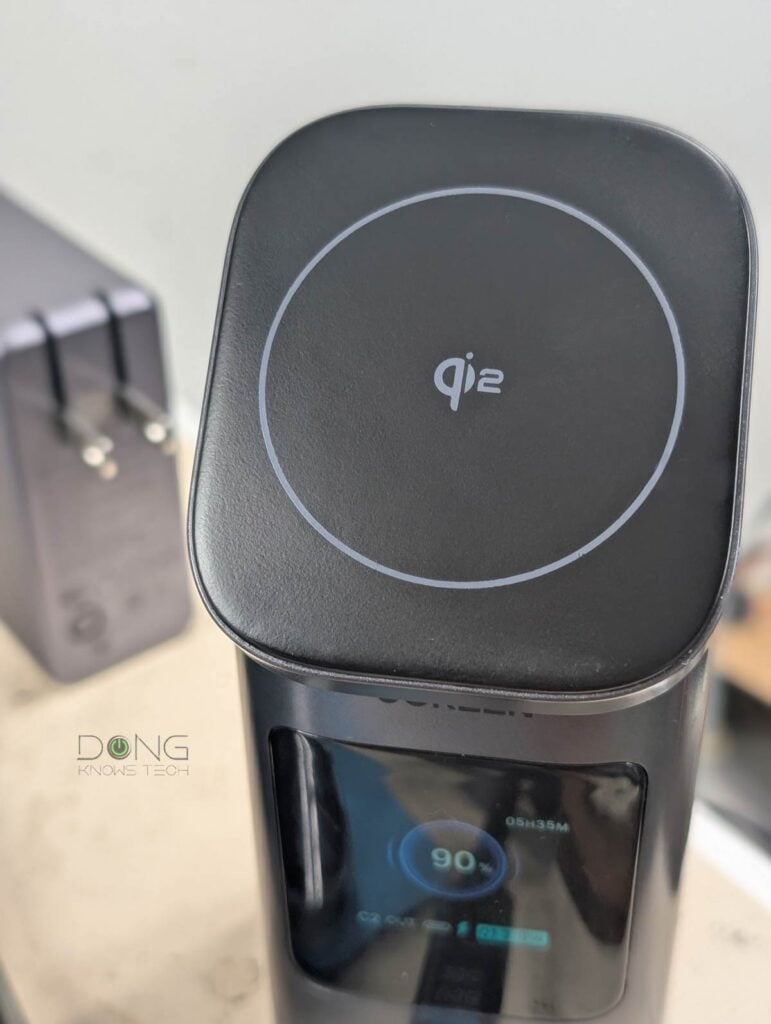
Since 2010, there has been a new wireless charging technology called “Qi,” developed by the Wireless Power Consortium.
As the name suggests, this type of charging doesn’t require a wire. Instead, you can charge a supported end device (such as a phone) by placing it on top of the inductive surface of a charger. This surface is often magnetized to keep the device in place.
Qi is currently available in three main versions:
- Qi (original, 2010): Up to 5W of power output.
- Qi v2.0 (2023): Up to 15W of power output.
- Qi2 (a.k.a. Q v2.2.1, 2025): Up to 25W of power output.
Most modern Qi wireless chargers support Qi2 (and newer) and connect to a power source via a USB-C cable, effectively making them USB PD devices themselves.
Wireless charging is convenient but often slow and impractical when you need to charge multiple devices simultaneously.
USB PD power banks and chargers general buying guide
Here’s an important note:
Despite its name, a USB charger is a flexible power adapter that can provide variable power output (up to a port’s maximum) to meet the connected device’s requirements. As a result, this “charger” plays a minor role in the charging process, which is primarily determined by the connected device: the charging speed depends mainly on the device’s hardware specs, charging protocols, and its battery’s level.
That aside, the first thing to note is that you should always buy third-party USB PD chargers that can charge USB devices from all brands. Proprietary chargers create unnecessary e-waste.
The good news is most, if not all, third-party power banks and chargers are inclusive: They support USB PD, brand-specific USB charging protocols, and some even come with a surface for wireless charging.
Note: This broad support for third-party chargers is why you may see power output specifics that aren’t defined by USB PD—such as when USB-A ports can deliver over 18 W.
For safety reasons, you should get chargers, and especially power banks, from known brands that carry safety and compliance certifications. A low-quality charger or power bank can fry your device or even cause fires.
Other than that, keep the following in mind:
- Size and design: Pick chargers/power banks with a design (such as wall mount or desktop) and physical size that fit your need—generally, compact is good, but that also means fewer ports, less capacity, or lower power output. Pick the right balance.
- The number of ports: The more ports, the better, and there should be both USB-C and USB-A port types, as many legacy devices only charge well with the latter. At the minimum, a charger should have at least two ports, but ultimately this depends on how many devices you want/need to charge at a time.
- Power output (in Watts) and capacity (in Wh or mAh): There are three things to note:
- The max output of a single port: This is the charging speed. Generally, you want at least 45W (but 100 W or even 140W never hurts) for a USB-C port. The USB-A port of modern chargers will always give you at least 18W.
- Total power output: This is the amount of power the charger can deliver to one of its ports simultaneously. The higher the better. Divide this number by the number of ports being used to find out what charging speed you can expect when charging multiple devices.
- Capacity: This applies only to power banks, and the higher the better. As a typical phone’s battery is around 5,000 mAh, a power bank should have at least twice that, 10,000 mAh or more.
- Optional features: These are features that can be useful:
- GaN support: Applicable to chargers only. Short for the element gallium nitride, GaN is an advanced semiconductor material that allows chargers to deliver high power output in a small physical size with less heat generation.
- Wireless charging support: Many chargers and power banks come with a surface to support one wireless charging device.
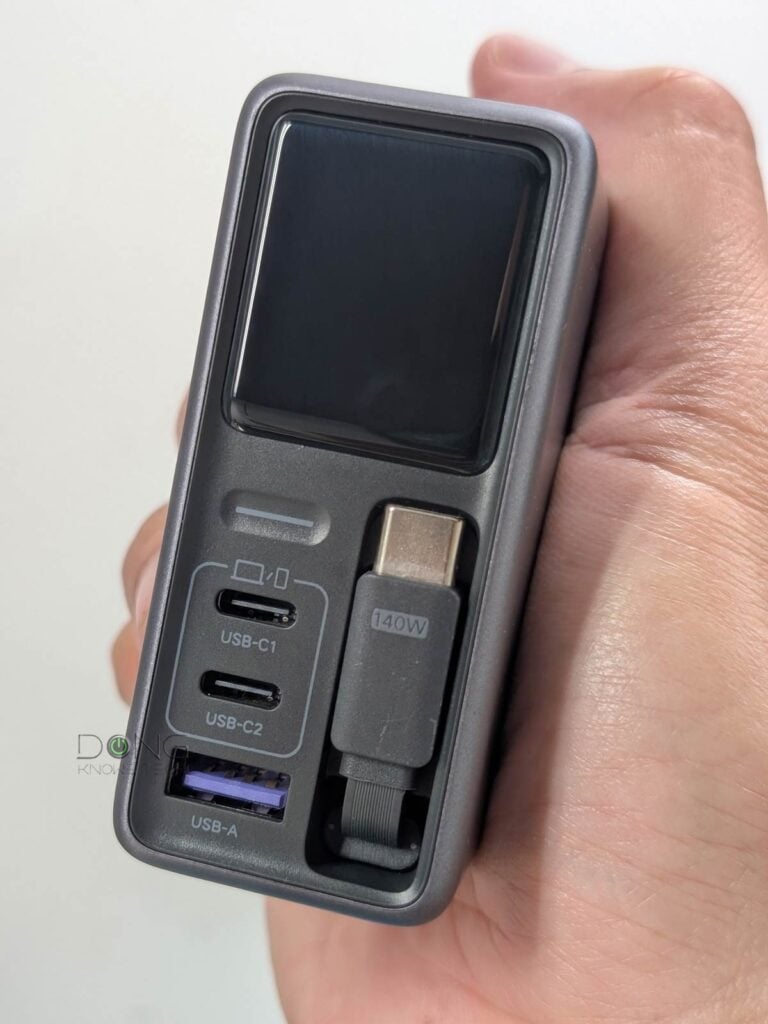
- Built-in retractable USB cable: This feature is extremely handy when you realize you don’t have a USB cable readily available.
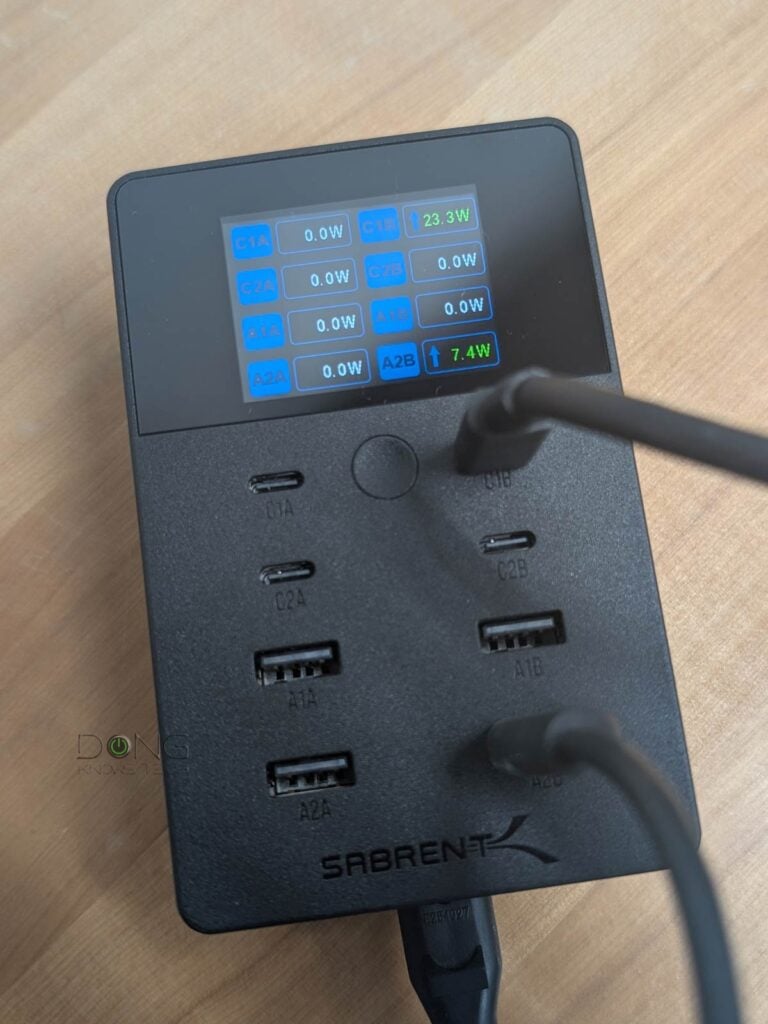
- Status screen: It’s helpful to know how much juice is left in the power bank or how fast the charging speed is in real-time.
- Mobile app: Some desktop chargers can be connected to Wi-Fi and allow users to manage them via a mobile app. This can be helpful for remote management or firmware updates. In return, you’ll share the device’s activities and usage information with the vendor.
Finally, while any USB cable is fine for charging handheld devices, for safety reasons, it’s best to get cables that can handle high wattage.
The takeaway
When it comes to charging, it’s generally safe to connect any USB-C devices to any USB-C power source. The difference is just a matter of how fast the charging speed is or if the device can be powered up at all.
That said, the most important thing is to get the right charger or power bank for your needs. When it comes to power, safety is a big concern, so don’t skim and get cheap knock-off or no-name hardware.




A long read but it was worth it. Thanks for pointing out the differences between USB-A and USB-C, Dong. Good explainer!
👍