
Synology today announced the official availability of its neo+ series in the North American market—the NAS maker first unveiled the new lineup in Asia Pacific back in mid-April.
The new series consists of five comparatively more affordable servers (than the existing 2025 Plus series), ranging from two bays to eight bays. Of them, I picked the DS1525neo+ out for a spin as a representative, as five, in my opinion, is the best number of bays in a NAS server.
That said, this review compares the DS1525neo+ with the essentially-the-same DS1525+ that came out last year and currently costs significantly more.
Here’s the bottom line: Like the DS1525+, the DS1525neo+ is an excellent NAS server for those needing a well-rounded NAS server. The flexibility of RAM options and lower price point mean this “neo” server, as well as the rest of the new series, is easier to stomach during this time when the cost of memory and storage has skyrocketed due to the massive demand of the Artificial Intelligence industry.
If you need a reliable NAS server for serious home or business needs, pick a neo+ server with the number of bays that fits your needs today.
Synology DiskStation DS1525neo+'s Rating
Pros
Flexible RAM and storage support with dual 2.5GbE ports and a 10Gbps upgrade option to deliver fast and reliable performance
Lots of useful home and business applications and storage options
Straightforward and consistent setup, upgrade, and management
Runs cool and quiet; comparatively affordable
Cons
USB ports remain at 5Gbps
No storage volume option with third-party NVMe SSDs
Synology neo+ series: The details
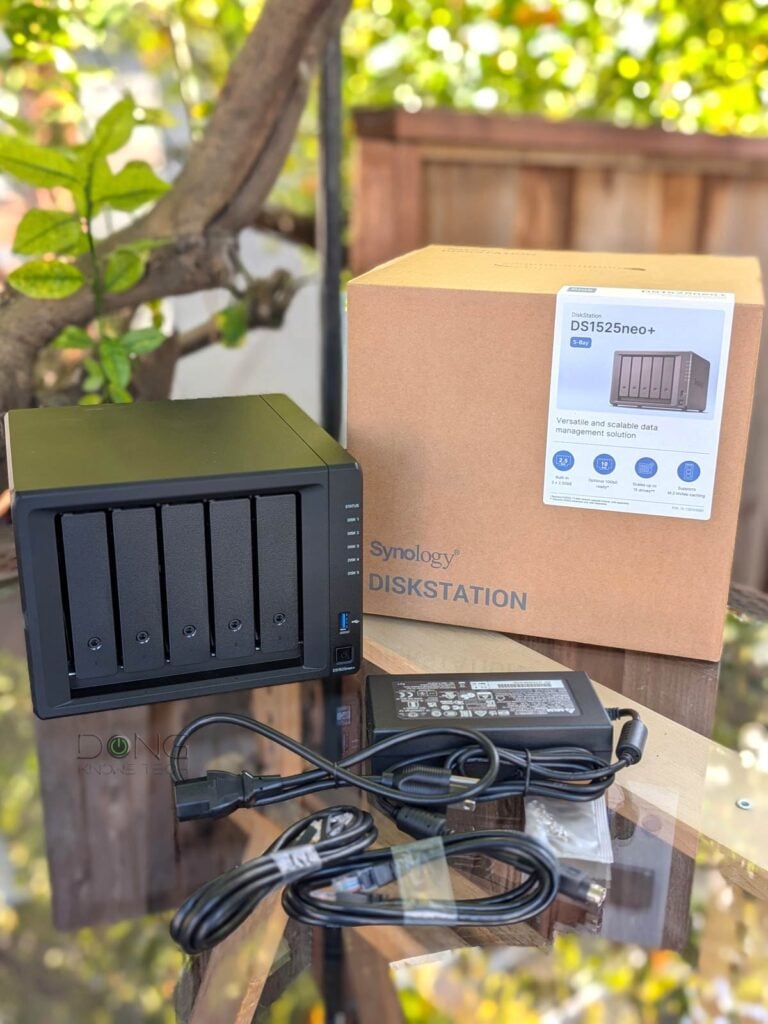
Synology’s new neo+ series consists of four new servers, including the dual-bay DS725neo+ that costs $599.99 (diskless), four-bay DS925neo+ ($649.99), five-bay DS1525neo+ ($949.99), and eight-bay DS1825neo+ ($1,189.99). Their street price will vary, but you’ll note that they all cost significantly less than the previous 2025 Plus counterparts of the same number of drive bays.
In my opinion, with the new series, Synology wants to make its servers more accessible to consumers during these times when everything is so expensive and, more importantly, improve the optics of the brand.
Specifically, released in 2026, the neo+ series naturally has the HCL debacle out of the way. Users can use third-party hard drives with any server right out of the box. And that’s a good thing.
Synology HCL policy update
At the beginning of 2025, Synology implemented a strict hardware compatibility requirement, known as the 2025 storage lock-in HCL policy, causing its NAS servers of the 2025 model year to work only with Synology’s approved storage devices, namely its expensive self-branded drives.
On October 7, 2025, in response to public outcry, Synology released DSM 7.3, which walks back the storage lock-in policy and allows these servers to use third-party SATA drives again, as was the case prior to 2025.
The table below compares the hardware specs of servers in the neo+ family.
Synology neo+ series: Hardware specifications and pricing
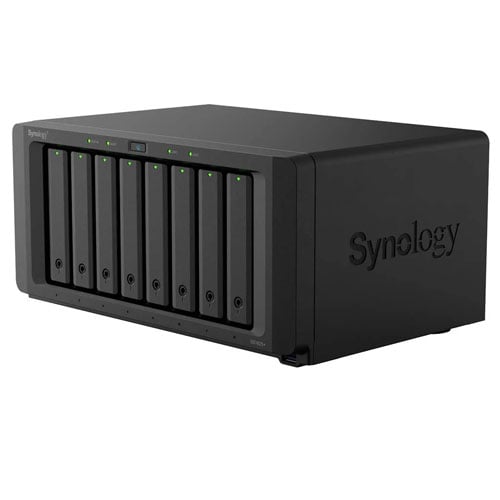 | 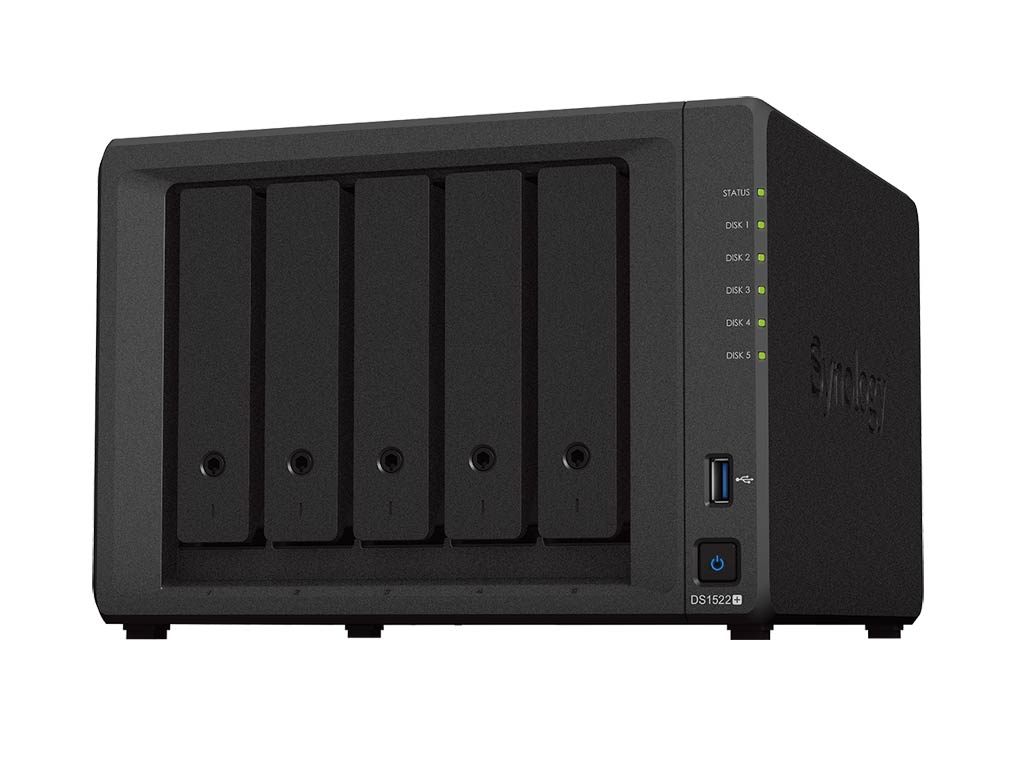 | 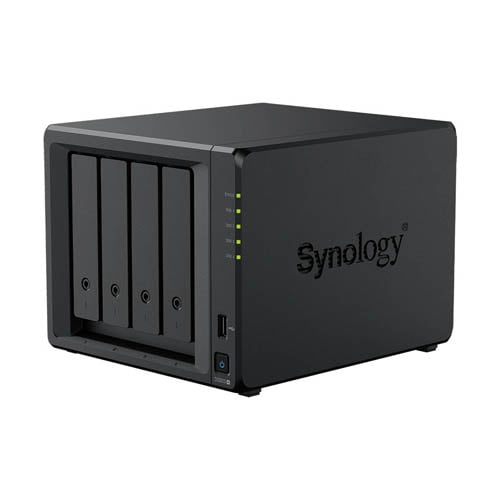 | 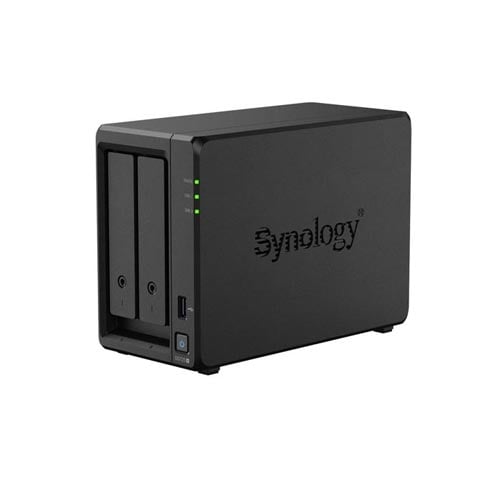 | |
|---|---|---|---|---|
| Model | DS1825neo+ | DS1525neo+ | DS925neo+ | DS725neo+ |
| System Memory (stock) | 4GB non-ECC DDR4 SODIMM (installed in one of the two memory slots) | |||
| 2025 Plus Series Counterpart (stock system memory) | DS1825+ (8GB ECC DDR4) | DS1525+ (8GB ECC DDR4) | DS925+ (4GB ECC DDR4) | DS725+ (4GB ECC DDR4) |
| Memory Support | Synology-approved and third-party ECC or non-ECC DDR4 RAM | |||
| Max Memory | 32GB (16GB x 2 slots) | |||
| CPU | AMD Ryzen V1500B 64-bit quad-core 2.2 GHz | AMD Ryzen R1600 64-bit dual-core 2.6 GHz (3.1 GHz turbo) | ||
| Dimensions | 6.53 x 13.5 x 9.57 in (166 x 343 x 243 mm) | 6.53 x 9.05 x 8.78 in (166 x 230 x 223 mm) | 6.54 × 4.17 × 8.78 in (166 mm × 106 mm × 223 mm) | |
| Weight | 13.23 lb (6 kg) | 5.88 lbs (2.67 kg) | 3.33 lb (1.51 kg) | |
| Drive Bays (native) | 8 | 5 | 4 | 2 |
| Expansion Support | Yes (two units) | Yes (one unit) | ||
| Expansion Unit | 5-bay DX525 (USB-C) | |||
| Drive Interface | 2.5 or 3.5 SATA Drives, Hot-swappable | |||
| Built-in M.2 Slots | Two (caching or storage pool) | |||
| RAID Types | SHR, Basic, JBOD, RAID 0, RAID 1, RAID 5, RAID 6, RAID 10 | SHR, Basic, JBOD, RAID 0, RAID 1 | ||
| Maximum Storage Volume Size | 108 TB or 200 TB with 32 GB memory | |||
| Ports / Interfaces | 2x RJ-45 2.5GbE LAN 3x USB 3.0, 2x USB-C (expansion) | 2x RJ-45 2.5GbE LAN 2x USB 3.0, 2x USB-C (expansion) | 2x RJ-45 2.5GbE LAN, 2x USB 3.0, 1x USB-C (expansion) | 1x RJ-45 2.5GbE LAN, 1x RJ-45 1GbE LAN, 1x USB 3.0, 1x USB-C (expansion) |
| Link Aggregation Support | Yes (5Gbps bonded link) | Yes (2Gbps bonded link) | ||
| PCIe Expansion | 1x Gen 3 x8 PCIe slot | None | ||
| Add-in-card Support (not included) | Synology 10GbE PCIe add-on cards | None | ||
| Operating System | DSM 7 (and later) | |||
| File System (Internal / External) | Btrfs, EXT4 / Btrfs, EXT4, EXT3, FAT, NTFS, HFS+, exFAT (app required) | |||
| US Launch Price (check street prices!) | $1,189.99 | $949.99 | $649.99 | $599.99 |
| Warranty | 3 years | |||
There are two things that make Synology’s neo+ Series differ from the 2025 model year of the original Plus series:
- The “neo” notion in the name, which, by the way, means “new”.
- The support for cheaper non-ECC DDR4 RAM and the fact that two of the neo+ servers come with half the amount of stock memory, compared to the Plus counterparts, to further accommodate the lower pricing. The DS1525neo+, for example, includes a 4GB stick out of the box, compared to 8GB in the DS1525+.
On this RAM front, note:
- The neo+ series also supports Error-Correcting Code (ECC) RAM, and in my trial, the DS1525neo+ server even supports a mix of ECC and non-ECC RAM.
- The neo+ series has the same maximum RAM as that of the Plus Series, and in my trial, the DS1525neo+ also supports third-party non-ECC DDR4 RAM. It’s safe to say others in the series do, too.
- Synology says it “will not provide complete product warranty or technical support if non-Synology memory modules are used for memory expansion.”
In any case, this broader RAM support enables the neo+ series to have better flexibility both in hardware and costs.
If you want top-notch reliability, you can continue to use the servers with ECC RAM, but for more casual situations, non-ECC RAM will cut the cost down a great deal during these uncertain times. The truth is, unless you need absolute reliability, ECC RAM, which is generally slower than non-ECC RAM of the same grade, is generally not necessary.
Other than that, the neo+ series is practically the same as the Plus Series in terms of performance and features. With that, let’s take the DS1525neo+ as a particular example.
Synology DiskStation DS1525neo+: The same excellent server now with flexible RAM support and a lower cost
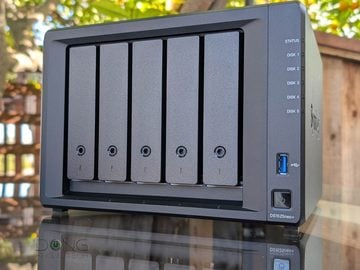
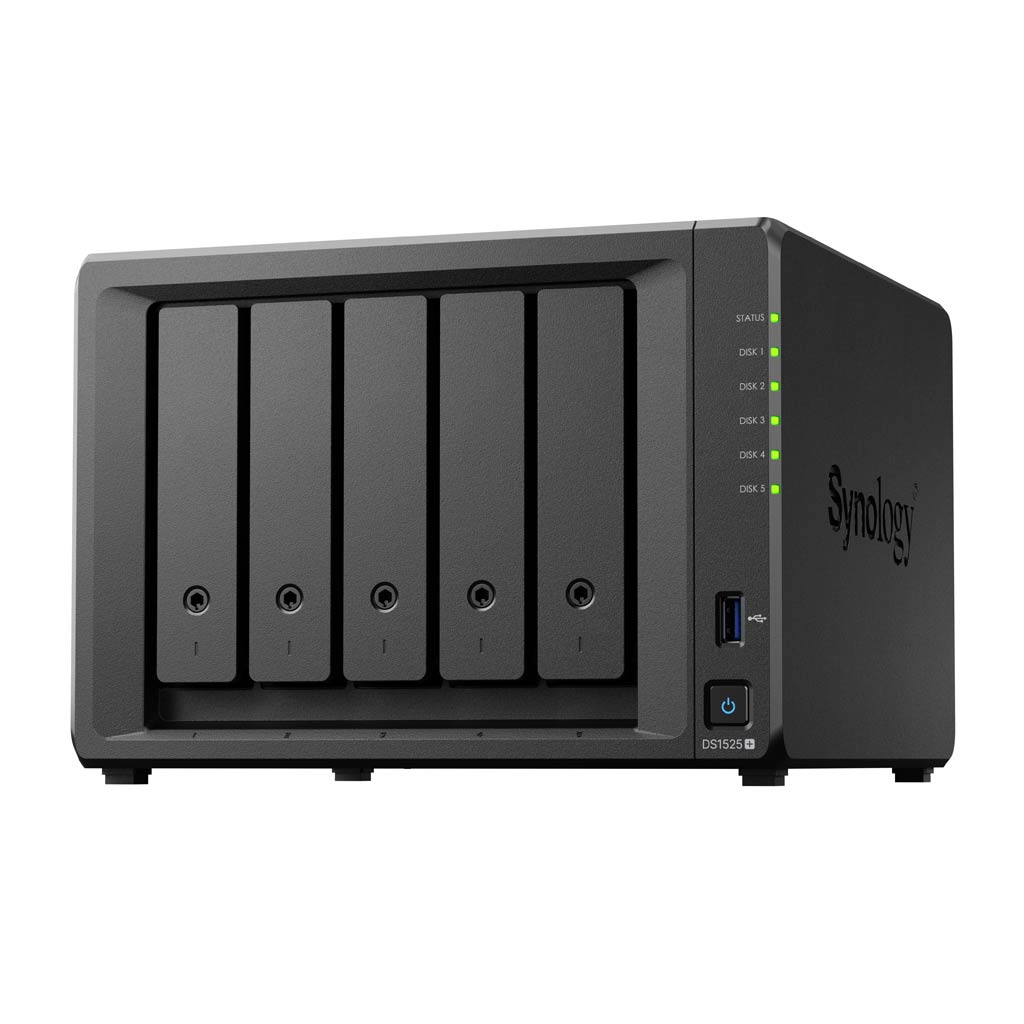
Other than the “neo” notion in the model name, there’s nothing else to tell the DS1525neo+ apart from the previous DS1525+. The two look identical.
On the back, the new server comes with two 2.5GbE ports that can work together in a LAG link to deliver a 5Gbps connection. If that’s not enough, it also has the option to use a 10GbE add-on via the E10G22-T1-Mini module, which I used for this review. So, it’s a fully Multi-Gig server.
Also on the back, the server has two USB-C ports to host two DX525 storage expansion units to bring the total number of hard drives you can use to 15. The use of USB-C ports for expansion started with the DS925+. Prior to this, all Plus servers used eSATA for this purpose. Note that these USB-C ports feature USB 3.2 Gen 1 (a.k.a. USB 3.0), which caps at 5Gbps. It would be much better if Synology used Thunderbolt ports for expansion. In any case, my recommendation is always to get a server with more native drive bays than to use an expansion unit.
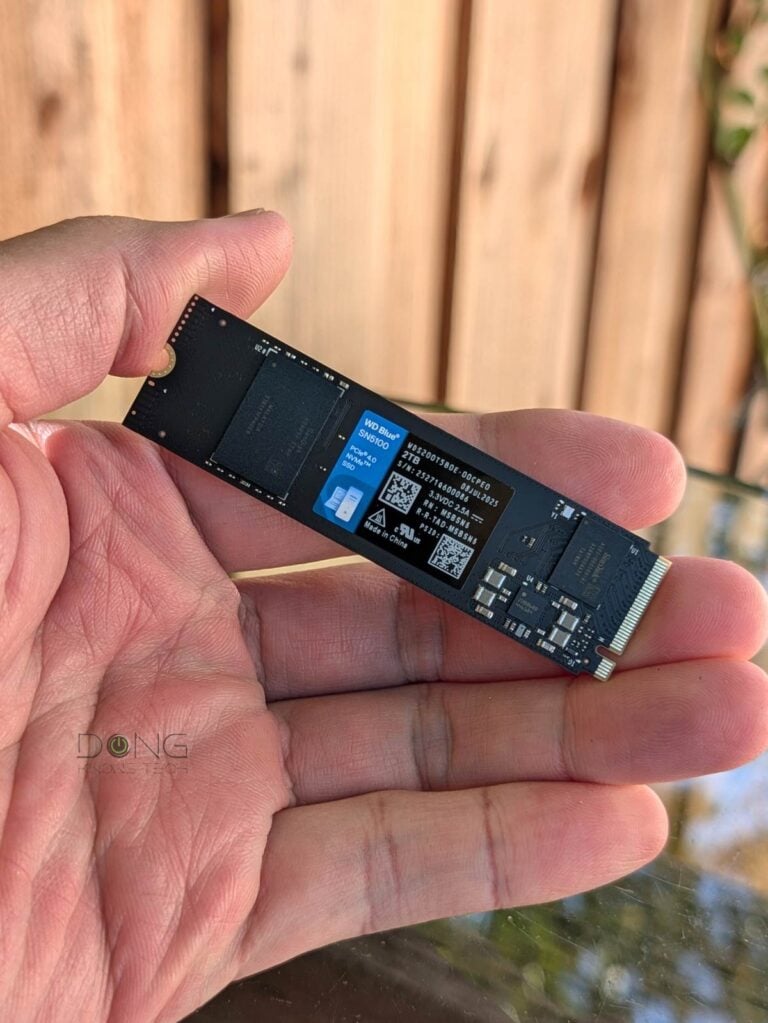
On the underside, the DS1525neo+, like the non-neo version, comes with two easily accessible M.2 slots to host two NVMe SSDs. Users can use any NVMe SSD as cache. When used with Synology-approved drives, there’s also the option to use them as a storage volume. This restriction has been the same since NVMe as a storage volume was first available with the DS923+.
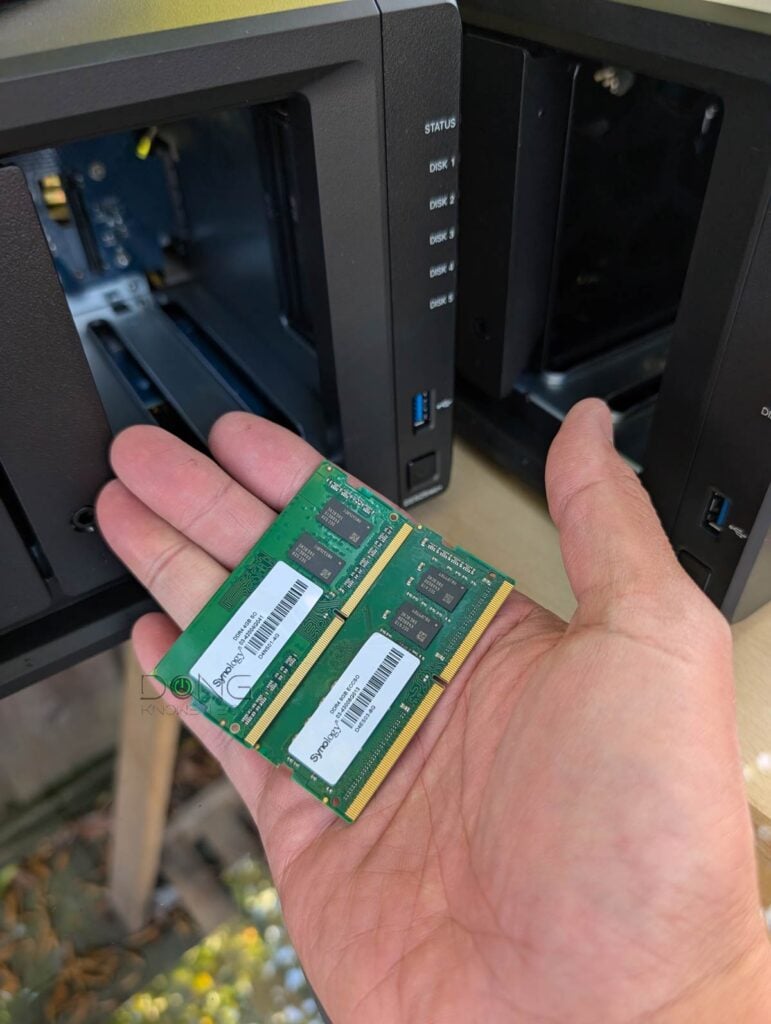
The server’s two RAM slots are on its sidewall next to the 5th drive bay. One of them is occupied by a Synology 4GB D4NS01-4G non-ECC stick. This is PC4-21300 RAM running at 2666 MHz.
As mentioned above, on this RAM front, here’s a pleasant surprise: I tried a few third-party DDR4 SODIMM RAM sticks with the server, and they all worked. In fact, I could mix third-party RAM with the server’s included non-ECC stick.
Even more impressive: when I mixed an SK Hynix 4GB PC4-19200 (2400 MHz) stick with the server’s stock RAM, that worked without any issue. Finally, the server also didn’t complain when I mixed its 4GB non-ECC RAM with the 8TB ECC RAM stick from the DS1525+.
Note that I haven’t done exhaustive tests on which third-party RAM the DS1525neo+ supports, but all those from Micron and SK hynix I’ve tried worked. Still, this flexible RAM support means users can easily upgrade this server’s memory to the max without paying a premium for Synology’s “compatible” RAM.
The table below compares the hardware specs of the DS1525neo+ with those of the non-neo server.


Synology DS1525neo+ vs. DS1525+: Hardware specifications and real-world power consumption
 | | |
|---|---|---|
| Synology DS1525neo+ | Synology DS1525+ | |
| CPU | AMD Ryzen V1500B Quad-core 2.2 GHz, 4 Cores / 8 Threads | |
| System Memory | 1x 4 GB DDR4 non-ECC SODIMM (installed in one of the two memory slots) | 1x 8 GB DDR4 ECC SODIMM (installed in one of the two memory slots) |
| Max Memory | 32GB (16GB x 2) | |
| Memory Support | DDR 4 RAM (Synology or third-party, EEC or non-EEC, mixed type and vendor supported) | Synology-approved ECC DDR4 |
| Dimensions | 6.53 x 9.05 x 8.78 in (16.6 x 23 x 22.3 cm) | |
| Weight | 5.88 lbs (2.67 kg) | |
| Drive Bays (native) | 5 | |
| Expansion Support | Yes (2 x DX525) | |
| Expansion Connection | USB-C (USB 3.2 Gen 1) | |
| Drive Interface | SATA 6Gbps/3Gbps (hot-swappable) | |
| Built-in M.2 Slots (NVMe) | Two | |
| Drive Support | 3.5″ SATA HDD 2.5″ SATA SSD/HDD M.2 2280 NVMe SSD (cache & storage) | |
| DDR | ||
| RAID Types | Hybrid RAID (SHR), Basic, JBOD, RAID 0, RAID 1, RAID 5, RAID 6, RAID 10 | |
| Max Volume Size | 108TB, 200TB (with 32GB of RAM) | |
| Max Internal Volume Number | 32 | |
| Max SMB Connections | 40 | |
| Max Shared Folder Sync Tasks | 8 | |
| Max Synology Chat Users | 150 | |
| Max Synology Drive / Office Users | 80 | |
| VPN Server – Max Connections | 8 | |
| Max IP Cameras Support (two licenses included for non- Synology cameras) | 40 | |
| Ports | 2 x 2.5GbE LAN, 2 x USB Gen 1 ports, 2 x USB-C ports (for expansion) | |
| Expansion Slot | Network Upgrade slot | |
| Add-on Card (not included) | 10GbE E10G22-T1-Mini module | |
| DiskStation Manager (operating system) | DSM 7.x | |
| OS Version (at review) | 7.4.1-90080 | 7.2.2-7286 |
| File System | Internal: Btrfs, EXT4 External: Btrfs, EXT4, EXT3, FAT, NTFS, HFS+, exFAT | |
| Supported Drives | 3.5″ SATA HDD 2.5″ SATA SSD/HDD Synology-branded M.2 2280 NVMe SSD (cache & storage) Third-party M.2 2280 NVMe SSD (cache only) | |
| Real-World Power Consumption (measured in 24 hours) | ≈ 700 Wh (tested with all drive bays occupied) | ≈ 735 Wh (tested with all drive bays occupied) |
| Current US Price (Compare street prices!) | $949.99 | $1309.99 |
| Warranty | 3 years | |
DS1525neo+ vs. DS1525+: Which server to get
As mentioned, other than the RAM, the two servers are essentially the same.
That said, if you’re on the market for a new 5-bay server today, between the two, I’d recommend the DS1525neo+. You can use it with the stock hardware specs, and that’s enough in most cases. But if you want to upgrade RAM to the max, it’ll be a more affordable option.
On the other hand, if you choose to use EEC ram with it, it’ll be the same as the DS1525+.
It’s also worth noting that both servers come with two 2.5Gbps network ports, which are plenty fast in most cases. However, if you want the absolute best performance, get the 10GbE upgrade module to make sure the network connectivity is not the bottleneck.
Tip
Generally, add-on network port(s) on a Synology server only work once the operating system is installed. For the initial setup process, it’s important to use one of the server’s native network ports, and not any of the network add-on cards or the 10GbE E10G22-T1-Mini module.
DS1525neo+: A familiar five-bay Synology experience
Like the case of the DS1525+, running DSM 7.4, the DS1525neo+ offers a familiar NAS experience similar to that of any other Synology servers running the same version of the operating system. The point is that you can access advanced features and functionality across various software packages and apps, as detailed in this separate post.
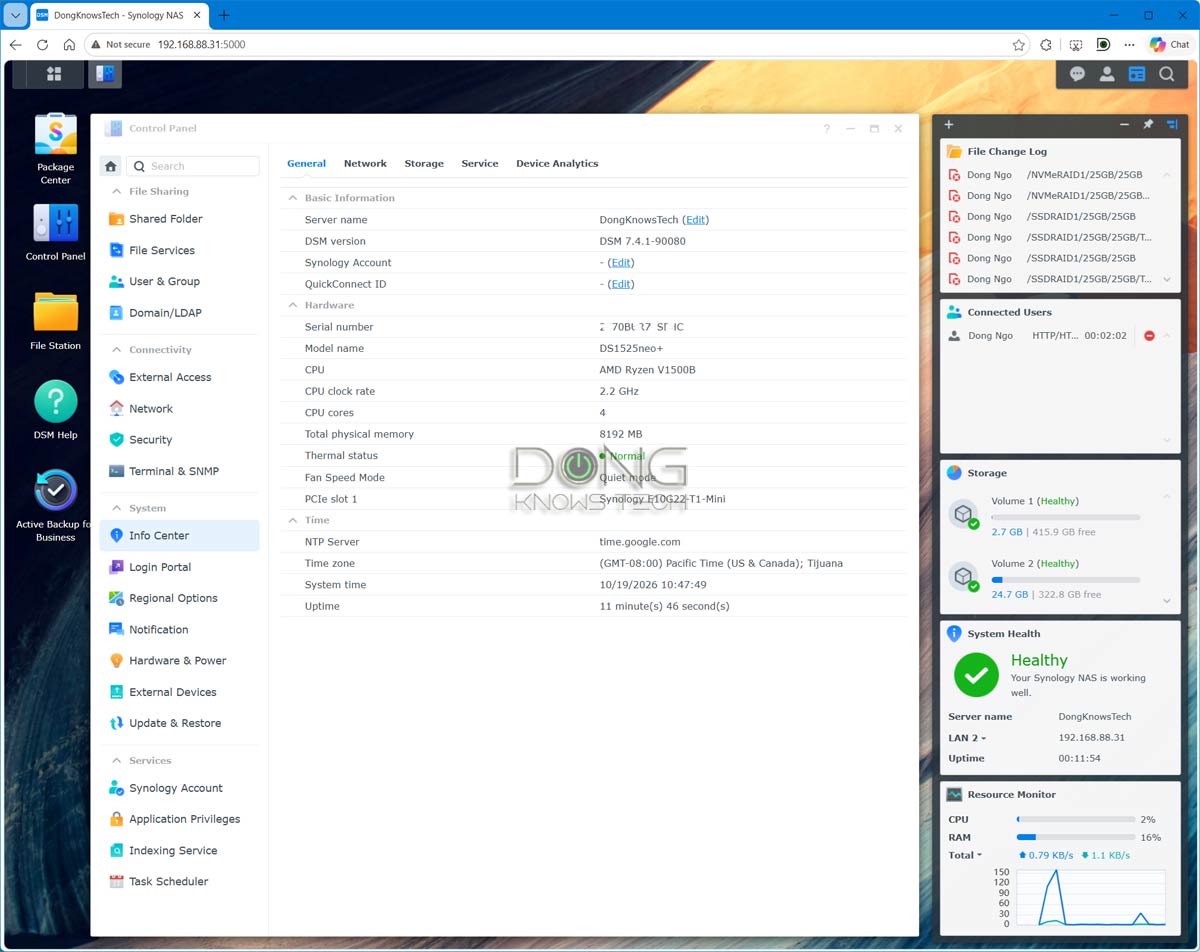
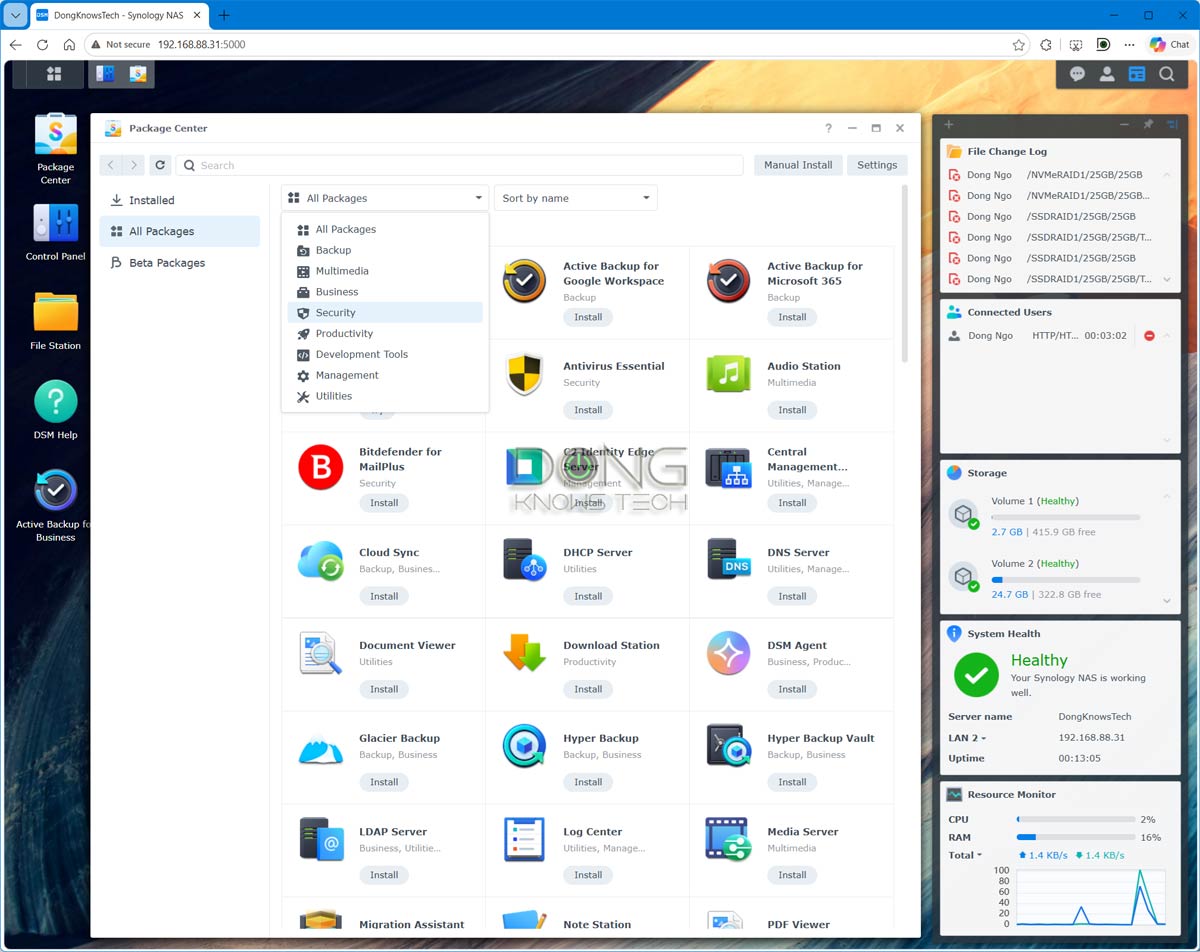
In my experience, five is the optimal number of drive bays for Plus servers, as it offers all possible RAID configurations and sufficient storage space, thereby minimizing the need for an expansion unit. In fact, you can even have multiple storage volumes, such as two SATA SSDs for a volume of fast storage, three HDDs for a large volume, and two Synology-branded NVMe SSDs for a superfast volume that hosts a database or anything that needs top performance.
Alternatively, you can use all five hard drives in a volume with redundancy against the failure of a single drive (SHR or RAID1) or two drives (SHR2 or RAID6).
I’ve never tested or used any Synology server with an expansion unit. However, considering the 5Gbps USB-C ports, adding an expansion unit will likely compromise the server’s performance if you intend to use the added drives in the same volume as those of the native bays.
That said, if you need the maximum amount of storage, it’s best to consider the eight-bay DS1825neo+, or use top-capacity hard drives instead of counting on expansion units.
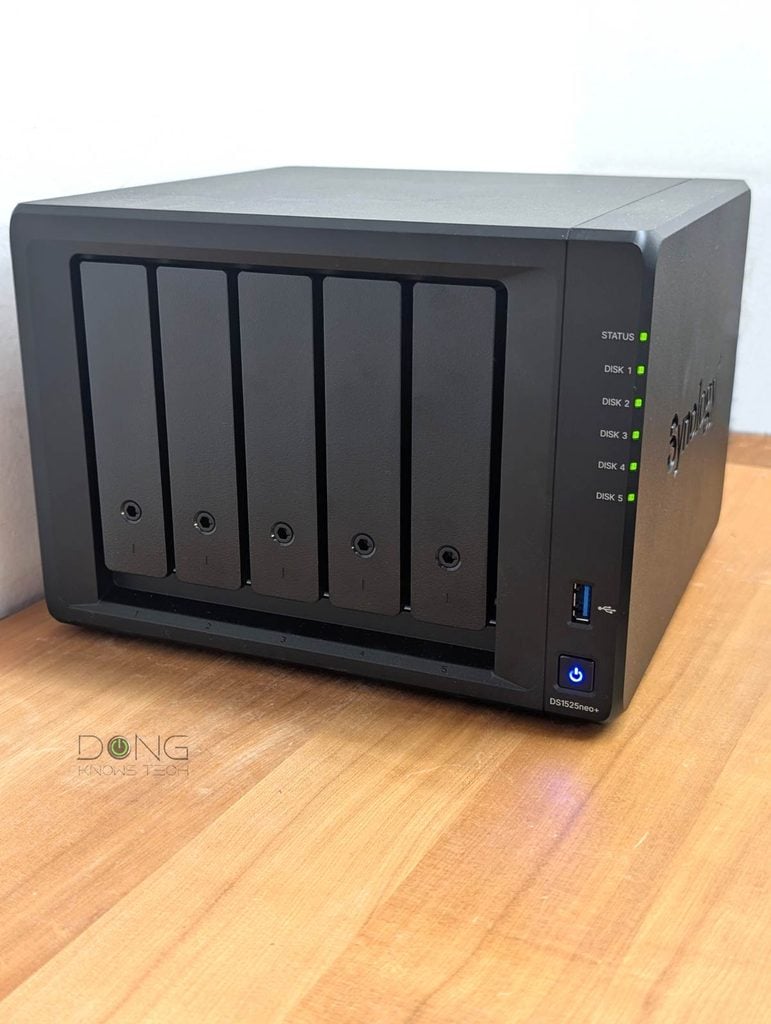
Synology DS1525neo+: Excellent performance
For this review, I tested the DS1520neo+ for almost a month. To make it comparable to the DS1525+, I upgraded it to 8GB of non-ECC RAM and added an E10G22-T1-Mini 10Gbps upgrade module. Additionally, I used two Synology-branded NVMe SSDs so that a storage volume was possible.
However, if you use it with the stock hardware specs, you’ll get a very similar experience.
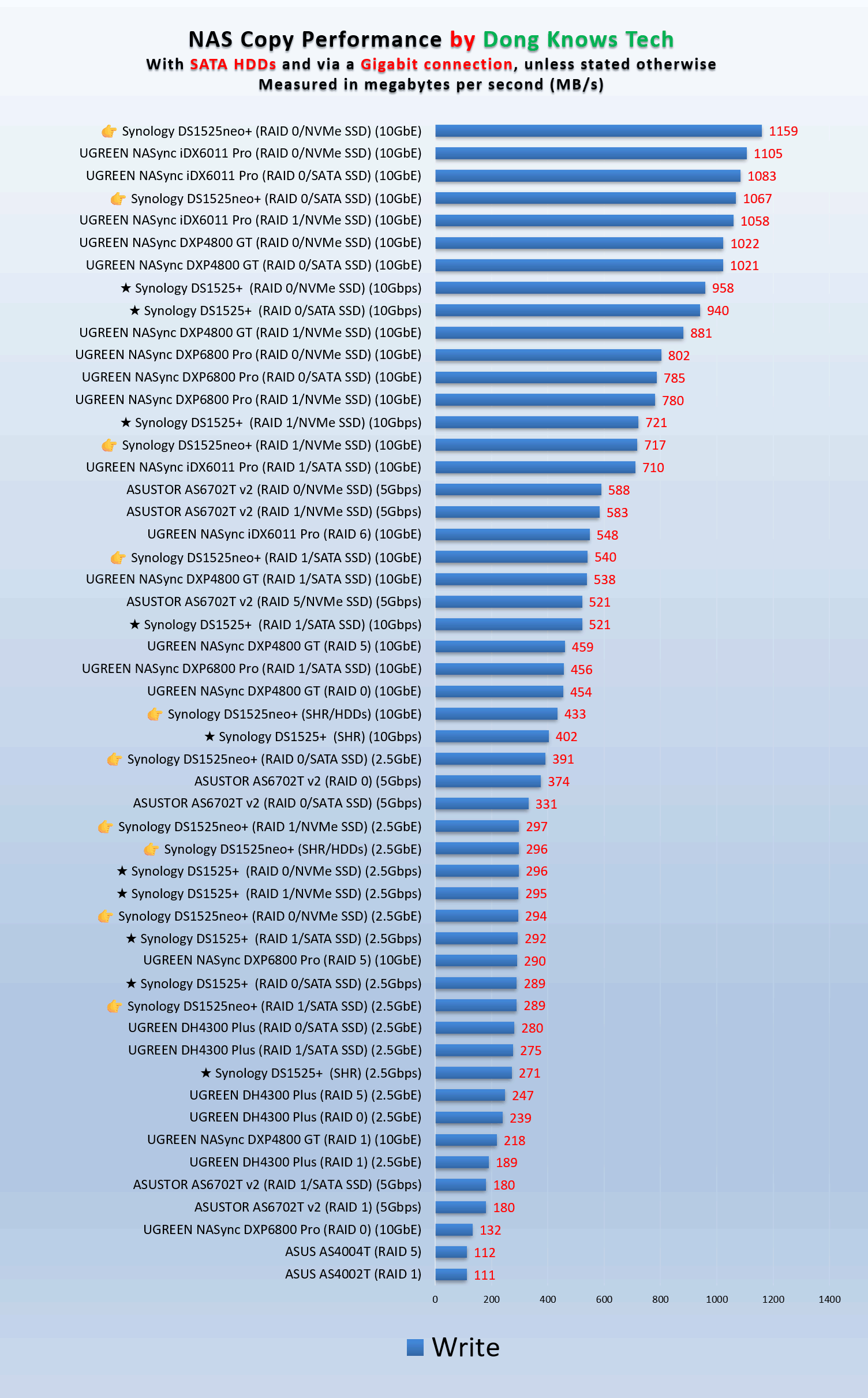

The DS1525neo+ proved to be slightly faster than the DS1525+, which might be because non-EEC RAM is generally faster than EEC RAM. Or that could have been because it ran a newer DSM version. In any case, the performance differences between the two weren’t acute and were within the level of general fluctuation. Still, faster is always better.
Other than that, the new server was quiet in my trial. Its two large ventilation fans on the back produced a subtle hum audible only when I put my ear near the server. That said, if you use SSDs or high-end NAS HDDs, you can count on the silence.
Conclusion
While not entirely new, the DiskStation DS1525neo+, as well as the rest of Synology’s neo series, is a welcome change to Synology’s NAS ecosystem. Its lower pricing and, most importantly, the flexibility in memory and storage support mean it’ll be much more accessible to general consumers with a tight budget. Consider one today!


Comments are subject to approval, redaction, or removal. You're in the no-nonsense zone and that applies BOTH ways.
It's generally faster to get answers via site/page search. Your question/comment is one of many Dong Knows Tech receives daily.
Thank you!
(•) If you have subscription-related issues or represent a company/product mentioned here, please use the contact page or a PR channel.