
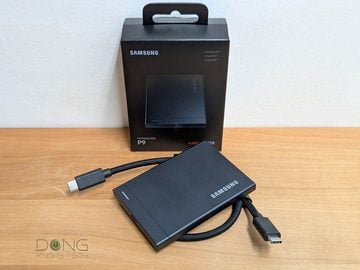
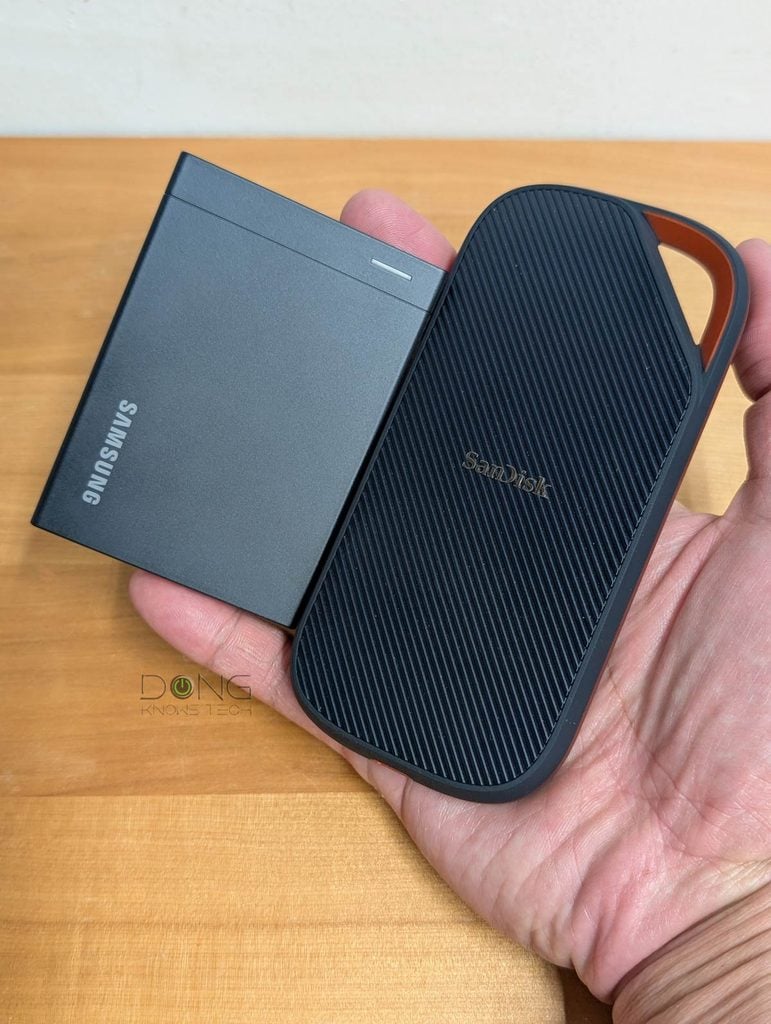
The Samsung P9 Portable SSD, announced on Aug 26, 2026, together with the lower-tier P7, is the second USB4 SSD-based external drive I’ve tested, after the SanDisk Extreme PRO with USB4. The two portable SSDs are similar in more ways than one, but the Samsung P9, as a newcomer, has an edge: It’s available in more capacity options, features hardware encryption, and is more compact.
In return, it’s also more expensive, with the 2TB version, which is the only currently readily available, costing some $650, or about $100 more than the Sandisk counterpart. Memory and storage are extremely expensive these days due to the massive demand of the Artificial Intelligence industry.
Here’s the bottom line: If you’re looking for a fast, rugged portable SSD for serious data-related applications and have a computer with USB 3.2 Gen 2×2, Thunderbolt 3 (or later), or USB4, the Samsung P9 Portable SSD is an excellent buy. Get one today!
In all cases, though, the SanDisk Extreme PRO with USB4 also fits the bill. So, it’s a matter of your brand preference and affordability.
Samsung P9's Rating
Pros
USB4 to deliver top performance within a compact and rugged design
Hardware encryption with effective password protection; excellent Samsung Magician dashboard desktop software
USB cables included; runs cool
Cons
Expensive
No USB-A cable or adapter included
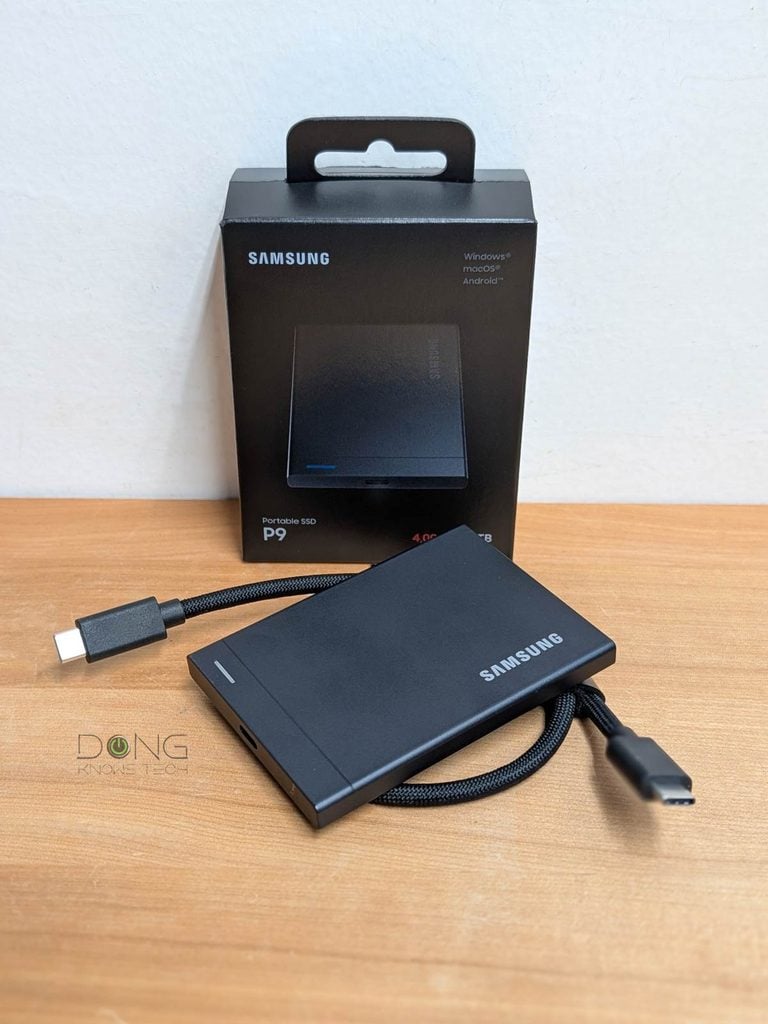
P9 Portable SSD: Samsung’s new record breaker
Last year, when reviewing the Samsung T9, I called it Samsung’s fastest USB portable drive. That’s no longer the case: the new P9 is now much faster thanks to USB4.
To be clear, USB portable SSDs’ performance depends greatly on the USB connection standard being used. If you use the P9 with USB 3.2 Gen 1 (5Gbps) or Gen 2 (10Gbps), its performance is likely similar to older drives of the respective standard. That said, this type of drive is best suited when you have a computer that supports USB4 or Thunderbolt 4.
Another thing to note is that USB storage generally has huge overhead, with most drives offering real-world sustained speed much lower than the theoretical rated speeds. That’s also the case of the Samsung P9, as you’ll note in the performance section below.
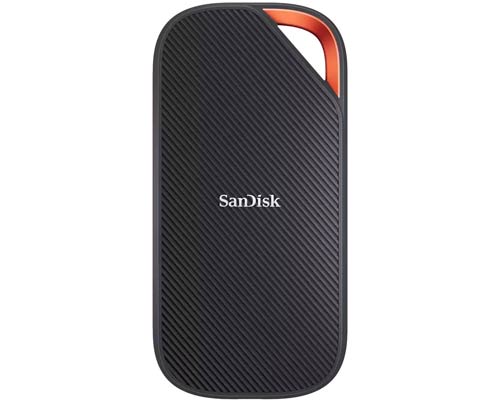
Still, having a high ceiling speed generally translates into faster real-world performance. And on this front, similar to the SanDisk Extreme PRO with USB4, the Samsung P9 is impressive. The table below compares the hardware specs of the two USB portable SSDs.
Samsung P9 Portable SSD vs. SanDisk Extreme PRO with USB4: Hardware specifications
 |  | |
| Full Name | Samsung Portable SSD P9 | SanDisk Extreme PRO with USB4 |
| Capacity | 1TB, 2TB, 4TB, 8TB | 2TB, 4TB |
| Interface | USB4 40Gbps Backward compatible with USB 3.2 Gen 2×2 (20Gbps) through USB 2.0 | USB4 40Gbps Backward compatible with USB 3.2 Gen 2×2 (20Gbps) through USB 2.0 |
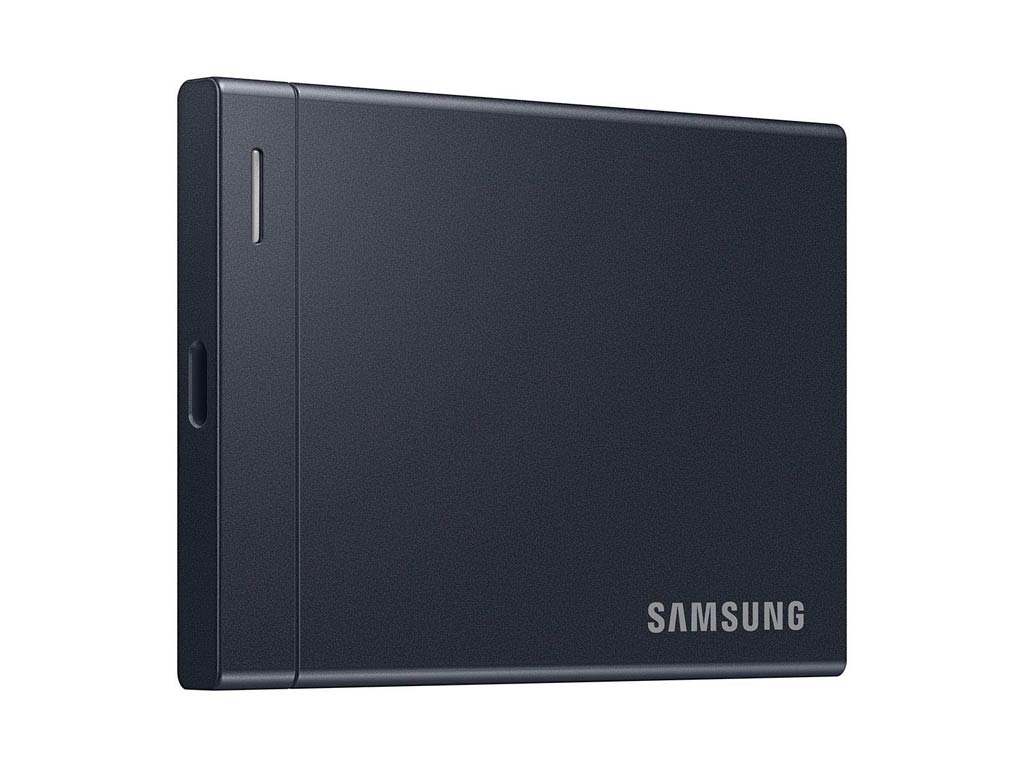
| Dimensions | 3.54 x 2.56 x 0.33 in (8.99 x 6.50 x 0.84 cm) | 5.51 x 2.7 x 0.47 in (14 x 6.86 x 1.19 cm) |
| Weight | 3.39 oz (96g) | 6.08 oz (172.37 g) |
| Write Speed | Up to 4,000 | Up to 3700 MB/s |
| Read Speed | 2TB, 4TB, 8TB: Up to 3,800 MB/s 1TB: 3,700 MB/s | Up to 3,800 MB/s |
| Encryption | AES 256-bit hardware data encryption | 128-bit AES encryption via SANDISK app |
| Software | Samsung Magician Software | None |
| Supported Platform | Windows, Mac, iOS, Android, Game Consoles | Windows, Mac, iOS, Android, Game Consoles |
| Ruggedness | Drop-proof (from up to 6.5 feet) | |
| Colors | Black | |
| Included Cables | USB-C cable | USB-C cable |
| US Launch MSRP (check current street prices) | $339.99 (1TB) $649.99 (2TB) $1,349.99 (4TB) $2,699.99 (8TB) | $279.99 (2TB) 429.99 (4TB) |
| Warranty | 5 years | 5 years |
A typical portable SSD with true plug-and-play and low power consumption
Despite the new super-fast ceiling speeds, the Samsung P9 is a typical USB portable drive.
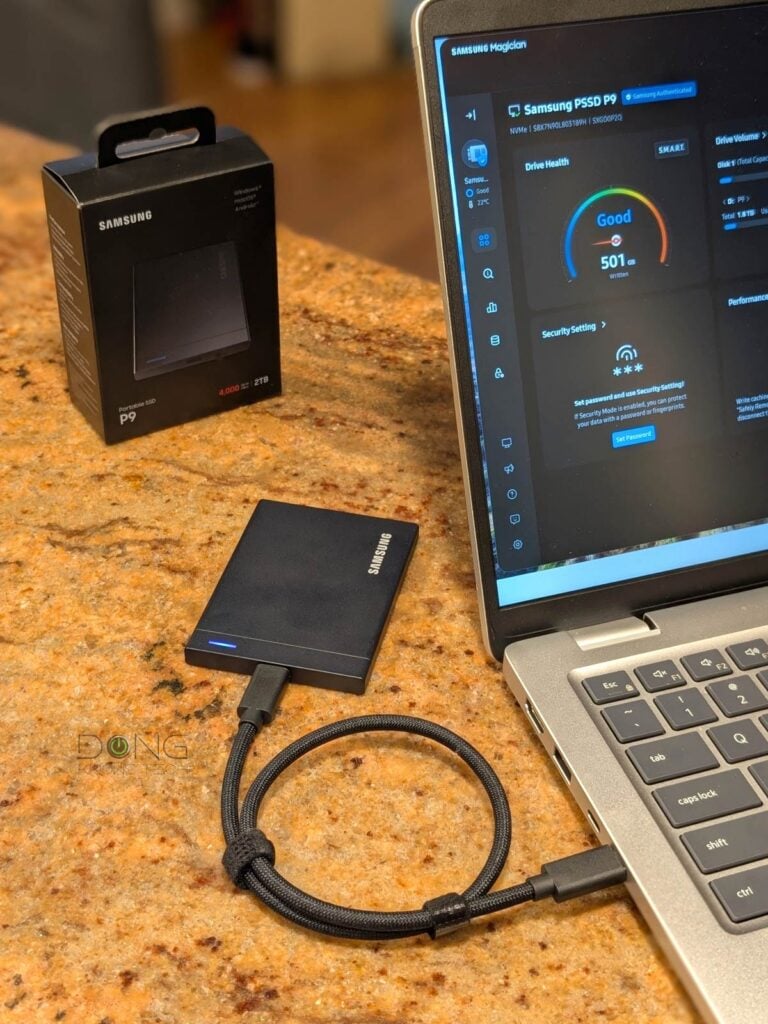
Out of the box, it’s a compact, palm-sized, thin squarish device with a USB-C port on one end that works for both data and power. On top, there’s a little LED that stays solid blue when the drive is plugged into a host and flashes when there’s data actively being transferred.
The drive is preformatted with the exFAT file system. As a result, regardless of the computer you use, be it a Windows PC, a Mac, or a device running Android or iOS, all you have to do is plug it in using the included USB-C cable, and it’s ready to work as added storage.
I tried it with a few computers and mobile devices, and it worked without any issues. In fact, it proved to be quite impressive in terms of power usage: I used it with my Pixel 9 Pro XL for a few hours, and the phone’s battery life didn’t seem to be noticeably shortened.


The Samsung P9 comes preloaded with the installer for Samsung Magician dashboard software, which is popular for Samsung SSDs. Alternatively, you can also download the latest version from Samsung’s website.
This software comes in handy when you want to check the drive’s status or change its caching policy within the OS to optimize performance. There’s also a tool to add password protection for the drive, which is great if you want to keep your data safe in case of loss or theft.
Samsung P9 Portable SSD: Excellent performance
I tested a 2TB Samsung P9 for a couple of days and was happy with its performance. Everything worked as intended, and the drive proved to be one of the fastest among USB portable SSDs.
It’s worth noting that its performance remained consistent even in large operations, such as when I copied a few hundred gigabytes of data at a time, making it truly a great drive for those with intensive applications, such as video editing.
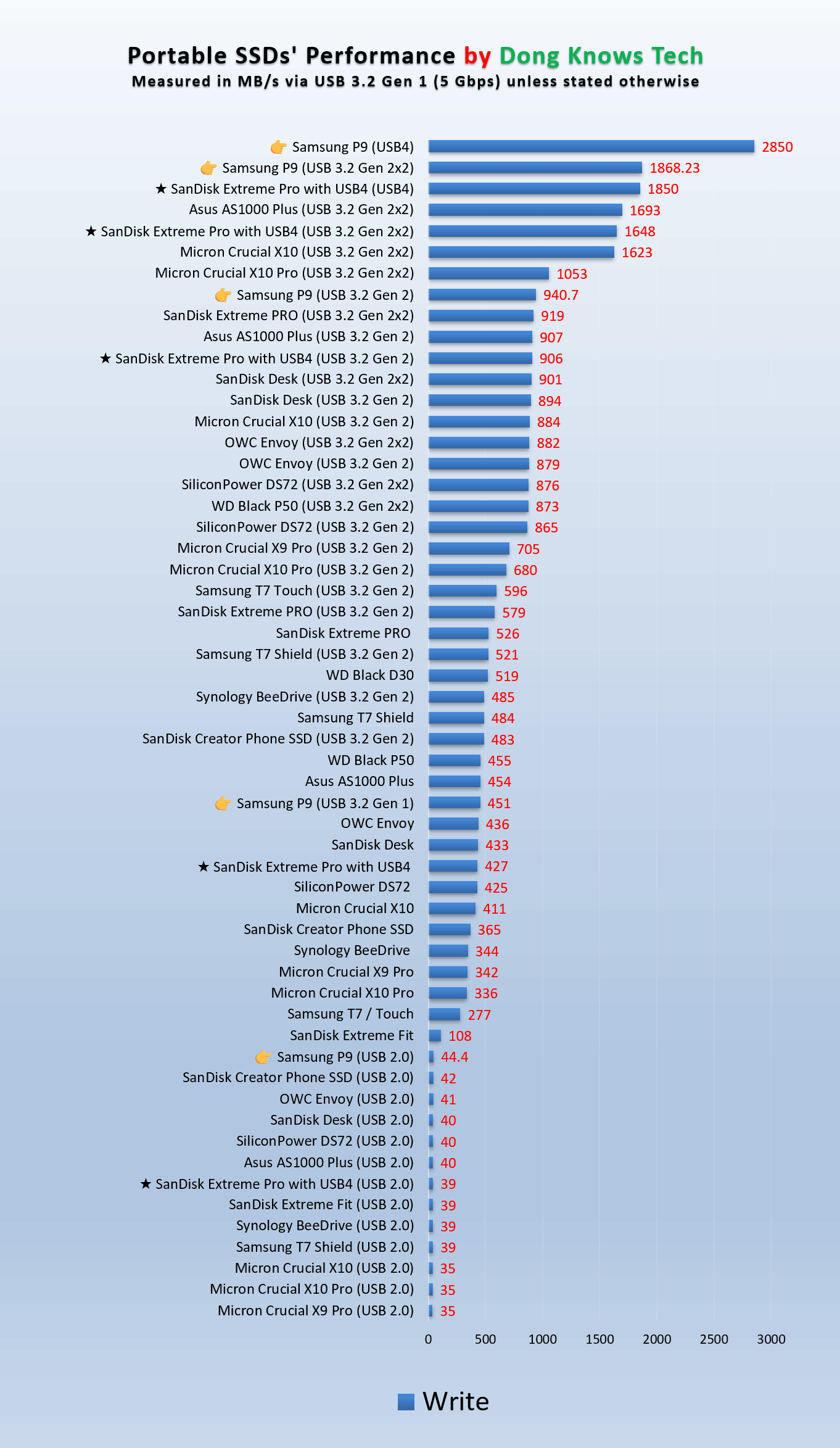
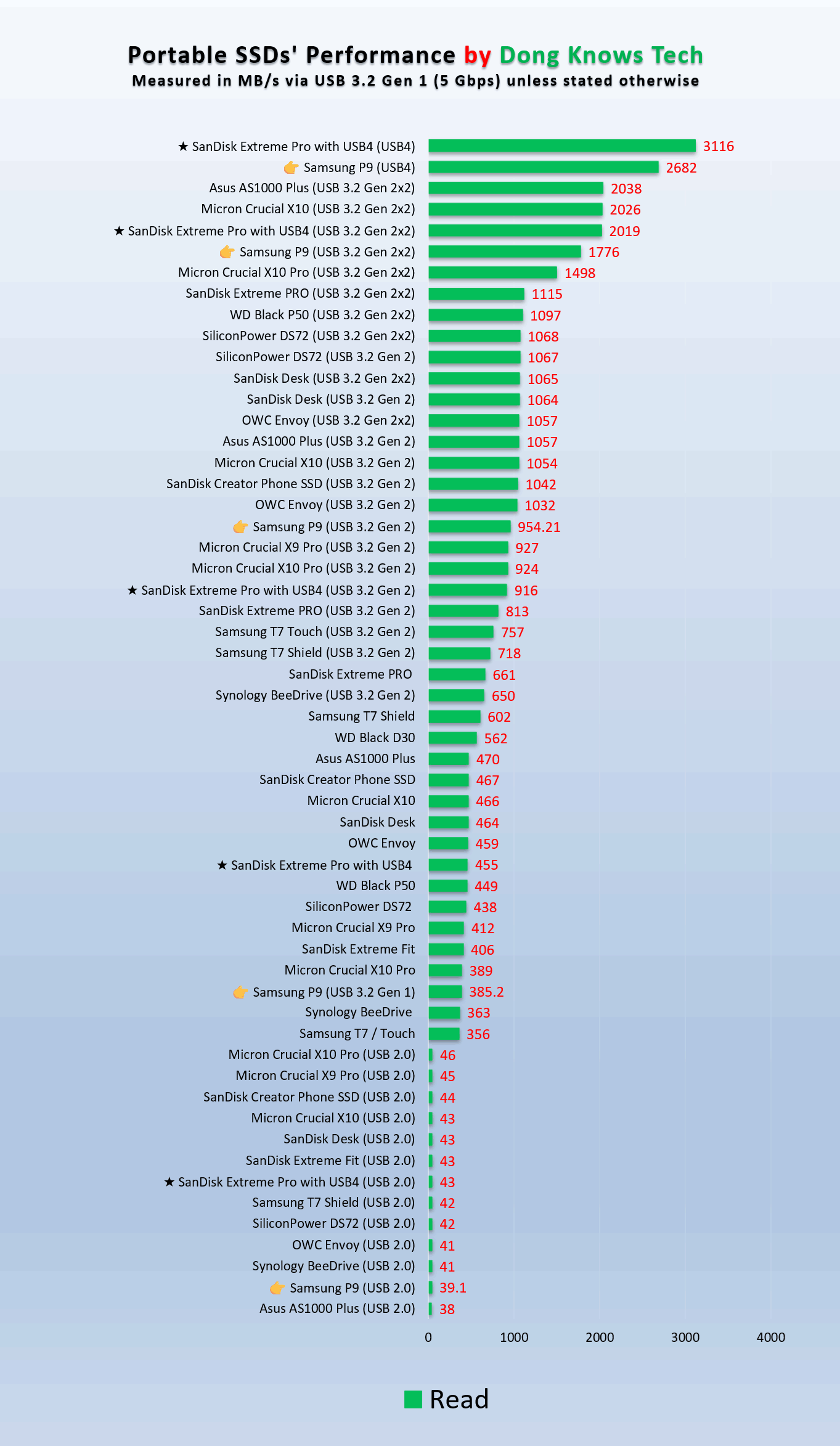
In terms of real-world speed, the drive didn’t deliver the speeds Samsung claimed, but it easily beats many high-end portable drives, as shown in the charts below. Generally, when used with USB4, you can expect its real-world copy performance to be around 2600MB/s or even faster, which is incredibly fast.
Other than that, the Samsung P9 Portable SSD remained completely cool to the touch during operation. As mentioned above, the drive seems to draw little power from the host, which is always a good thing.
Conclusion
The new Samsung P9 Portable SSD is not earth-shattering in what it has to offer, but the top-tier performance is always a bonus. If you have a USB4-ready computer, it’s an excellent option to have, if you can stomach the current cost. When you are at it, also consider the SanDisk Extreme PRO with USB 4, which is a frill-free portable SSD with similar performance.



Comments are subject to approval, redaction, or removal. You're in the no-nonsense zone and that applies BOTH ways.
It's generally faster to get answers via site/page search. Your question/comment is one of many Dong Knows Tech receives daily.
Thank you!
(•) If you have subscription-related issues or represent a company/product mentioned here, please use the contact page or a PR channel.