
The UniFi 5G Max (model U5G-Max) and the Outdoor variant (U5G-Max-Outdoor) are among the few 5G solutions Ubiquiti unveiled in late 2025. At their core, these are modems designed to connect to a UniFi network via a Power over Ethernet (PoE) connection, providing cellular Internet access to the entire system.
Here’s the bottom line: If you have a system powered by a UniFi Cloud Gateway (a.k.a UniFi “router”) and need cellular backup, the UniFi 5G Max (or the Outdoor variant) is a must-have. The thoughtful design, plug-and-play setup, and stellar performance make the relatively high $399 price tag easy to stomach.
Ubiquiti UniFi 5G Max's Rating
Pros
Excellent hardware design with reliable and fast cellular performance as backup or primary WAN source
Fast 2.5Gbps PoE-in port to offer flexible hardware placement
Useful accessories included, dual-SIM with eSIM support, plug-and-play
Cons
No local web user interface to support a non-UniFi router
Bulky
A bit pricey
Ubiquiti UniFi 5G Max: Your UniFi network’s best cellular friend
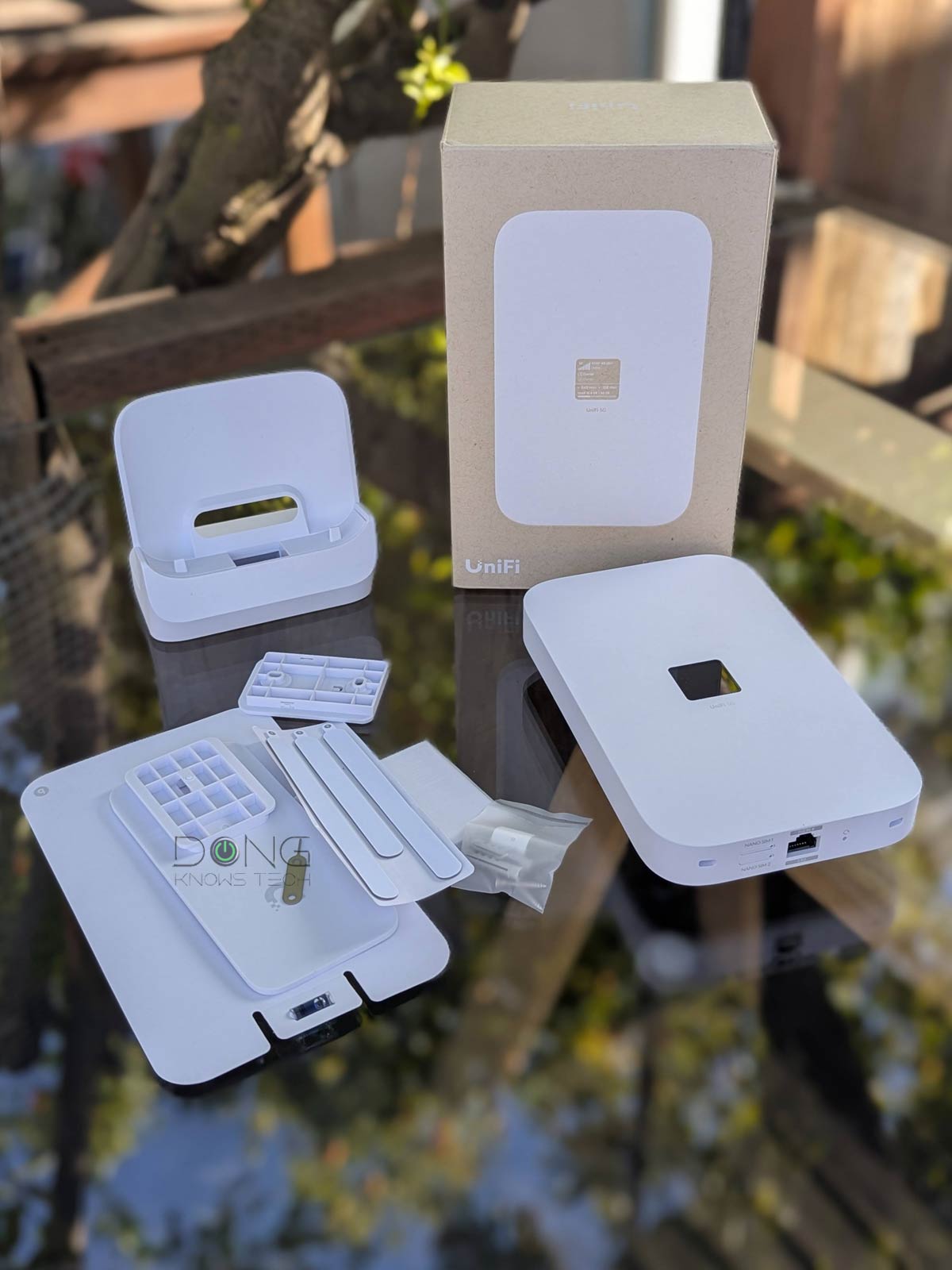
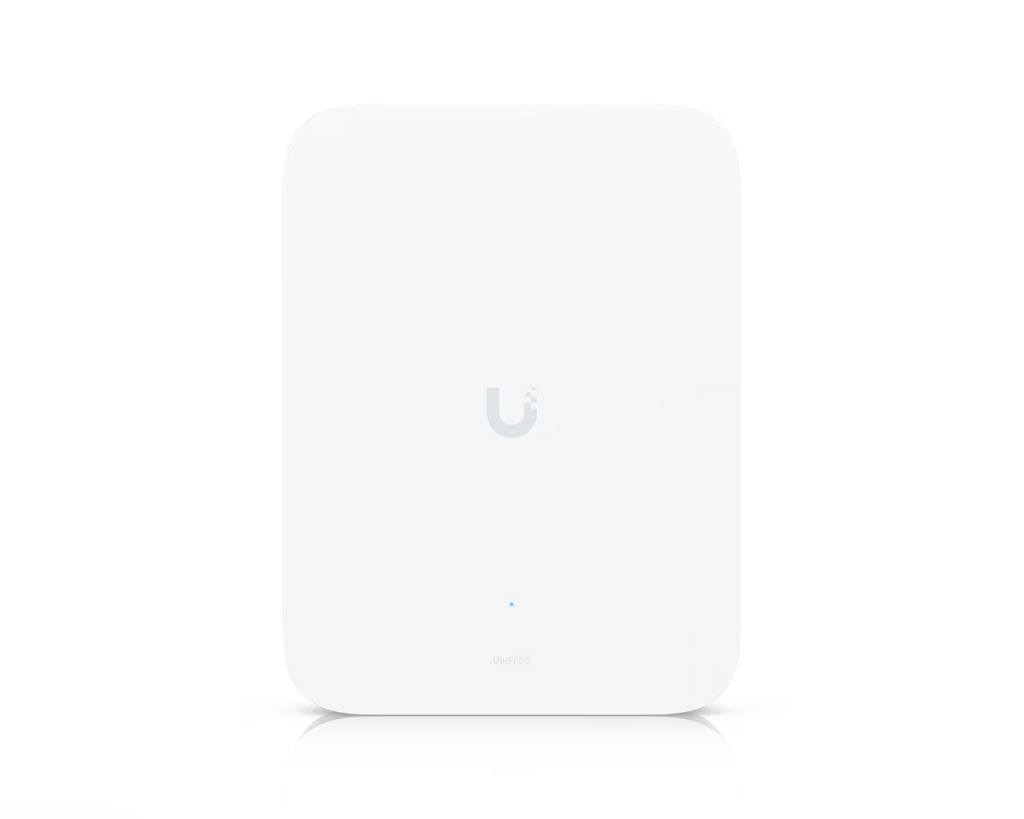
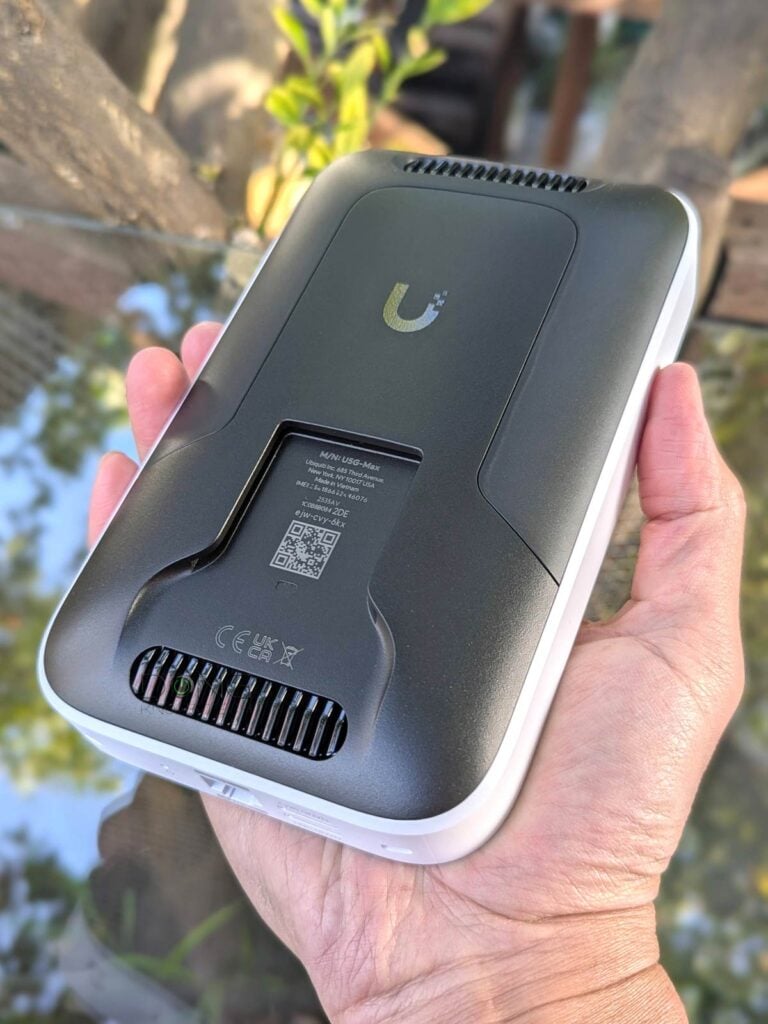
Out of the box, the UniFi 5G Max looks substantial: it’s super-large for a cellular modem, though not overly huge, about four times the size of the tiny UniFi Travel Router. Additionally, it comes with a desktop base and wall-mounting accessories. (The UniFi 5G Max Outdoor is about 30% larger and includes pole and ceiling mount accessories.)
The point is that, despite support for cellular Internet, the U5G-Max is not a device to be carried around like other cellular modems. It is meant to remain stationary during operation.
At the bottom, the U5G-Max has two Nano SIM slots and a PoE-in 2.5Gbps uplink port, which is also its sole power input—it has no other power port. That said, you’ll need a PoE switch on your network or an injector ready. This PoE support lets you place it anywhere you can run a network cable—even on a pole out in the open with the U5G-Max-Outdoor—to get the best cellular reception. Those with their router in the basement or a closet, a common scenario, can greatly appreciate the UniFi 5G Max’s placement flexibility.


The UniFi 5G Max is unlocked and supports dual-SIM, allowing you to use up to two Nano SIMs or one Nano SIM and one eSIM. At the time of this review, T-Mobile Home Internet SIMs are not supported, though that might change. In any case, like all cellular modems, it requires at least one data SIM to work. If you have two SIM cards in it, one will function as a backup.
According to Ubiquiti, the Outdoor version of the UniFi 5G Max will get Remote SIM support at some point. The table below shows the hardware specs of the UniFi 5G Max and its Outdoor variant.
Hardware specifications: Ubiquiti UniFi 5G Max vs. UniFi 5G Max Outdoor
 |  | |
|---|---|---|
| Full Name | UniFi 5G Max | UniFi 5G Max Outdoor |
| Model | U5G-Max | U5G-Max-Outdoor |
| Operating Roles | Cellular Modem | |
| 5G Modem Specs | Category: 5G NR Bands: n1, n2, n3, n5, n7, n8, n12, n13, n14, n18, n20, n25, n26, n28, n29, n30, n38, n40, n41, n48, n66, n71, n75, n76, n77, n78, n79 Max. TX Power: HPUE power class 2: 26 dBm Max Downlink: 3.4Gbps Max Uplink: 560Mbps | |
| 4G LTE Modem Specs | Bands: B1, B2, B3, B4, B5, B7, B8, B12, B13, B14, B18, B19, B20, B21, B25, B26, B28, B29, B30, B32, B34, B38, B39, B40, B41, B42, B43, B46, B48, B66, B71 Max. TX Power: HPUE power class 2: 25 dBm Max Downlink: 1.6Gbps Max Uplink: 210Mbps | |
| 3G Modem Specs | Bands: B1, B2, B4, B5, B8, B19 | |
| Antenna | Four embedded cellular antennas | Six embedded cellular antennas, including two high-gain for downlink: peak 9 dBi, 85°x85° |
| SIM | 2x Nano SIM slots supporting two Nano SIMs or one Nano SIM and one eSIM | |
| Dimensions | 7.1 x 4.3 x 1.3″ (180 x 109 x 33.8 mm) | Device: 8.7 x 6.5 x 2.6″ (220 x 165 x 66.9 mm) With mount: 8.7 x 6.5 x 4.8″ (220 x 165 x 122 mm) |
| Weight | 3.1 lb (1.4 kg) | Device: 2.6 lb (1.2 kg) Mount: 4.6 oz (130 g) |
| PoE-in Port (uplink) | 1x 802.3af 2.5Gbps Multi-Gig port | |
| Max Power Consumption | 14.5 W | |
| Gigabit Port | None | |
| Power Method | PoE | |
| Notable Design | Front-facing 1.3″ touchscreen | IP67 ratting |
| Release Date | December 5, 2026 | January, 2026 |
| US Launch Cost (check prices) | $399 | |
Convenient touch screen, super-easy to set up
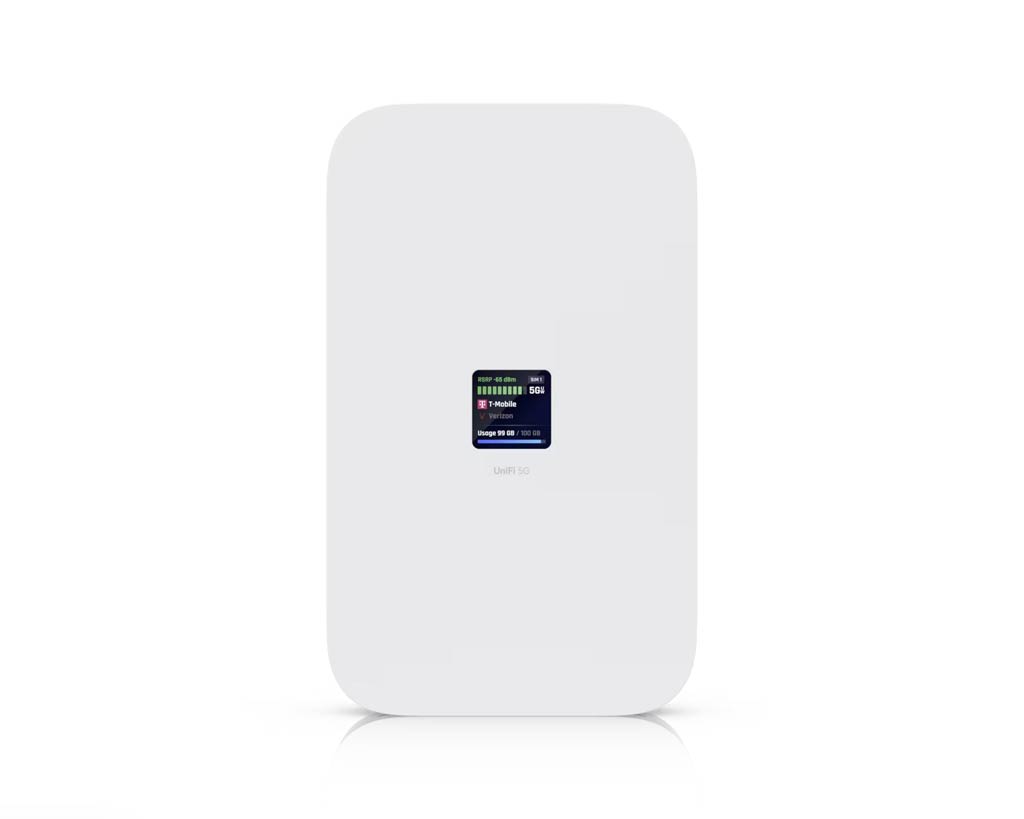
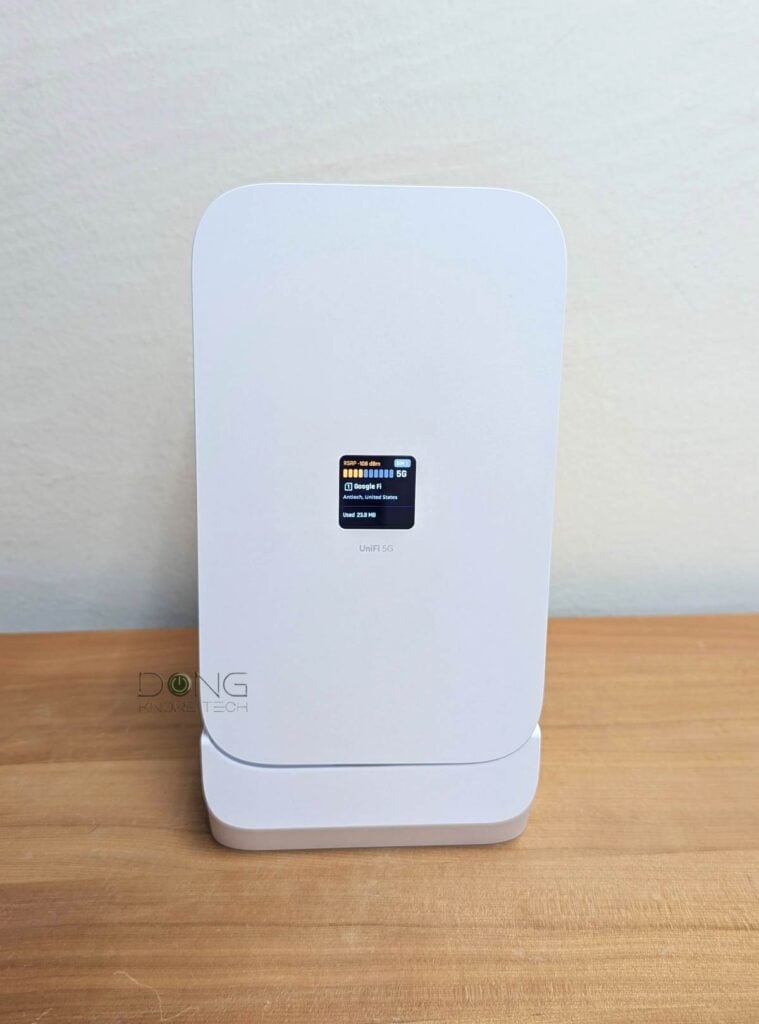
On the front (or top, depending on how you place it), the UniFi 5G Max has a 1.3″ touchscreen that shows its status. Users can swipe between pages of different sections. This screen comes in handy when you need to quickly find out what’s going on with the modem, but it doesn’t offer to change any settings, nor does it play any role in the setup process.
That’s partly because there’s not much to do. The U5G-Max is almost plug-and-play.
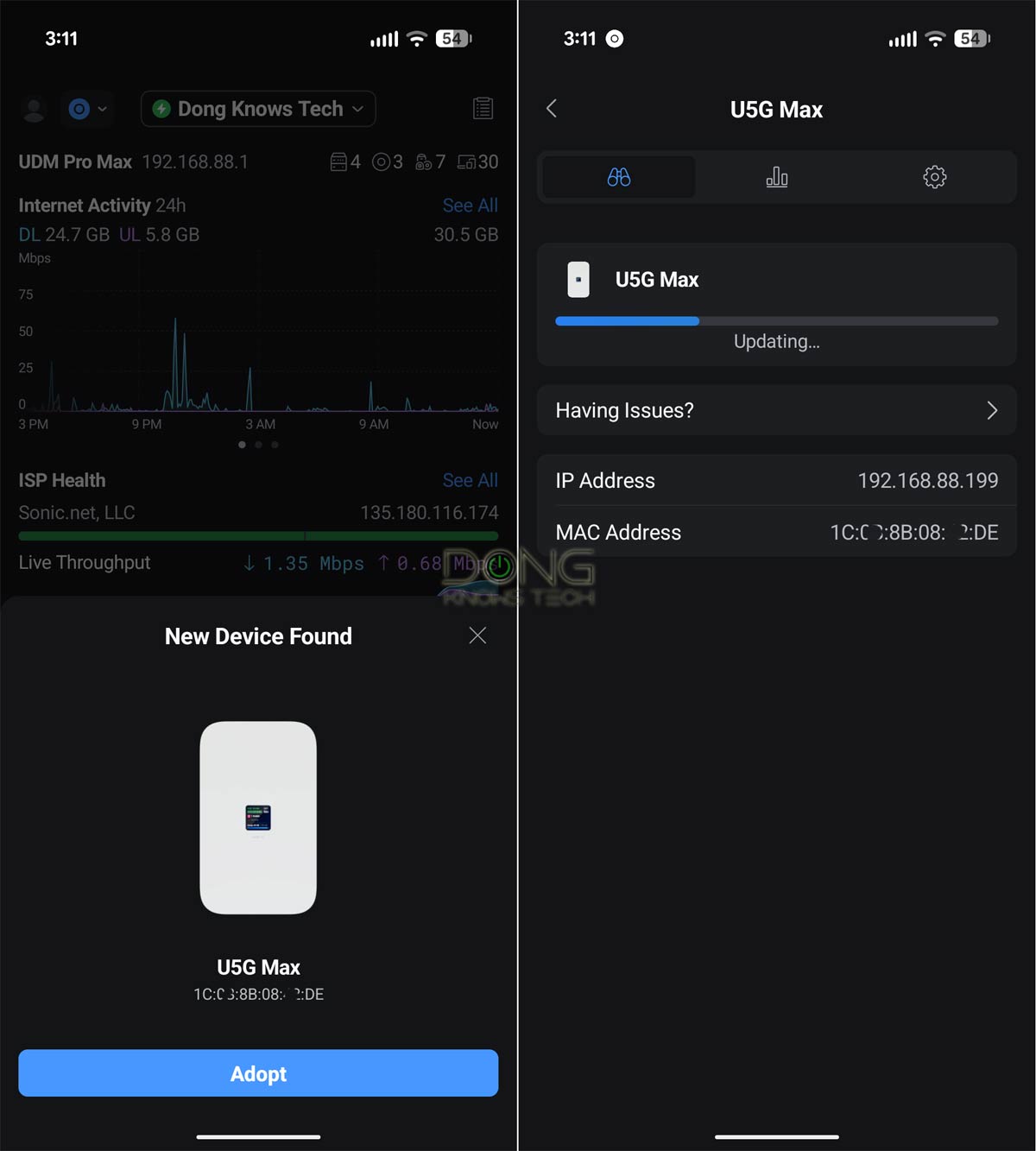
Like any other UniFi device, you first need to “adopt” it to the system. Once plugged in, it’s automatically detected by the UniFi mobile app or the UniFi “router’s” web user interface. After that, it takes a single tap (or a mouse click) to adopt it.
Note: Once adopted, as with other UniFi devices, the U5G-Max immediately checks and updates its firmware to the latest version—it’s important to keep it plugged in during this time.
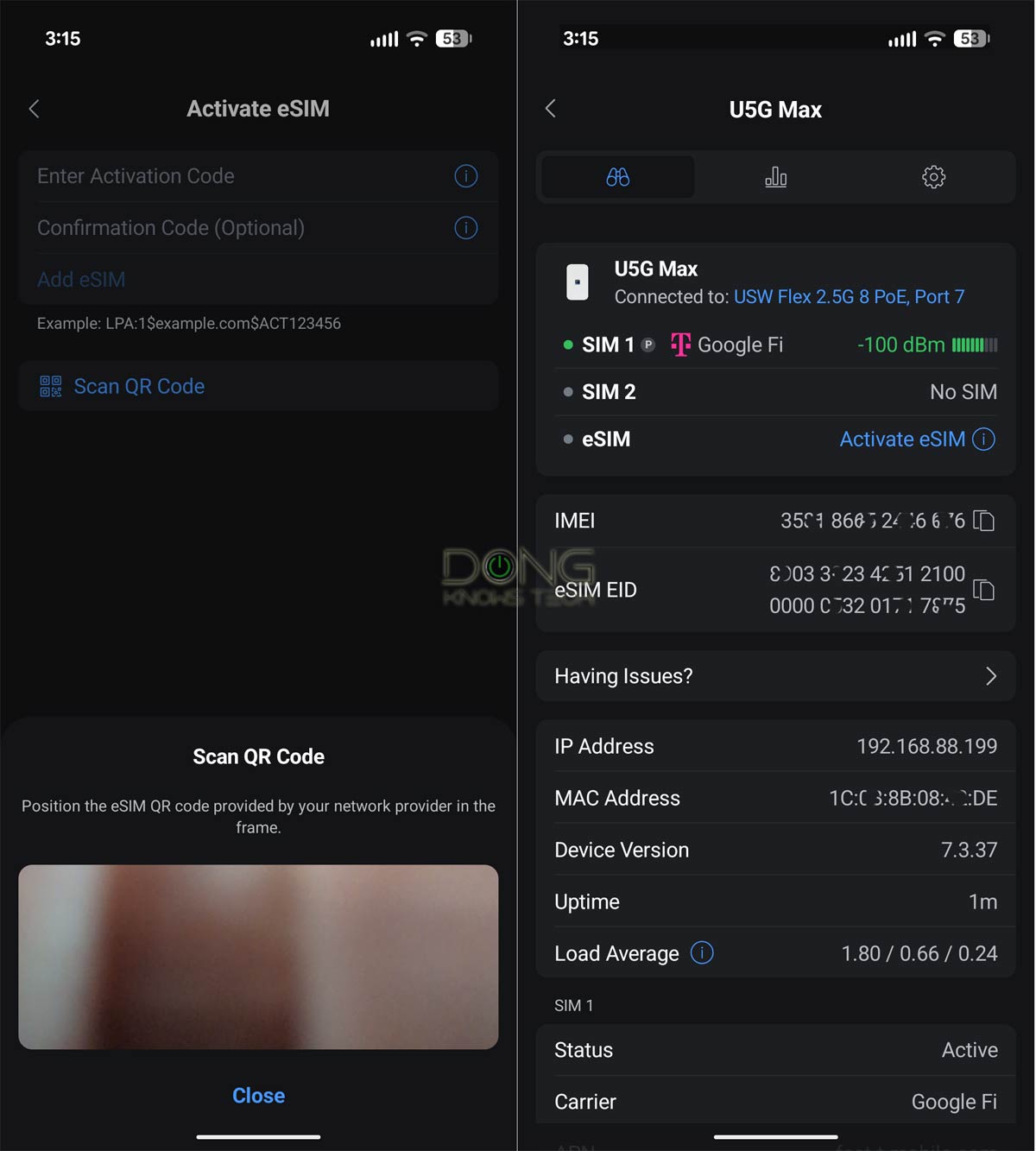
If you have a physical SIM, pop it into one of the SIM slots, and within a few minutes, the modem will be working as a cellular backup. A few things to note on the SIM front:
- I tried it with a few physical data SIMs from various US carriers, and they were all automatically recognized and provisioned. All I had to do was load them into the SIM lot.
- The U5G-Max supports a custom SIM value, such as a specific APN. If a SIM requires customization, you can manage it in the UniFi app or the router’s web user interface.
- An eSIM can be loaded via its activation code, or you can use the UniFi app to scan its QR code.
In any case, adding a SIM proved to be a walk in the park in my experience. Once added, the SIM-based data plan will function as an additional WAN source, working in tandem as a failover (default) backup with the UniFi router’s existing primary Internet source, a 10Gbps fiber-optic in my case.
Note: To conserve cellular data, it’s best to use the UnFi 5G Max in failover (default) mode in a dual-WAN or multi-WAN configuration. Additionally, turn off “Automatic Speed Test” in the console’s Internet section.
Ubiquiti UniFi 5G Max: Excellent performance
I used the UniFi 5G Max on a network hosted by a UDM Pro Max for over two weeks and was quite impressed. During this time, there were a few fiber-optic outages due to construction and ONT replacement, and the add-on modem proved extremely valuable.
The U5G-Max’s cellular reception (WAN 3 in my setup) kicked in immediately as the primary WAN source (WAN 1) was down, without any delay. When WAN 1 was restored, the system automatically switched back to it immediately.
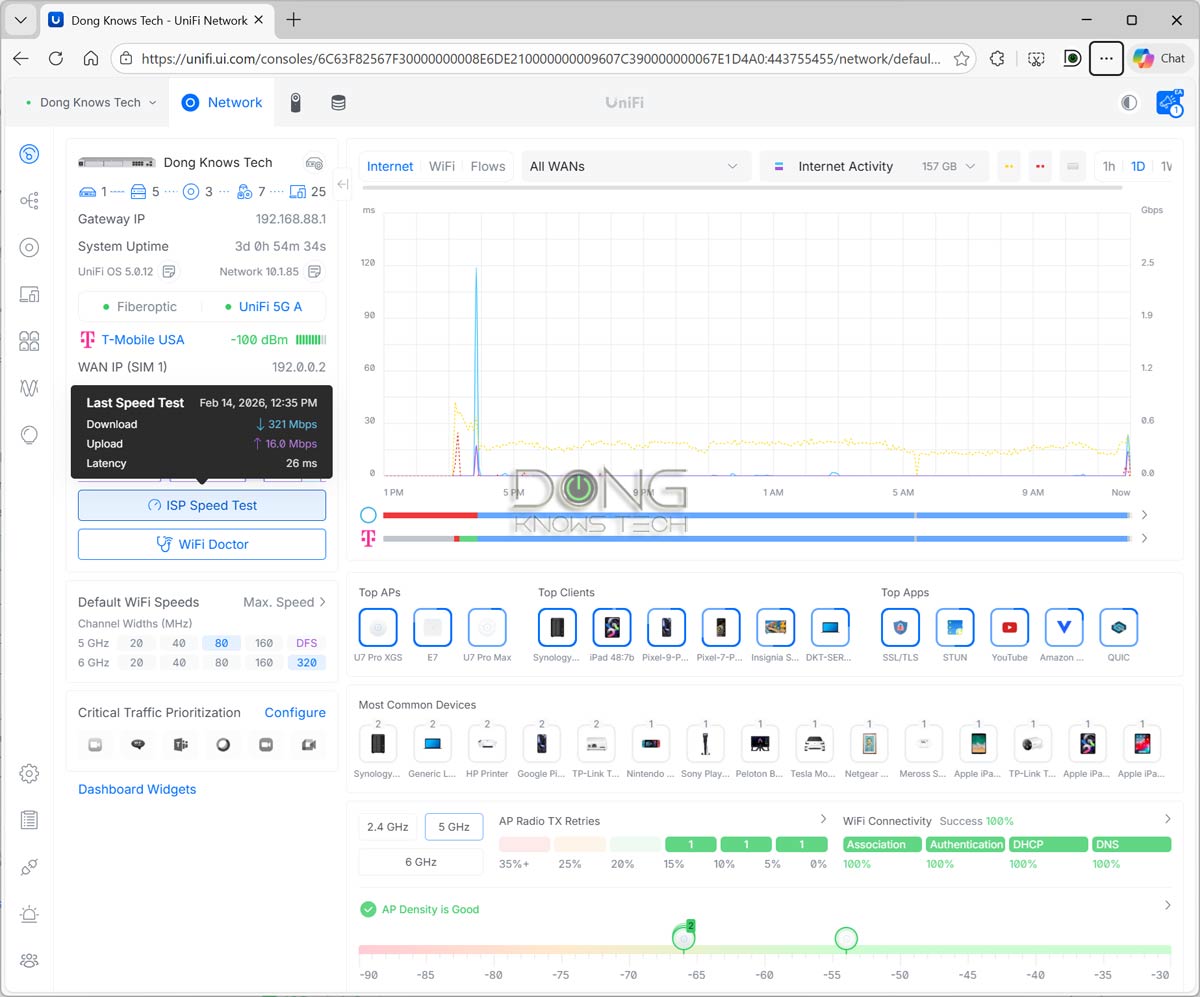
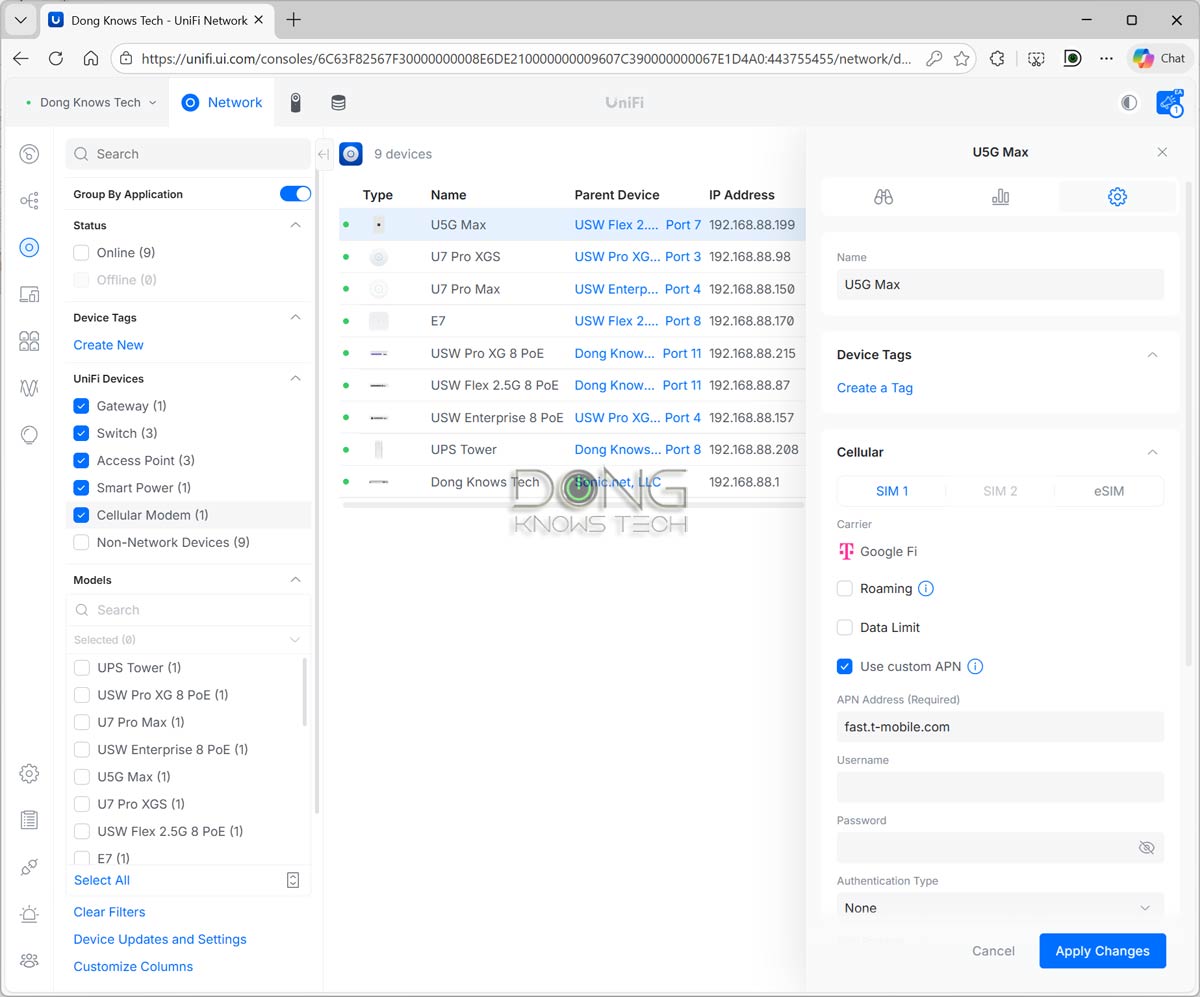
In terms of performance, I use the UniFi 5G Max with a Google Fi data SIM. When used indoors at a location with a 100 dBm signal strength, I often got over 300 Mbps of download speed. That’s faster than many cable connections.
It’s important to note that cellular data speeds vary by provider, data plan, and location, but it’s safe to say the U5G-Max will deliver the best possible speed across those three.
Like many other UniFi devices, the UniFi 5G Max became quite warm during operation but never hot enough to cause concern. It was completely silent during my trial, suggesting it has no internal fan, but I didn’t open it up to check.
Conclusion
As an add-on cellular backup, the UniFi 5G Max is not for everyone. However, for those with a UniFi network who need high availability or rely solely on cellular for Internet, it’s truly a must-have. Get one today!
Dong’s note: I used mostly the UniFi 5G Max for this review, but you can expect the same experience from the Outdoor version, which costs the same and likely offers better cellular reception thanks to its outdoor placement option. Additionally, I tested the unit on a UniFi Dream Machine Pro Max network, but you’ll get the same result with any UniFi network console.




How have you found data usage to be on the device when it’s just sitting as an unused standby failover device? I’ve seen people reporting it chomping through 1GB/day.
Not in my case, Neil. However, I can imagine that can be the case if they have certain features turned on for that cellular WAN, such as Automatic Speed Test, load-balancing dual-WAN, etc.