
Ubiquiti today unveiled its latest network console in the UniFi family, the Cloud Gateway Industrial (model UCG-Industrial). It’s the first product in the networking vendor’s all-new UniFi Industrial initiative, a platform that includes “ruggedized, fanless hardware built for extreme environments”.
I had the chance to spend an extended period pre-launch with the new UniFi Network console, and it was something to behold!
Here’s the bottom line: Despite the modest Wi-Fi specs and the relatively high $579 price tag, the UCG-Industrial is an excellent choice for anyone who wants/needs a robust, compact 10Gbps-capable, PoE-ready, all-in-one network solution. And for those working in a rough environment or who simply can’t treat their devices with care, it’s a must-have. Get one today before it becomes out of stock!
Ubiquiti UniFi Cloud Gateway Industrial (UCG-Industrial)'s Rating
Pros
All-in-one UniFi console with 10Gbps capability, top PoE power output, built-in Wi-Fi 7, and SIM slots with Remote SIM support
Excellent wired and wireless performance (for the specs)
Tons of useful networking features, including a mesh controller and a UNVR, all via a comprehensive web user interface and an optional mobile app—neither requires a login account.
Practical, compact, and rugged design; runs cool and quiet
Cons
Only two 10Gbps ports, no built-in cellular modem, no NVMe or SATA drive support for storage
Modest dual-band Wi-Fi 7 specs, bulky power adapter
A bit pricey
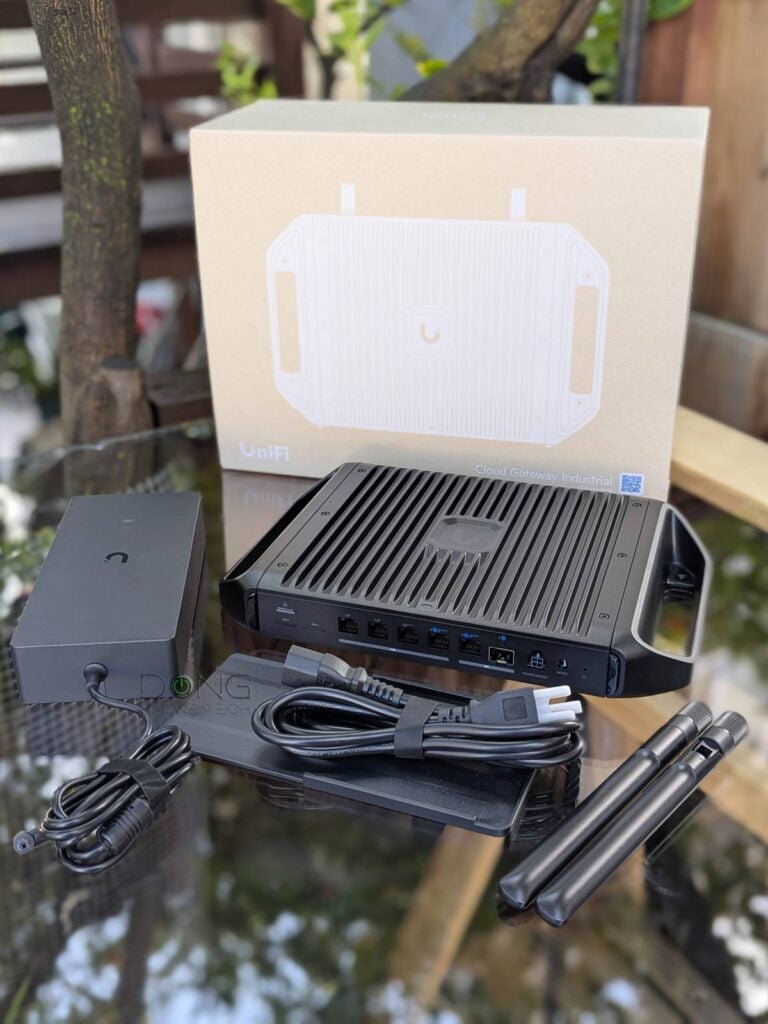
UniFi Cloud Gateway Industrial: Representing Ubiquiti’s new class of tough UniFi hardware
The UniFi Cloud Gateway Industrial sure is a novelty: both totally new and very familiar.
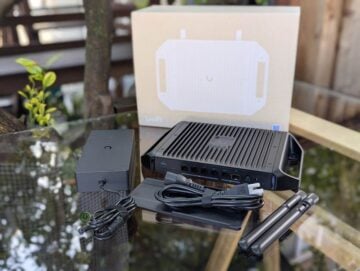
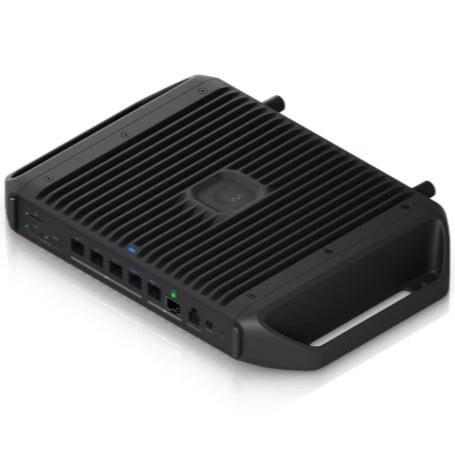
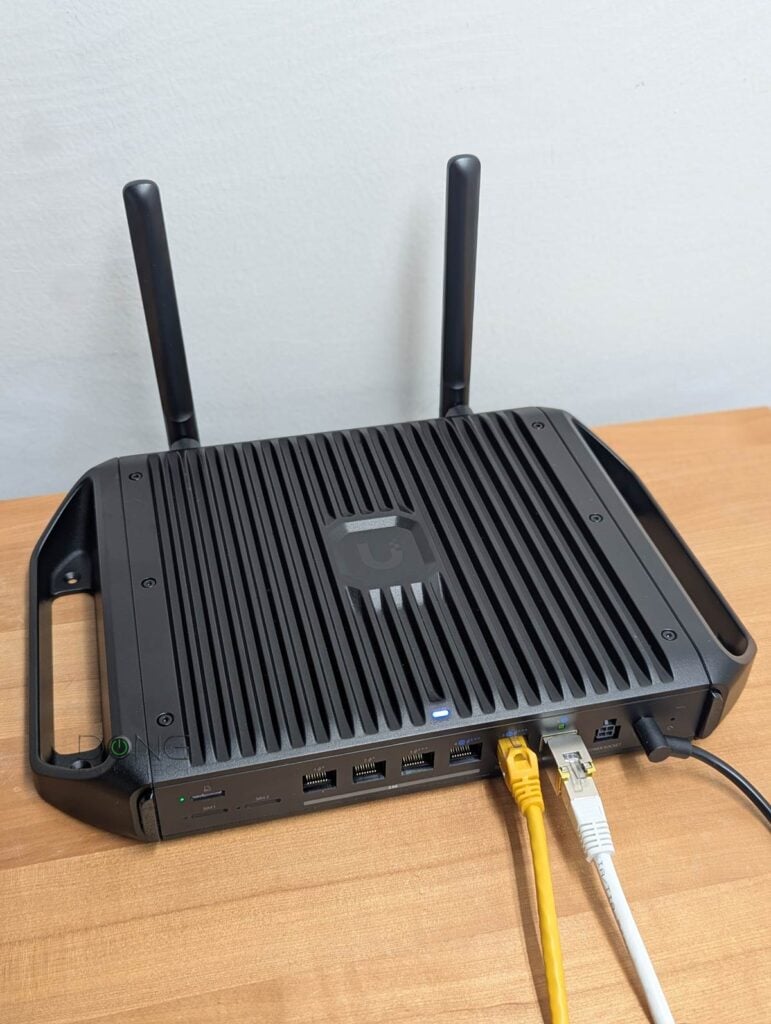
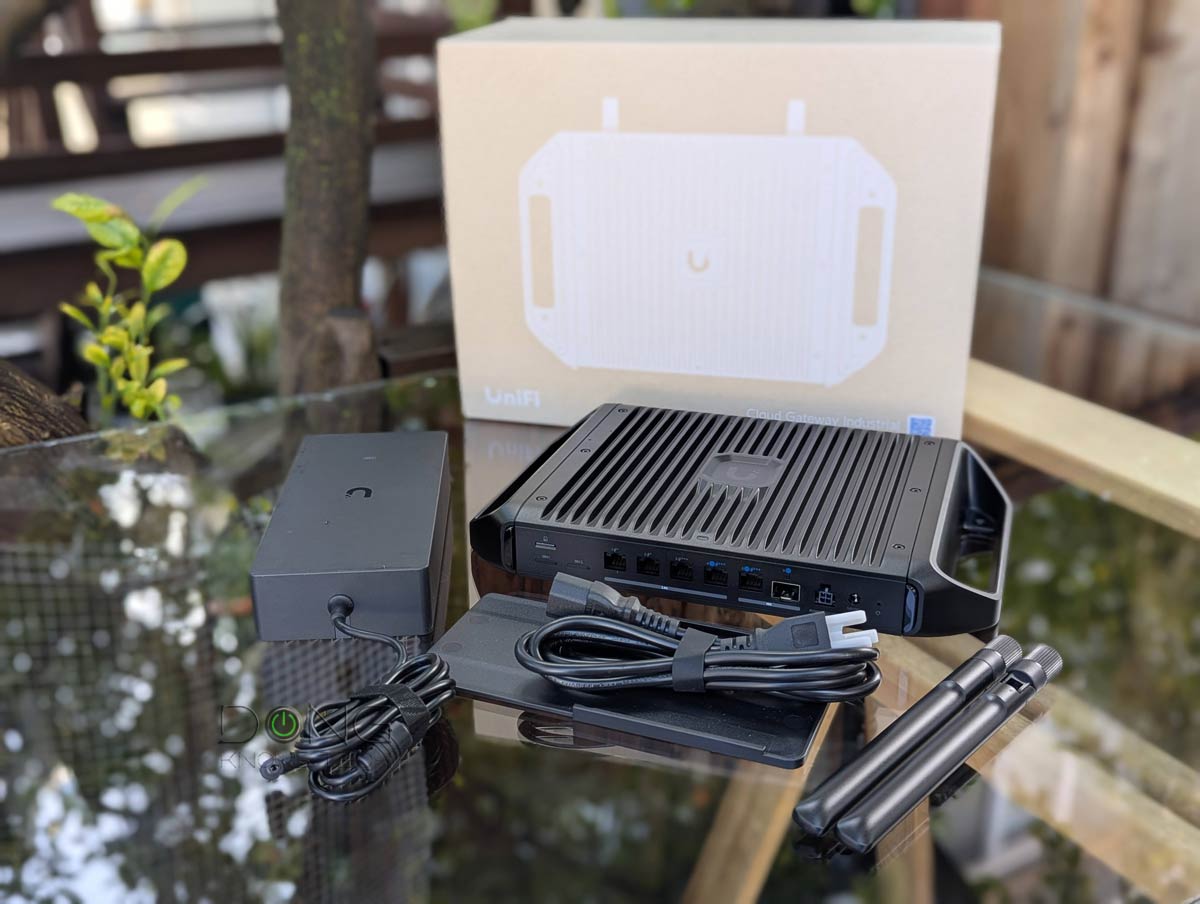
Out of the box, it’s unlike any other UniFi “router” I’ve worked with: a solid, hefty, square black aluminum alloy box, rugged enough to take a serious beating. It also comes with a modular chassis—you can quickly remove or reassemble its side handles—that supports desktop, under-desk, wall, and rack mounting with mounting accessories included.
What’s more, on the back, it has something that hardly ever existed in previous UniFi Cloud Gateways: two antenna ports for external removable antennas (included). Conversely, though, on the front, it includes a few items that were collectively available in multiple UniFi devices. Specifically:
- An SFP+ port plus a 10Gbps Multi-Gig port plus four 2.5Gbps Multi-Gig ports, similar to the case of the UCG-Fiber. The two 10Gbps and one 2.5Gbps ports (#4) are WAN ports by default, but, like the case of all UniFi Cloud Gateways, you can change the role of any port as long as at least one of them functions as the WAN port.
- Three PoE+++ ports and two PoE+ ports, like the case of multiple UniFi switches and other Cloud Gateways. It’s worth noting that its PoE+++ port can deliver up to 90W of power, enough to handle even the most demanding PoE devices, including LEO Satellite Terminals. Within the UniFi ecosystem, these ports will come in handy if you also get the UNAS 4 or UNAS 2 PoE storage server. In any case, the UCG-Industrial can host up to five PoE devices on its own.
- Two nanoSIM slots for dual-SIM support, when coupled with UniFi 5G Max Outdoor.
- A miniSD card slot similar to that of the UDR7. A 120GB card is included and can be replaced with a higher-capacity card if needed. This slot serves as the storage space for other UniFi applications.
And the UCG-Industrial proved even more familiar the more I looked into what it houses inside. It’s somewhat a combination of the UCG-Fiber and the UDR7, though not entirely. The table below shows the detailed hardware specs of the three UniFi consoles.
Hardware specifications: UCG-Industrial vs. UCG-Fiber vs. UDR7
 |  |  | |
|---|---|---|---|
| Full Name | UniFi Cloud Gateway Fiber | UniFi Cloud Gateway Industrial | UniFi Dream Router 7 |
| Model | UCG-Fiber | UCG-Industrial | UDR7 |
| Operating Roles | Cloud Gateway | ||
| Wi-Fi Bandwidth | None | Dual-band BE5000 | Tri-band BE11000 |
| 6GHz band (channel width) | N/A | None | 2×2 BE: Up to 5.7Gbps (20/40MHz/160/320MHz) |
| 5GHz band (channel width) | N/A | 2×2 BE: Up to 4.3Gbps (20/40/160/240MHz) | |
| 2.4GHz band (channel width) | N/A | 2×2 BE: Up to 688 Mbps (20/40MHz) | |
| Automated Frequency Coordination (AFC) | N/A | No | |
| Multi-Link Operation (MLO) | Yes | ||
| Wi-Fi Coverage (estimate) | None | 115 m² (1,250 ft²) | 160 m² (1,750 ft²) |
| Processing Power | Quad-core ARM Cortex A73 2.2GHz CPU, 3GB RAM | Quad-core Arm Cortex A53 1.5GHz CPU, 3GB RAM | |
| Storage | 1x NVMe storage slot | Undisclosed internal flash, 128GB microSD pre-installed in SD card slot | Undisclosed internal flash, 64GB microSD pre-installed in SD card slot |
| SIM Slots | 2x Nano SIM | None | |
| Dimensions | 8.3 x 5 x 0.5 in (212.8 x 127.6 x 30 mm) | 12.1 x 8 x 1.7 in (307 x203.5 x43.7 mm) | 4.33-inch (110 mm) wide 7.25-in (184.2 mm) tall |
| Weight | 1.5 lb (675 g) | 5.3 lb (2.4 kg) | 2.4 lb (1.1 kg) |
| PoE Port | 1x 802.3at (PoE+) | 2x PoE+ 3x PoE+++ | 1x 802.3af |
| PoE Power Budget | 30W | 270W | 15.4W |
| Max PoE Per Port | 30W | 30W (PoE+) 90W (PoE+++) | 15.4W |
| Multi-Gig Port | 1x 10GBASE-T WAN/LAN 1x SFP+ WAN/LAN 1x SFP+ LAN, 4x 2.5GBASE-T LAN | 1x SFP+ (WAN/LAN), 1x 10Gbps Multi-Gig (WAN/LAN), 4x 2.5Gbps Multi-Gig | 1x SFP+ (WAN/LAN), 1x 2.5GBASE-T WAN/LAN), 4x 2.5GBASE-T LAN |
| Gigabit Port | None | ||
| Power Method | DC Jack | DC Jack, ATX power port (48V) | AC/DC, Internal, 50W |
| Power Supply | 60W adapter | 350W adapter | Standard 2-prong AC power cord |
| Supported Voltage | 100-240V AC | ||
| Power Consumption (per 24 hours) | ≈ 300 Wh (tested with no PoE device) | ≈ 420 Wh (tested with no PoE device) | ≈ 315 Wh (tested with no PoE device) |
| Internal Fan | Yes | No | Yes |
| Max TX Power | N/A | 2.4GHz: 23 dBm 5GHz: 26 dBm | 2.4GHz: 23 dBm 5GHz: 26 dBm 6GHz: 24 dBm |
| Antenna Gain | N/A | 2.4GHz: 6 dBi 5GHz: 6 dBi | 2.4GHz: 5 dBi 5GHz: 7 dBi 6GHz: 6 dBi |
| Wireless Security | WPA/WPA2/WPA3 | ||
| Mesh Ready | Yes (with UniFi access point) | ||
| Notable Design | Compact design with 0.96″ LCM status display | Rugged, fanless design with external removable antennas and various modular mounting options | Compact design with 0.96″ LCM status display |
| UniFi Application Suite (concurrent supported apps) | Network, Protect, Talk, Access, Connect | ||
| Max UniFi Device Support (Concurrent access points, cameras, phones, etc.) | 50+ | 30+ | |
| Max Camera Support (Protect app) | HD (15) 2K (8) 4K (5) | HD (5) 2K (2) 4K (1) | |
| Max Concurrent User Support (end-devices) | 500+ | 300+ | |
| IDS/IPS Throughput (routing bandwidth with security turned on) | 5Gbps | 2.3Gbps | |
| Software Version (at review) | UniFi OS: 4.1.16 Network: 9.0.114 | UniFi OS: 5.0.6 Network: 10.1.85 | UniFi OS: 4.1.18 Network: 9.0.114 |
| Release Date | February 26, 2025 | February 19, 2026 | February 25, 2025 |
| US Cost (at launch) | $279 (no storage) $399 (1TB) $529 (2TB) | $579 | $279 |


Ubiquiti UCG-Industrial: A familiar full-scale UniFi console that has (almost) everything
As you’ll note in the table above, the UCG-Industrial is similar to the UCG-Fiber, plus built-in support for Wi-Fi 7 and cellular backup. As a result, in terms of functionality, it has everything one’d need for a robust Wi-Fi network.
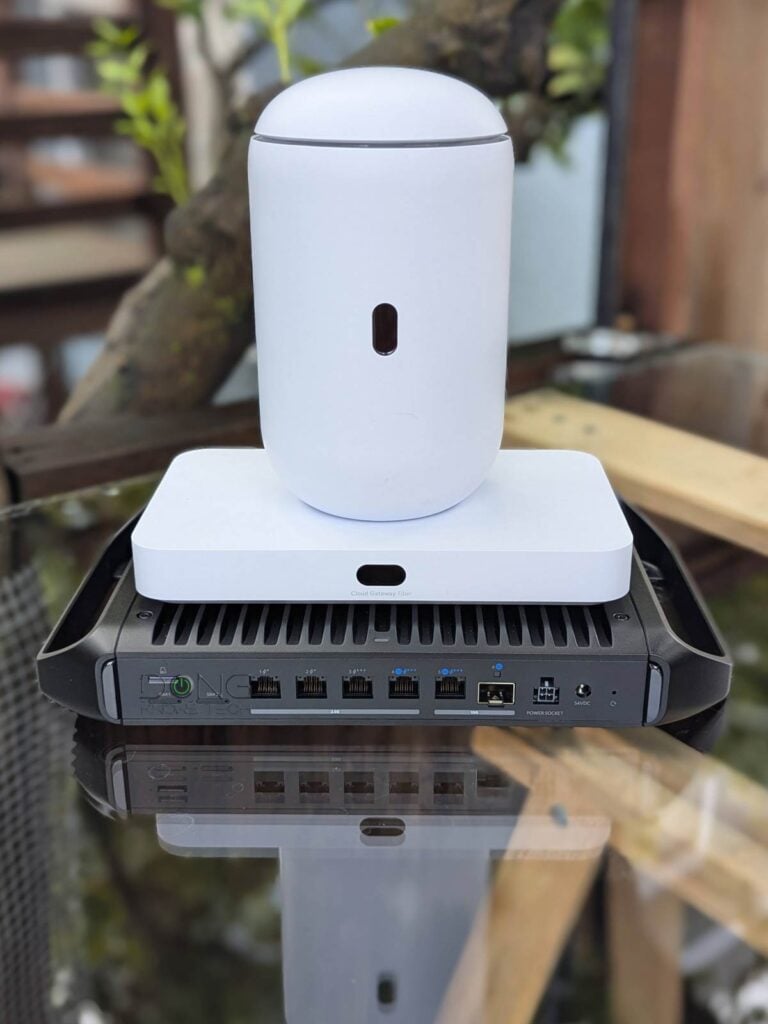
However, the UCG-Industrial is far from perfect: it supports only dual-band Wi-Fi 7 and uses a miniSD slot for storage rather than a higher-capacity option like an NVMe SSD or a SATA drive. Additionally, it comes with a bulky power adapter that’s half its size and weight.
Still, powered by UniFi OS, it’s a familiar UniFi console that can run the full suite of UniFi applications.
UniFi console in a nutshell
A UniFi console always runs UniFi OS plus one or more UniFi applications, with Network being the most significant—the primary app.
However, not every UniFi console is equipped with this app. Network-enabled UniFi consoles are called “UniFi Cloud Gateways” (UCGs) and include the UniFi Dream series, such as Dream Machine (UDM) or Dream Wall (UDW)—all of which are UniFi “routers” if you prefer to call them that way.
A few UCGs have just this Network app—they are Network-only UniFi consoles. Most UCGs can host additional applications to qualify as a multi-app, Network UniFi consoles.
All UniFi Cloud Gateways (a.k.a. Network-enabled UniFi consoles) share the same basic features and settings. However, their capacities—specifically the number, breadth, and depth of UniFi applications they can handle simultaneously—vary depending on the hardware specifications.
The following are the current UniFi applications, with the first six belonging to the original UniFi Application Suite:
- Network (primary): This application enables the hardware to function as an advanced router, thereby qualifying it as a “UniFi Cloud Gateway” (UCG). This app handles all network-related aspects, including security, firewalls, access points, Wi-Fi system management, and more. On a UCG, the Network app is the default and can’t be uninstalled.
- Protect: The support for IP cameras as an advanced surveillance system, including a built-in UniFi Network Video Recorder (UNVR) of a UniFi console. Protect is the default app of a standalone UNVR. Generally, a standalone UNVR is a multi-app, non-Network console that can also host the Access and InnerSpace applications, but it’s often classified as a “Protect-only UniFi console”.
- Talk: A locally hosted Voice-over-IP system.
- Access: A “platform designed for Access Control Systems”—per Ubiquiti. Examples include door-related security IoT devices such as doorbells, key fobs, and locks.
- Connect: Application that manages digital signage and EV Stations
- InnerSpace: A visualization tool that allows users to map out their UniFi network by uploading floor plans, drawing walls, etc., for the deployment of UniFi devices.
- Drive: The latest app that turns a UniFi console into a UniFi network-attached storage (NAS) server, known as a UNAS. Generally, a UNAS server is a single-app non-Network UniFi console—it’s a “Drive-only UniFi console”.
Each of these applications is a world in itself, with various in-depth customizations, and some require UniFi devices to function as intended.


As a result, you can use the UCG-Industrial in multiple scenarios, including:
- As a standard Wi-Fi 10Gbps-capable router. With this default role, it’s ready to work on its own and can handle the following Internet sources:
- One or multiple standard landline connections, such as cable and/or fiber-optic.
- Cellular Internet via one or two SIMs using Remote SIM provision when coupled with the UniFi 5G Max Outdoor.
- A Low Earth Orbit (LEO) satellite internet terminal.
- A mix of two or three of the above at the same time as dual-WAN or tri-WAN with failover or load-balancing.
- A host of a robust Wi-Fi network when more UniFi access points are added.
- A UniFi Network Video Recorder (UNVR) for a Protect-based surveillance system, which is one of the best of its type.
- A host of a Voice-over-IP system when IP phones are used.
- Other UniFi functions.
Most importantly, it can do all of the above simultaneously. During my trial, I tested only the first three, and each worked as intended, with excellent performance per the hardware specs—more below.
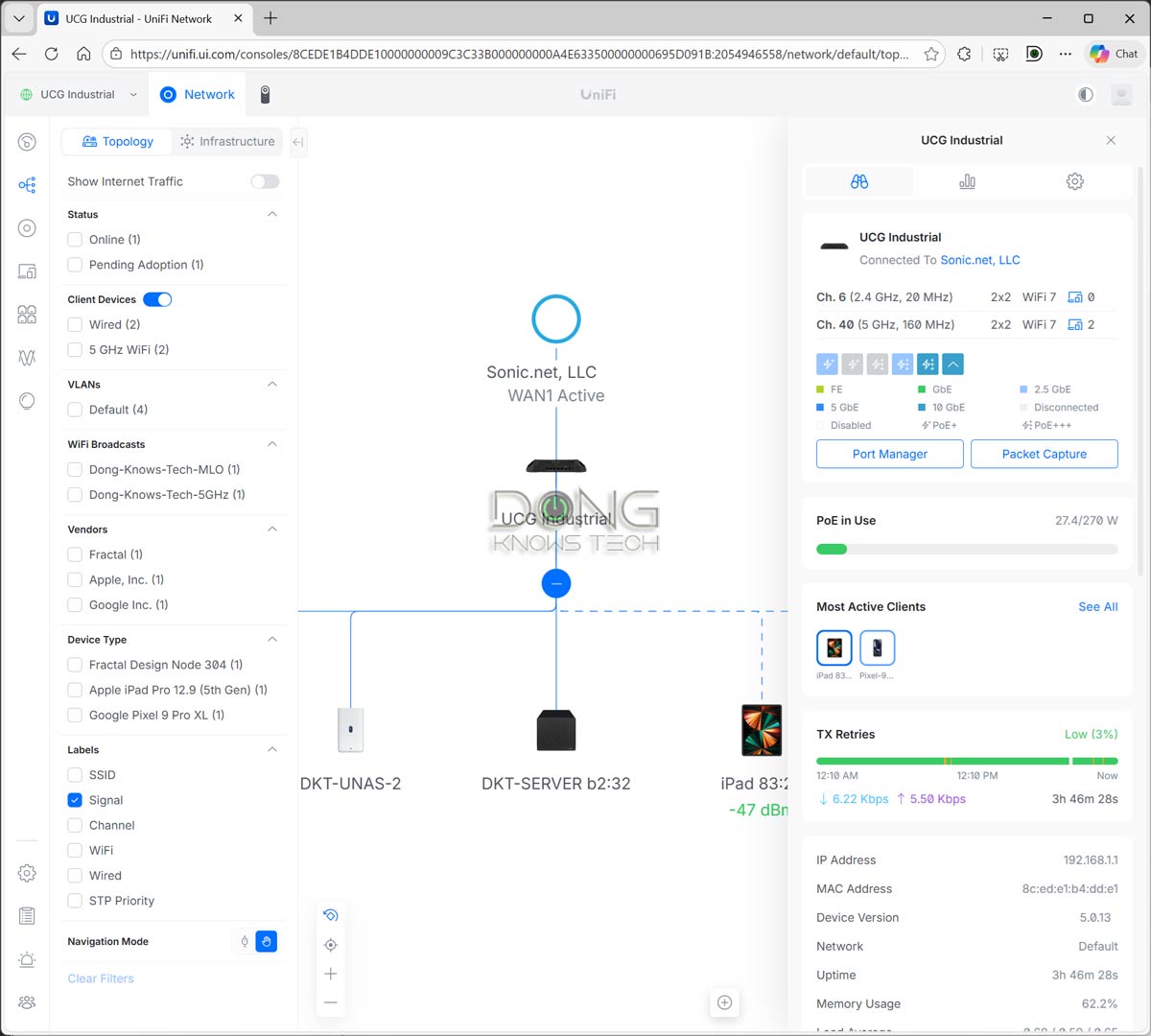
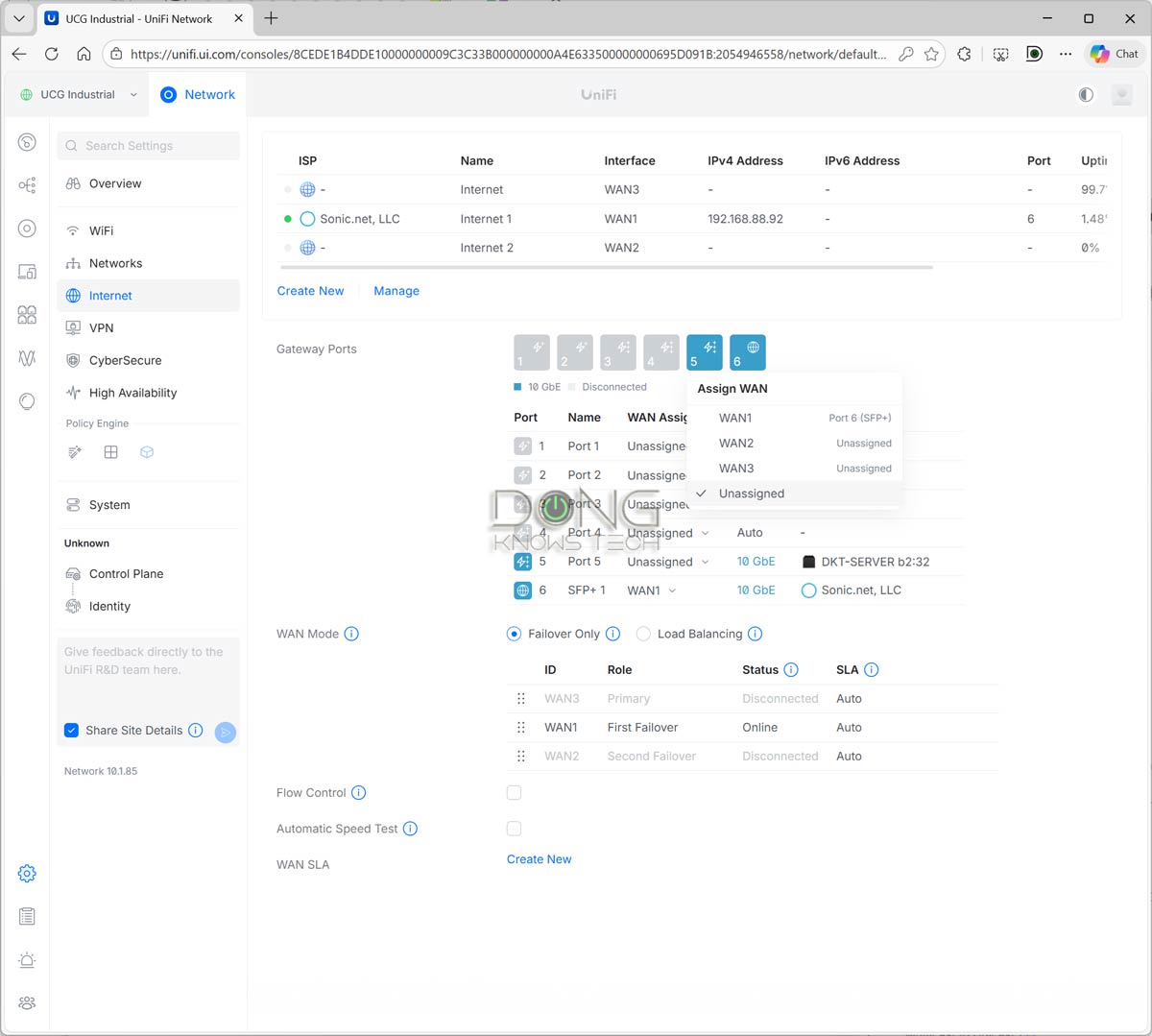
It’s worth noting that the UCG-Industrial shares the same web user interface and UniFi mobile app as the rest of UniFi consoles, and therefore the same setup and management as I detailed in this post. On top of that, if you choose ot use it as a UNVR, this post on the UniFi Protect app will help.
Finally, keep in mind that the UCG-Industrial doesn’t have a built-in cellular modem. Its two SIM slots are only useful when you also have the UniFi 5G Outdoor add-on PoE modem. In this case, the console features Remote SIM provisioning, allowing you to manage SIM-based data plans without physically accessing the modem—a handy feature if the modem itself is mounted outside on top of a pole. After that, it’s safe to say the cellular experience will be the same as I described in the UniFi 5G Max review.
Modest built-in Wi-Fi, robust configuration
As mentioned, the UCG-Industrial comes with a built-in dual-band, dual-stream (2×2) Wi-Fi 7 access point with a combined bandwidth of around 5000Mbps. That’s the bareminimum of the standard.
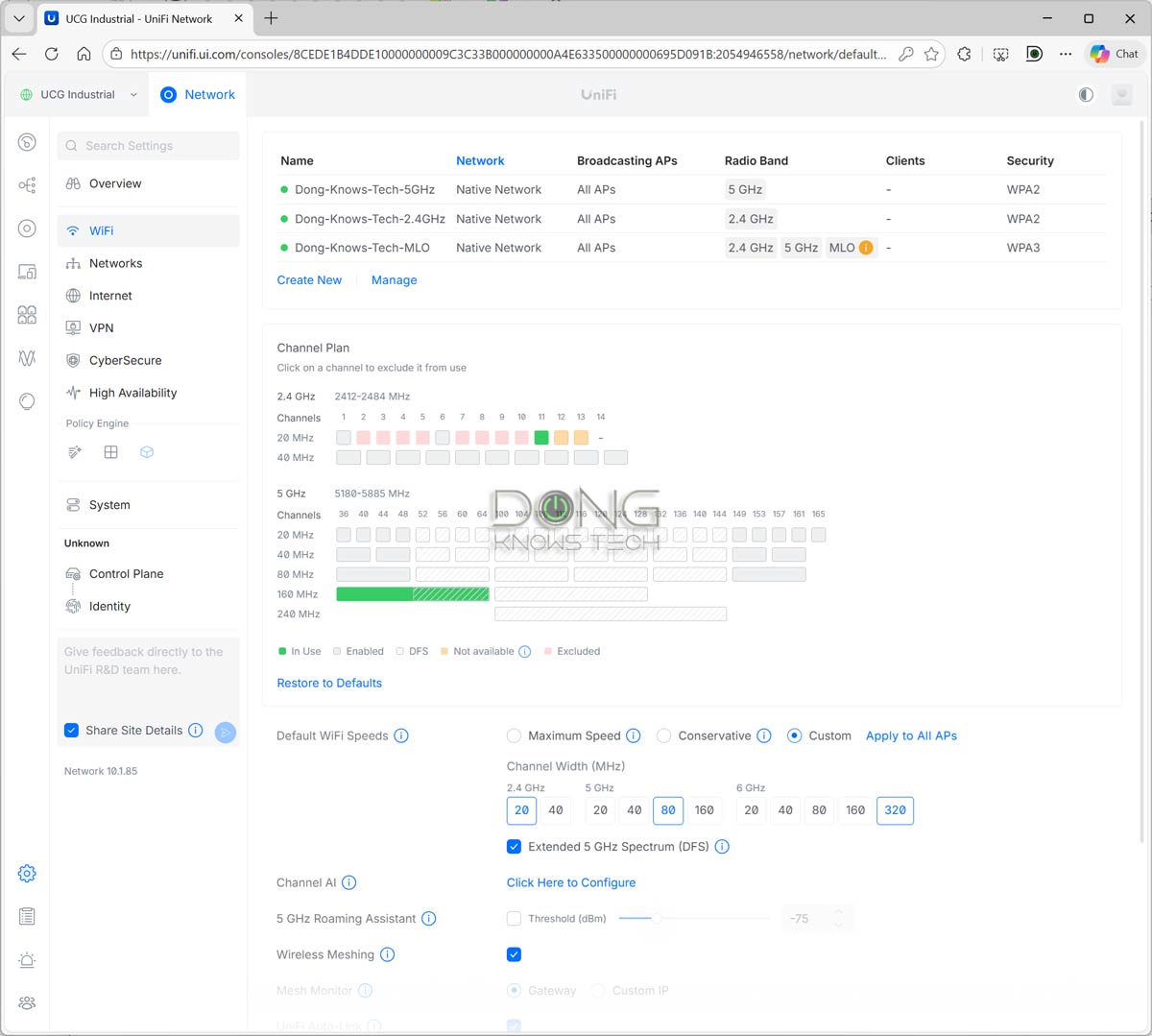
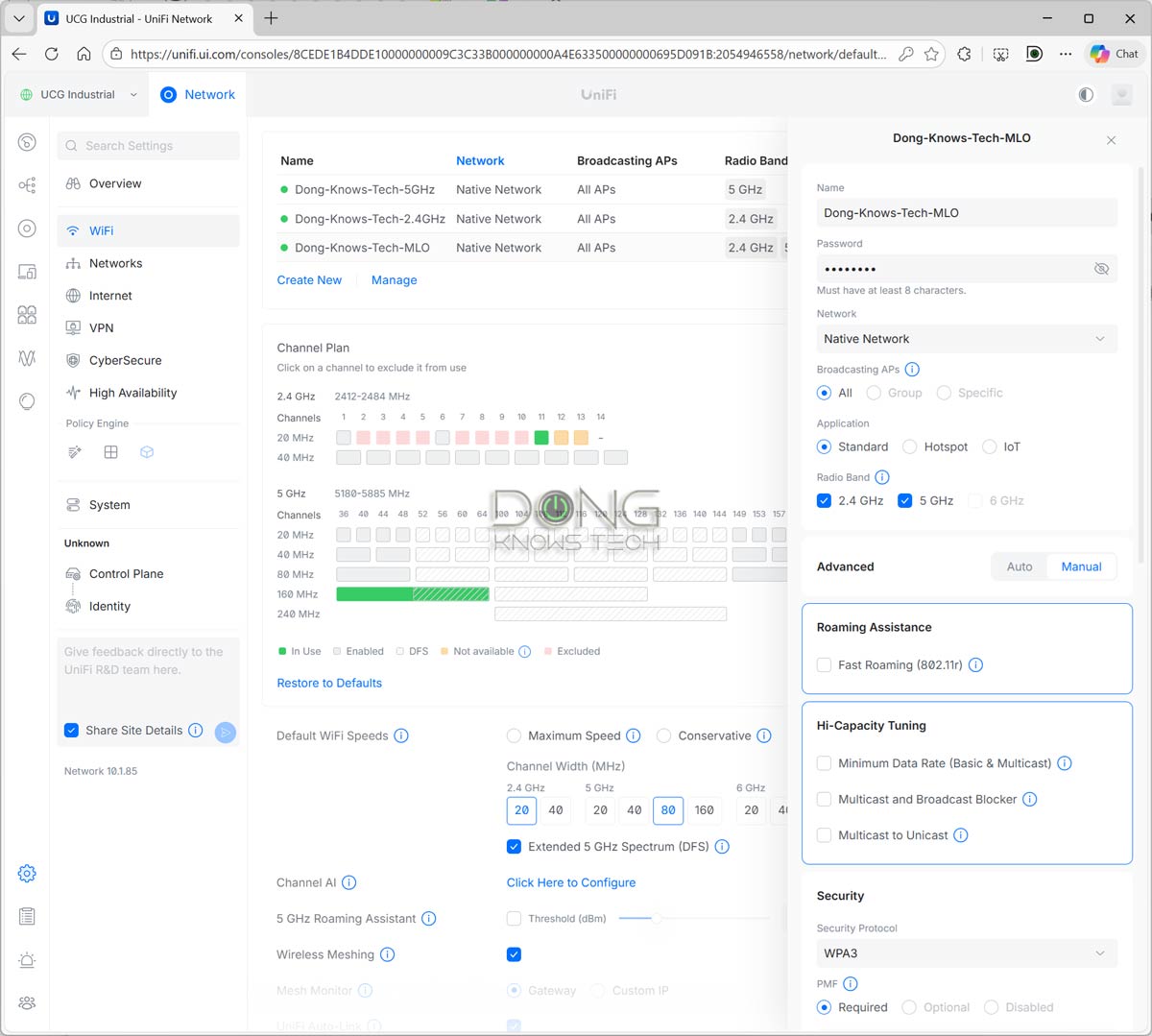
If you find that disappointing, you’re not wrong. However, keep in mind that the console can handle dozens of UniFi access points, including those with top-tier Wi-Fi 7 hardware specs. Most importantly, it includes all standard and advanced settings, including the AFC for the 6GHz band when supported hardware is present.
Other than that, it has all the bells and whistles that a high-end UniFi Network console has to offer, including but not limited to:
- Up to four SSIDs per band with in-depth customization.
- Advanced VPN servers, including WireGuard and Teleport.
- Excellent monitoring system for connected devices, including web filtering (parental control) based on different categories applicable to a group or particular device(s).
- Free enterprise-class advanced security and online protection.
- Other advanced networking features.
That aside, in my trial, the UCG-Industrial also shone where it matters the most: the real-world performance.
Ubiquiti UCG-Industrial: Excellent performance
I tested and used the UniFi Cloud Gateway Industrial for about a week, and it worked flawlessly.
With no internal fan, the console was completely silent, and thanks to the metal base, which acts as a well-designed 85 BTU/hour heat dissipator, it remained quite cool, becoming only slightly warm to the touch on the underside. Considering UniFI hardware is known to run quite hot, the UCG-Industrial is a breath of fresh air on this front.
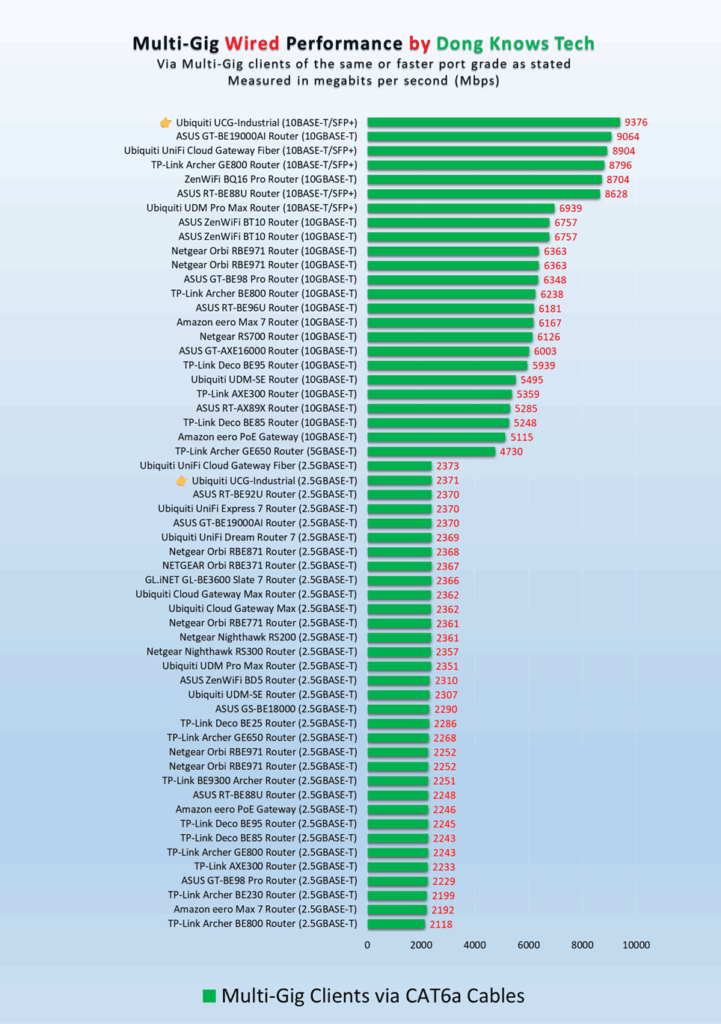
As for real-world performance, the console excelled in my wired connectivity tests, with its 10Gbps/SFP+ ports topping the charts, and its 2.5Gbps ports also performed very well compared to other routers in the same port grade.
As for Wi-Fi, the gateway’s performance was also impressive for its modest specs. Generally, you can expect consistent Gig+ sustained speeds over reasonable distances via a 5GHz or MLO SSID. On the other hand, the 2.4GHz band could use some improvement when used on its own, similar to other low-end Wi-Fi 7 access points.


What’s most interesting is that UCG-Industrial’s Wi-Fi coverage, which is always tricky to gauge, proved to be much better than Ubiquiti’s claim, as shown in the hardware specification table above. In my experience, the console had a similar range to the UX7.
It’s hard to put this in numbers, but if you have an area of around 1700 ft2 (160 m2) and place it at the center, it should cover the area. Of course, your mileage will vary. As mentioned, you can always add one or two UniFi access points to extend the coverage and customize the system to your liking.
Conclusion
The UniFi Cloud Gateway Industrial (UCG-Industrial) is somewhat of a niche device. While it’ll work for anyone who wants a dual-band Wi-Fi 7 router with powerful wired and PoE specs, it’s only a must-have for those who need a device designed to handle a rough environment. In that case, its modular design and Remote SIM support can be handy bonuses, making it totally worth the cost. Get it now!
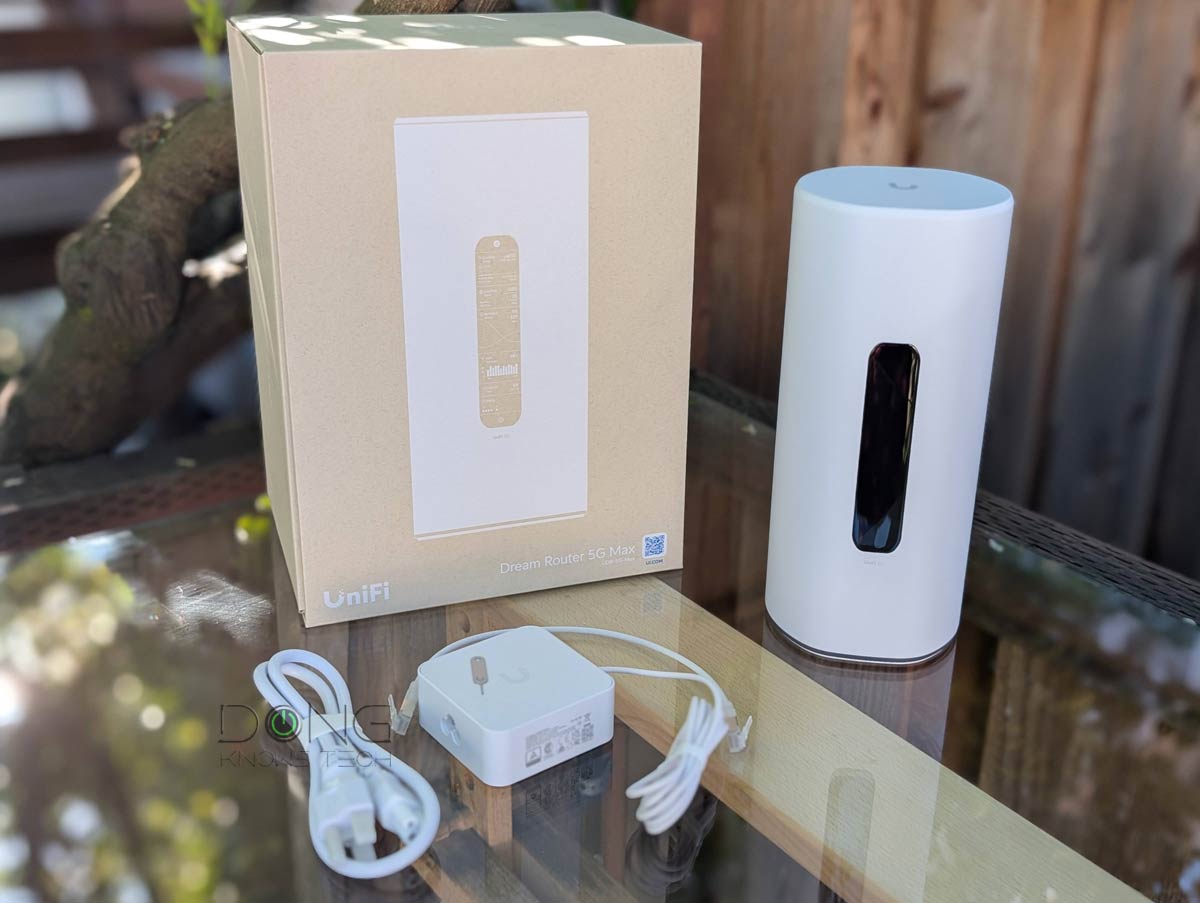
On the other hand, if you’re happy with more traditional hardware, one of the current top five UniFi Cloud Gateways listed below will be a better fit.
Top 5 Best UniFi Cloud Gateways


Check current prices at the Ubiquiti Store or on Amazon!


Comments are subject to approval, redaction, or removal. You're in the no-nonsense zone and that applies BOTH ways.
It's generally faster to get answers via site/page search. Your question/comment is one of many Dong Knows Tech receives daily.
Thank you!
(•) If you have subscription-related issues or represent a company/product mentioned here, please use the contact page or a PR channel.