
The U7 In-Wall (model U7-IW) is a wall-plate-mount variant of the ceiling-mount U7 Lite—both were first unveiled a year ago. The two are so similar that I originally intended to review just the U7 Lite and called it the representative of the two.
And while that has remained largely the case, after months of real-world use, I found the U7 In-Wall to be an entirely different beast, worthy of a close look.
Here’s the bottom line: If you’re looking for a compact dual-band Wi-Fi 7 device that also works as a Multi-Gig PoE switch with Power Forwarding, the little U7 In-Wall is worth every penny of its $149 price tag. Get one today!
When you’re at it: If you already use a UniFi Cloud Gateway, which you should, you can acquire a couple of units, or combine a U7 In-Wall with a U7 Lite to form a low-cost yet robust dual-band Wi-Fi 7 system. You’ll find out below why that will make a lot of sense.
Ubiquiti UniFi U7 In-Wall (U7-IW)'s Rating
Pros
Excellent performance with good coverage; 2.5Gbps PoE+ uplink port and additional two 2.5Gbps LAN ports with PoE Power Forwarding
Seamless integration with a UniFi console to deliver a robust mesh system with lots of advanced and useful features
Beautiful, fanless design; simple to set up and manage
Cons
No PoE injector included, mid-tier dual-band Wi-Fi 7 specs
No local web user interface as a standalone AP
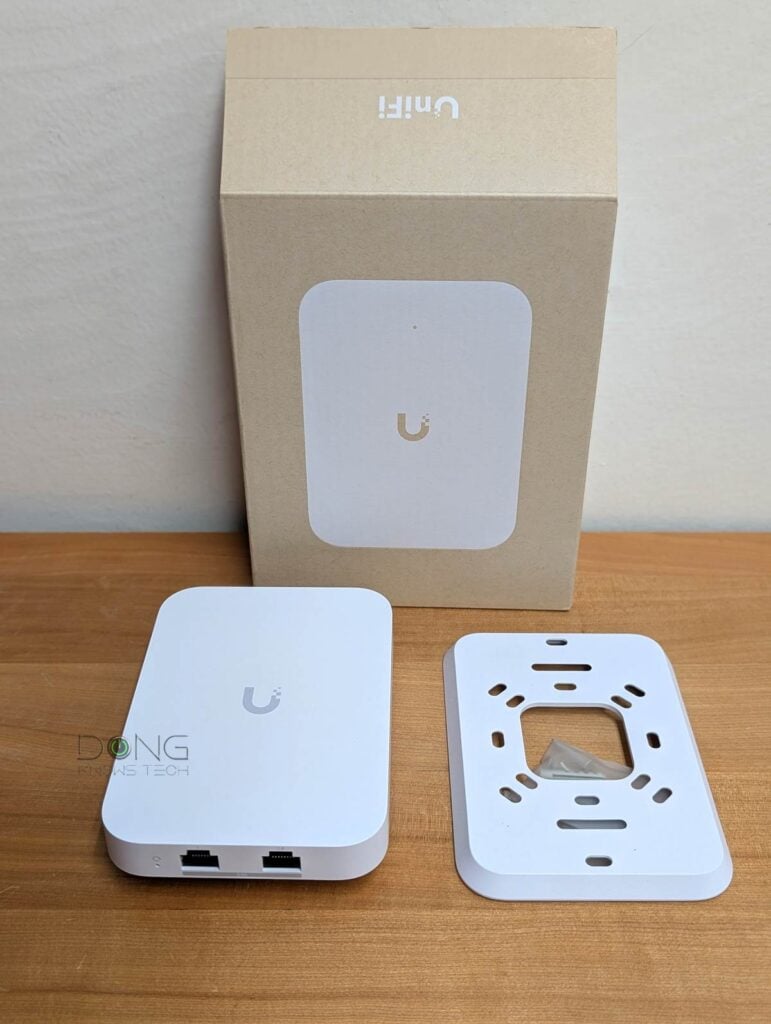
Ubiquiti U7 In-Wall: A powerful PoE switch and dual-band Wi-Fi 7 access point combo
As mentioned, the U7 In-Wall is practically the same as the U7 Lite in terms of Wi-Fi specs, setup, and management. Both are part of the UniFi ecosystem and can be managed individually via the UniFi mobile app or, when attached to a UniFi Cloud Gateway, as part of a Wi-Fi system.
As an access point, the U7 In-Wall is part of Ubiquit’s Wall category.
Tip
Ubiquiti has a few categories of Wi-Fi access points, including:
- Flagship: High-performance, often ceiling-mounted, access points.
- Wall: These are sleek APs that plug directly into a wall outlet or mount on a surface/junction box, enabling mesh connectivity or transforming an Ethernet drop into an AP.
- Bridging: Devices that serve as a high-performance network bridge without the wire.
- Outdoor: Weatherproof APs that can be mounted on outdoor poles or conveniently placed on indoor surfaces.
- Enterprise: Top-capacity APs with 1,000+ client support, long-range 6 GHz performance, and 10 GbE PoE connectivity with native high-availability architecture for critical enterprise environments.
- Mega Capacity: APs that are designed for stadiums or amphitheaters with a very high density of connected devices.
A UniFi access point can belong to multiple categories. The E7 Audience, for example, is an enterprise outdoor access point with mega capacity.
That said, this review focuses primarily on what sets the U7 In-Wall apart from the U7 Lite. Let’s start with the hardware specifications as shown in the table below.
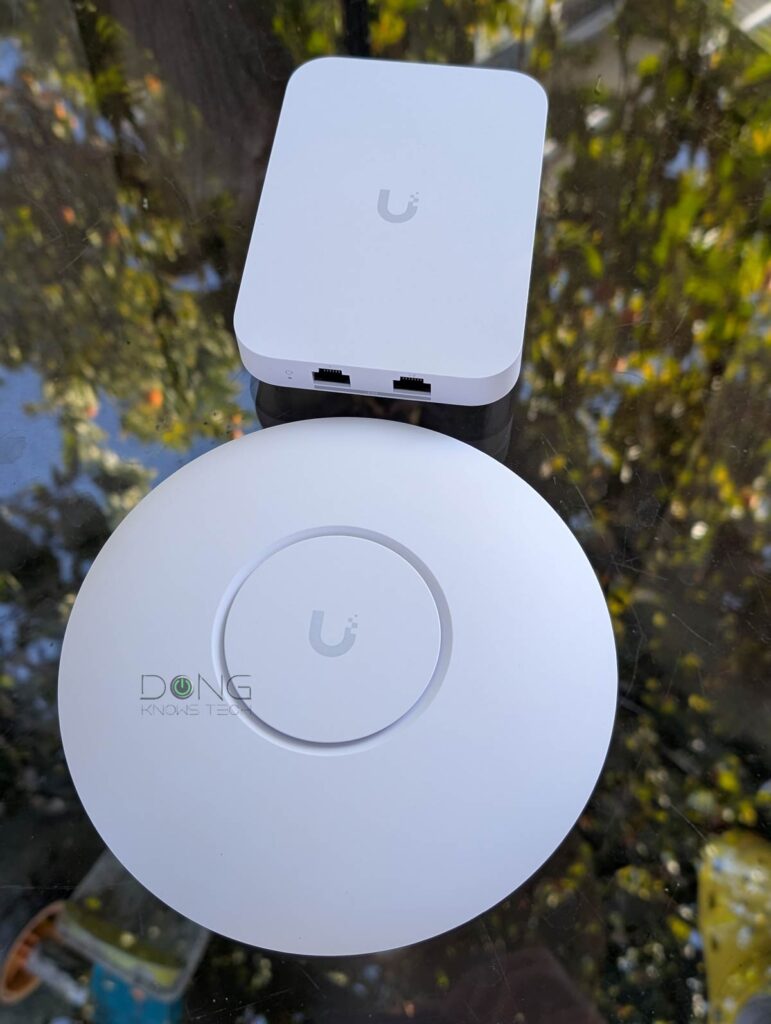
Ubiquiti U7 In-WAll vs. U7-Lite: Hardware specifications
 |  | |
|---|---|---|
| Model | U7-IW | U7-Lite |
| Name | Ubiquiti UniFi 7 In-Wall Access Point | Ubiquiti UniFi 7-Lite Access Point |
| Wi-Fi Standards | Dual-band BE5000 | |
| 1st Band 2.4GHz (channel width) | 2×2 BE: Up to 688Mbps (20/40MHz) | |
| 2nd Band 5GHz (channel width) | 2×2 BE: Up to 4.3Gbps (20/40/80/160/240MHz) | |
| 3rd Band 6GHz (channel width) | None | |
| Backward Compatibility | 802.11ax/ac/n/g/a/b | |
| Max Concurrent Clients | 200+ | |
| Multi-Link Operation (MLO) | Yes | |
| Automated Frequency Coordination (AFC) | N/A | |
| Max. TX power | 2.4GHz: 23dBm 5GHz: 24dBm | |
| Antenna Gain | 2.4GHz: 4dBi 5GHz: 8dBi | 2.4GHz: 4dBi 5GHz: 5dBi |
| Estimate Wi-Fi Coverage (indoor) | 1250 ft² (115 m²) | |
| Power over Ethernet (PoE) | 802.3af (PoE) or 802.3at (PoE+, required for PoE output) | 802.3af (PoE) |
| Max Power Consumption | 13W (excluding PoE output) | 13W |
| Internal Cooling Fan | No | |
| Network Port | 1x 2.5GBASE-T PoE+ (uplink), 1x 2.5GBASE-T LAN, 1x 2.5GBASE-T PoE-out LAN | 1x 2.5GBASE-T PoE (uplink) |
| Security | WPA, WPA2, WPA3 | |
| Local Web-based Management (as a standalone AP) | No | |
| Cloud-Management | Yes (free) | |
| Mobile App | UniFi | |
| Mode | Access Point (Mesh Point) and PoE power forwarding switch | Access Point (Mesh Point) |
| Dimensions (W x D x H) | 5.4 x 3.9 x 1.2 in (137 x 98.7 x 30.2 mm) | Ø6.8 x 1.3 in (Ø171.5 x 33 mm) |
| Weight (with mounting accessories) | 14.1 oz (400 g) | 11 oz (313 g) |
| LED | Color-changing (white/blue) LED | |
| US Launch Cost (check street prices) | $149 | $99 |
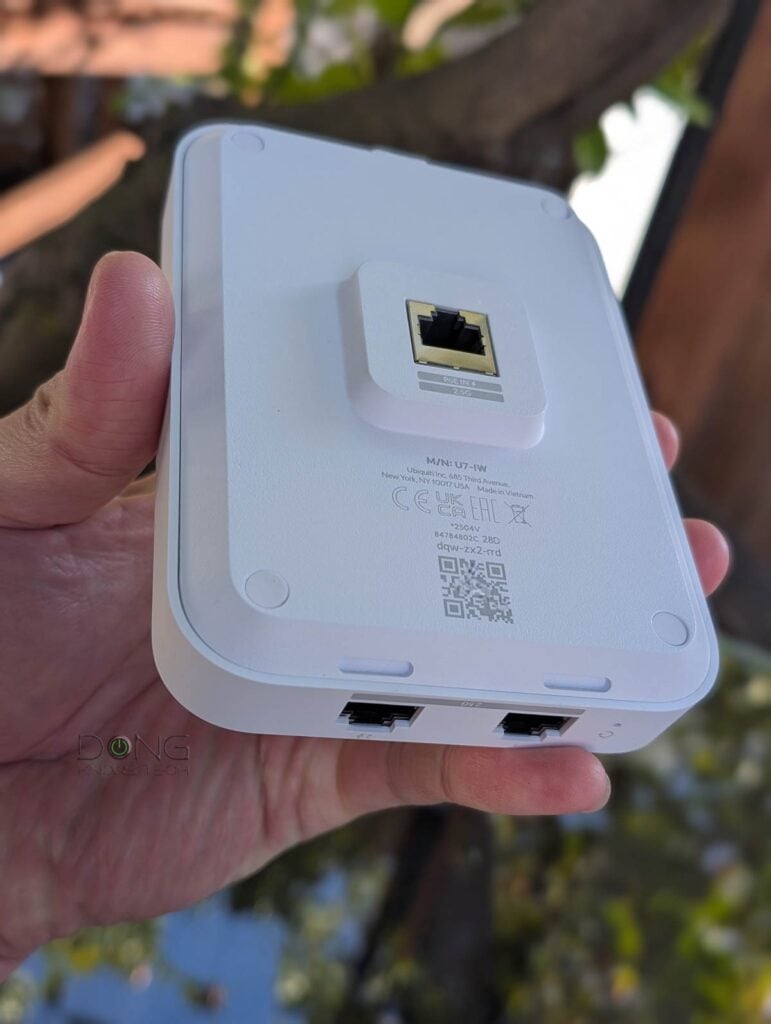
A unique yet familiar UniFi access point
The U7 In-Wall is first and foremost a typical UniFi access point. As such, it shares the same setup process, management, and similar features and settings to the rest of the UniFi family. Specifically, here are a few bullet points on what you can expect from it:
- The U7 In-Wall can work as a standalone access for any network hosted by a third-party router. In this case, you must use the UniFi mobile app to set up and manage it.
- The AP is best used with a network powered by a UniFi Cloud Gateway and, in this case, can be quickly adopted via a single click, then managed through the console’s interface, as it’s now part of a UniFi system.
- Users have in-depth access to radio and SSID customization.
- The access point feature is MLO, which combines the 2.4GHz and 5GHz bands into a single link for Wi-Fi 7 clients.
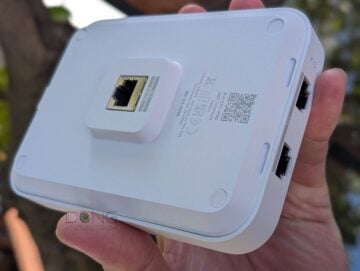
Unlike other UniFi access points, however, the U7 In-Wall comes with two 2.5GbE (Multi-Gig) LAN ports to support two wired clients. Uniquely, one of them is a PoE-out port that can power a PoE device, such as a U7 Lite unit. This PoE Power Forwarding function, similar to the 8-Port Flex 2.5G, allows users to daisy-chain PoE devices without running multiple network cables or injectors. In other words, it’ll save you both time and money.


As noted in the table above, the U7 In-Wall requires a PoE+ (or higher) switch/injector for its PoE Power Forwarding function to work.
UniFi U7 In-Wall: Excellent performance
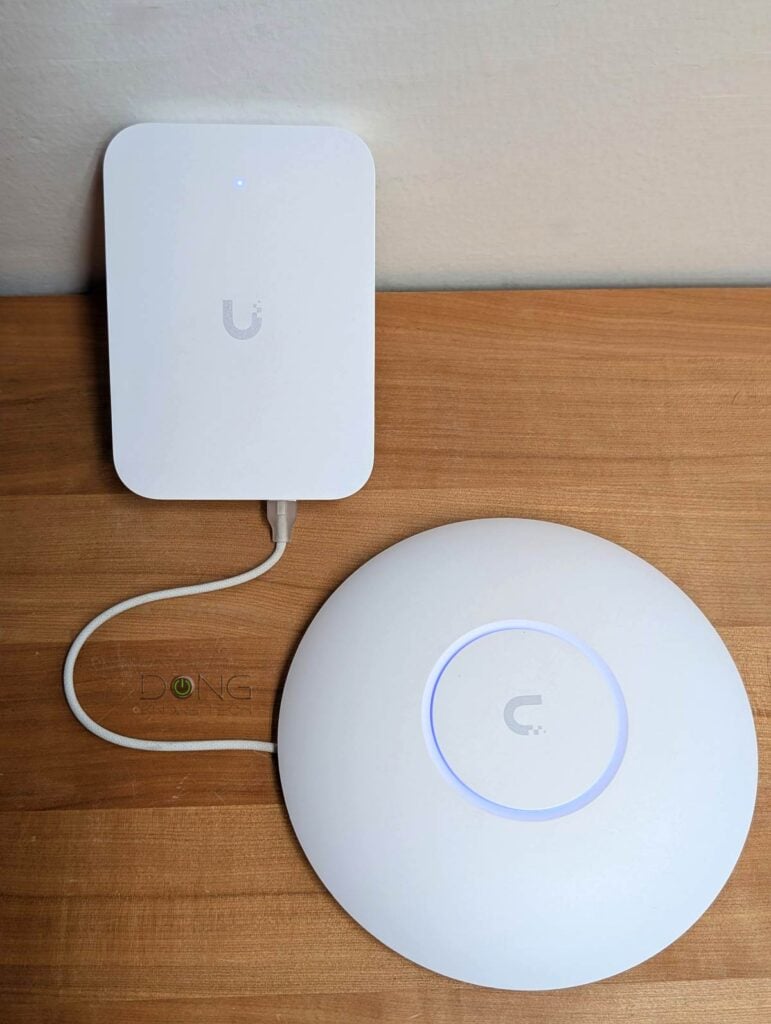
As mentioned, before publishing this review, I had used the U7 In-Wall for months and found it incredibly valuable. In my case, the little access point showed it could power another PoE device with ease, and when hosting the U7 Lite, it delivered multi-gigabit bandwidth.
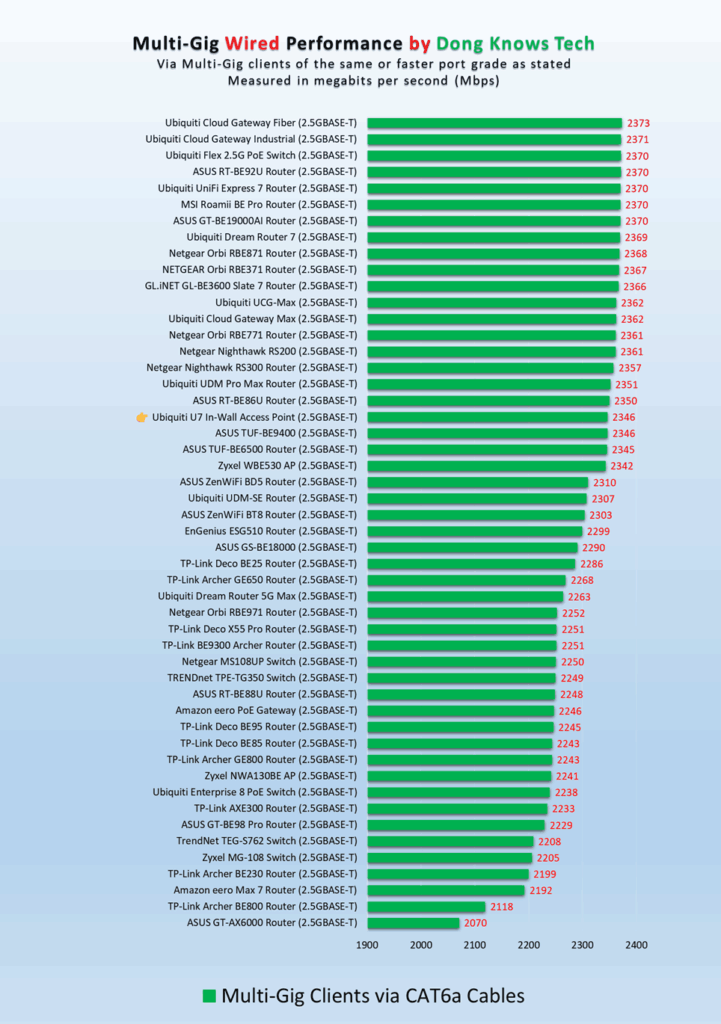
In testing, it also proved to be faster than the U7 Lite, and its wired performance was totally solid for a 2.5Gbps grade switch.
As for Wi-Fi speeds, considering the 2.5Gbps port and mid-tier Wi-Fi 7, the U7 In-Wall isn’t meant to wow anyone. However, it was quite formidable compared to other similarly specced hardware, as shown in the charts. Generally, within a good distance, you can expect solid Gig+ sustained rates from it.
Tip
Gig+, or Gig Plus, denotes a speed grade between 1Gbps and 2Gbps. So, it’s 1.5Gbps, give or take a couple of hundred megabits per second, and it’s not speedy enough to qualify as Multi-Gig Ethernet or multi-Gigabit. Intel coined the term to describe its Wi-Fi 6E client chips, the AX210 and AX211, in terms of their real-world speeds.
Gig+ primarily applies to sustained Wi-Fi 6 or Wi-Fi 7 speeds via a 2×2 at 160MHz connection, or to broadband internet speeds.
In terms of range, the U7 In-Wall was similar to the U7 light. It’s not easy to put Wi-Fi coverage in numbers, but if you place the In-Wall at the center of a home of around 1,500 ft² (139 m²), you generally can expect a good signal at every corner.


Other than that, having no internal fan, the U7 In-Wall was completely silent during operation. It did get quite hot to the touch, especially on the wall-facing side, though never to the point of causing concerns. Considering it’s been working problem-free for months and my experience with other UniFi access points, I’d not worry about its longevity.
Conclusion
The UniFi Access Point U7 In-Wall, despite its compact size, is a formidable piece of hardware. Its solid Wi-Fi 7 performance aside, the integrated 2-port Multi-Gig PoE switch with PoE Power Forwarding capability can really come in handy when you need to add another device, such as a phone, an IP camera, or even another access point to the system.
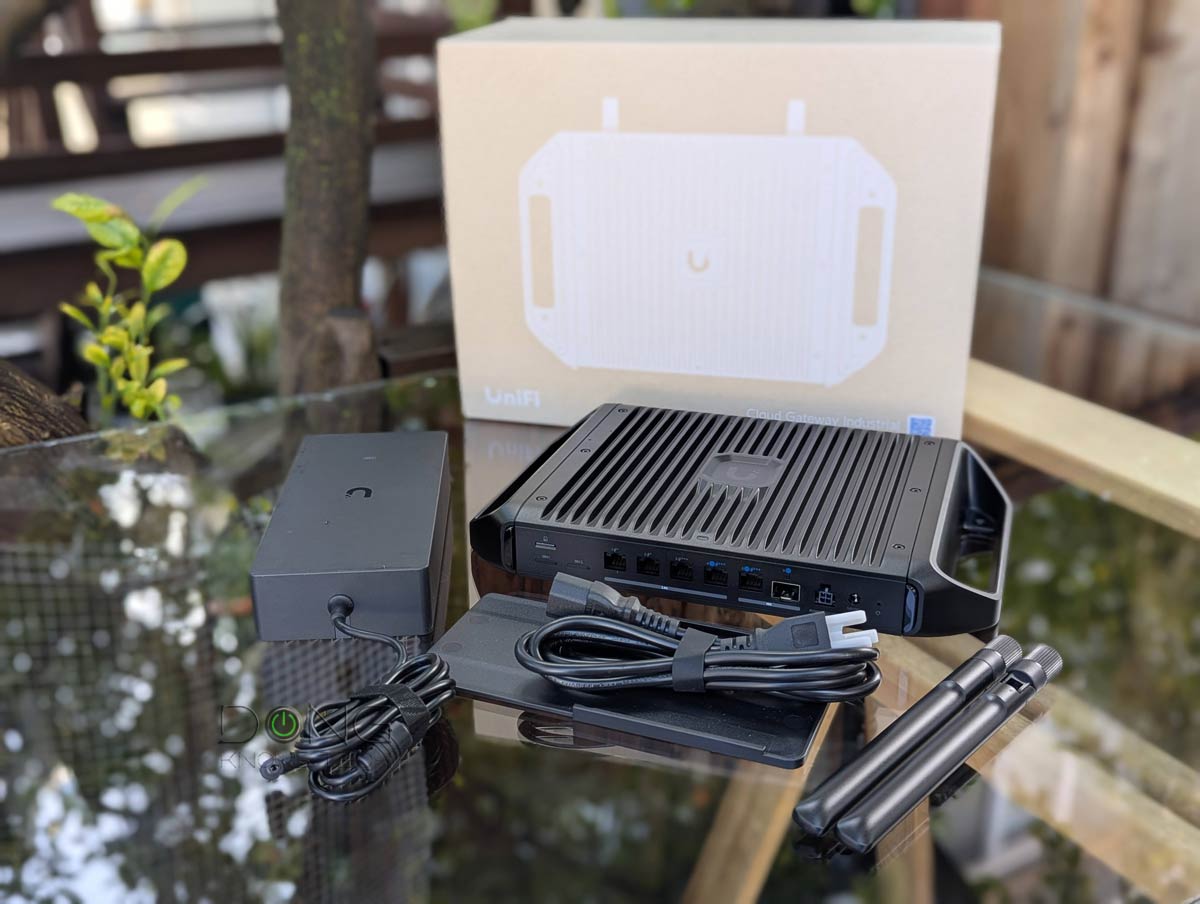
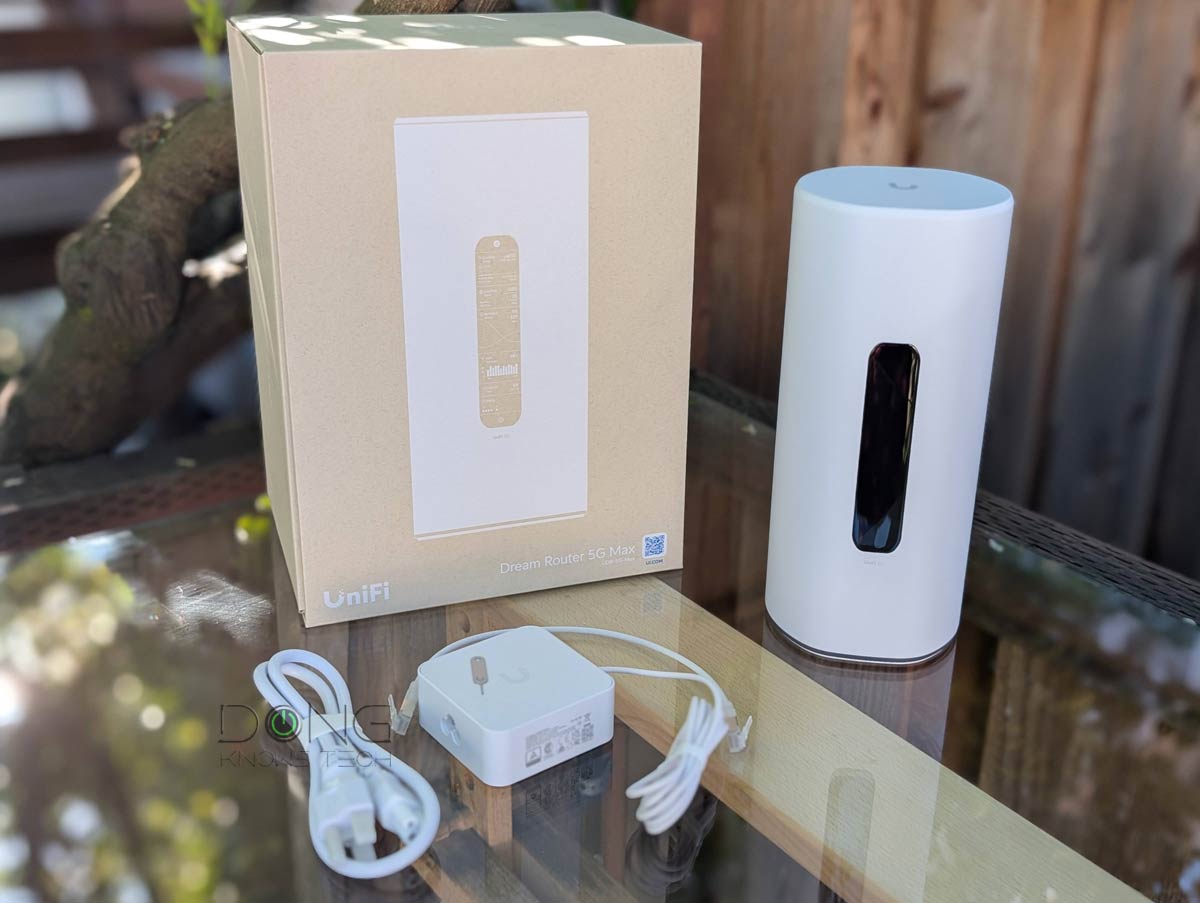
That said, if you have a non-Wi-Fi UniFi Cloud Gateway or a dual-band Wi-Fi 7 model, like one of those in the list below, consider the U7 In-Wall today! You won’t be disappointed!
Top 5 Best Wi-Fi UniFi Cloud Gateways (Wi-Fi UniFi routers)
 |  |  |  |  | |
| Name | Ubiquiti UniFi Dream Router 7 (UDR7)'s Rating | Ubiquiti UniFi Cloud Gateway Industrial (UCG-Industrial)'s Rating | Ubiquiti UniFi Dream Router 5G Max (UDR-5G-Max)'s Rating | Ubiquiti UniFi Express 7 (UX7)'s Rating | Ubiquiti UniFi Dream Router (UDR)'s Rating |
| Price | – | – | – | – | – |
| Rating | |||||
| Description | |||||
| Statistics | |||||
| Buy this product |
Check current prices at Ubiquiti Store or on Amazon!


Comments are subject to approval, redaction, or removal. You're in the no-nonsense zone and that applies BOTH ways.
It's generally faster to get answers via site/page search. Your question/comment is one of many Dong Knows Tech receives daily.
Thank you!
(•) If you have subscription-related issues or represent a company/product mentioned here, please use the contact page or a PR channel.