
The Nexode Pro 300W Desktop Charger (model X783) is the flagship unit in UGREEN’s newly released Nexode Pro Series. This is a powerful charger packed with tech, housed in a relatively compact yet somewhat flawed design.
Here’s the bottom line: If you want a stationary charger for all your devices and are willing to use two hands to plug in and unplug a cable, the UGREEN X873 is an all-in-one option worthy of its $199.99 suggested retail price—street prices are often lower. Alternatively, if you want something wall-mountable, consider the Sabrent Voltik.
UGREEN Nexode Pro 160W Charger with Retractable Cable (X776)'s Rating
Pros
Up to 140 power output per USB-C port with a 300 W power budget, capable of charging up to eight devices simultaneously
Supports USB PD 3.1 and popular brand-specific charging protocols with built-in Bluetooth and Wi-Fi for connectivity
Multiple charging modes, user-manageable via a smart screen and mobile app
Compact design with DC out support
Cons
Awkward non-mount design that requires two hands to connect/remove a charging cable
Non-touch screen with cumbersome nav buttons; no wireless charging despite the large top surface
The app-based experience could be better
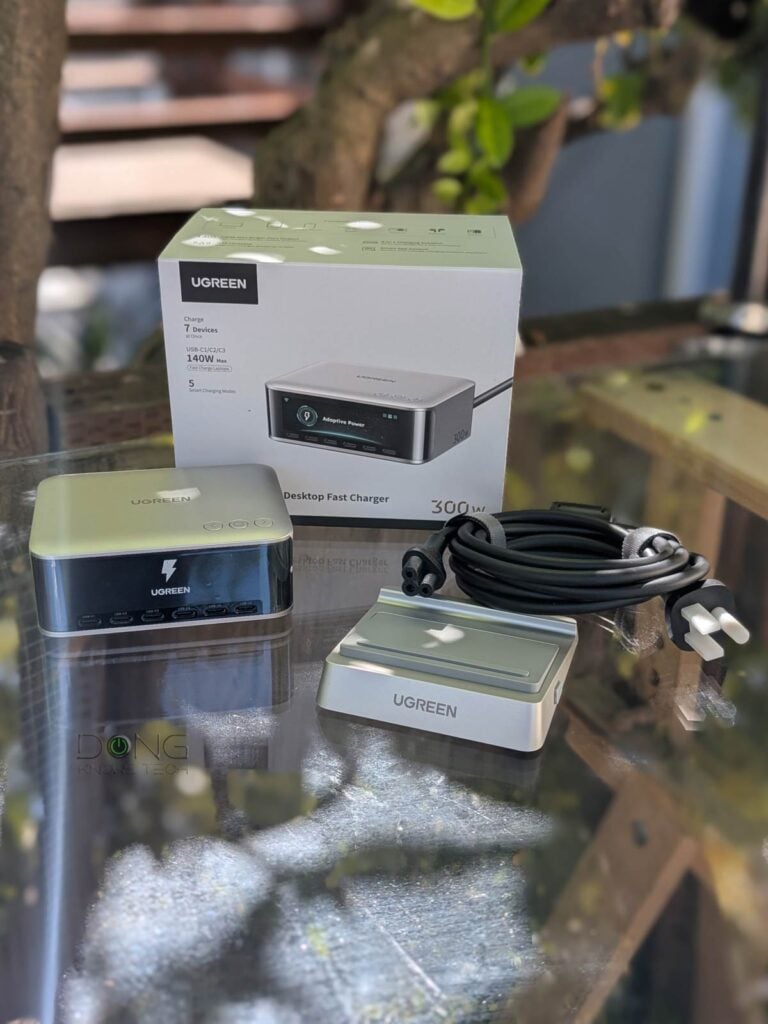
UGREEN Nexode Pro 300W (X783): A stationary desktop charger that moves a lot
Out of the box, the Nexode Pro 300W Desktop Charger surprised me a bit with its weight: It’s quite heavy, weighing almost two pounds (1 kg), for a relatively compact, palm-sized device. This thing seems totally solid, like a lead cube. Yet, over the weeks of testing, I often found it not heavy enough.
Let’s run through the design’s details and find out why.
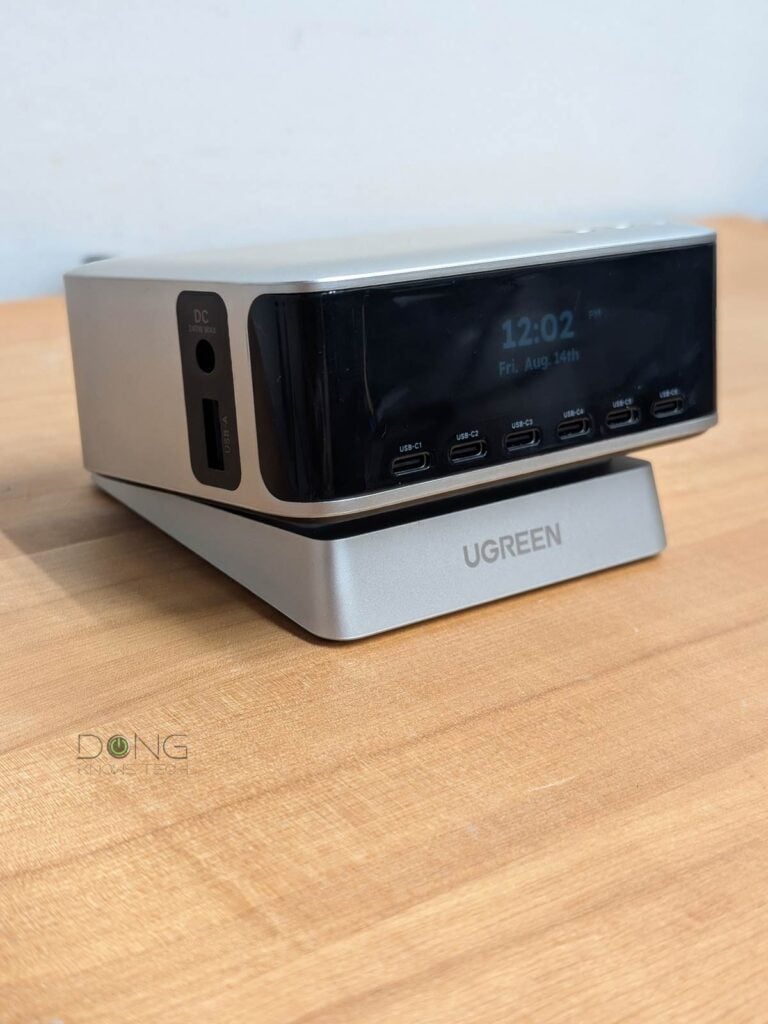
The X783 is a desktop box with all six of its USB-C ports on the front. After that, you have a USB-A port and, uniquely, a DC out port on the left side. On the back, it has a large IEC C5 power port, similar to the one on a computer—connect it to a power socket with the included cord, and it’s ready to go.
On the underside, two rubber feet help it stay firmly on a surface—there’s no mounting option. Alternatively, you can place it on the included plastic base, which lifts its front a few degrees for easy access to the charging ports.


And this is where things get annoying: While heavy, the charger isn’t heavy enough to stay put and will move when you apply force to a port or a charging cable—this gets worse when you place it on the included light plastic base. As a result, you can’t plug in a device or remove the cable without using two hands: one to hold the charger down and the other to work on the cable.
This wouldn’t be a problem if the charging ports were on top or if there was a way to mount this charger securely to a surface.
This design also means the charger is precarious when placed on an elevated platform. You might accidentally knock it off the top of a desk—something fairly easy when you’re in a hurry. Now, if it lands on your toe, you’ll argue that it’s actually too heavy, and you’d be right!
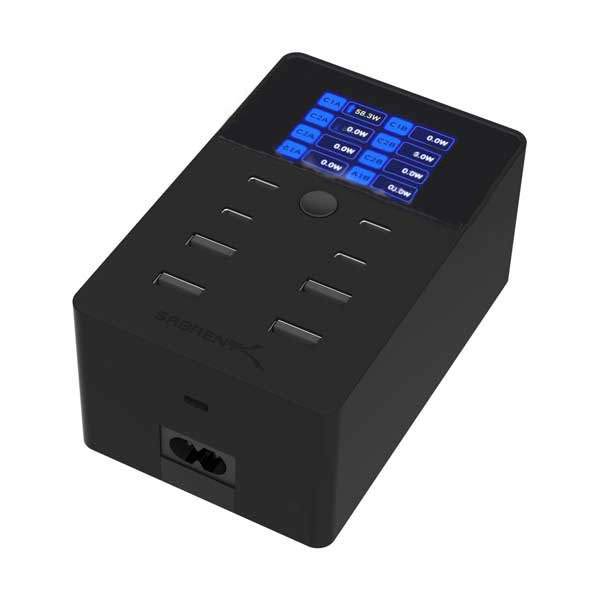
The table below compares the hardware specs of the Nexode Pro 300W Desktop Charger and the Sabrent Voltik, which has a similar power output budget.
Hardware specifications
 |  | |
|---|---|---|
| UGREEN Nexode Pro 300W Desktop Charger | Sabrent Voltik 252W 8-PORT USB PD 3.0 Charger | |
| Model | X783 | AX-8PTC |
| Dimension | 4.41 x 3.39 x 1.81 (112 x 86 x 46 mm) | 4.57 x 2.94 x 2.05 in (11.61 x 7.47 x 5.21 cm) |
| Weigth | 2.12 lb (960 g) | 1.52 lb (690 grams) |
| Design | Desktop | Desktop or wall mount (mounting accessories included) |
| Number of Concurrent USB Device Support | 7 | 8 |
| Port Arrangement (labels) | 6x USB-C (USB-C1 – C6) 1x USB-A (USB-A) 1x DC Output | 4x USB-C in two pairs: C1A – C2A, C1B- C2B 4x USB-A in two pairs: A1A – A2A, A1B – A2B |
| Total Power Output Budget (all devices) | 300W | 252 W |
| Max Power Output Per Port (guaranteed within Total Output Budget) | 145W (USB-C1 – C3) 100W (USB-C4 – C5) 30W (USB-C6) 22.5 (USB-A) 240W (DC Output) | USB-C: 100 W per port or 125 W per pair USB-A: 18 W per port or 36 W per pair |
| Min Power Budget Per USB Port (estimate when all USB ports are used) | USB-C1-5: 45 W USB-C6: 30W (USB-A not used) USB-A: 18W (USB-C6 not used) USB-C6 + USB-A: 20 W | USB-C: 45 W USB-A: 18 W |
| Charging Protocols | USB PD 3.1 (with 50-11V PPS and 5-21V PPS) Apple5V/2.4A Huawei’s SCP Samsung’s AFC UFCS AVS | USB PD 3.0 with PPS Qualcomm’s QC 4.0 and 3.0 |
| Power Intake | 100-240V ≈50/60Hz 4.2A Max via a standard IEC C5 power connector (cord included) | 100-240V ≈50/60Hz 5A Max via Type A – 2-pin plug (cord included) |
| Screen | Screen with nav buttons | |
| Smart Features | 2.4GHz Wi-Fi 4/Bluetooth support with UGREEN Connect mobile app | None |
| US Launch Price (check street pricing) | $199.99 | $89.99 |
Lots of tech, cumbersome implementation
The impractical design aside, the X783 has some cool tech for a charger.
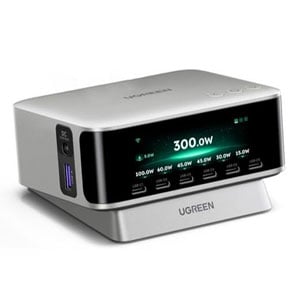
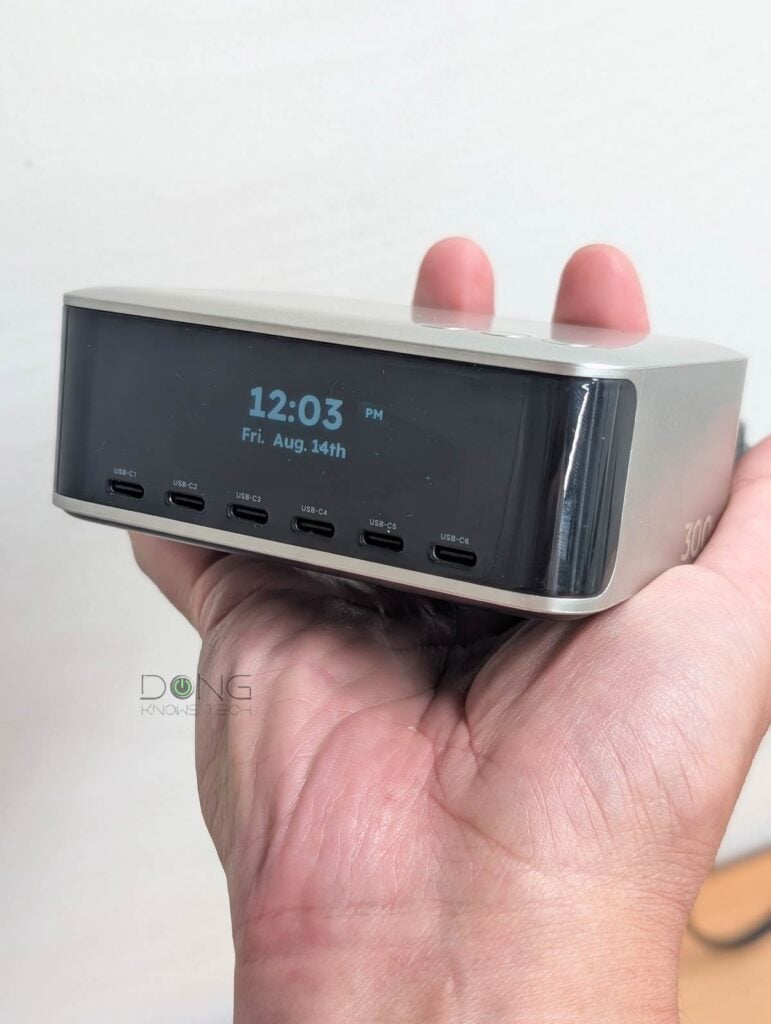
On the front, above the USB-C ports, there’s a large screen that, by default, shows the current wattage output of each port and their total. This is not a touchscreen, but you can use the three navigation buttons on top to move between different sections, including the charger’s modes: Adapter Power, Thermal-safe Charging, Priority Charging, etc.
Overall, the screen can show a lot of information, and the navigation was self-explanatory enough. However, I found the setup a bit cumbersome: I often had to press and hold the buttons many times to reach a certain section—the process would be much better with a touchscreen.
Additionally, the screen doesn’t seem bright enough, even at the highest level, and at times indicates “bugs” in the firmware’s code. For example, one in a while, showed “Null” instead of the weekday.
Like the X776 mobile charger in the series, this X783 Desktop Charger also features Bluetooth and Wi-Fi (2.4 GHz Wi-Fi 4), allowing users to manage it via the UgreenConnect mobile app, which requires a UGREEN login.
UGREEN and your privacy
Signing in with a vendor-linked online account generally means your hardware is connected to the vendor at all times, which creates inherent privacy risks. On this matter, UGREEN, a Chinese hardware maker, offers this Privacy Policy.
Managing your devices via a third party is generally a double-edged sword, and privacy is a matter of degree and trust. Data collection and handling vary by vendor and region.
On this front, the setup process was the same as the mobile version’s and was simple enough. However, unlike that previous experience, this time I ran into trouble binding the charger to the app and then connecting it to Wi-Fi.


The first was because my review unit’s serial number somehow wasn’t in UGREEN’s database. It took a few days, but UGREEN sorted that out on their end. The Wi-Fi issue was caused by the app automatically adding a space after the Wi-Fi network name (SSID) I entered during setup. When I found that out and removed that space, everything worked as intended. This quirk is likely fixed via a firmware update.
Then, to my surprise, the app didn’t offer as much access to the desktop charger as it did with the X776 mobile version. Specifically, here’s what it can do with this X783 desktop version:
- Firmware update, view real-time status of all ports
- Change the charger’s charging mode between Adaptive, Thermal-safe Charging, Priority Charging, Turbo Charging (for DC output only), and Custom Power (user-specified protocols and power budget allocation for each port within the 300W power budget).
- Manage the screen: Brightness, auto shutdown, clock as the screensaver, etc.
And that’s it. Among other things, you can’t turn a port on or off or change the power output level of any port below its maximum. The hourly usage report isn’t available either.
So, on the Nexode Pro 300W Desktop Charger, both the screen and the mobile app proved underwhelming compared to those of the Nexode Pro 160W Charger with Retractable Cable. But if you’ve never used the latter, you’ll still find them a novelty compared to many other chargers on the market.
Most importantly: you can skip the screen and the mobile app entirely and use the Nexode Pro 300W Desktop Charger as is out of the box, and it’ll work without any issue.
Performance: A Powerful charger that works as intended
As mentioned, I used the Nexode Pro 300W Desktop Charger for a couple of weeks before publishing this review. During the first week, I used it as is out of the box, ignoring the screen and the mobile app. Overall, in all cases, it worked well for charging.
Tip
Despite its name, a USB charger is a flexible power adapter that can provide variable power output (up to a port’s maximum) to meet the connected device’s requirements. As a result, this “charger” plays a minor role in the charging process, which is primarily determined by the connected device: the charging speed depends mainly on the device’s hardware specs, charging protocols, and its battery’s level.
Since none of my devices require more than 65W, I couldn’t see the charger’s full potential. However, laptops and handheld devices all charged fast when plugged into it. Like the X776 mobile charger, this desktop charger never got warm to the touch, no matter which mode I used.
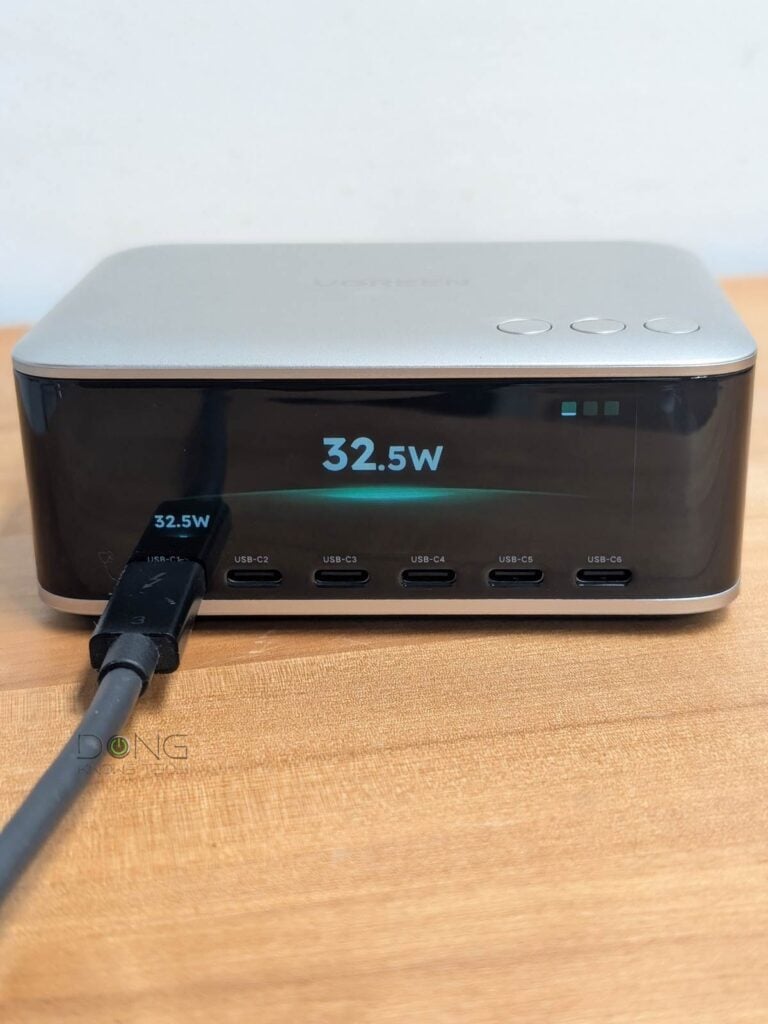
By the way, for those who wonder why the USB-C6 port only tops out at 30W (instead of 140W or 100W). That’s actually a plus, since many devices don’t need more than 30W, and some—often those with a USB-C-to-proprietary charging cable—even require a port with low output to work. In any case, on this front, UGREEN offers this statement:
“C6 is mainly intended for everyday devices such as phones, earbuds, watches, and tablets. These devices generally have relatively limited demand for ultra-high charging power, and 30W is sufficient for the vast majority of use cases. Rather than simply pursuing the highest possible output for every port, we aim to concentrate higher-power capability on the ports that truly need it, while retaining more ports so users can charge more devices at the same time.
Therefore, the 30W output of C6 is not a compromise on performance, but rather an effort to achieve a more reasonable balance between power, the number of ports, and real-world charging efficiency.”
Conclusion
The UGREEN Nexode Pro 300W Desktop Charger (X873) is an excellent desktop charger. It’s all you need for a large home with lots of devices.
The only time you’d find it a bit awkward or underwhelming is if you have used a more well-thought-out charger before, such as the Nexode Pro 160W Charger with Retractable Cable (X776) of the same series. Despite room for improvement, it’s still worth the cost.
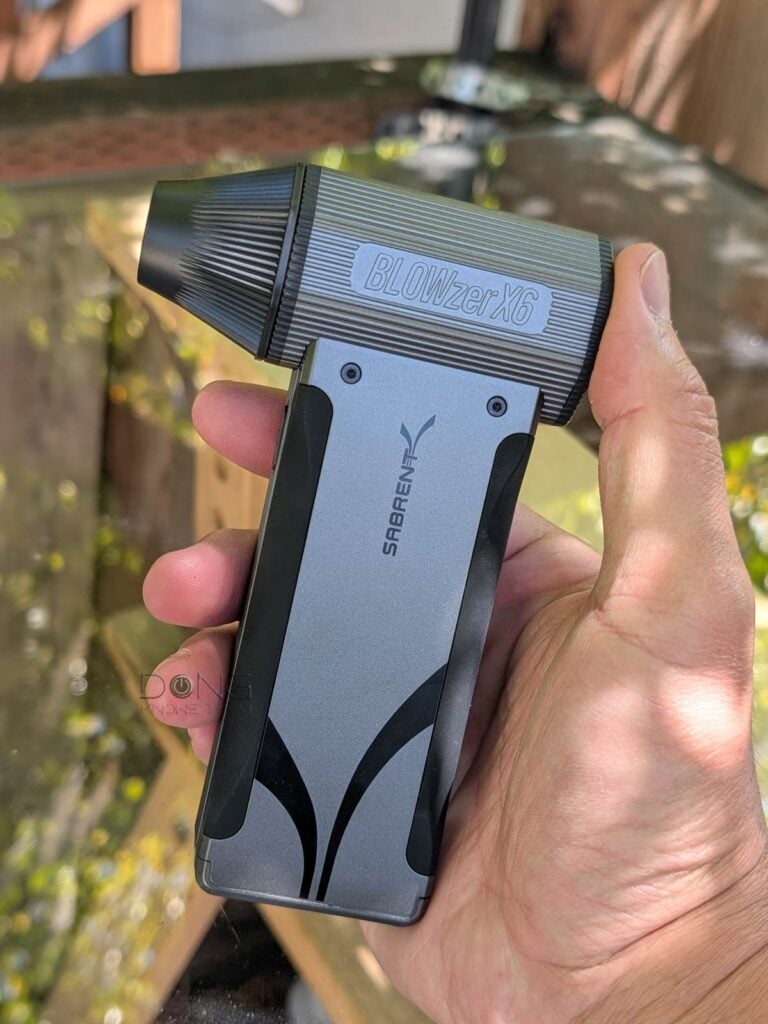
Alternatively, check out the Sabrent Voltik, which offers a similar power budget. So, if you need a powerful charger, consider either of the two today!


Thank you for a great review.
Could you go into more detail regarding Custom Power mode? What can be set? Also, does it always interrupt charging when connecting multiple devices?
If Custom Power lets us set power limits, I wonder if it could also stop interrupting (if it’s present, but usually it is). I’m on the lookout for a charger like this. 🙂
That’s when you can allocate the power budget for each port (within the 300W limit) and select the charging protocol for each (allowed by the allocated power budget). I added some text on this front in the review. There’s no “stop interrupting” option.
Bummer. Still a really interesting product, though. The only non-interrupting chargers I’ve found can’t do high-wattage PD and don’t have power display screens or quite frankly any nice features, just “dumb” charging with some ports being QC 3.0.
You may want to check out the Sabren Voltik.