
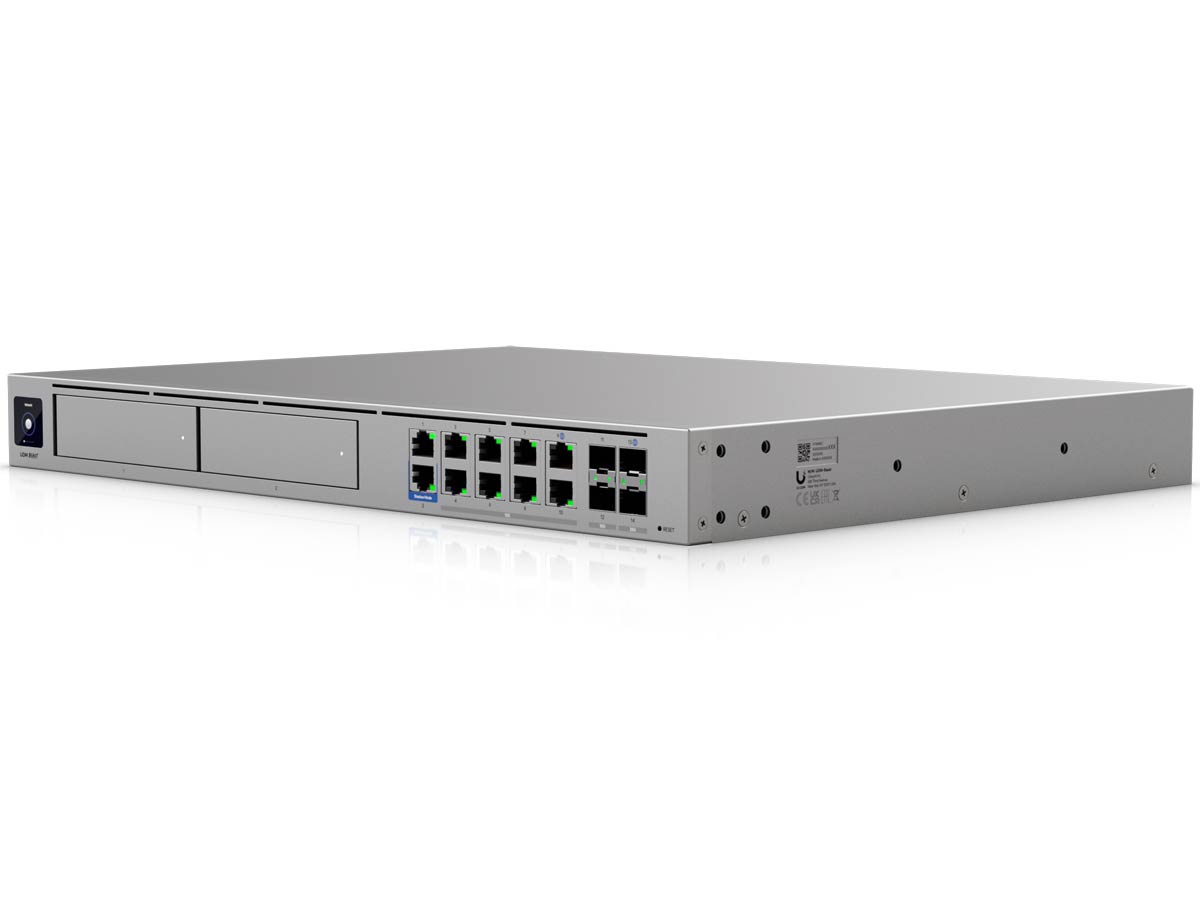
If you’re done being impressed by the Dream Machine Beast, Ubiquiti introduced another UniFi Cloud Gateway to behold today: the all-new Enterprise Firewall Core (model EF-Core).
In a way, this is the enterprise version of the UDM-Beast. So, this new piece of hardware applies only to large-scale applications.
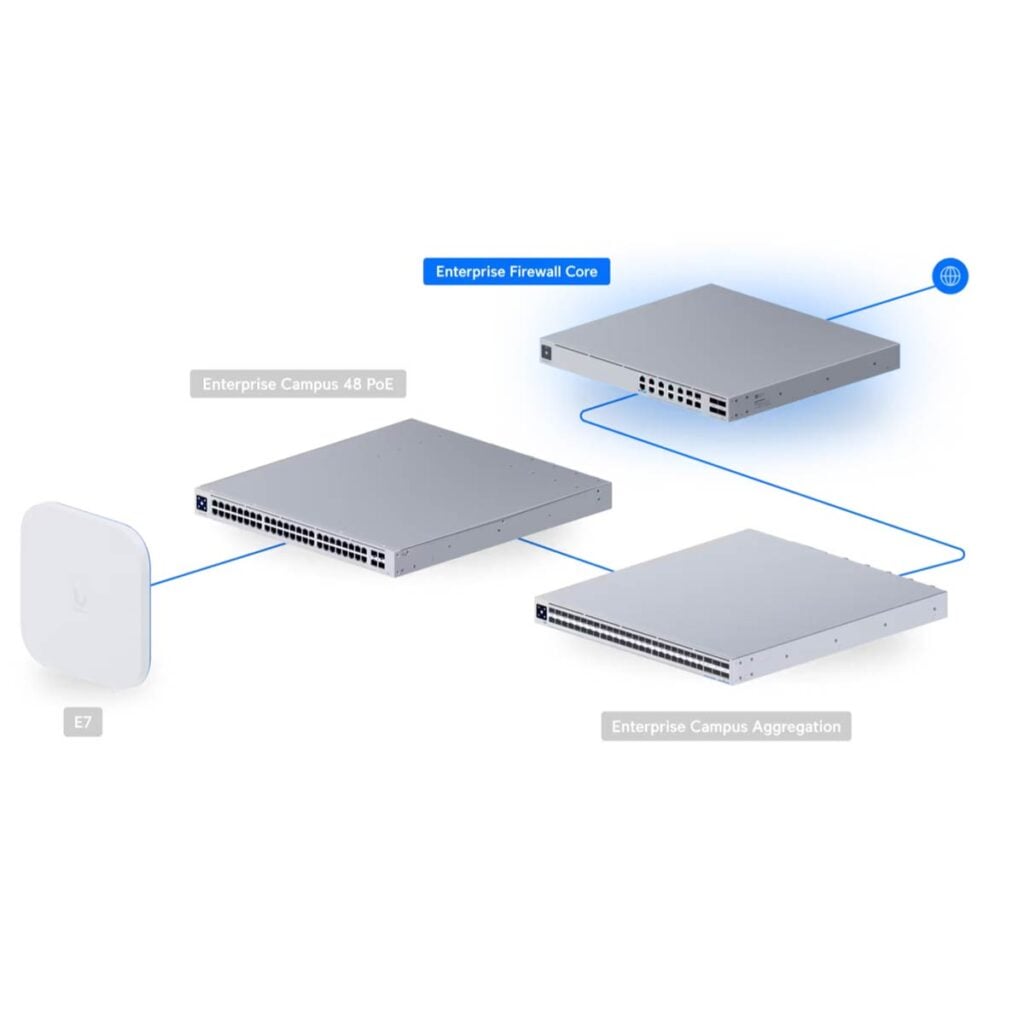
Ubiquiti Enterprise Firewall Core: An uncompromised UniFi Cloud Gateway
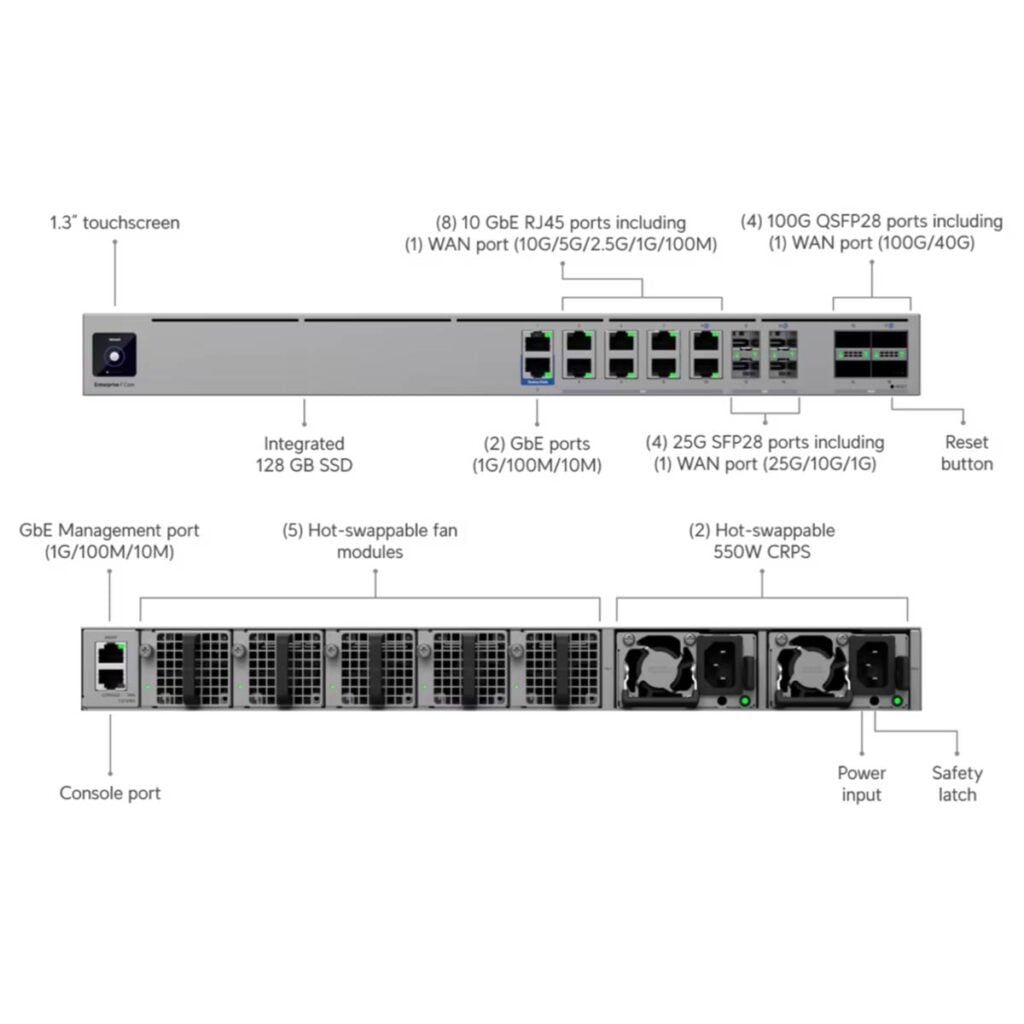
Ubiquiti says the Enterprise Firewall Core is powered by 24 Neoverse cores and a high-density interface, capable of handling even the largest mega-scale deployments.
Specifically, it can manage 22,000 active devices and 10 million concurrent sessions. In terms of security, it has a threat detection bandwdith of 79 Gbps, checking traffic against tens of thousands of Proofpoint signatures in real time.
The console can also handle heavy cryptographic loads, with 61 Gbps of full SSL inspection. For those with massive SD-WAN deployments, the Enterprise Firewall Core can support over 5,000 concurrent IPsec tunnels with 38 Gbps of aggregate throughput.
In terms of connectivity, the new UniFi console forgoes Gigabit entirely. Instead, it features two 100Gbps QSFP28 ports, two 25Gbps SFP28 ports, eight 10GbE ports, and two 2.5Gbps ports.
Ubiquiti says the Enterprise Firewall Core is designed with high-availability in mind and can deply deploy a shadow mode in a matter of seconds. Like all large-scale UniFi Cloud Gateways, it features Site Manager to unify an entire large organization through a single platform that includes SD-WAN, orchestration, and Entra-bound, identity-aware policy enforcement across every user and site.
In short, if the Dream Machine Beast is, well, a beast of a UniFi Cloud Gateway, the Enterprise Firewall Core is a monster. The table below compares the hardware specs of the two.
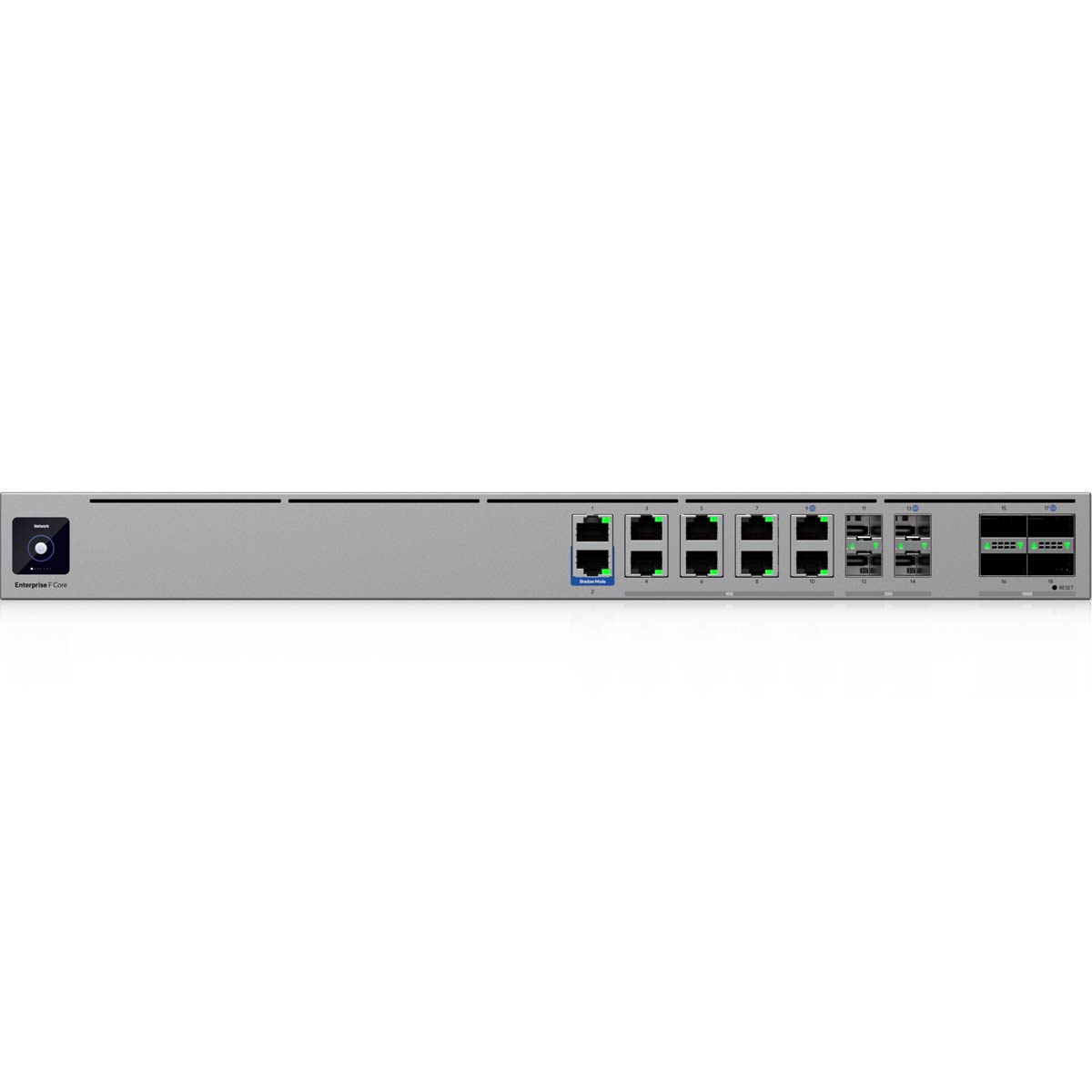
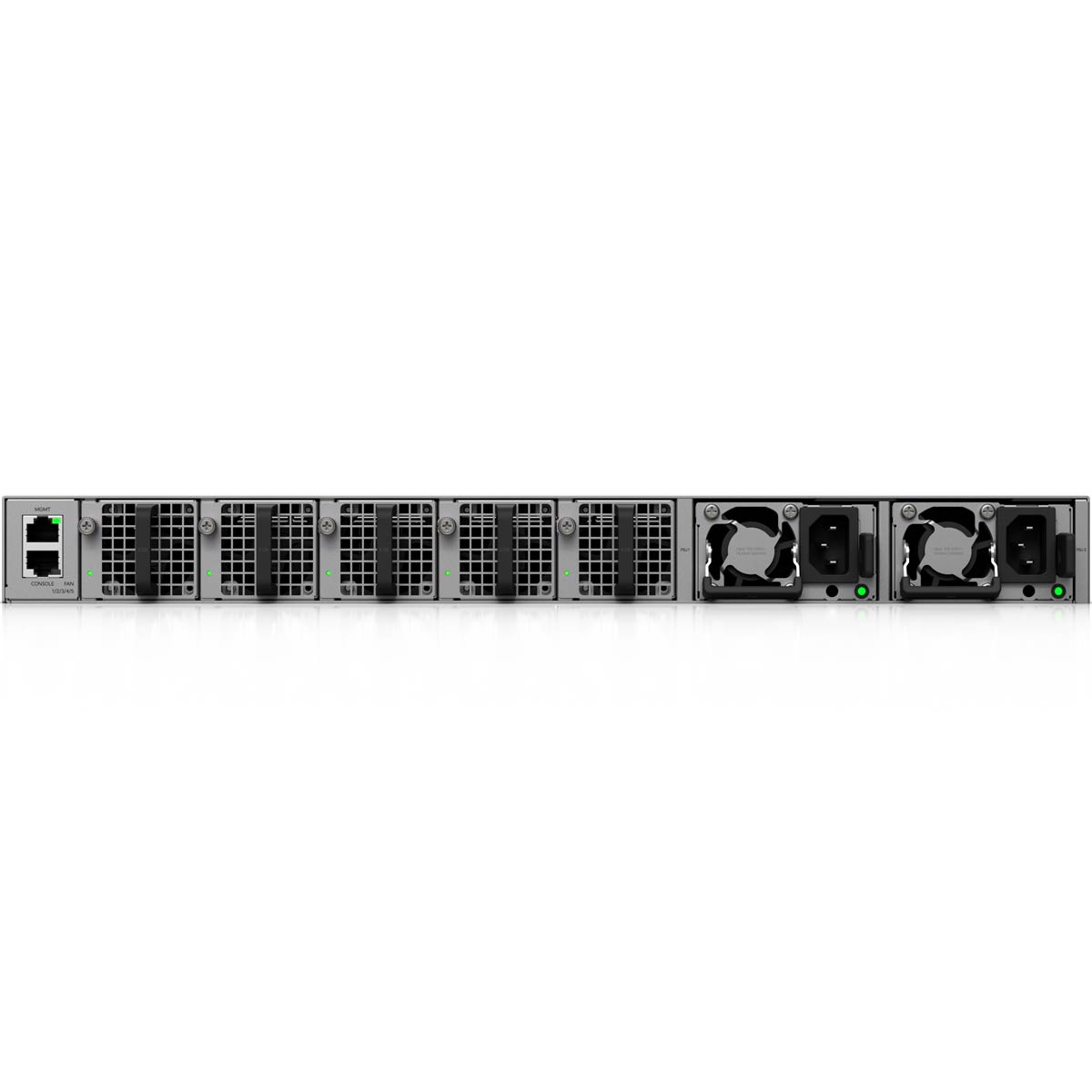
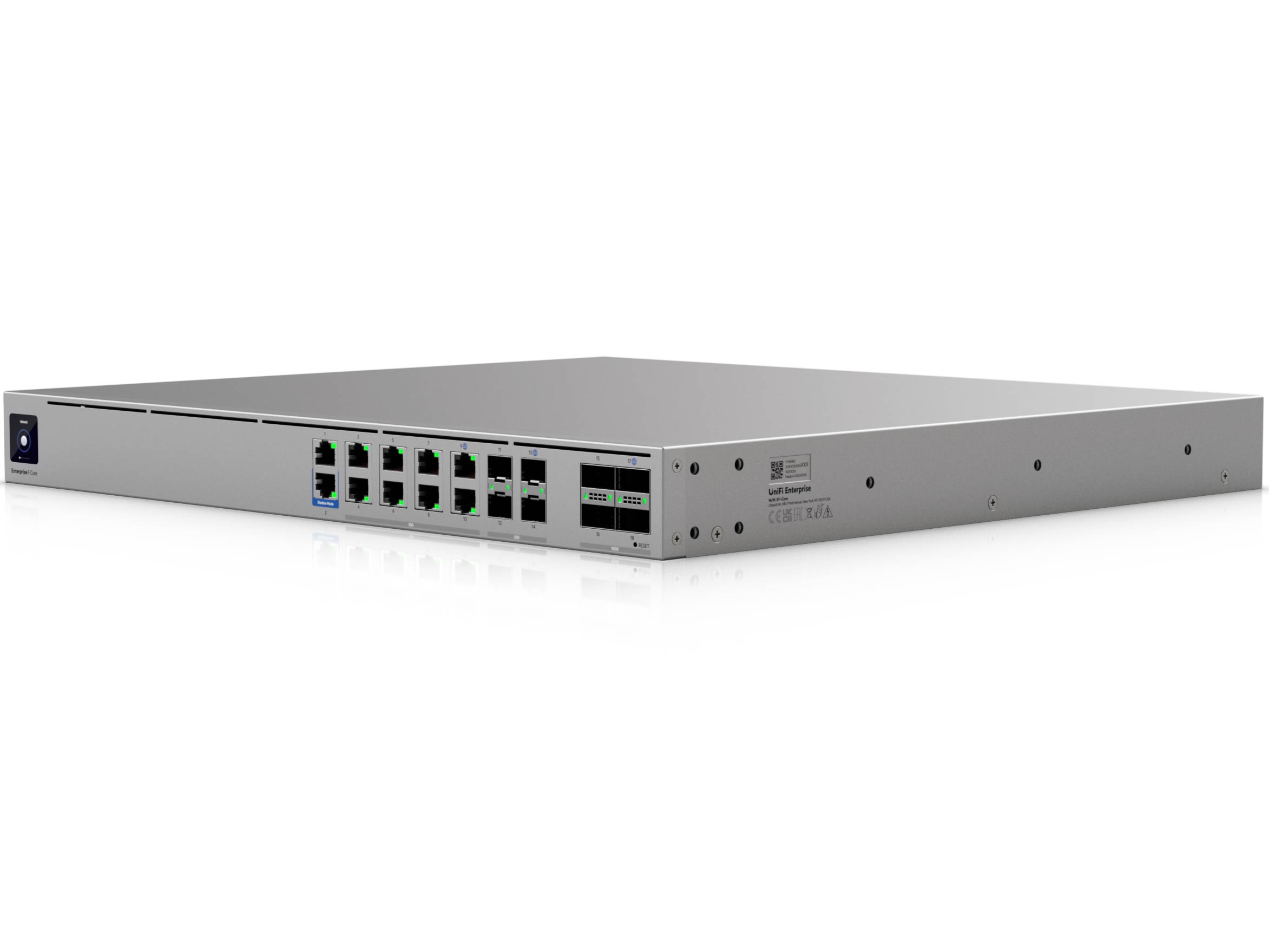
Hardware specifications: Ubiquiti Enterprise Firewall Core vs. UniFi Dream Machine Beast
 |  | |
|---|---|---|
| Full Name | Ubiquiti Enterprise Firewall Core | Ubiquiti Dream Machine Beast |
| Model | EF-Core | UDM-Beast |
| Built-in Wi-Fi Bandwidth | None | |
| Processing Power | 24-core ARM v9 at 2.5 GHz, 32GB of RAM | Eight-core ARM v9 at 2.1 GHz, 16GB RAM |
| IDS/IPS Throughput (routing bandwidth with security turned on) | 79 Gbps | 24.9 Gbps |
| WireGuard Performance | 61 Gbps | 1.81 Gbps |
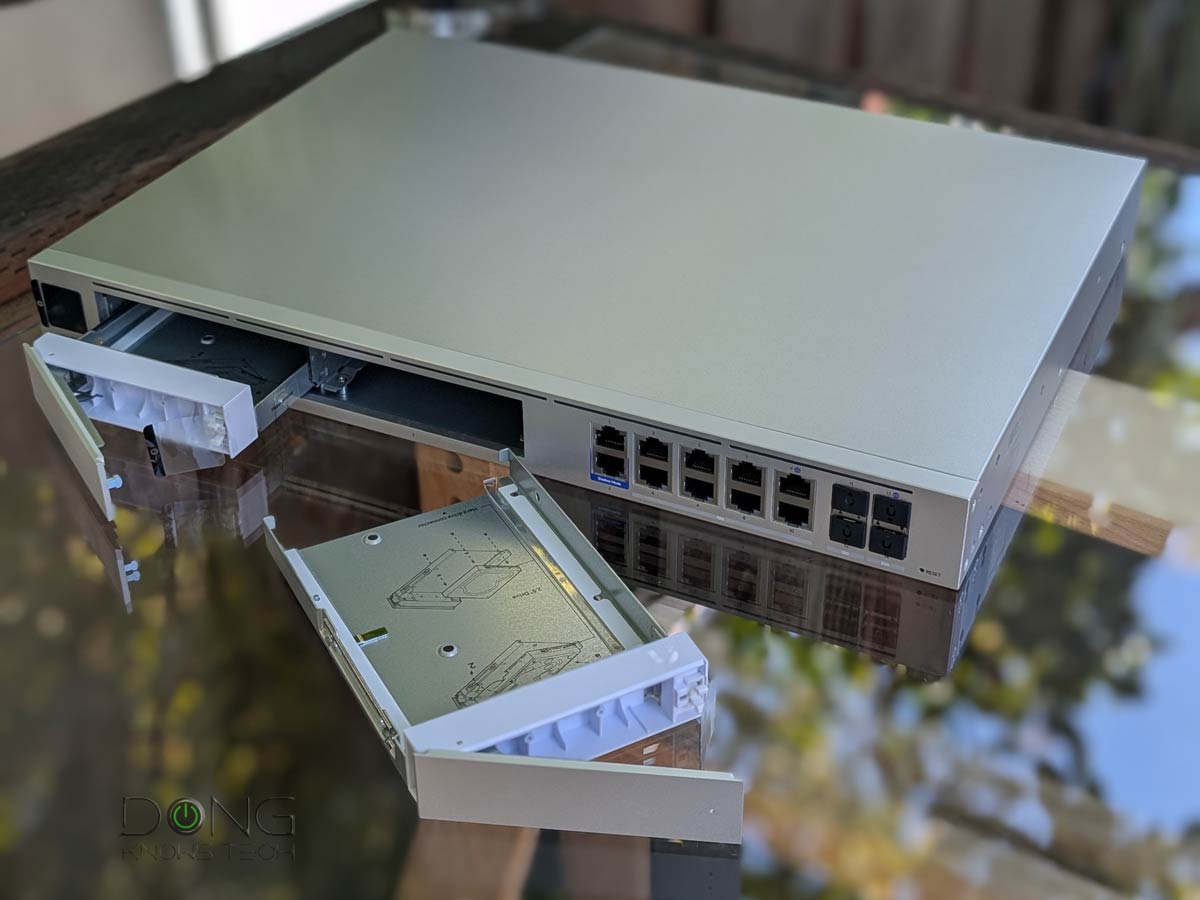
| Storage | Integrated 128 GB SSD | Integrated 128 GB SSD, 2x 3.5-inch SATA storage bays |
| Dimensions | 17.4 x 1.7 x 15.8 in (442.4 x 43.7 x 400 mm) | 17.4 x 1.7 x 11.2 in (442.4 x 43.7 x 285.6 mm) |
| Weight (without HDD or SSD) | 17.31 lb (7.85 kg) | 12.13 lb (5.5 kg) |
| Gigabit Port | 2x Management 2x LAN | 2x LAN |
| Multi-Gig Port | 8x 10GBASE-T (Multi-Gig), 2x SFP+ (10Gbps/1Gbps), 2x SFP28 (25Gbps/10Gbps/1Gbps), 2x QSFP28 (100Gbps/40Gbps) | 8x 10GBASE-T (Multi-Gig), 2x SFP+ (10Gbps/1Gbps), 2x SFP28 (25Gbps/10Gbps/1Gbps) |
| Power Method | Universal AC input, 2x Hot-Swappable AC/DC 550W PSU | Universal AC input, USP-RPS DC input |
| Supported Voltage | 100-240V AC | |
| Internal Fan | Yes | |
| Notable Design | Standard rackmount, 1.3″ touchscreen | |
| UniFi Application Suite (supported apps) | Network | Network (default), Protect, Talk, Access, Connect |
| Max UniFi Device Support (Concurrent access points, cameras, phones, etc.) | 2,250+ | 750+ |
| Max Camera Support (Protect app) | N/A | HD (100) 2K (60) 4K (40) |
| Max Concurrent User Support (end-devices) | 22,500+ | 5000+ |
| Release Date | June 11, 2026 | April 30, 2026 |
| US Launch Cost (compare costs and specs at UI store) | $3,499 | $1499 |
Ubiquiti Enterprise Firewall Core: A network-only UniFi console
As shown in the table above, the Ubiquiti Enterprise Firewall Core dwarfs the UDM-Beast in terms of hardware specs. However, there’s one thing it can’t beat the lesser cousin: it’s a Network-only UniFi console. Specifically, it’s designed to run only the Network app within the UniFi Application Suite
UniFi console in a nutshell
A UniFi console is always a container device that runs UniFi OS plus one or more UniFi applications, with Network being the most significant—the primary app.
However, not every UniFi console is equipped with this app. Network-enabled UniFi consoles are called “UniFi Cloud Gateways” (UCGs) and include the UniFi Dream series, such as Dream Machine (UDM) or Dream Wall (UDW)—all of which are UniFi “routers” if you prefer to call them that way.
A few UCGs have just this Network app—they are Network-only UniFi consoles. Most UCGs can host additional applications to qualify as multi-app, Network UniFi consoles.
All UniFi Cloud Gateways (a.k.a. Network-enabled UniFi consoles) share the same basic features and settings. However, their capacities—specifically, the number, breadth, and depth of UniFi applications they can handle simultaneously—vary with hardware specifications.
The following are the current UniFi applications, with the first six belonging to the original UniFi Application Suite:
- Network (primary): This application enables the hardware to function as an advanced router, thereby qualifying it as a “UniFi Cloud Gateway” (UCG). This app handles all network-related aspects, including security, firewalls, access points, Wi-Fi system management, and more. On a UCG, the Network app is the default and can’t be uninstalled.
- Protect: Supports IP cameras as an advanced surveillance system, including a built-in UniFi Network Video Recorder (UNVR) within a UniFi console. Protect is the default app of a standalone UNVR. Generally, a standalone UNVR is a multi-app, non-network console that can also host the Access and InnerSpace applications, but it’s often classified as a “Protect-only UniFi console.”
- Talk: A locally hosted Voice-over-IP system.
- Access: A “platform designed for Access Control Systems”—per Ubiquiti. Examples include door-related security IoT devices such as doorbells, key fobs, and locks.
- Connect: An application that manages digital signage and EV Stations
- InnerSpace: A visualization tool that allows users to map out their UniFi network by uploading floor plans, drawing walls, etc., for deploying UniFi devices.
- Drive: The latest app that turns a UniFi console into a UniFi network-attached storage (NAS) server, known as a UNAS. Generally, a UNAS server is a single-app, non-Network UniFi console—it’s a “Drive-only UniFi console.”
Each of these applications is a world in itself, with various in-depth customizations, and some require UniFi devices to function as intended.
That said, if you want to have other applications, such as surveillance (Protect) or an IP phone, you’ll need additional UniFi consoles. However, that’s generally the case with enterprise applications.
The UDM-Beast, on the other hand, can run most of the applications within the suite and is an all-in-one solution made for small businesses or even homes, and as such, it’s still the absolute beast.
Availability
The Ubiquiti Enterprise Firewall Core is available now at the suggested retail price of $3,499. Like the rest of the UniFi Cloud Gateway, it’s completely license-free. All you have to pay is the initial hardware cost.
Again, this non-Wi-Fi “router” made for enterprise, home, or SMB users should pick one of the best alternatives from the top five below.
Top 5 Best non-Wi-Fi UniFi Cloud Gateways (UniFi routers)



Best non-Wi-Fi UniFi Cloud Gateways at Ubiquiti Store or on Amazon!



Comments are subject to approval, redaction, or removal. You're in the no-nonsense zone and that applies BOTH ways.
It's generally faster to get answers via site/page search. Your question/comment is one of many Dong Knows Tech receives daily.
Thank you!
(•) If you have subscription-related issues or represent a company/product mentioned here, please use the contact page or a PR channel.