
Hardly anyone would need Ubiquiti’s UniFi Dream Machine Beast (model UDM-Beast), but many would want it. In fact, I know some who are willing to go the extra mile to get this massive rack-mount UniFi Cloud Gateway. I’m one of them.
Here’s the bottom line: For a non-Wi-Fi “router”, the UDM Beast has much more than enough to justify its hefty price tag (*). This powerful, clearly-overkill-in-most-cases UniFi Cloud Gateway proved to be a pleasure to use and, for the first time in my decades-long tech experience, qualified as “future-proofing“.
(*) Though priced at $1499, the actual cost is close to $1800 after tax, shipping, and the unexpected $88 “Memory Surcharge Fee” likely due to the component shortage caused by AI‘s massive demand.
The point is that if you want to spoil yourself with a networking toy that gives you all the possible options (and then some), this is the standard router to get. If you can’t afford it today, start saving up and buy it in a year, or two, or three—it’ll still be cutting-edge then at a likely lower cost.
Ubiquiti UniFi Dream Machine Beast (UDM-Beast)'s Rating
Pros
Top-notch, "future-proofing" hardware specs with ten 10GbE ports and two 25Gbps ports to deliver excellent real-world performance
A complete set of useful networking features—powerful security/web-filtering, versatile VPN support, SD-WAN, Multi-WAN, to name a few—handled by top-notch processing power
Robust web-based user interface, useful and comprehensive mobile apps, generally easy to use
Dual-drive support with RAID 1, top-capacity built-in UniFi NVR, no subscription required
Cons
Pricey
A Ubiquiti login account is required for some useful features to work
No PoE ports, comparatively high power consumption
Dong’s note: I first published this piece on April 30, 2026, as a preview and updated it on June 18, 2026, to an in-depth review after thorough real-world hands-on testing.
Ubiquiti UDM-Beast: That dream of future-proofing your network, realized
For years, I always pushed back the “future-proof” notion. “It’s a nonsensical marketing term,” I’d say. And I was generally right, as there’s always something more powerful and faster on the horizon—and let’s face it: it’s not like time or technology development will ever stop.
That’s until this UniFi Dream Machine Beast. But let’s back up a bit.
In mid-2025, I reviewed the UniFi Dream Machine Pro Max (UDM-Pro-Max) as the replacement for its similar predecessor, the UDM-SE.
After a couple of months of trial, I ended up calling the Max the “ultimate” consumer-friendly UniFi Cloud Gateway thanks to its robustness and ease of use. And it has remained one of the best “routers” for large homes or SMBs, as it still is today. In fact, you can even call it overkill in many cases.
Now, the new UDM-Beast makes me realize that I’d jumped the gun and now run out of superlatives. It renders the UDM-Pro-Max modest, if not pale, in comparison, and “ultra-ultimate” would be ludicrous.
Indeed, the gap between the UDM-Beast and the UDM-Pro-Max is far more significant than the incremental improvement from the UDM-SE to the UDM-Pro-Max. The abrupt leap in hardware specs makes its moniker, “Beast”, which is a bit of a digression from the norm, fitting.
The table below compares the hardware specs of the two UniFi Cloud Gateways.


Ubiquiti UDM-Beast vs. UDM-Pro-Max: Hardware specifications and real-world power consumption
 |  | |
|---|---|---|
| Full Name | Ubiquiti Dream Machine Beast | Ubiquiti UniFi Dream Machine Pro Max |
| Model | UDM-Beast | UDM-Pro-Max |
| Built-in Wi-Fi Bandwidth | None | |
| Processing Power | Eight-core ARM v9 at 2.1 GHz, 16GB RAM | Quad-core ARM Cortex-A57 at 2.0 GHz, 8GB RAM |
| IDS/IPS Throughput (routing bandwidth with security turned on) | 24.9 Gbps | 5 Gbps |
| WireGuard Performance | 1.81 Gbps | 1 Gbps |
| Storage | Integrated 128 GB SSD, 2x 3.5-inch SATA storage bays | |
| Dimensions | 17.4 x 1.7 x 12.8 in (442.4 x 43.7 x 325 mm) | 17.4 x 1.7 x 11.2 in (442.4 x 43.7 x 285.6 mm) |
| Weight (without HDD or SSD) | 12.13 lb (5.5 kg) | 10.4 lb (4.7 kg) |
| Gigabit Port | 2x LAN | 8x LAN |
| Multi-Gig Port | 8x 10GBASE-T (Multi-Gig), 2x SFP+ (10Gbps/1Gbps), 2x SFP28 (25Gbps/10Gbps/1Gbps) | 1x 2.5GBASE-T (Multi-Gig), 2x 10Gbps SFP+ (10Gbps/1Gbps) |
| Power Method | Universal AC input, USP-RPS DC input | |
| Supported Voltage | 100 -240V AC | |
| Power Consumption (per 24 hours without PoE devices) | ≈ 1140 Wh (Measured when hosting two HDDs) | ≈ 900 Wh (Measured when hosting two HDDs) |
| Internal Fan | Yes | |
| Notable Design | Standard rack-mount, 1.3″ touchscreen | |
| UniFi Application Suite (supported apps) | Network (default), Protect, Talk, Access, Connect | |
| Max UniFi Device Support (Concurrent access points, cameras, phones, etc.) | 750+ | 200+ |
| Max Camera Support (Protect app) | HD (100) 2K (60) 4K (40) | HD (25) 2K (15) 4K (10) |
| Max Concurrent User Support (end-devices) | 5000+ | 2000+ |
| Software Version (at review) | UniFi OS: 5.1.19 Network: 10.4.57 | UniFi OS: 4.2.12 Network: 9.1.120 |
| Release Date | April 30, 2026 | April 23, 2024 |
| US Launch Cost (compare costs and specs at UI store) | $1499 | $599 |


UDM-Beast vs. UDM-Pro-Max: Same design, totally new hardware
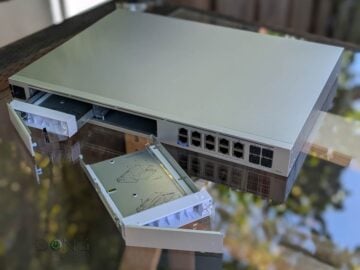
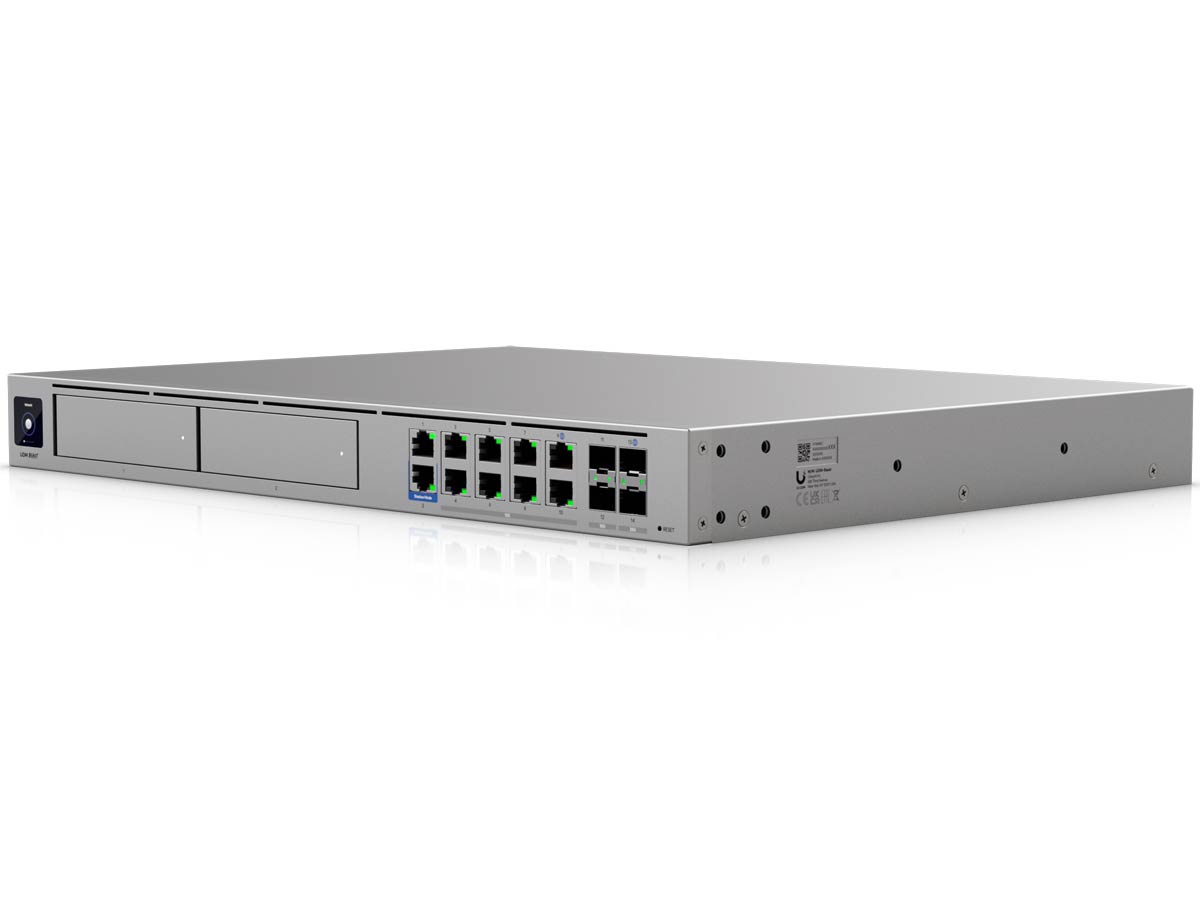
As shown in the table, the new Beast retains the design of the UDM-Pro-Max, albeit a tad longer and heavier. Still, the two look almost identical, with the 1.3-inch touchscreen, all the network ports, and two 3.5-inch drive bays on the front, and the power connectors on the back.
Tip
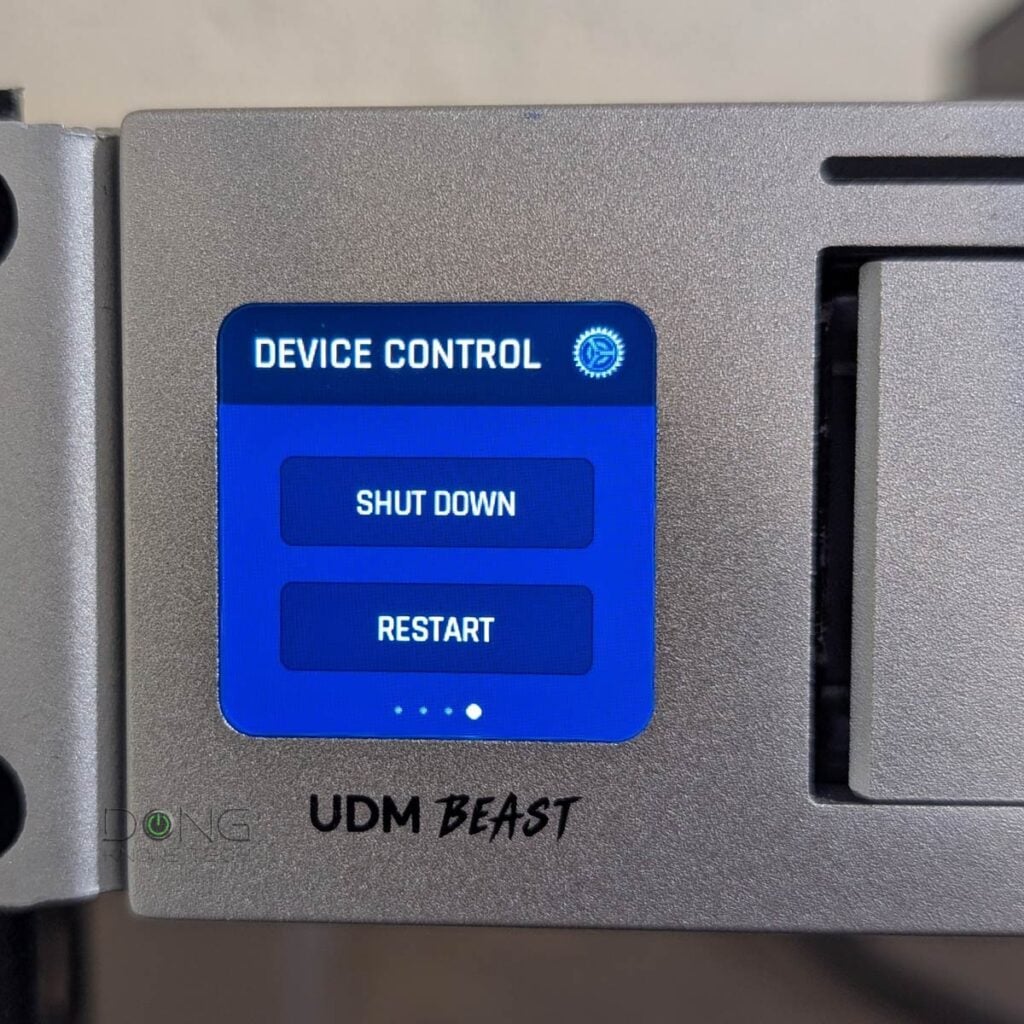
Ubiquiti’s rack-mount UniFi consoles generally don’t have a power button. Users can turn one off via the user interface (web-based or the UniFi mobile app) or via the Settings section of the touchscreen. To turn it on, a manual power cycle is required.
Inside, the UDM-Beast also shares the same feature set as the previous model. That’s because both are container devices—UniFi consoles running UniFi OS that support multiple UniFi applications.
UniFi console in a nutshell
A UniFi console is always a container device that runs UniFi OS plus one or more UniFi applications, with Network being the most significant—the primary app.
However, not every UniFi console is equipped with this app. Network-enabled UniFi consoles are called “UniFi Cloud Gateways” (UCGs) and include the UniFi Dream series, such as Dream Machine (UDM) or Dream Wall (UDW)—all of which are UniFi “routers” if you prefer to call them that way.
A few UCGs have just this Network app—they are Network-only UniFi consoles. Most UCGs can host additional applications to qualify as multi-app, Network UniFi consoles.
All UniFi Cloud Gateways (a.k.a. Network-enabled UniFi consoles) share the same basic features and settings. However, their capacities—specifically, the number, breadth, and depth of UniFi applications they can handle simultaneously—vary with hardware specifications.
The following are the current UniFi applications, with the first six belonging to the original UniFi Application Suite:
- Network (primary): This application enables the hardware to function as an advanced router, thereby qualifying it as a “UniFi Cloud Gateway” (UCG). This app handles all network-related aspects, including security, firewalls, access points, Wi-Fi system management, and more. On a UCG, the Network app is the default and can’t be uninstalled.
- Protect: Supports IP cameras as an advanced surveillance system, including a built-in UniFi Network Video Recorder (UNVR) within a UniFi console. Protect is the default app of a standalone UNVR. Generally, a standalone UNVR is a multi-app, non-network console that can also host the Access and InnerSpace applications, but it’s often classified as a “Protect-only UniFi console.”
- Talk: A locally hosted Voice-over-IP system.
- Access: A “platform designed for Access Control Systems”—per Ubiquiti. Examples include door-related security IoT devices such as doorbells, key fobs, and locks.
- Connect: An application that manages digital signage and EV Stations
- InnerSpace: A visualization tool that allows users to map out their UniFi network by uploading floor plans, drawing walls, etc., for deploying UniFi devices.
- Drive: The latest app that turns a UniFi console into a UniFi network-attached storage (NAS) server, known as a UNAS. Generally, a UNAS server is a single-app, non-Network UniFi console—it’s a “Drive-only UniFi console.”
Each of these applications is a world in itself, with various in-depth customizations, and some require UniFi devices to function as intended.
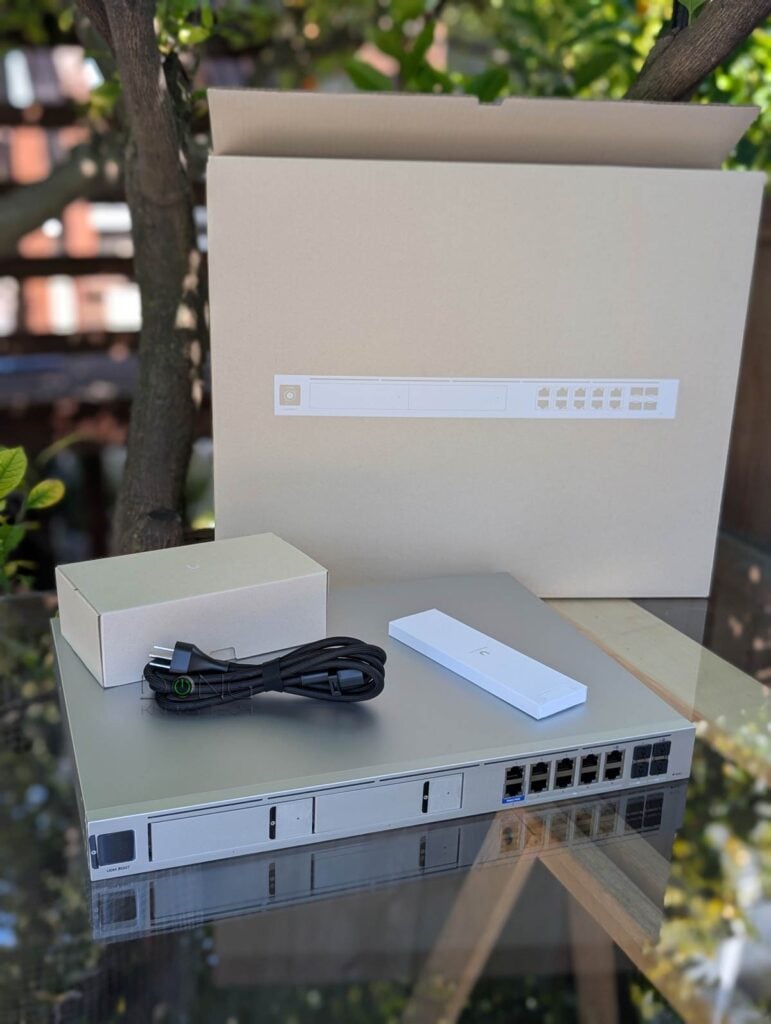
More specifically, the Beast is a non-Wi-Fi rack-mount (1U) gateway with two front-facing internal drive bays for two standard SATA drives and two rows of network ports to connect to the Internet and wired devices.
In my trial, I migrated my network from the UDM-Pro-Max to the UDM-Beast, and the process was relatively painless—it took less than 10 minutes. Note: If you want to keep the existing Protect recordings, follow these steps closely.
Other than that, the UDM-Beast is a far cry from the UDM-Pro-Max in terms of bandwdith and power. And that proved true in my real-world experience.
But it’s important to note that, despite the extra power, the UDM-Beast remains user-friendly, just like any previous UniFi Cloud Gateway.
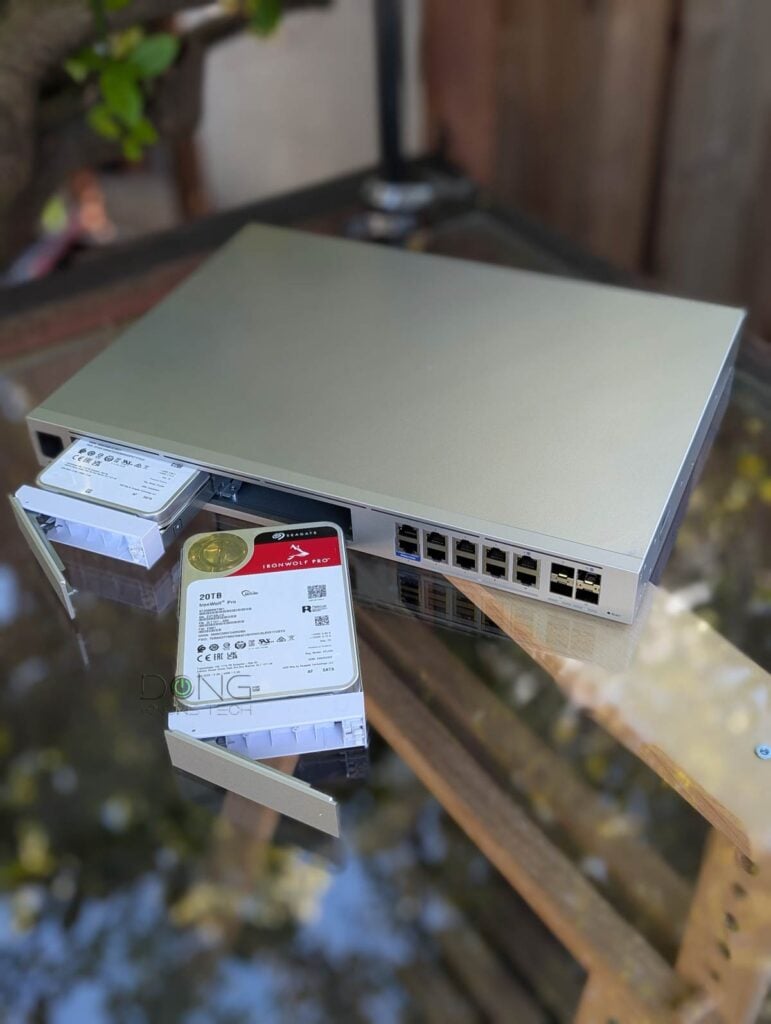
Ubiquiti UniFi Dream Machine Beast: Truly uncompromising
Ubiquiti sure turns it up to eleven with UDM-Beast. Here are a few highlights that set it apart from any existing consumer-grade UniFi Cloud Gateways:
- It has five times the protected bandwidth compared to the UDM-Pro-Max. Even with the traffic scanning/filtering and security features enabled, it can still deliver up to 24.9 Gbps of real-world bandwidth. To put things in perspective, 10 Gbps is currently the fastest commercial broadband speed.
- It supports over 5,000 concurrent clients (users) and an astonishing number of UniFi devices. For example, even if you opt for 4K quality in the Protect app, the UDM-Beast can handle up to 40 cameras, more than enough for any home or small office.
- 10 Gbps is now the minimum. The new gateway comes with eight 10GBASE-T ports, two 10Gbps SFP+ ports, and two 25Gbps SFP28 ports. It’s the first consumer-friendly “router” capable of delivering true 10 Gbps and beyond.
Considering there are no consumer-grade devices that feature SFP28, the only way to go beyond 10 Gbps, the UDM-Beast is clearly made for the future.
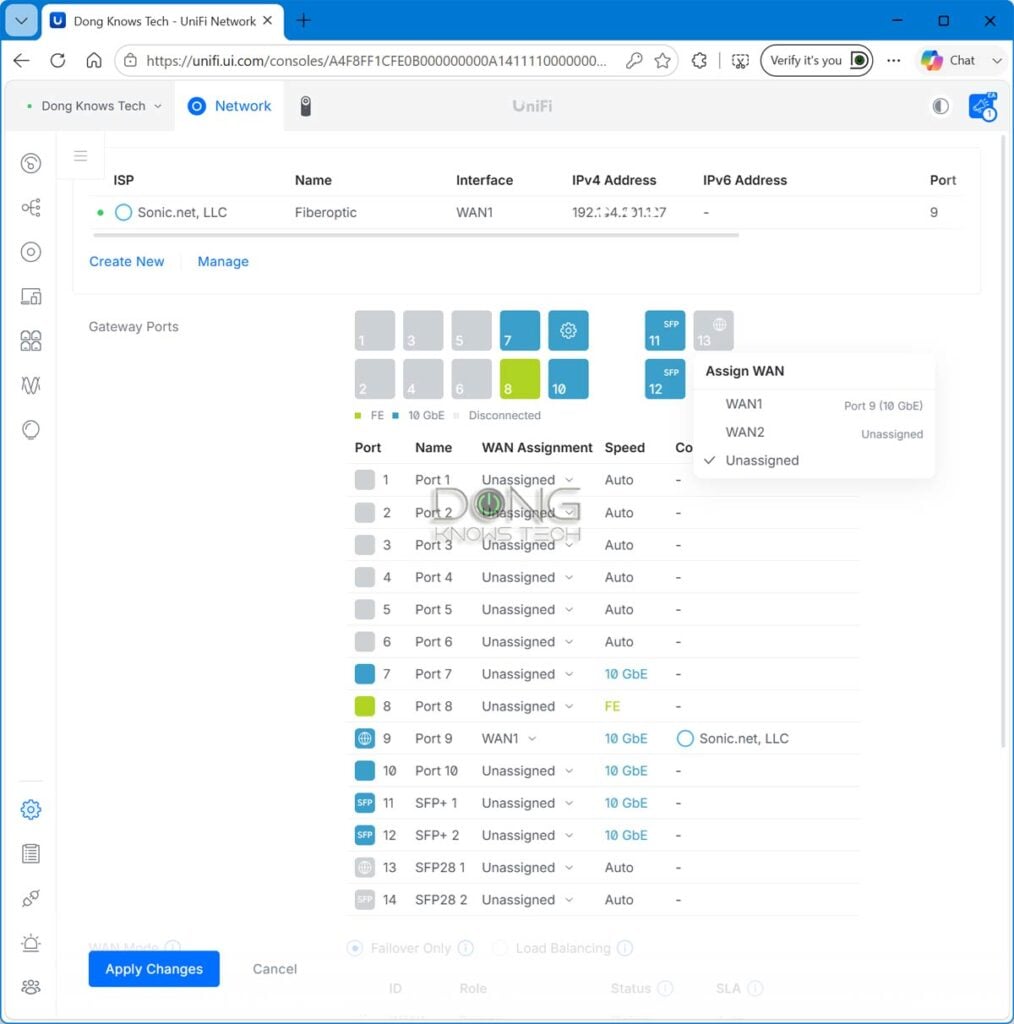
By the way, these two SFP28 ports are backward-compatible with SFP+—effectively, at present, you can think of the UDM-Beast as having four SFP+ ports. I used them as such during testing, and they worked without any issues, delivering a solid 10Gbps-class of real-world performance.
So, the UDM-Beast is truly over-the-top in terms of bandwidth and raw power. However, Ubiquiti says the new UniFi console sits under Enterprise Fortress Gateway (EFG), which was recently replaced by the EF-Core, and above UDM-Pro-Max, meaning it remains a friendly device for home and small-business users.
A familiar non-Wi-Fi UniFi Cloud Gateway
Despite the new souped-up hardware specs, the UDM-Beast proved to be a familiar Network-enabled UniFi console. It’s a non-Wi-Fi “router”, if you want to call it that way, but you can quickly add Wi-Fi to it by throwing in one or two UniFi access points.
This lack of built-in Wi-Fi is actually a good thing. It guarantees the UDM-Beast’s future-proof status, as the gateway itself will not become “obsolete” due to changes in Wi-Fi development.
This notion is especially timely given that Wi-Fi 8 is on the horizon. When it’s here, get a couple of access points, and you’ll turn the Beast into a Wi-Fi 8 “router”.
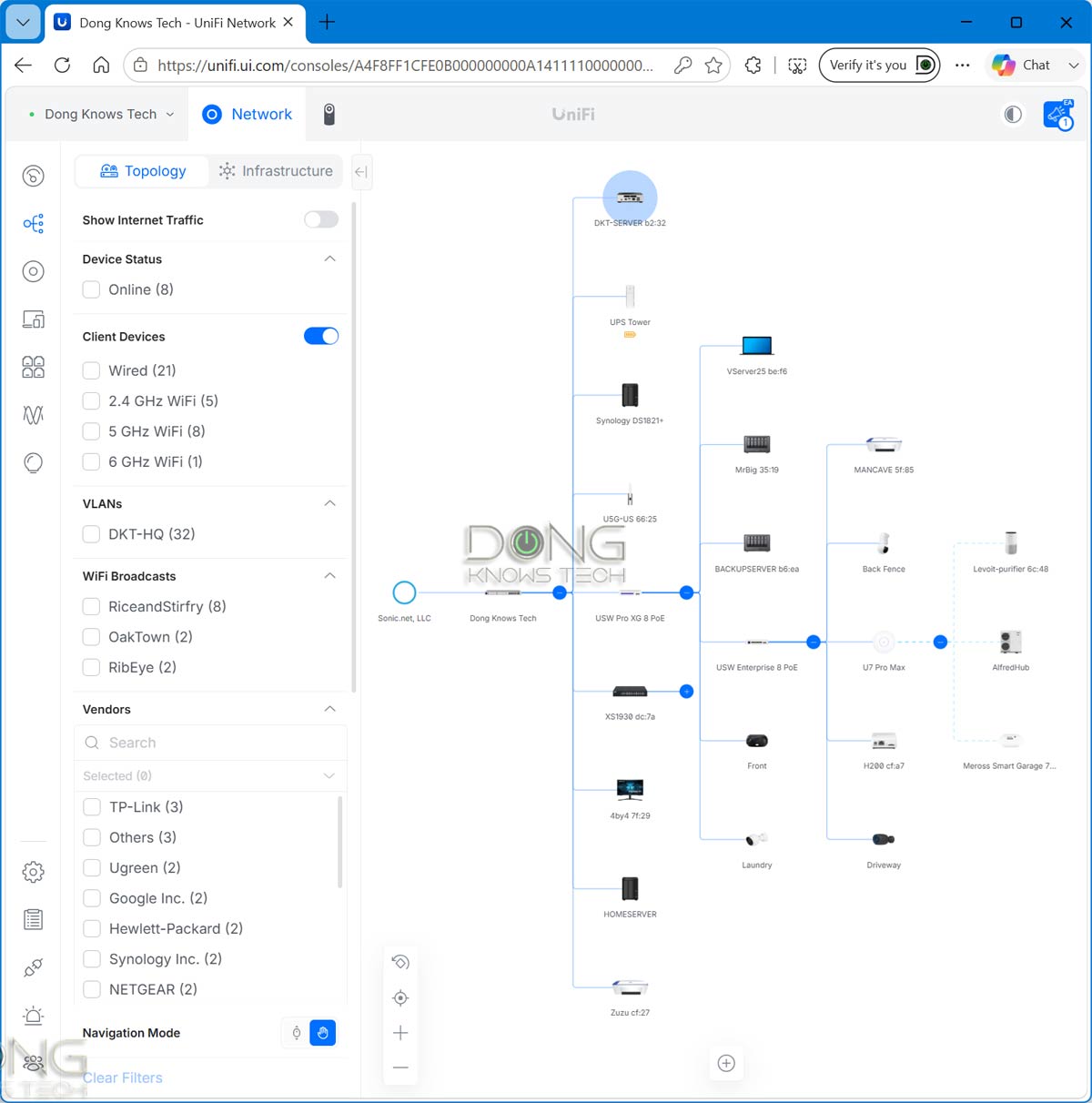
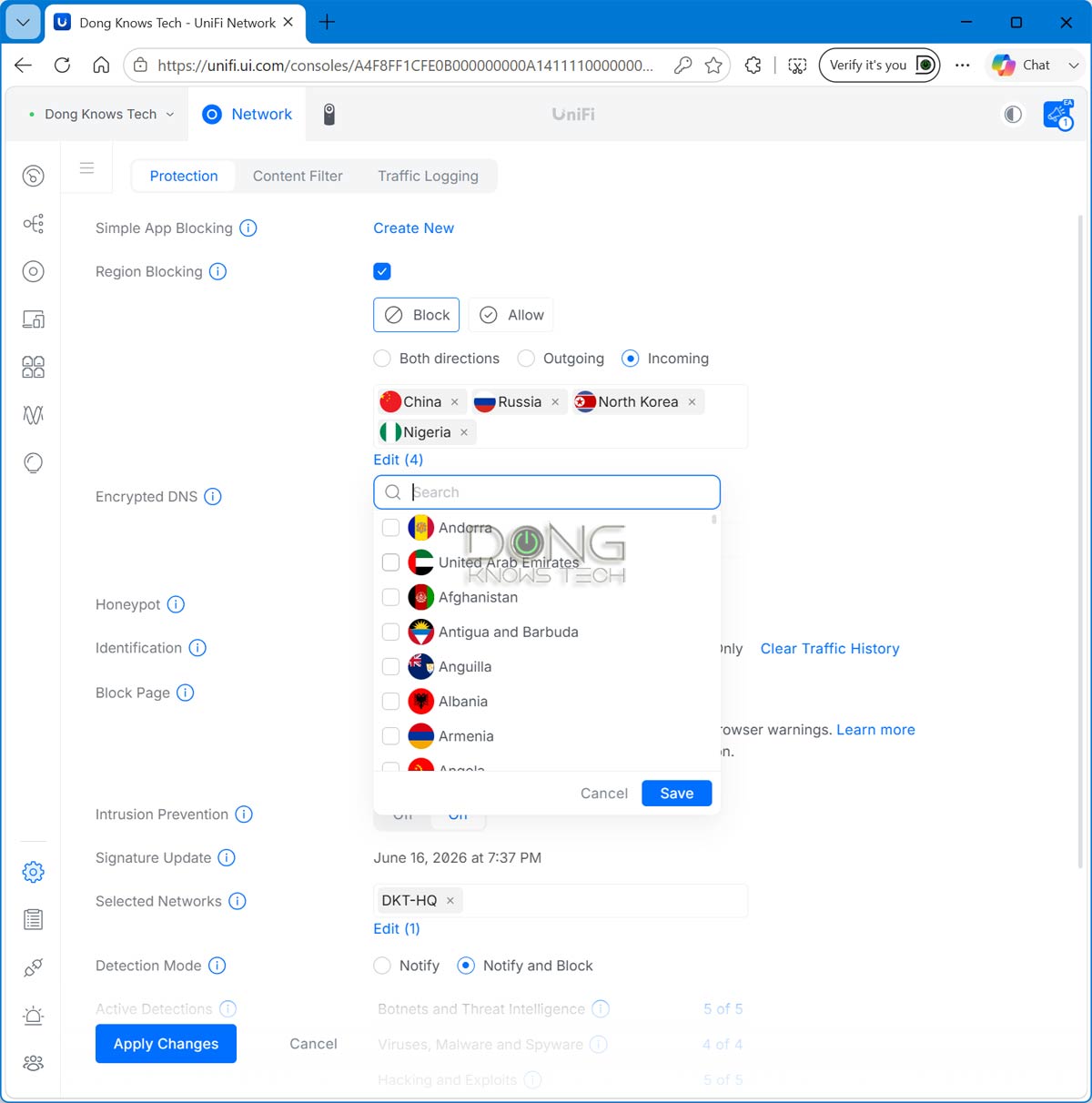
In any case, you can expect the following from the UDM-Beast, all confirmed in my real-world usage:
- Flexible port management: VLAN, Dual-WAN, WAN/LAN roles, and more. You can reassign the WAN/LAN role to all ports, provided you retain one as the WAN port.
- Advanced VPN servers, including OpenVPN, IPsec, WireGuard, Site-to-Site VPN, Zero-Configuration Teleport, VPN client, and more.
- SD-WAN supported: You can use the gateway as part of a large organization (or a group of homes/offices) with multiple UniFi Cloud Gateways at different locations, all linked via Site-to-Site VPN or Ubiquiti’s Site Magic.
- Shadow Mode High Availability: Users can use two UniFi Beast units for redundancy. The hardware itself includes redundancy for the power input.
- Advanced firewall and threat protection, including category- and country-based content/access blocking, as well as ad blocking.
- Advanced device and application-based Quality of Service (QoS).
- Excellent monitoring system for connected devices, including web filtering (parental controls) based on categories applicable to a group or specific device(s).
- Advanced Wi-Fi and mesh system management when UniFi access points are part of the system.
After that, keep in mind that the Beast can host over 700 UniFi devices and thousands of concurrent clients (users) across multiple UniFi applications. It’s an all-in-one solution for anyone who wants to get the absolute best option for their home or office network.
Ubiquiti UniFi Dream Machine Beast: Stellar performance
I wasn’t able to test the UDM-Beast at its full potential simply because I didn’t have any devices that support the 25Gbps SFP28 port grade. As mentioned, consumer-grade hardware generally tops out at 10 Gbps.
Still, given what I had, the new UniFi Cloud Gateway proved to be the champ, topping the chart and delivering the fastest real-world sustained data speeds via its 10Gbps ports.
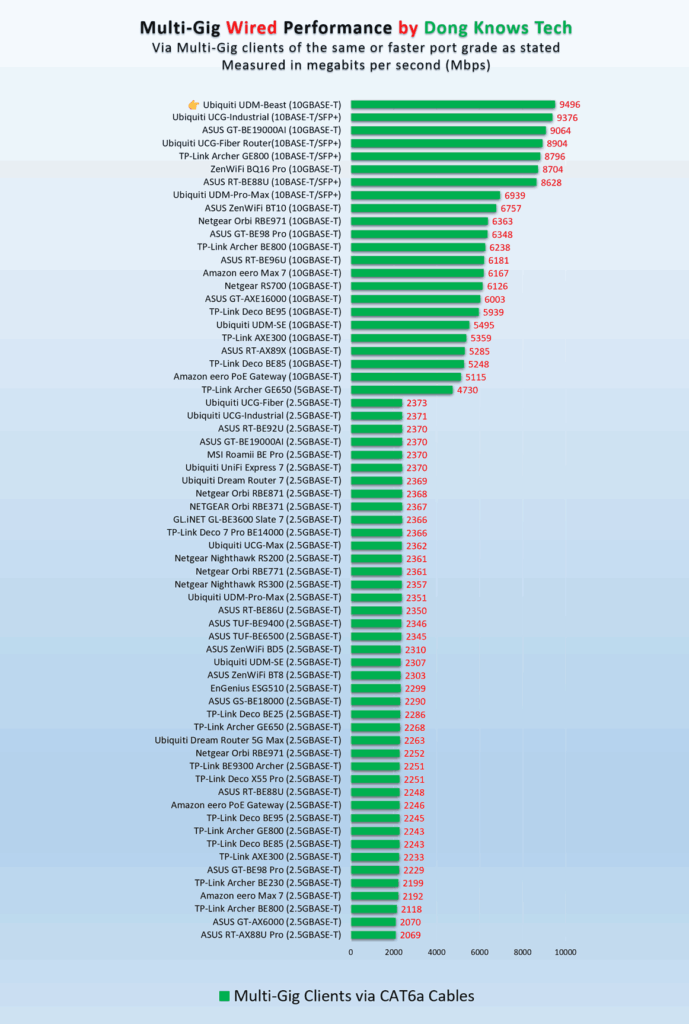
However, the top network throughput is only part of what makes the UDM-Beast’s performance noticeable. All of its other applications and functions are also much more pleasant to use thanks to its extensive resources and prowess.
For example, the Protect app’s response improved significantly in my experience compared to any other UNVR I’ve tested. To be clear, the UDM-Pro-Max wasn’t slow on this front, but at times it did encounter situations where 4K cameras experienced reduced real-time quality due to insufficient bandwidth. That never happened with the UDM-Beast, in my experience. Everything loads instantly with the highest possible quality, even when I turned all the security features to the max.
The point is this: the UDM-Beast offers a new level of performance across the board that you might not have known existed. And once you’ve experienced it, it’s hard to go back.
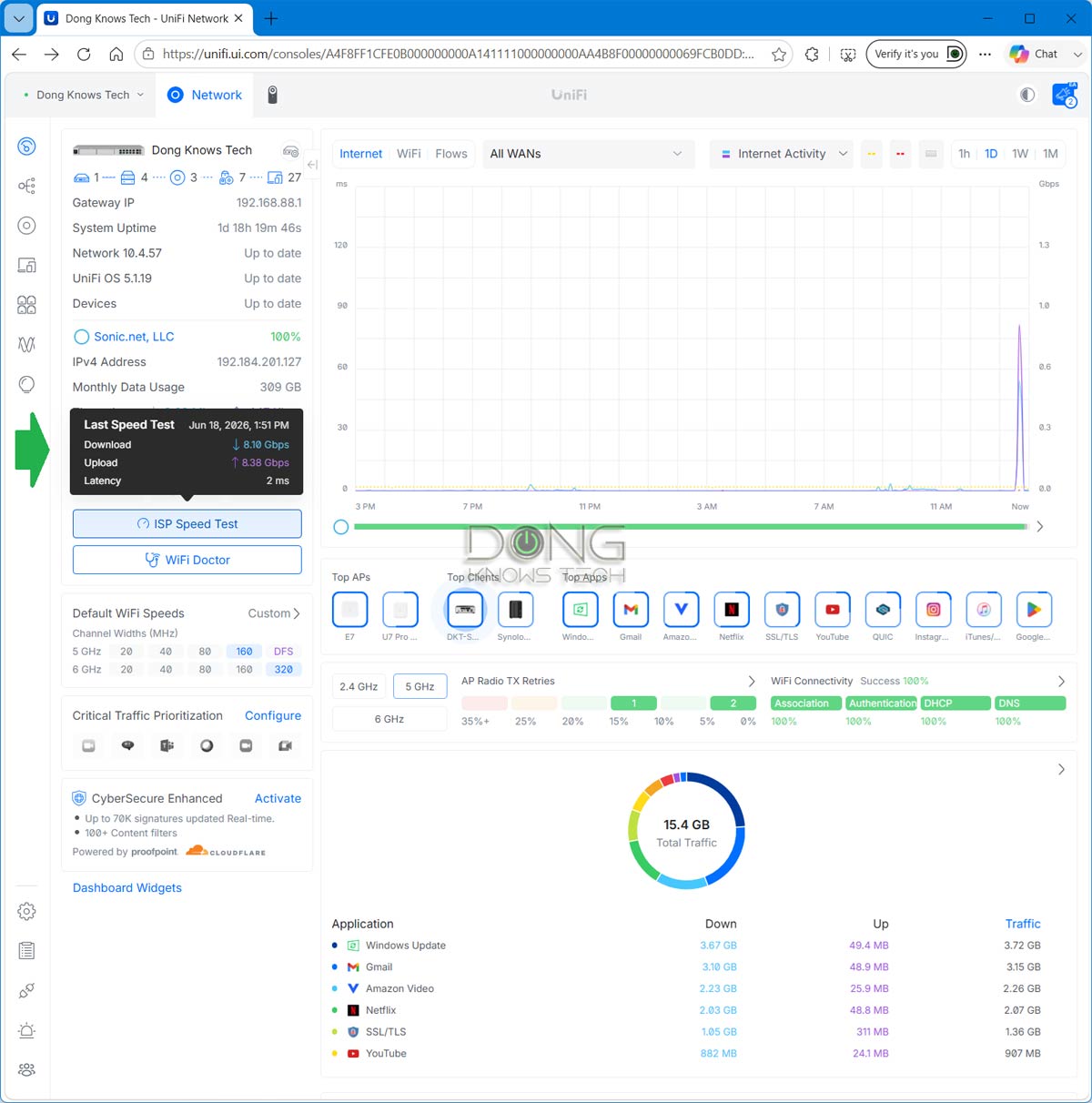
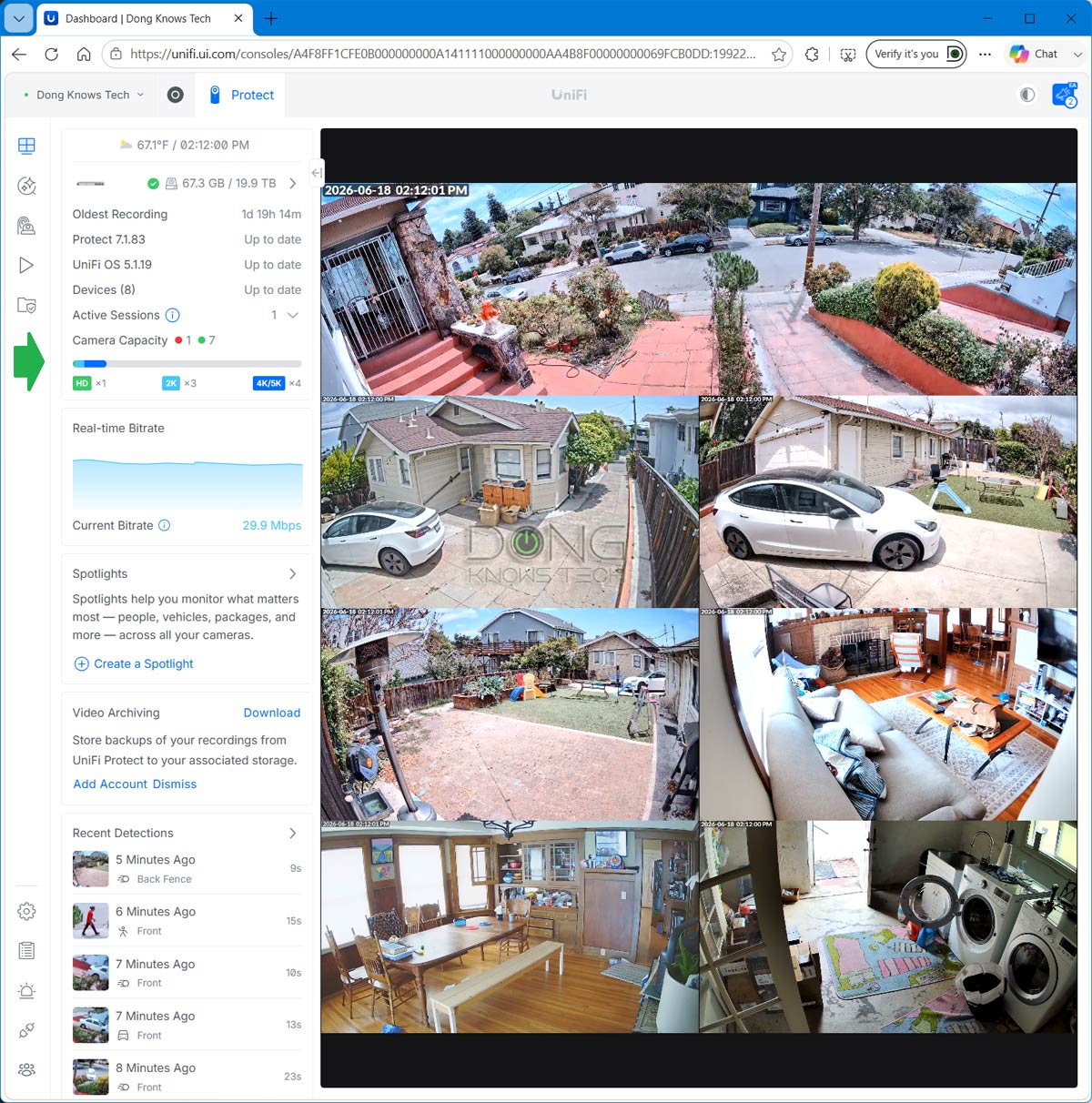
Other than that, the UDM-Beast was relatively quiet considering its four fans. It wasn’t silent, but for a rack-mount device, it was definitely not loud. Most of the time, I didn’t notice it from a few feet away. The gateway didn’t become hot, either, just slightly warm to the touch during heavy operations.
Last but not least, the Beast consumed more electricity than the UDM-Pro-Max, some 1140 Wh vs. 900 Wh in 24 hours, during my extensive testing, but that’s the price you have to pay for all the awesomeness.
Conclusion
For a “router” that costs close to $1800, the UniFi Dream Machine Beast is a testament to the saying that you get what you pay for.
It’s a powerful device that gives you everything today and will continue to do so for at least another decade. In fact, it might still even be top-notch in 10 years.
If that’s the type of future-proof you want, get it today. You won’t be disappointed!
Compared to the formidable UDM-Pro-Max, the UDM-Beast will make a satisfying replacement, meeting, if not exceeding, the expectations caused by the large price gap. But it’s not a must-upgrade. Not yet.
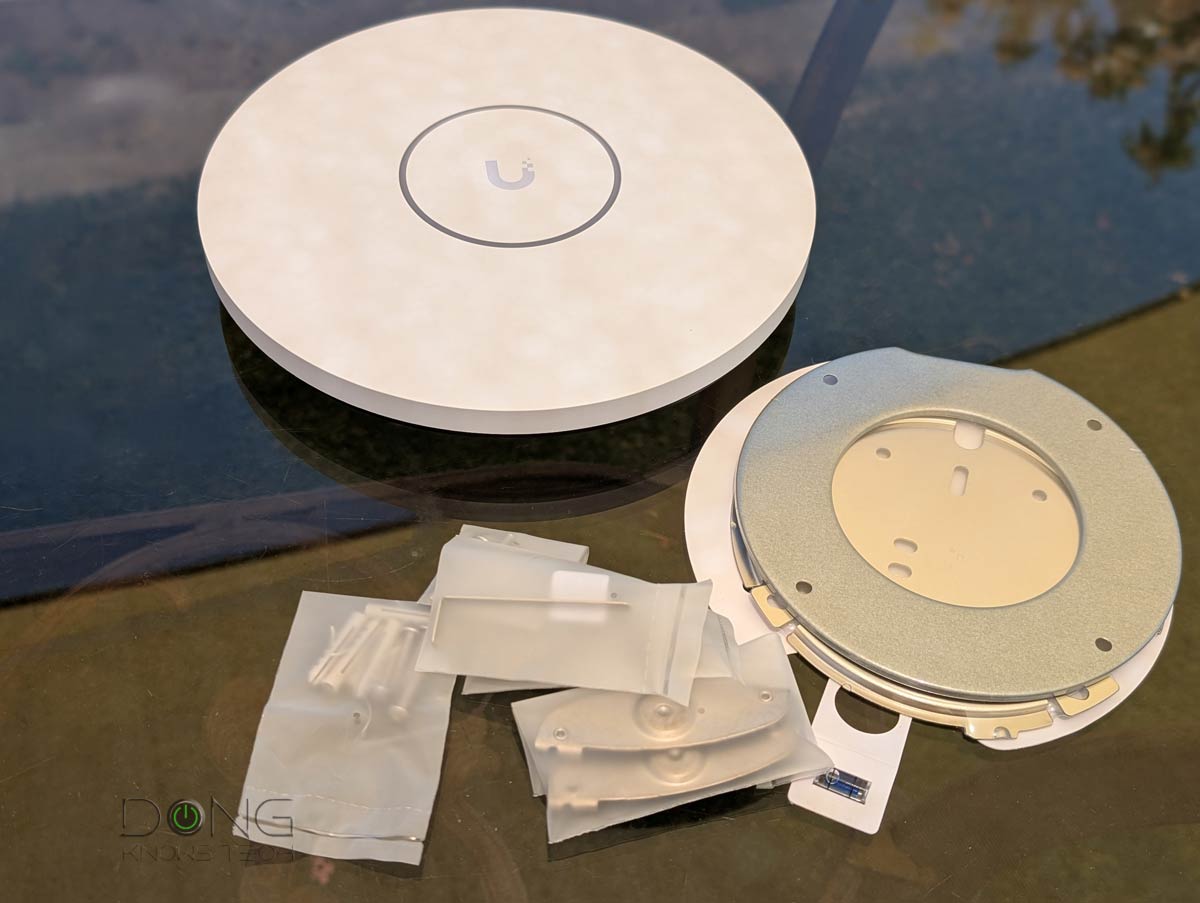
In any case, as mentioned, this is a non-Wi-Fi Cloud Gateway. You’ll need one or a few UniFi access points, such as those on the top-five list below, to complete your Wi-Fi network.
Top 5 best UniFi Wi-Fi access points
 | 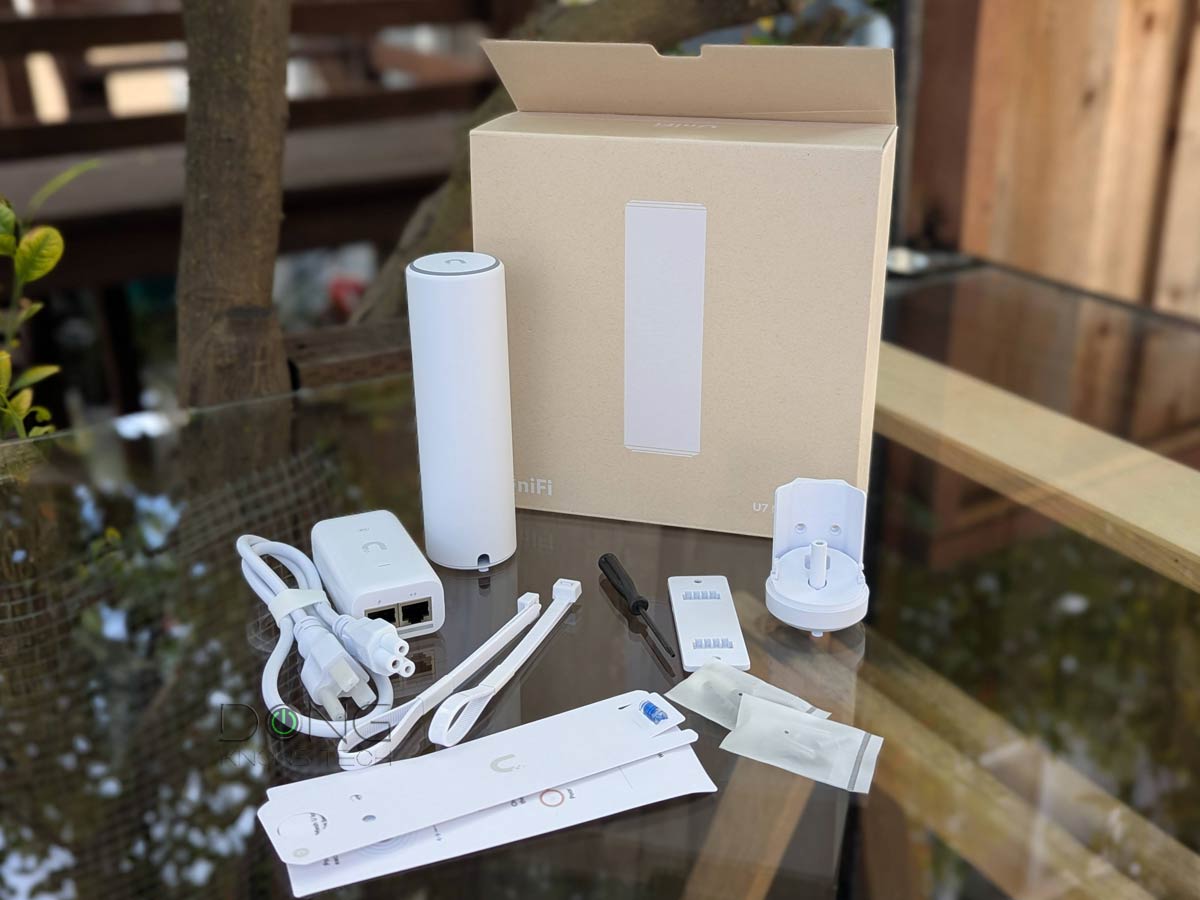 | 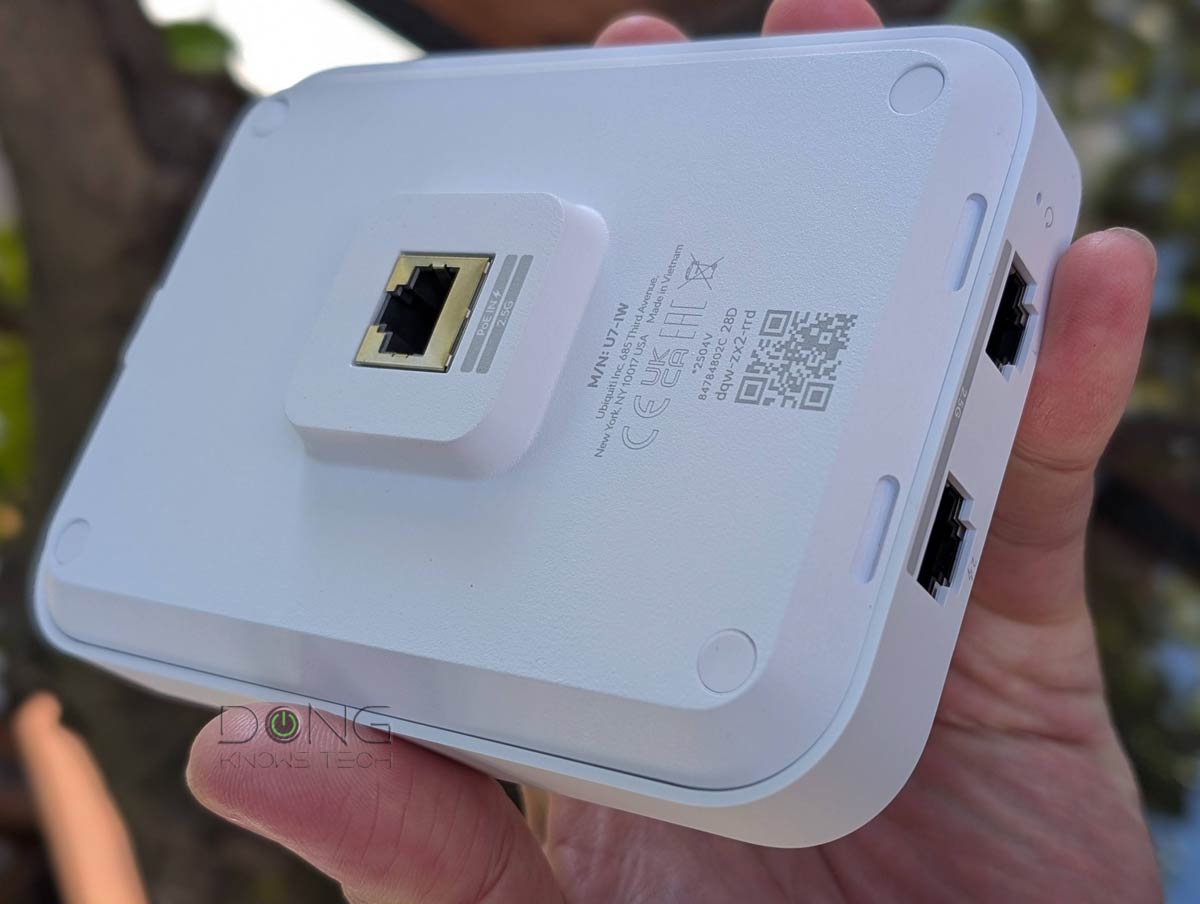 | 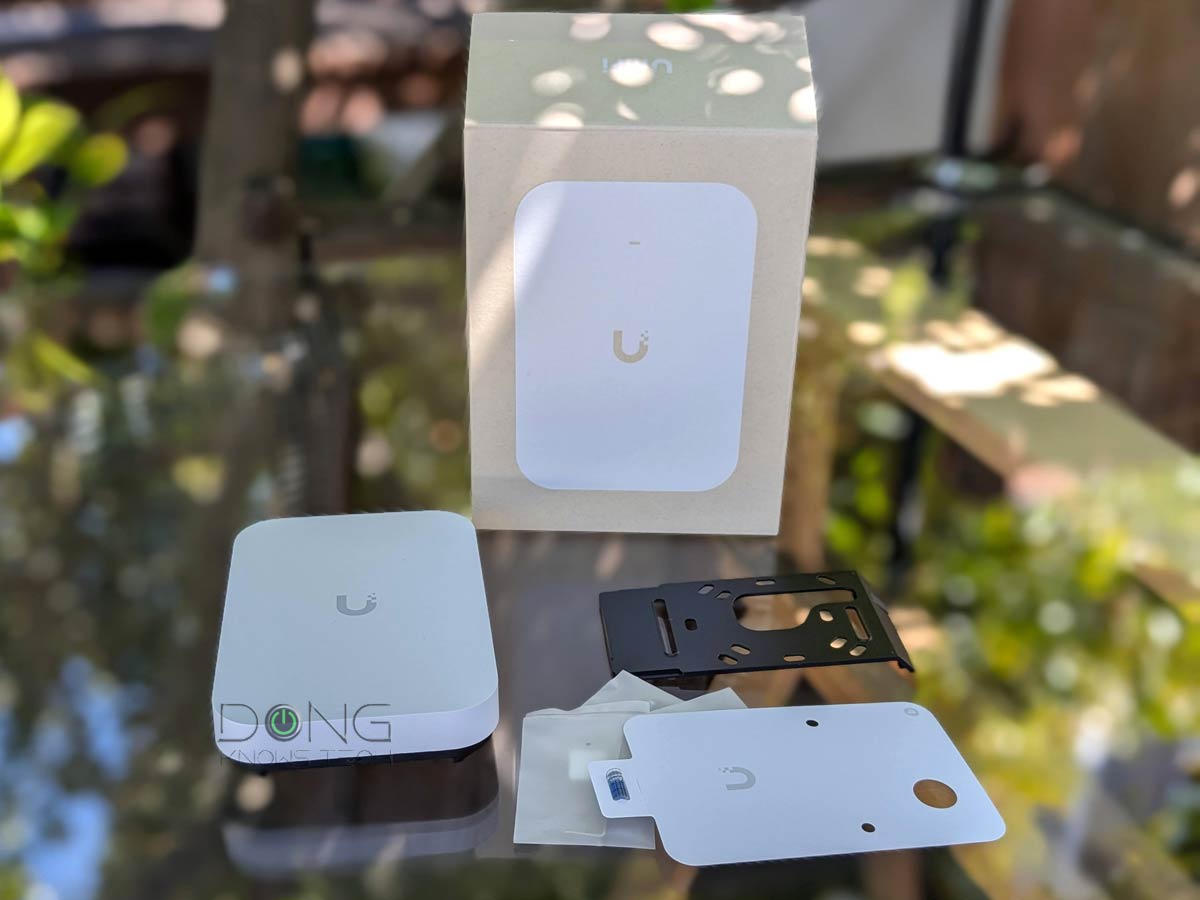 | 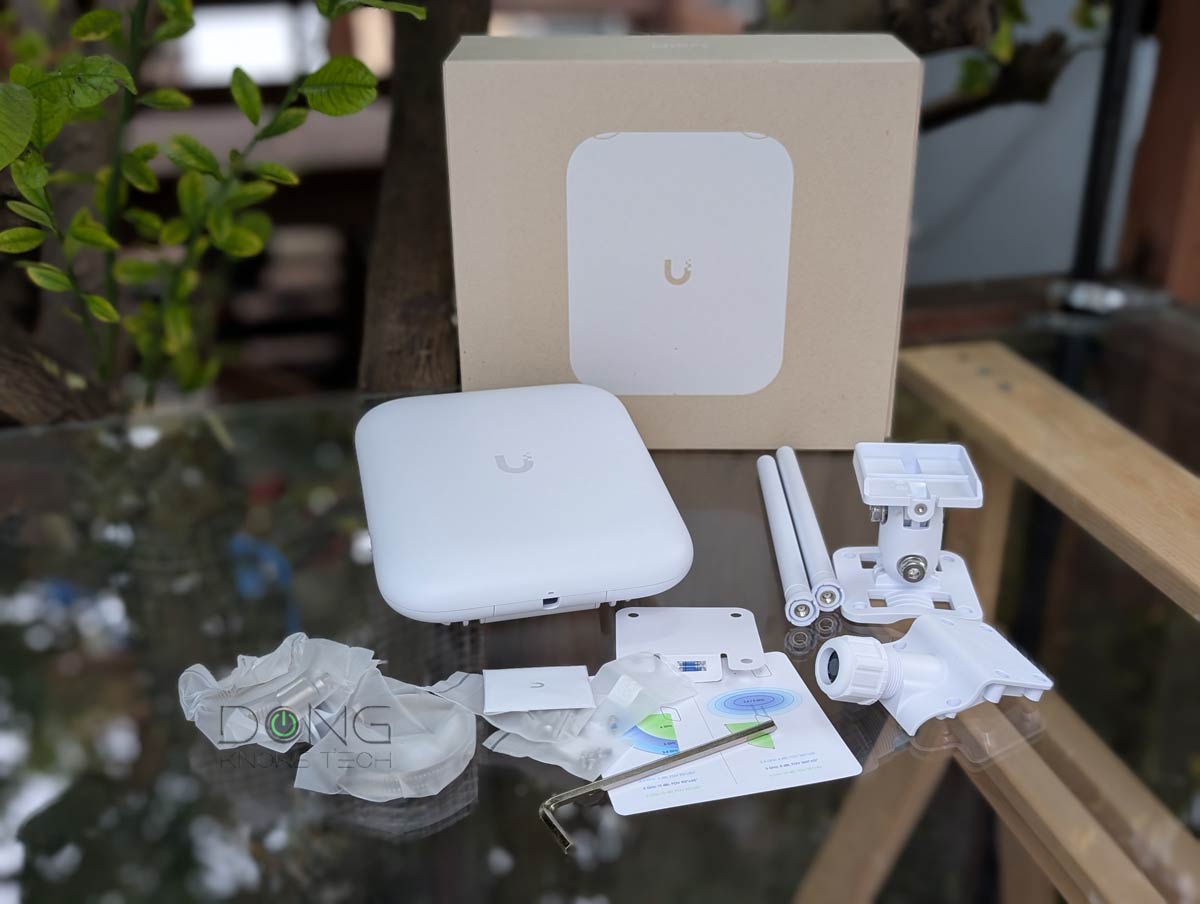 | |
| Name | Ubiquiti U7 Pro XGS' Rating | Ubiquiti UniFi U7 Mesh's Rating | Ubiquiti UniFi U7 In-Wall (U7-IW)'s Rating | Ubiquiti UniFi U7 Pro XG Wall's Rating | Ubiquiti U7 Pro Outdoor's Rating |
| Price | – | – | – | – | – |
| Rating | |||||
| Description | |||||
| Statistics | |||||
| Buy this product |



Thanks for the great information Dong, as always!
One big question about the Beast, how much sound does it realistically make with normal/low utilization use? As much information as you can give is appreciated, I have a UCG Fiber (which is silent) and am thinking on upgrading to the Beast (with a SSD to reduce sound). It will be in a rack in a small office space with users, so I am trying to figure out how noticable it is.
It’s not noisy for a rack-mount unit, but it’s not silent. It’s not noisier than the UDM Pro Max or the UDM SE. If you have it in an open space or a closet, I’d not worry about the noise. But it’s not suitable for a bedroom.
Thanks for the quick response!
You’re really the first I’ve been able to find who had commented on the amount of noise it makes. It will be in the Unifi tool less 6u rack under a table in the office space, so not in a closet unfortunately.
Any idea on DB ratings, or subjective thoughts in a small office room? Would it be distracting to users compared to the UCG Fiber?
I’d say if your office is not hot you likely won’t even notice it. If the office is hot, then you might hear the low-pitched humming sound of the fans when you sit at that table.
Interesting observation. My UDM SE is basically silent. It sits next to me in my office. I hear my laptop fan over it. Granted, I’m not using Protect. I have no drive in the SE. Saying the Beast is “not suitable for a bedroom” is surprising if it’s not louder than an SE.
It’s not silent, Jim.
I may wait until I get into a house then, where I plan to have my rack somewhere else (like a spare bedroom). I can deal with my silent (to my ears) SE, but I’ll hold off on the Beast until I can put it somewhere I won’t spend a lot of time. Thank you for your input.
Sure, Jim. Just to be clear, noise tolerance is nuanced. If you have a completely silent bedroom, you’ll hear it. But if your place is in the middle of Manhattan or a big city, or near a freeway with a certain level of ambient noise, you likely won’t notice it. In any case, your UDM-SE is still great. There’s no rush, as mentioned. 🙂
It looks awesome, though I’d rather not lose the PoE ports of my UDM-SE, that currently power my cameras.
However the most troublesome part Unifi neglected in the UDM-Beast is PPPoE offloading, as PPPoE is unfortunately still prevalent in Europe. PPPoE offloading is included in the UGC-Fiber, allowing it to easily reach 5-6Gbps, while UDM-SE and UDM-Pro-Max choke at about 2Gbps, even without IPS/IDS. The strong CPU of the UDM-Beast might be able to handle more, but it would still have a cost.
I’m not aware of PPPoE offloading sinc PPPoE has no longer been available in the US for a long time now. The UCG Fiber is an excellent UCG for the home!
In Europe it is hard to avoid PPPoE (large ISPs are sticking to their decades-old setups), and Unifi will therefore likely have a lot of trouble selling the UDM-Beast here.
Well, they’ll move on from that old technology eventually, I hope. In the meantime, there are other hardware options.
Just FYI, Dror, the UniFi Network 10.5 now has better support for PPPoE.
Thank you Dong, I saw your post about it.
It’s great that they are working on improving it, but the lack of hardware offloading will likely continue to hinder the usability of their gateways at multi-gig speeds in Europe.
Why does the Pro Max and this new Beast model lack PoE ports?
Is it because at this price point they expect you to get a dedicated PoE switch to run all your cameras and WAPs?
I don’t know, Patrick, but maybe that would make the hardware even more expensive? Speaking of which, there’s nothing wrong with something being expensive. It’s not like you have no other options. It’s a matter of demand. So, yes, it’d be nice if the ports were PoE+++.
Yeah even a couple would be nice.
The SE has PoE but the Max and Beast do not.
My guess is that for the power users they have a dedicated switch for this in their rack. For most home users the SE model would be plenty, although the single drive bay is somewhat limited if you are running NVR.
PoE can be tricky considering the differnt levels of power output. So, I think it’s better to have a dedicated switch for that.
to bad your pay wall keeps taking over the entire screen so I can’t even read enough to deside if your worth subscribing
There’s no paywall. Just turn your ad blocker off. And yes , it’s totally worth it! 🙂
“And boys, the thing drops with a bang!” Just a boy talking to boys, and probably being paid for it. Unifi is great, but get with the times.
I wish I were paid for it, Patrick. I’m saving up to get the hardware itself for testing. And yes, this one is cool, plus UniFi is quite new to consumers.
Looks awesome. There’s quite a huge gap now left in the product line between the DM Pro Max and the DM Beast. I’m wondering if they’ll be another model for a price point or two with most of the capability for a lower price.
This could definitely last 5-10 years, as long as Ubiquiti provides long term support for it.
I’m wondering if MicroCenter will offer any bundles for it like the other DMs.
I don’t need anything quite this robus at the moment, especially as I bought a UCG Fiber and other devices, but I could see this easily being great for being ready for faster broadband and SOHO use.
Are you going to pick one up and test it?
It seems quite great indeed. I like the fact it has many 10GbE ports… I’m trying to find ways to justify the cost before getting my hands on it.