
The UniFi U7 Pro XG Wall (model U7-Pro-XG-Wall) is a tri-band Wi-Fi 7 access point with a 10Gbps PoE+ uplink port. As such, it’s currently the best Wi-Fi 7 wall-mount access point in the UniFi family.
Here’s the bottom line: The U7 Pro XG Wall offers the best combo of performance, design, and cost for those needing real-world multi-Gigabit via Wi-Fi in their UniFi network—one hosted by a UniFi Cloud Gateway. For that, it’s worth every penny of its $279 price tag. Get one or a couple today!
Ubiquiti UniFi U7 Pro XG Wall's Rating
Pros
10Gbps uplink with excellent performance
Seamless integration with a UniFi console, with lots of advanced and useful features
Convenient fanless design, simple to set up and manage
Cons
No PoE injector included
No local web user interface as a standalone AP
Runs a bit hot, Wi-Fi coverage could be a tad better
Ubiquiti U7 Pro XG Wall: That gaming-changing 10Gbps uplink
If the name rings a bell, that’s because the U7 Pro XG Wall is the wall-mount variant of the ceiling-mount U7 Pro XG. The U7 Pro XG itself has a U7 Pro XGS variant, which includes top-tier 5GHz Wi-Fi specs and a dedicated spectral-scanning radio to deliver better performance in crowded airspace.
The U7 Pro XG is an upgrade to the original U7 Pro, Ubiquiti’s very first Wi-Fi 7 access point, which features a 2.5Gbps Ulink port. The U7 Pro XG and U7 Pro XGS have 10Gbps uplinks and feature a fanless design.
To sum up, the U7 Pro XG Wall is a fanless tri-band Wi-Fi 7 access point with a 10Gbps uplink. As a result, it has enough uplink bandwidth to deliver the true performance of its dual-band Wi-Fi specs, as shown in real-world testing in the performance section below.
Since the U7 Pro XGS is only available in a ceiling-mount version, the U7 Pro XG Wall is currently the best in Ubiquiti’s Wall category of access points, in terms of hardware specs.
Tip
Ubiquiti has a few categories of Wi-Fi access points, including:
- Flagship: High-performance, often ceiling-mounted, access points.
- Wall: These are sleek APs that plug directly into a wall outlet or mount on a surface/junction box, enabling mesh connectivity or transforming an Ethernet drop into an AP.
- Bridging: Devices that serve as a high-performance network bridge without the wire.
- Outdoor: Weatherproof APs that can be mounted on outdoor poles or conveniently placed on indoor surfaces.
- Enterprise: Top-capacity APs with 1,000+ client support, long-range 6 GHz performance, and 10 GbE PoE connectivity with native high-availability architecture for critical enterprise environments.
- Mega Capacity: APs that are designed for stadiums or amphitheaters with a very high density of connected devices.
A UniFi access point can belong to multiple categories. The E7 Audience, for example, is an enterprise outdoor access point with mega capacity.
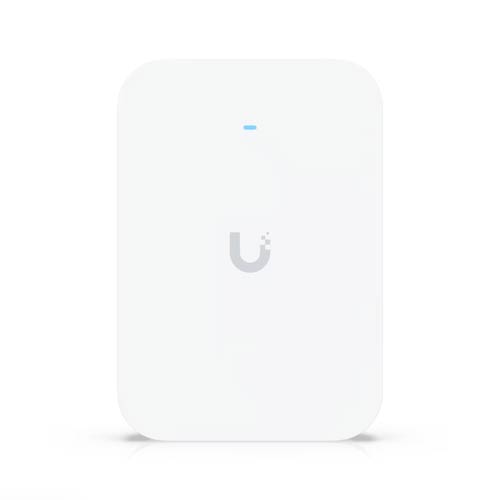
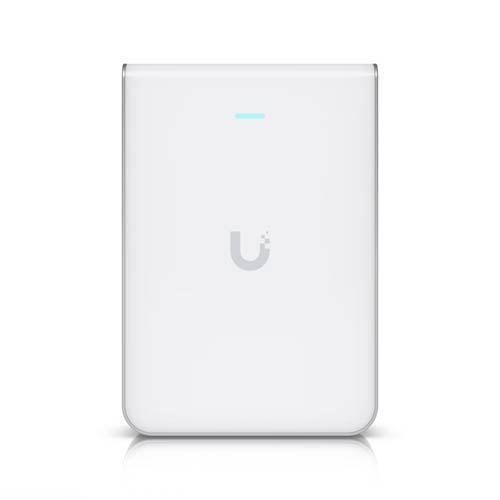
The table below shows the hardware specs of the U7 Pro XG wall, with those of its closely related variants for reference.
Hardware specifications: U7 Pro XG vs. U7 Pro XG Wall vs U7 Pro Wall vs. U7 Pro
 |  |  |  | |
|---|---|---|---|---|
| Model | U7 Pro XG | U7 Pro XG Wall | U7 Pro Wall | U7 Pro |
| Wi-Fi Bandwidth | Tri-band BE11000 | |||
| 1st Band 2.4GHz (channel width) | 2×2 BE: Up to 688Mbps (20/40MHz) | |||
| 2nd Band 5GHz (channel width) | 2×2 BE: Up to 4.3Gbps (20/40/80/160/240MHz) | |||
| 3rd Band 6GHz (channel width) | 2×2 BE: Up to 5.7Gbps (20/40/80/160/320MHz) | |||
| Dedicated Spectral Scanning Radio | No | |||
| Backward Compatibility | 802.11axe/ax/ac/n/g/a/b | |||
| Max Concurrent Clients | 300+ | |||
| Max SSIDs | 8 per band | |||
| Max TX Power | 2.4GHz: 23 dBm 5GHz: 26 dBm 6GHz: 24 dBm | 2.4GHz: 22 dBm 5GHz: 26 dBm 6GHz: 23 dBm | 2.4GHz: 23 dBm 5GHz: 26 dBm 6GHz: 23 dBm | |
| Antenna Gain | 4 dBi 5 dBi 5.8 dBi | 4 dBi 6 dBi 6 dBi | 4 dBi 5 dBi 6 dBi | 4 dBi 6 dBi 5.8 dBi |
| Multi-Link Operation (MLO) | Yes | |||
| Automated Frequency Coordination (AFC) | No | |||
| Zeo-wait DFS | No | |||
| Real-Time Spectral Analysis | No | |||
| Wi-Fi Coverage (estimate) | 1,500 ft² (140 m²) | |||
| Power over Ethernet (PoE) | 802.3at (PoE+) | |||
| Max Power Consumption | 22W | 21W | ||
| Internal Cooling Fan | No | Yes | ||
| Uplink Network Port | 1x 10GBASE-T (PoE+-in) | 1x 2.5GBASE-T (PoE+-in) | ||
| Security | WPA, WPA2, WPA3 | |||
| Local Web-based Management | No (as a standalone AP) | |||
| Cloud-Management (UI account required) | Yes (free) | |||
| Mobile App | UniFi | |||
| Operation Role | Access Point | |||
| Dimensions | Ø8.1 x 1.3″ (Ø206 x 32.5 mm) | 6.1 x 4.3 x 1.3” (155 x 108 x 33.5 mm) | Ø8.1 x 1.8″ (Ø206 x 46 mm) | |
| Weight (with mounting accessories) | 1.7 lb (750 g) | 1.1 lb (505 g) | 1.3 lb (580 g) | 1.5 lb (680 g) |
| LED | Color-changing (White/blue) ring LED | Color-changing (White/blue) dot LED | Color-changing (White/blue) ring LED | |
| US Launch Price (compare prices and specs) | $199 | $279 | $199 | $189 |
A familiar UniFi access point
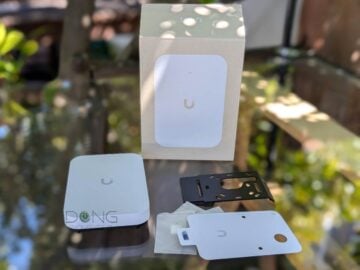
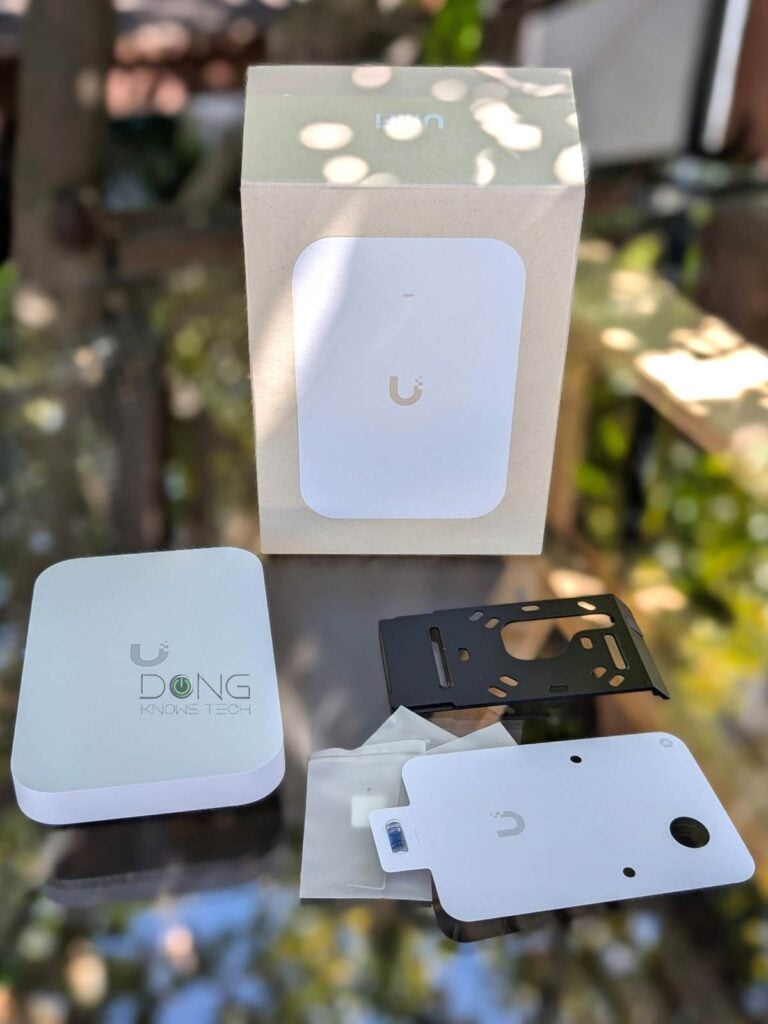
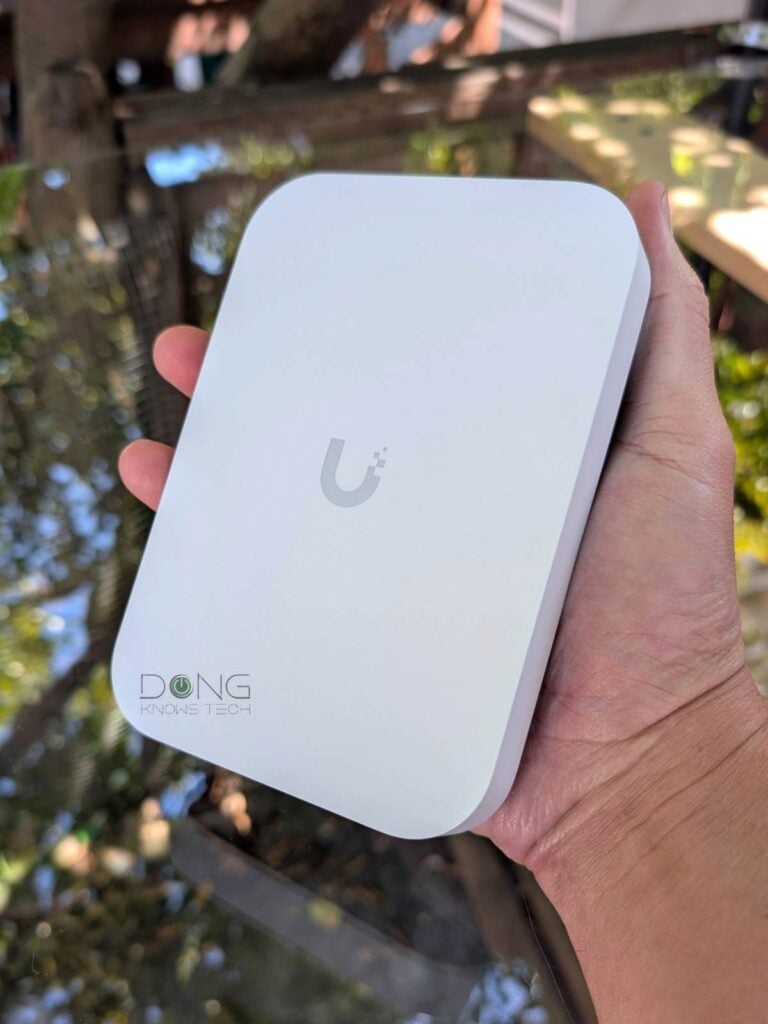
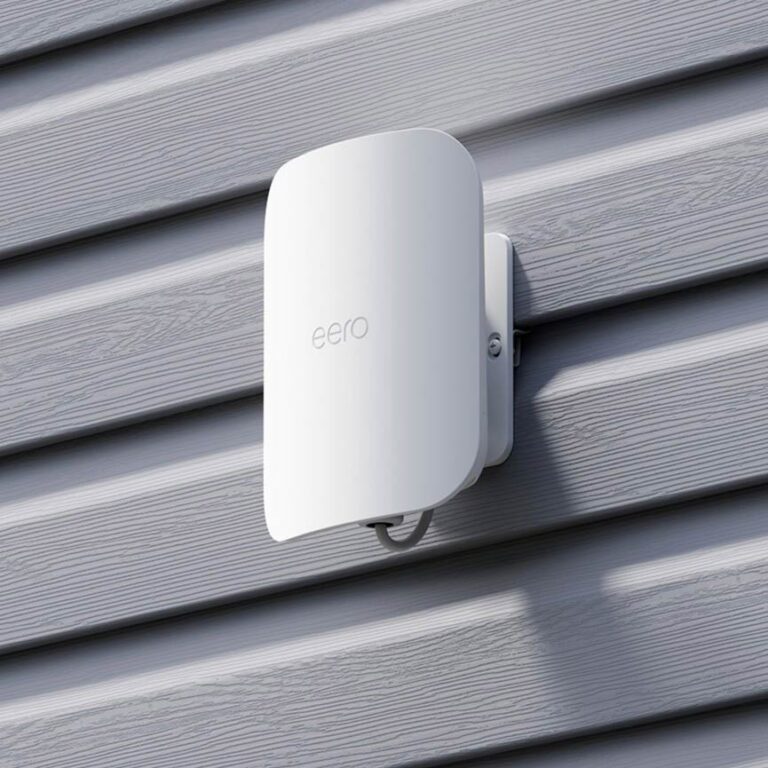
Out of the box, the U7 Pro XG Wall is straightforward. It’s a compact rectangular box with a flat white surface bearing Ubiquiti’s logo and a small status LED. It’s back, or the wall-facing side per design, is a metal plate that functions as a heatsink with a recessed 10Gbps PoE+-in port. This port is also the only way to power on the access point.


Other than its wall-mount design, the U7 Pro XG Wall is a familiar UniFi access point. Specifically:
- The U7 Pro XG Wall can function as a standalone access point for any network hosted by a third-party router. In this case, you must use the UniFi mobile app to set up and manage it, which includes a basic feature set.
- The U7 Pro XG Wall is best used with a network powered by a UniFi Cloud Gateway and, in this case, can be quickly adopted via a single click, then managed through the console’s interface, as it’s now part of a UniFi system. In this case, it provides in-depth access to radio and SSID customization and management, with clear visualizations of connected clients and airspace.
- The access point feature is MLO, which combines its bands (2.4GHz, 5GHz, and 6GHz) into a single link for Wi-Fi 7 clients.
Like most other UniFi access points, the U7 Pro XG Wall has a single PoE+-in port for power and doesn’t include a PoE injector. As a result, you need to have an existing PoE+ switch to use it, or get your own standard injector.


In my trial, I was able to get the U7 Pro XG Wall up and running on a network hosted by a UDM Pro Max in less than 5 minutes, excluding the time to mount it. Just to be clear, while it’s designed for wall mounting, you can also mount it on the ceiling or place it on any surface.
UniFi U7 Pro XG Wall: Stellar performance
I tested and used the U7 Pro XG Wall for over a week before publishing this review. Considering the compact size and the dual-stream Wi-Fi 7 specs, I didn’t expect its performance to top the charts. And it didn’t, but it got very close—it’s one of the fastest Wi-Fi 7 performers I’ve worked with at a reasonable distance.


Specifically, within line of sight, Wi-Fi 7 clients can expect multi-Gigabit or high-Gig+ speeds. However, further out, at around 40 feet (13 meters) or more, I generally got low Gig+ sustained rates.
Tip
Gig+, or Gig Plus, denotes a speed grade between 1Gbps and 2Gbps. So, it’s 1.5Gbps, give or take a couple of hundred megabits per second, and it’s not speedy enough to qualify as Multi-Gig Ethernet or multi-Gigabit. Intel coined the term to describe its Wi-Fi 6E client chips, the AX210 and AX211, in terms of their real-world speeds.
Gig+ primarily applies to sustained Wi-Fi 6 or Wi-Fi 7 speeds via a 2×2 at 160MHz connection, or to broadband internet speeds.
That’s also to say the U7 Pro XG Wall has a relatively modest range, which matches what Ubiquiti claims. It’s hard to put Wi-Fi coverage in numbers, but generally, it can blanket around 1,500 ft² (139 m²), maybe slightly more, when placed at the center. Your mileage will vary.
Overall, I find the U7 Pro XG Wall’s performance quite excellent, given its compact size.
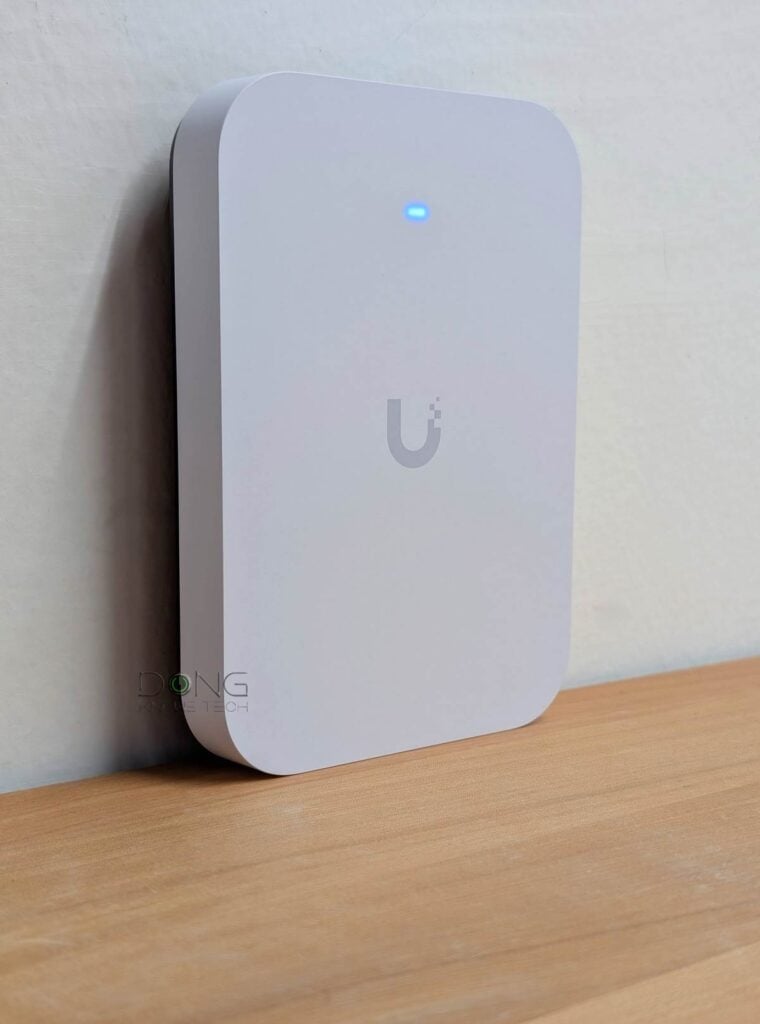
Having no internal fan, the access point is completely silent during operation. However, it did become quite warm to the touch, especially on its wall-facing side, similar to the U7 Pro XG or XGS. In my experience, UniFi hardware tends to run quite hot, but that generally doesn’t affect its functionality.
Conclusion
Compact and featuring a 10Gbps uplink port, the UniFi U7 Pro XG Wall, not to be confused with the U7 Pro Wall, is an excellent option for those wanting to blanket a small office or a large room with fast Wi-Fi 7. While its coverage is not as extensive as that of larger access points, you can get multiple units to blanket a large home with ease. Consider it today!
If you’re new to the UniFi ecosystem, keep in mind that you’ll need a UniFi Cloud Gateway to get the most out of the U7 Pro XG Wall. In that case, the top options below will help.
Top 5 Best Wi-Fi UniFi Cloud Gateways (Wi-Fi UniFi routers)
 |  |  |  |  | |
| Name | Ubiquiti UniFi Dream Router 7 (UDR7)'s Rating | Ubiquiti UniFi Cloud Gateway Industrial (UCG-Industrial)'s Rating | Ubiquiti UniFi Dream Router 5G Max (UDR-5G-Max)'s Rating | Ubiquiti UniFi Express 7 (UX7)'s Rating | Ubiquiti UniFi Dream Router (UDR)'s Rating |
| Price | – | – | – | – | – |
| Rating | |||||
| Description | |||||
| Statistics | |||||
| Buy this product |
Check current prices at Ubiquiti Store or on Amazon!


Hey Dong,
Great article as always! Any idea why the U7 Pro XG Wall is so much more expensive than the Pro XG? There’s only $10 between the U7 Pro vs Pro Wall, which seems reasonable. Are the XG units that much different to warrant the price difference?
I live in an older house with no wiring run, so I’m using the a couple ceiling APs with PoE++ injectors and a couple UX7s (MoCA uplinks). I have the U7 APs sitting on end tables as low as possible to try to to do an upward spread spread since ceiling mounts aren’t an option. Would the wall versions be better choices and offer better coverage? Or does it even matter?
Been thinking about this as I’m not happy with the UX7s are APs. Aside from being the red-headed stepchild when it comes to device support from Ubiquiti, I’ve had some weird issues with them. Thinking of dumping them and replacing them with APs.
Thanks!
The XG has no fan and 10Gbps uplink and is significantly faster, like the case of the XGS, Tosan. The mounting is not super important, generally.