
The Fusion 2.5G is an excellent addition to TP-Link’s Omada ecosystem.
It represents TP-Link’s all-new Fusion Gateway lineup, officially launched on July 20, 2026, which simplifies hardware deployment by integrating an Omada hardware controller—similar to the OC300—and a 2.5Gbps Multi-Gig router in a compact package. The result? A clear rival of Ubiquiti’s UCG-Max, which represents the now-revered but more expensive UniFi ecosystem.
Here’s the bottom line: While far from perfect, the TP-Link Omada Fusion 2.5G Gateway has everything to justify its friendly $169.99 suggested retail price, and then some. If you have a Wi-Fi system consisting of a few TP-Link Omada access points with 2.5Gbps uplinks, it’s definitely worth considering, if not a must-upgrade—or it’s a great way to start an Omada-based system from scratch.
TP-Link Fusion 2.5G Gateway's Rating
Pros
A combo of a powerful 2.5Gbps router and robust Omada controller with reliable near-2.5Gbps real-world bandwidth
A complete set of enterprise-grade networking features, including powerful security/web-filtering, advanced VPN options, excellent web user interface, and useful mobile apps
Affordable pricing with no subscription or required vendor-connected login account
Low power consumption; helpful programmable touchscreen
Cons
No 10Gbps BASE-T, SFP+, or PoE ports
No additional apps, such as surveillance; remote management generally requires a TP-Link account
Mounting accessories not included
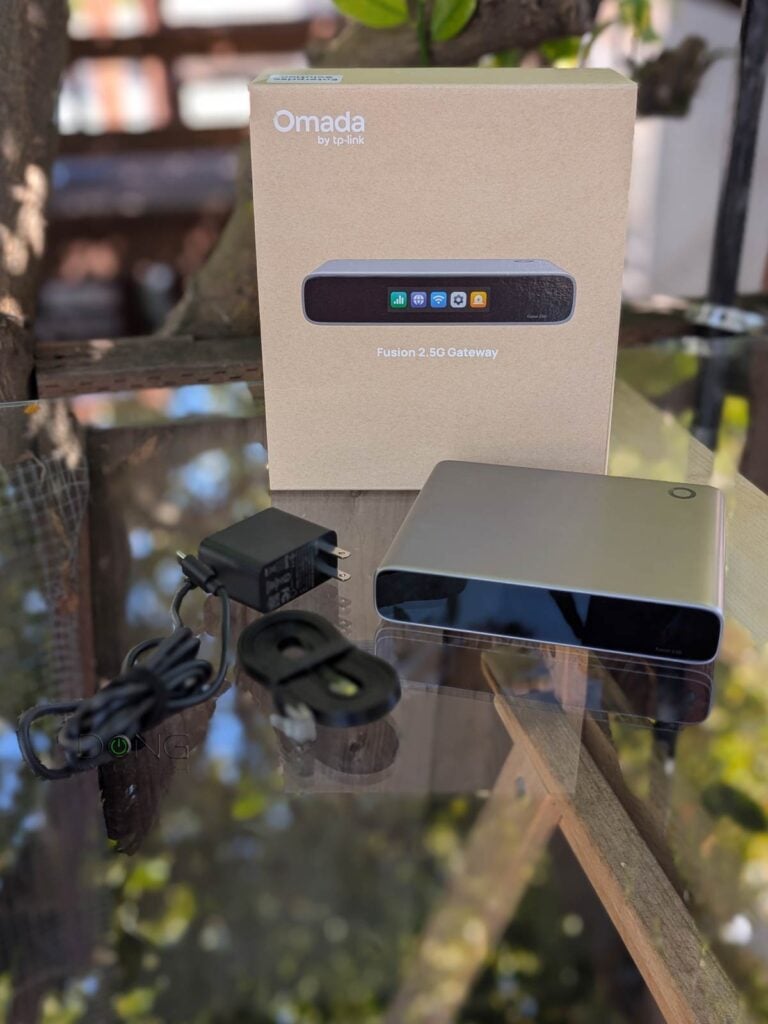
TP-Link Omada Fusion 2.5G Gateway: Excellent hardware with some shortcomings
There’s a lot to love about the new Omada Fusion 2.5G Gateway.
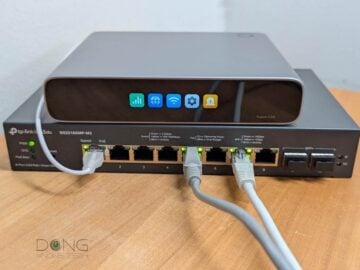
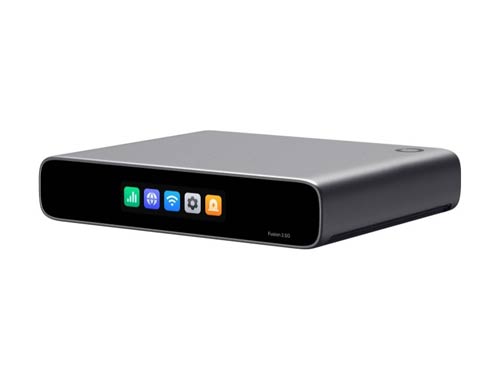
Out of the box, it’s a compact piece of hardware with five 2.5Gbps Multi-Gig ports—one WAN and the rest LANs by default, with the option to convert up to 3 LAN ports into additional WANs—on the back, plus a decent-sized touchscreen on the front for easy hardware monitoring.
This screen—which can be turned off, programmed to be on during a set time, or set to automatically time out after a few minutes (default) via the web-based interface or mobile app—lights up via a touch or when there’s a notification. It comes with five large buttons, each tied to a category: Throughput, Internet, Wi-Fi password, Settings, and Notification. Tap on one, and you can swipe between pages to view the various statuses. The only functions you can use the screen to apply are adjusting its brightness and restarting the hardware.
As with any router, you use the Fusion 2.5G’s WAN port to connect to the Internet and the others to connect wired devices. And voila! You now have a 2.5Gbps network.
Inside, the Fusion 2.5G Gateway incorporates an Omada hardware controller that lets you manage multiple Omada devices, including switches and Wi-Fi access points: it’s a non-Wi-Fi router that can be the heart of a robust Wi-Fi system.
Design-wise, the Fusion 2.5G Gateway is made to be placed on a surface like any desktop device. However, TP-Link says it can be mounted on the wall or a network rack via accessories (not included).
Overall, from both design and usability perspectives, the Fusion 2.5G Gateway is similar to Ubiquiti’s UCG-Max, which came out two years ago. The table below compares the hardware specs and real-world power consumption of the two.


Hardware specifications and real-world power consumption: TP-Link Omada Fusion 2.5G Gateway vs. Ubiquiti UCG-Max
 |  | |
|---|---|---|
| Full Name | TP-Link Omada Fusion 2.5G Gateway | Ubiquiti Cloud Gateway Max |
| Model | Fusion 2.5G | UCG-Max |
| Built-in Wi-Fi Bandwidth | None | |
| Processing Power | Undisclosed Quad-Core CPU, 2 GB RAM | Quad-core ARM Cortex-A53 at 1.5 GHz, 3GB RAM |
| IDS/IPS Throughput (routing bandwidth with security turned on) | 2.1 Gbps | 1.5 Gbps |
| Max WireGuard VPN Throughput (estimated) | 605 Mbps | 500 Mbps |
| Storage | None | 1x NVMe storage slot |
| Dimensions | 6.3 × 5.12 × 1.24 in (160 × 130 × 31.5 mm) | 5.6 x 5 x 1.2 in (141.8 x 127.6 x 30 mm) |
| Weight | 1.12 lb (510 g) | 1.1 lb (519 g) (without SSD) |
| Mount Options | Surface, wall, or rack (accessories not included) | |
| Gigabit Port | None | |
| PoE Port | None | |
| Multi-Gig Port | 1x 2.5GBASE-T WAN 4x 2.5GBASE-T LAN | |
| Dual-WAN | Yes (multi-WAN) | |
| Power Method | USB-C with USB PD (power adapter included) | |
| Supported Power-in Voltage | 100-240V AC | |
| Power Consumption (per 24 hours) | ≈ 90 Wh (measured with one wired client) | ≈ 390 Wh (measured with one wired client and an SSD) |
| Internal Fan | No | |
| Notable Design | Compact design with 2.51-inch touchscreen | Compact design with 0.96″ LCM status display |
| Application Suite | Network (Router), Omada Hardware Controller | Part of UniFi ecosystem that includes: Network (router), Protect (surveillance NVR), Talk (IP phone system), Access, Connect |
| Max Device Support (switches, access points, etc.) | 30+ | |
| Max Camera Support | N/A | HD (15) 2K (8) 4K (5) |
| Max Concurrent User Support (end devices) | 300+ | |
| Software Version (at review) | 1.0.20 Build 20260425 Rel.32539 | UniFi OS: 4.0.6 Network: 8.4.59 |
| Management | Local and cloud web-based user interface | |
| Vendor-Connected Login Account | Optional | |
| Mobile App | Omada | UniFi |
| Release Date | July 20, 2026 | July 16, 2024 |
| US Launch Cost (check current street pricing) | $169.99 | $199 (no storage) $279 (512GB) $349 (1TB) $479 (2TB) |
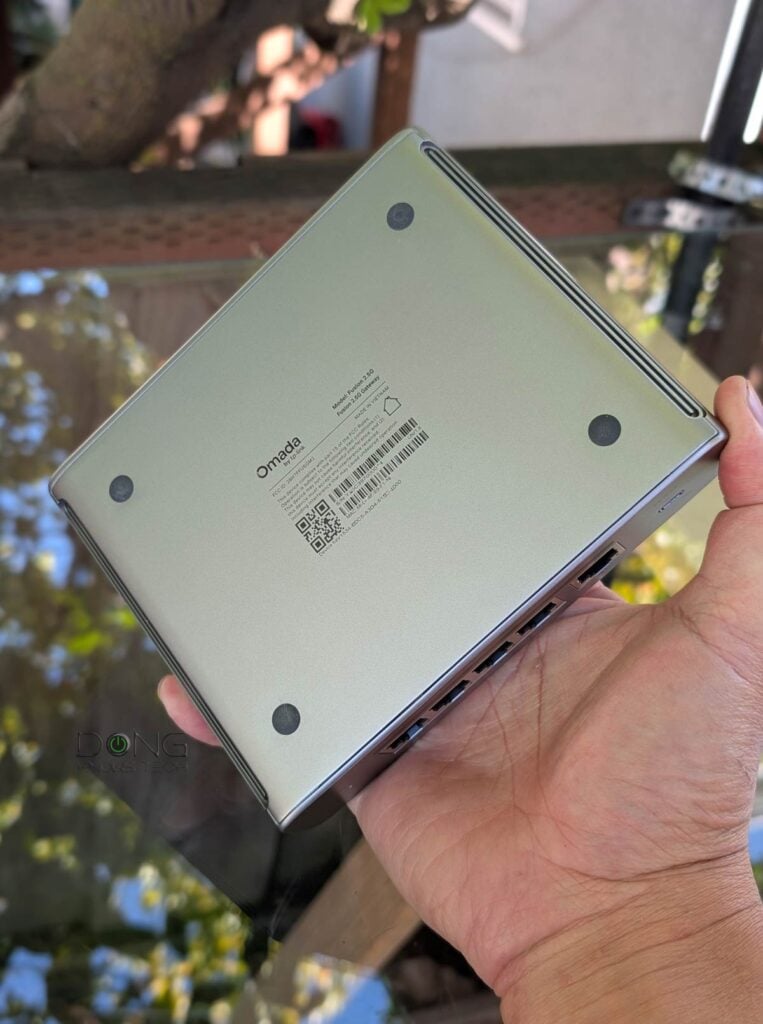
Omada Fusion 2.5G Gateway: No built-in PoE or 10Gbps downlink
As noted in the table above, like the UCG-Max, the Fusion 2.5G lacks Power over Ethernet (PoE) and SFP+ ports. As a result, the gateway cannot host any PoE devices (such as Wi-Fi access points) on its own, and when hosting a switch, it has no fast SFP+ downlink.
This design is a bit awkward since you’ll generally need PoE before adding Wi-Fi to the network, and TP-Link’s own Multi-Gig PoE switches use SFP+ for the uplink. Indeed, I used the SG2210XMP-M2 for the testing, and while it worked, the backhaul uplink was limited to 2.5Gbps even though the switch itself has two SFP+ (10Gbps) ports.
Backhaul vs. fronthaul
In network connectivity, there are always fronthaul and backhaul.
Fronthaul (or downlink) refers to the signal from a host device (such as a router) going toward an end device (such as a computer). Backhaul (or uplink) is the signal from an end device going to the host device.
In most cases, the backhaul and fronthaul are the same—it’s just a matter of perspective.
However, a go-between device that relays the signal, such as a network switch or a Wi-Fi access point, has two distinct backhaul and fronthaul ends: the backhaul (the uplink to a single host) determines the max bandwidth (to the router or the Internet) shared between all of its connected end devices on the fronthaul (such as wired computers, Wi-Fi clients, or more go-between devices).
Additionally, keep the following in mind about the uplink for a wireless go-between device, such as a satellite/extender unit (a mesh point or node) of a Wi-Fi system:
- Generally, one of the Wi-Fi bands (2.4GHz, 5GHz, or 6GHz) is used for the uplink (backhaul), resulting in two scenarios:
- If this Wi-Fi band also handles fronthaul simultaneously, only half of its bandwidth is available to either end (and the half used for the uplink is the maximum bandwidth available to all of its connected end devices).
- If this Wi-Fi band is used solely for backhauling, as is often the case in tri-band hardware, the link is called a dedicated backhaul. In this case, this band is no longer available for the fronthaul.
- Some Wi-Fi 7 hardware can combine multiple bands into a single backhaul link via the MLO feature, allowing these bands to operate simultaneously as both backhaul and fronthaul. In this case, half of their combined bandwidth is available to either side.
For the best performance and reliability, network cables are recommended for uplink (a.k.a. wired backhaul), which is only possible when the go-between device has a network port, preferably a Multi-Gig port.
The point here is that the Fusion 2.5G Gateway, as the name suggests, is limited to 2.5Gbps in terms of bandwidth, and that seems to remain the case for a while, as TP-Link currently has no plan to release 10GbE-capable Fusion Gateways.


In any case, the Fusion 2.5G Gateway has the following common highlights of the Fusion family (as confirmed via my real-world experience):
- Enterprise-grade performance: Powered by a quad-core CPU and equipped with five 2.5G ports, the Fusion 2.5G Gateway can handle up to four WAN connections for load balancing with auto failover. It also has advanced IDS/IPS and many VPN options, including multi-site VPNs.
- Touchscreen-based troubleshooting: The integrated 2.51-inch touchscreen offers real-time monitoring of device status and traffic, letting users see what’s going on without needing to log in to the web GUI on a computer before performing many common tasks.
- Advanced software capabilities: Supports multiple VPN protocols with optimized ACL, Quality of Service (QoS), and full‑mesh SD‑WAN, providing flexibility and control for distributed networks.
- License-free (optional) cloud management: With a built‑in controller, Fusion 2.5G provides access to centralized management features straight out of the box—no device license required. Through the Omada Cloud portal and Omada app, users can remotely monitor, configure, and troubleshoot networks across multiple locations.
- Simplified setup for faster deployment: Easily set up the Fusion Gateway via Bluetooth using the Omada app. Additionally, you can set up the gateway via its local web-based graphical user interface (GUI) accessible at its default IP address, 192.168.188.1, as you would with any standard router. After that, the gateway can automatically discover and batch-adopt all other Omada networking devices at once.
In addition to the local web-based GUI, there’s also the Omada app for those who want to use a mobile device for setup and ongoing management.
You can use either the web GUI or the Omada app independently of TP-Link local management. However, their interface often suggests tying the hardware to a TP-Link login account, shared with other TP-Link hardware such as its Deco lineup, Tapo cameras, or Archer routers.
If you opt to log in with a TP-Link account, you’ll gain some convenience, including remote management and the ability to manage multiple sites from the same place.
TP-Link and your privacy
Signing in with a vendor-linked online account generally means your hardware connects to the vendor at all times, which translates into inherent privacy risks.
On this matter, the China-origin company, among other things, insists that it’s a “global multinational group” and offers this assurance:
“TP-Link takes privacy seriously and complies with U.S. policies to protect consumers.”
TP-Link’s Privacy Policy page.
Managing your home network via a third party is generally a double-edged sword, and privacy is a matter of degree and trust. Data collection and handling vary from vendor to vendor and region by region.
Overall, in terms of features and settings, the Fusion 2.5G Gateway offers everything you can expect from a business router, and its built-in controller gives users the Wi-Fi flavor of a robust system, as I detailed in this post.


TP-Link Omada Fusion 2.5G Gateway: Excellent performance for the specs
I tested the Fusion 2.5G Gateway for over a week and was generally happy with it.
The router comes with the familiar interface available in all Omada controllers, with all the features and settings you can imagine for any network, ranging from basic to enterprise-class, and everything worked as intended.
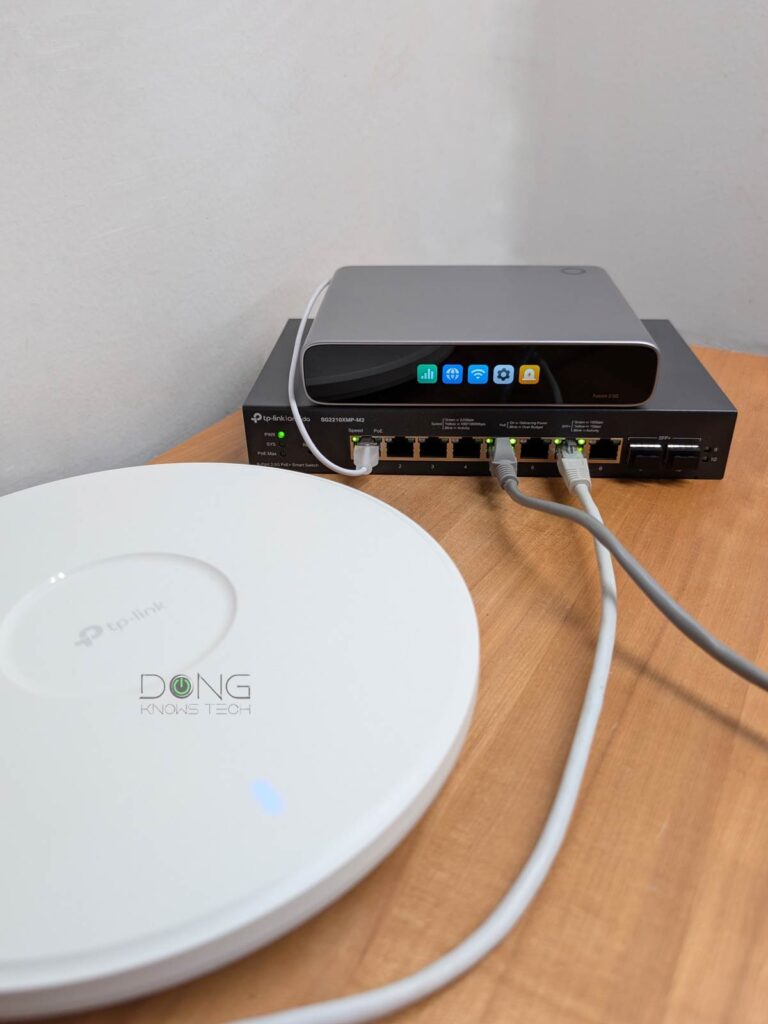
Aside from the lack of an SFP+ port for the downlink (to a switch) and the absence of built-in PoE support (which means generally a PoE switch is in order), the gateway had everything else.
During my trial, it quickly recognized multiple Omada hardware devices (an SG2210XMP-M2 switch and three Omada Wi-Fi 7 access points) on the network, then adopted and configured them within a few minutes, making it a breeze to set up an advanced network.
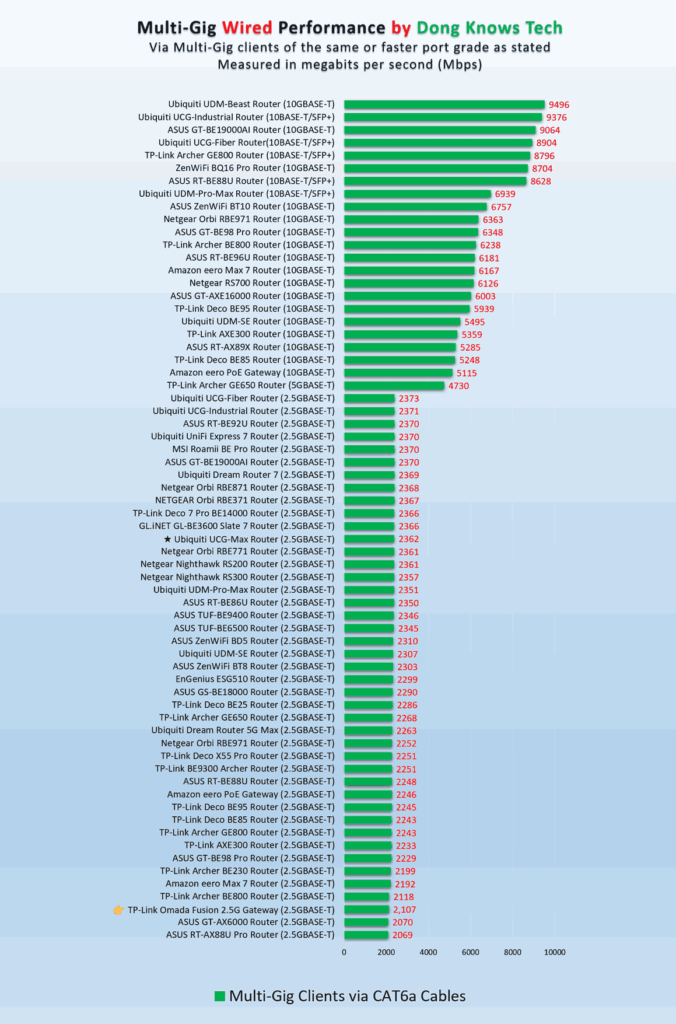
In terms of real-world bandwidth, the Fusion 2.5G Gateway proved to be a typical 2.5Gbps router in my testing, with sustained real-world rates close to 2.5Gbps as shown in the chart below. It wasn’t the fastest, nor the slowest, but it was in the ballpark of what you can expect from a router of its port grade.
Aside from that, the Fusion 2.5G Gateway was completely silent during my trial, with no internal fan. Even during heavy operation, it was only warm to the touch but never hot. Additionally, the fact that it has much lower power consumption than the Ubiquiti UCG-Max never hurts.
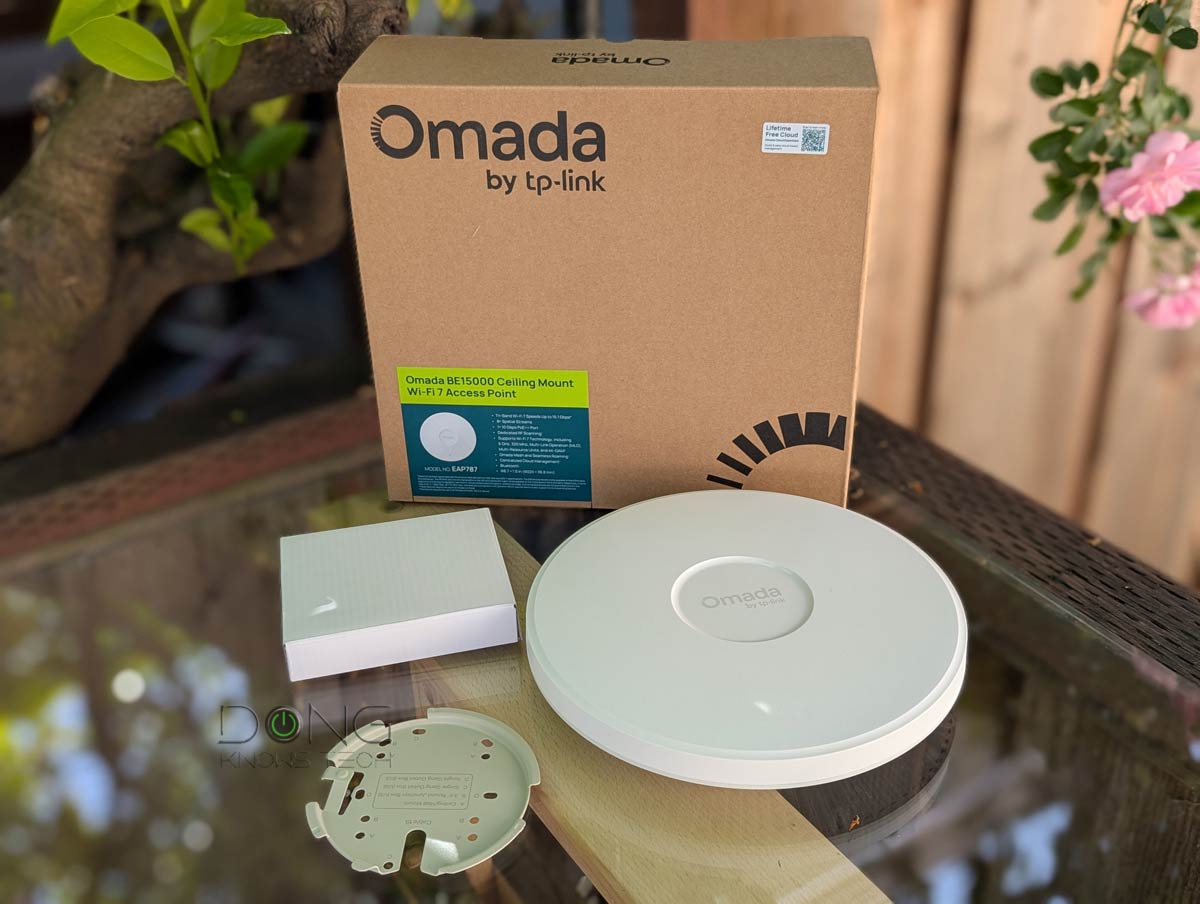
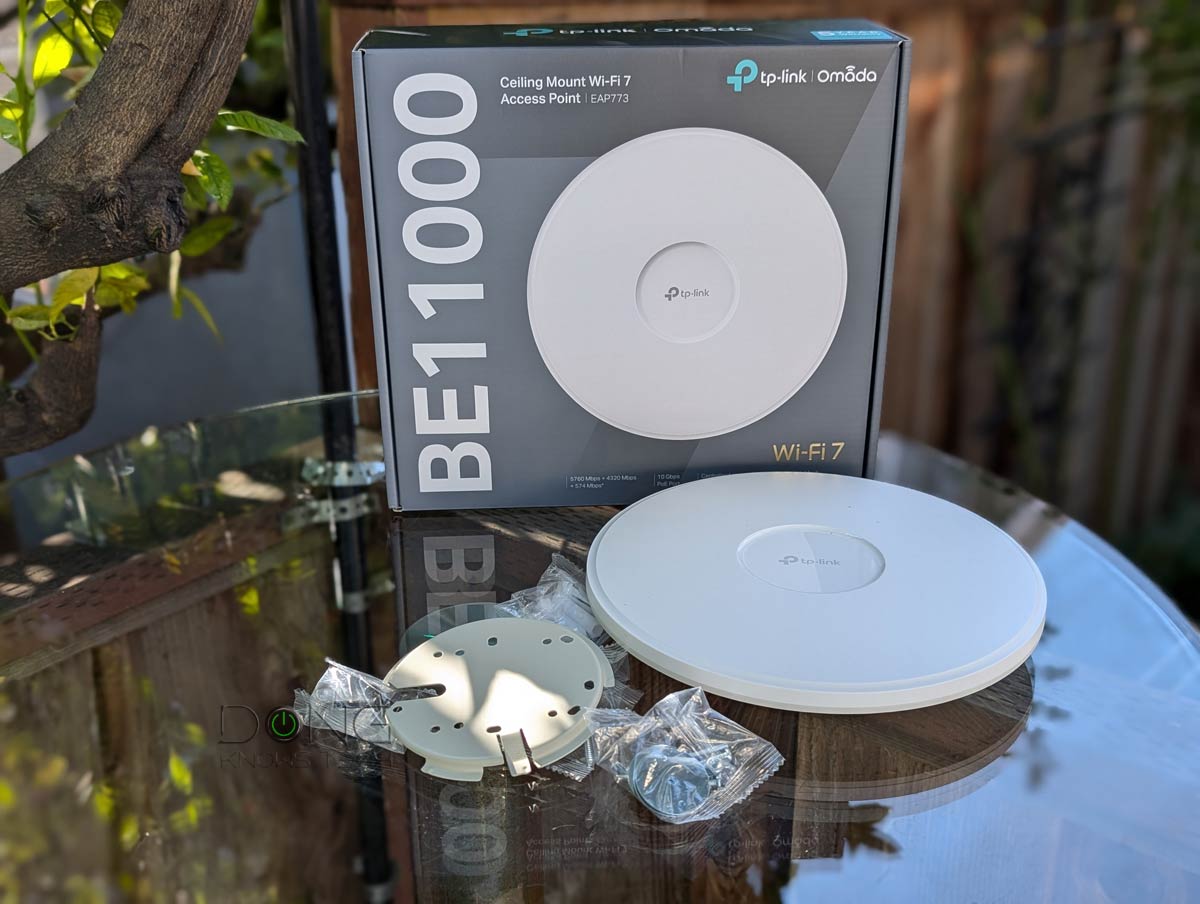
As mentioned, this is a non-Wi-Fi router. You’ll need one or a few Wi-Fi access points to complete the network. While this gateway can host any standard access point, you get the best experience with Omada hardware, such as those on the top-five list below.
Top 5 best Omada Wi-Fi access points
 |  |  |  | 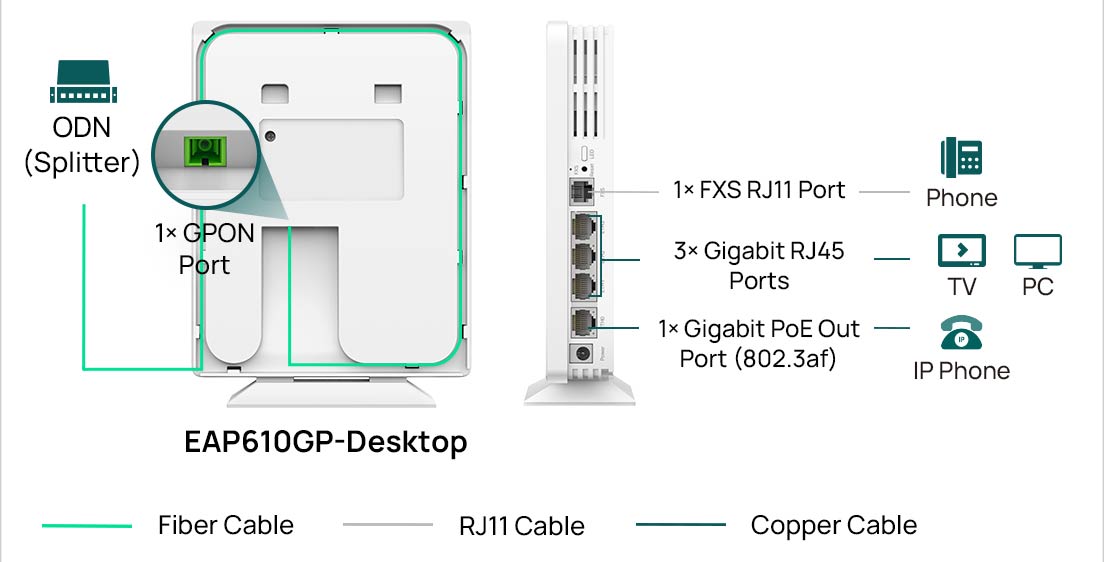 | |
| Name | TP-Link Omada EAP787's Rating | TP-Link Omada EAP783's Rating | TP-Link Omada EAP773's Rating | TP-Link Omada EAP670/EAP610's Rating | TP-Link Omada EAP610GP-Desktop's PRELIMINARY Assessment |
| Price | – | – | – | – | – |
| Rating | |||||
| Description | |||||
| Statistics | |||||
| Buy this product |
Conclusion
For years, Omada hardware (switches and access points), managed via a standalone hardware or software controller, has been one of the best for building a robust Wi-Fi system from scratch.
The Fusion 2.5G Gateway makes the approach much more streamlined for those content with entry-level multi-Gigabit (2.5Gbps) bandwidth. After that, its friendly price is the icing on the cake. Get one today!


This article fails to identify the Fusion Line up, which offers a variety of flavors, such as the Fusion 2.5G Pro which includes both SSD tray and POE up to 180watts. As well there are offerings at 1G, 10G in a variety of features and offerings. Perhaps edit the review to acknowledge that some people WANT a simple Controller Router that is low power with no built in POE or SSD, because that may best for off grid, heat, or tight spaces where no air conditioner is available. By distributing the network components we can recur heat sink, and create shorter cable runs, add durability and reliability, especially for high heat desert, and solar setups. While I do have the Ubiquiti UCG I am moving TP Link Omada for outdoor reliability since the Ubiquiti outdoor AP and cameras do not offer the same IP rating and camera resolution available as Omada EAP650 at IP68 for example. The Unifi AP Outdoor products are not as reliable outdoor since they are plastic, and can not last in the for heat, wind and rain, the antenna mounts and ethernet ports allow for humidity and dust to enter and fail. While Unifi has a “cute” UI the animations don’t add value or reliability. So, off to Omada we go, laughing all the way Hahaha. Let’s follow this roll out and see where it goes.
You didn’t read carefully, Ooto. This is the review of this particular gateway. The lineup was mentioned in a separate article linked in the first sentence of the 2nd paragraph.
You are aware there are many flavors or Omada Fusion gateway routers, just like Unifi has, so, to call a lack of POE or SSD slot a missing feature or shortcoming on a product that is specifically offering a lower power lower cost lower feature footprint for those who want it, is a misleading or misunderstanding the product line.
So, to be clear, Omada Fusion has many flavors, 1G, 2.5g, 10g, POE, SSD, Mechanical Drive slots, all options exist. The basic 1g or 2.5g Fusion does not support Omada Guard VMS, so while you can have a separate VIGI NVR, or if you choose a third party NVR or even VIGI NVR, you won’t get Omada Guard VMS, you will run VIGI VMS or other proprietary VMS, unless you are running Omada Central you can bring together hybrid cameras under one UI.
But, Fusion Pro and Fusion Max have a new architecture for Omada VMS, that allows you have many cameras, hybrid environments, and see it under one pane, organize rules, and manage it all as a seamless environment with app or desktop. This is the new generation architecture. so, big difference between Fusion 2.5g and Fusion 2.5g Pro which supports a 2tb SSD and allows you to manage more camera through either NVR or NAS up to 24 cameras (I think) with no subscriptions. It’s a bit confusing but important that people understand the difference in flavors. While many will see a benefit to a simplified Fusion 1g or Fusion 2.5g with no POE, no SSD, and low power footprint–there is no Omada VMS option-and no upgrade path.
Is there any way to turn off the touchscreen totally to save even more power?
That screen is programable, or turned off, Derrick. I mentioned that in the review.
My omada setup has been easily the best home internet experience I have had. This is partly due to my improved understanding, partly due to some additional wiring. Poe itself makes placement of access points much less problematic whether wall or ceiling mounted.
I now rarely look at the interface but it’s comprehensive, even if not immediately intuitive. My one knock is the slow startup of the old design controller but I haven’t had to reboot once since getting it going.
Much superior to the mesh systems I tried. Different ball game.
Thanks for sharing, David. And yes, I think UniFi is the only thing that can outdo Omada.