
First available with Wi-Fi 7, Multi-Link Operation, or MLO, is an exciting and promising feature on paper. In real life, it has proven to be complicated: great in some, subdued in others, and often not available at all.
This post will explain all that in detail, using simple terms. It’ll help you set the right expectations, know when you can expect MLO from your hardware, and understand what that actually means in terms of real-world throughput rates.
For a few years now, I’ve used MLO in dozens of Wi-Fi 7 devices (access points, routers, mesh systems, adapters) and recently, a few early Wi-Fi 8 hardware. This story is the result of that experience.
Dong’s note: I first published this piece on April 18, 2025, and last updated it on October 11, 2026, with the latest information.
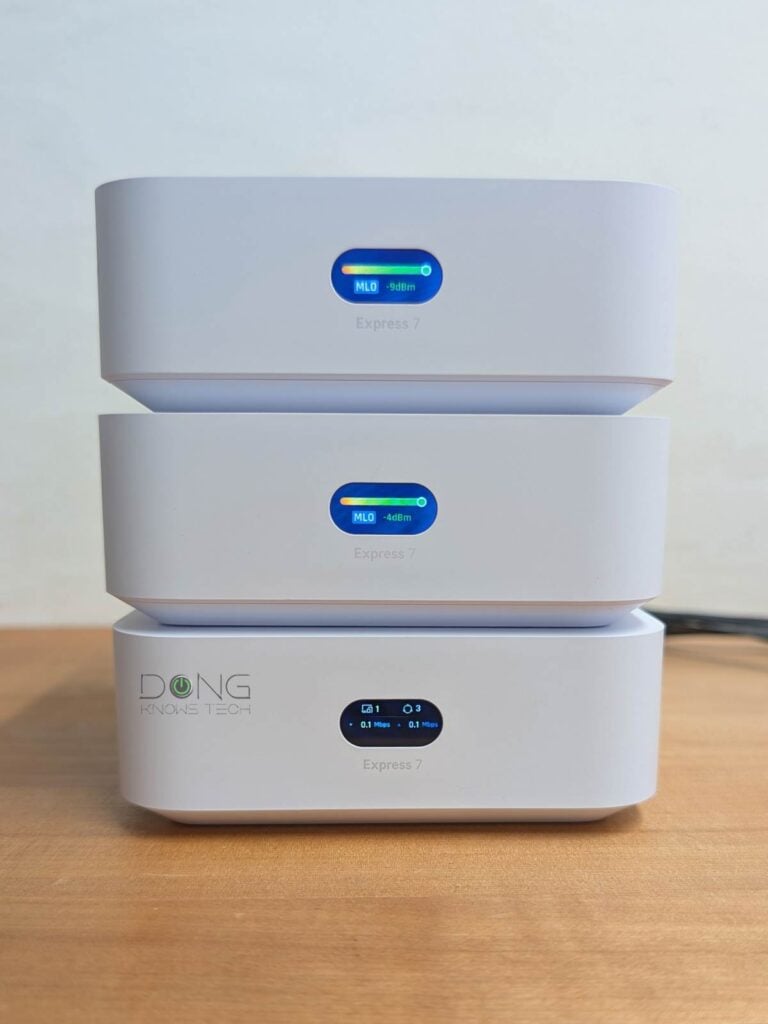
Multi-Link Operation: A closer look at the bonded Wi-Fi link
The idea of MLO is simple enough: combining multiple Wi-Fi bands into a single link to deliver higher bandwidth and better reliability.
It’s a novelty because, traditionally, prior to Wi-Fi 7, a Wi-Fi connection always occurs in a single band at a time. Specifically, no matter how many Wi-Fi bands—dual-band, tri-band, or even quad-band—an access point (standalone or integrated within a Wi-Fi router) and Wi-Fi device support, they use one band at a time to connect.
Multi-Link Operation, first available in Wi-Fi 7, changes that norm by allowing the supported hardware to use two or three bands to form a bonded link, enabling the use of multiple bands simultaneously. In that sense, MLO to Wi-Fi is like Link Aggregation to wired connections.
In theory, MLO is possible as long as the hardware supports multiple bands, which is almost always the case.
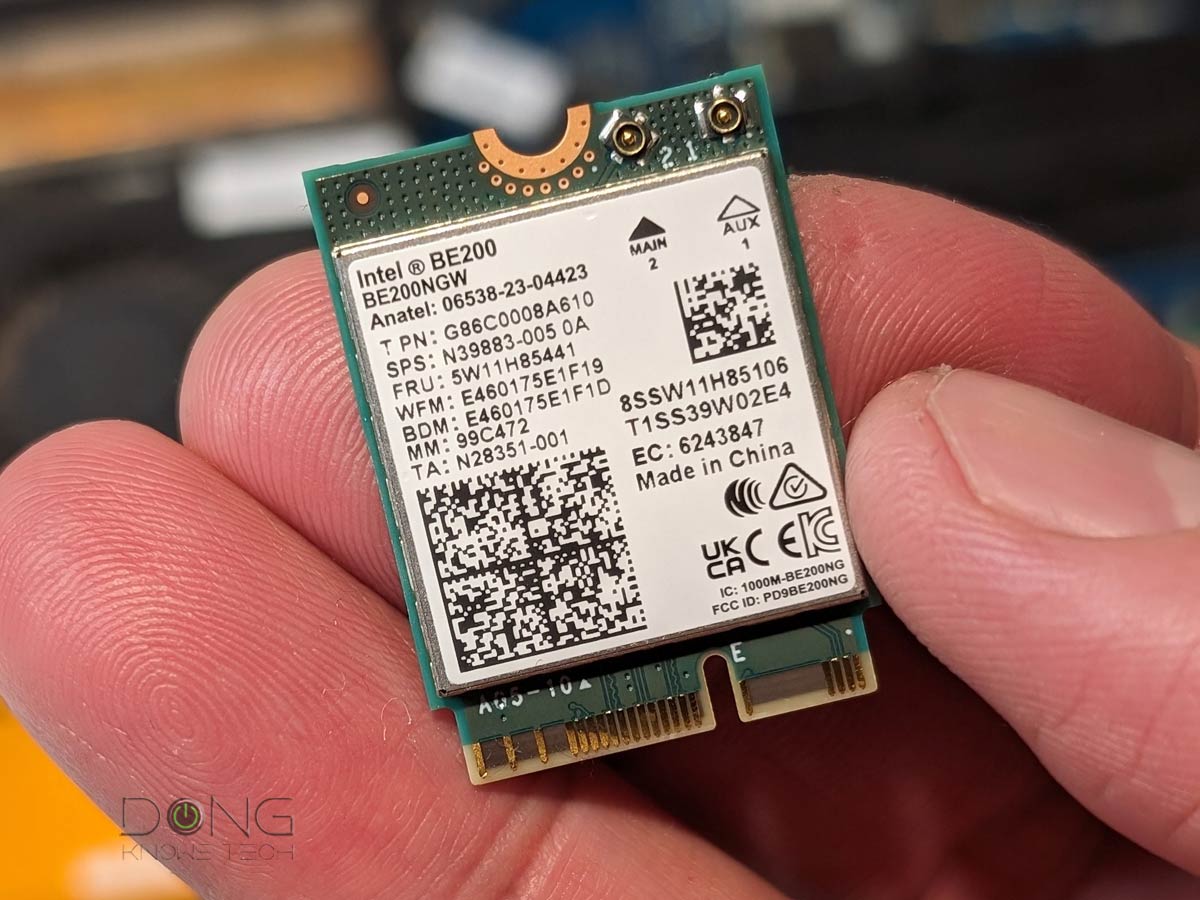
Generally, access points are always dual-band, tri-band, or quad-band, and standard clients featuring Wi-Fi 7 (and later), such as the Intel BE200 or Qualcomm NCM865, are always tri-band.
Unfortunately, the devil is always in the details.
Multi-Link Operation in detail: STR MLO vs. eMLSR MLO and more
There are a few things to keep in mind about MLO.
First, in simple terms, there are two main MLO operation modes:
- MLSR (Multi-Link Single-Radio) MLO: A multi-link technique that allows clients to dynamically switch among all available bands (2.4 GHz, 5 GHz, and 6 GHz). MLSR is often available in enhanced mode—Enhanced Multi-Link Single Radio (eMLSR)—where clients listen across all available bands to reduce latency in crowded airspace. In either case, this mode does not increase data rates between connected devices but only offers the chance of connecting using the best available band within the bonded link. (e)MLSR requires little energy to operate and is therefore widely implemented in client devices, including popular internal Wi-Fi 7 adapters and their variants. In other words, when you use a laptop or a smartphone, MLO, when available, is often of this type.
- STR (Simultaneous Transmit and Receive) MLO: A multi-link technique that enables clients to use all available bands, though often the 5GHz and 6GHz bands, simultaneously to deliver higher throughput, lower latency, and improved reliability. This mode requires much more power and, when available, is often used to link devices with an external power source, such as an access point, mesh node, or bridge client. It’s also referred to as MLMR (Multi-Link Multi-Radio) MLO and has two sub-modes:
- Asynchronous Multi-Link Multi-Radio (Async MLMR): A client uses multiple bands simultaneously to transmit and receive data, with each operating independently.
- Synchronous Multi-Link Multi-Radio (Sync MLMR): A client uses multiple bands simultaneously to transmit and receive data, with transmissions coordinated and synchronized across the bands.
Secondly, for MLO to work, it must be supported by both ends of a connection. While most Wi-Fi 7 (and later) access points have MLO on the front end, all pre-Wi-Fi 7, and even some Wi-Fi 7 devices don’t. Specifically:
- Generally, clients don’t use STR MLO to increase data rates, but only eMLSR for better reliability.
- Devices must use a certain version of drivers or operating system to support MLO. For example, this feature was not available on a Wi-Fi 7 Windows computer until Windows 11 24H2.
- Wi-Fi 6 and 6E, as well as older clients, will still use a single band at a time when connecting to an MLO network (SSID) and will automatically select any available band in the bonded SSID.
- An MLO SSID that involves the 6GHz band must use WPA3 and won’t allow any legacy clients to connect. Even when the lower security requirement, WPA2/WPA3, applicable to an MLO SSID spanning the 5GHz and 2.4GHz bands, can still be prohibitive for many legacy clients.
- The reach of the bonded wireless link, its range(*), is limited by the shortest band in the bond (often the 6GHz band).
(*)Wi-Fi coverage can be tricky. Since the 6GHz band has approximately 75% of the range of the 5GHz band at the same transmit power, MLO is truly meaningful with the help of Wi-Fi 7’s other optional feature, Automated Frequency Coordination (AFC). Based on my experience with the official AFC-ready hardware, such as the Ubiquiti UniFi E7 or the ASUS GS-BE18000, the effective range of an MLO link is generally that of its 5GHz band.
Thirdly, a go-between device (such as a mesh node) uses two different MLO links for its backhaul and fronthaul. In fact, some even use two different MLO modes. For example, Ubiquiti’s new UniFi Whole Home WiFi Mesh uses STR MLO for the backhaul and eMLSR MLO for the fronthaul.
Not sure what backhaul is? The cabinet below holds a quick refresher.
Backhaul vs. fronthaul
In network connectivity, there are always fronthaul and backhaul.
Fronthaul (or downlink) refers to the signal from a host device (such as a router) going toward an end device (such as a computer). Backhaul (or uplink) is the signal from an end device going to the host device.
In most cases, the backhaul and fronthaul are the same—it’s just a matter of perspective.
However, a go-between device that relays the signal, such as a network switch or a Wi-Fi access point, has two distinct backhaul and fronthaul ends: the backhaul (the uplink to a single host) determines the max bandwidth (to the router or the Internet) shared between all of its connected end devices on the fronthaul (such as wired computers, Wi-Fi clients, or more go-between devices).
Additionally, keep the following in mind about the uplink for a wireless go-between device, such as a satellite/extender unit (a mesh point or node) of a Wi-Fi system:
- Generally, one of the Wi-Fi bands (2.4GHz, 5GHz, or 6GHz) is used for the uplink (backhaul), resulting in two scenarios:
- If this Wi-Fi band also handles fronthaul simultaneously, only half of its bandwidth is available to either end (and the half used for the uplink is the maximum bandwidth available to all of its connected end devices).
- If this Wi-Fi band is used solely for backhauling, as is often the case in tri-band hardware, the link is called a dedicated backhaul. In this case, this band is no longer available for the fronthaul.
- Some Wi-Fi 7 hardware can combine multiple bands into a single backhaul link via the MLO feature, allowing these bands to operate simultaneously as both backhaul and fronthaul. In this case, half of their combined bandwidth is available to either side.
For the best performance and reliability, network cables are recommended for uplink (a.k.a. wired backhaul), which is only possible when the go-between device has a network port, preferably a Multi-Gig port.
So, it’s safe to say MLO can be complicated, and when available, it pans out differently depending on the hardware and applications.


Left: MLO backhaul requires star topology—both mesh satellite units connect to the primary router directly. In most cases, this is a requirement.
Right: In a daisy-chain setup, the 2nd mesh unit connects to the first using a single band, even when MLO is enabled.
MLO in mesh systems: Fastidious but a game changer when available
While MLO is generally available on the fronthaul of most Wi-Fi 7 (and later) access points, it’s not always available for the backhaul (uplink) in a mesh system.
In my experience, to have MLO backhaul in a mesh system, apart from the fact that the hardware must support Wi-Fi 7 or later, the following conditions must be met:
- Users must use hardware from the same mesh pack, or the same units. This applies to purpose-built systems such as those in ASUS’s AiMesh (including the ZenWiFi family), NETGEAR’s Orbi, Amazon’s eero, or TP-Link’s Deco. If you mix hardware of different grades or standards, MLO is often no longer available.
- The hardware units must be arranged in the star topology. Specifically, in a linear (daisy-chain) setup, MLO is not available at the second hop from a wired unit.


Left: A UX7-3 UniFi Whole Home WiFi 7 mesh system in a daisy-chain topology.
Right: In a star topology.
In either case, the STR MLO backhaul applies
There’s one exception: Ubiquiti’s new UniFi Whole Home WiFi Mesh uses its proprietary STR MLO for the backhaul, which works in a mixed hardware environment and daisy-chained configuration. However, this type of mesh only uses the two 5GHz and 6GHz bands for the MLO backhaul.
The good news is that, when available, MLO indeed improves the mesh system’s performance a great deal. Via my testing method, I’ve experienced sustained MLO backhaul links exceeding 5Gbps at 40 feet with line of sight with top-tier hardware.
On more modest hardware, this link can still sustain Gig+ or low multi-Gigabit speeds. Additionally, the link has proven to be much more reliable compared to when a single band is used.
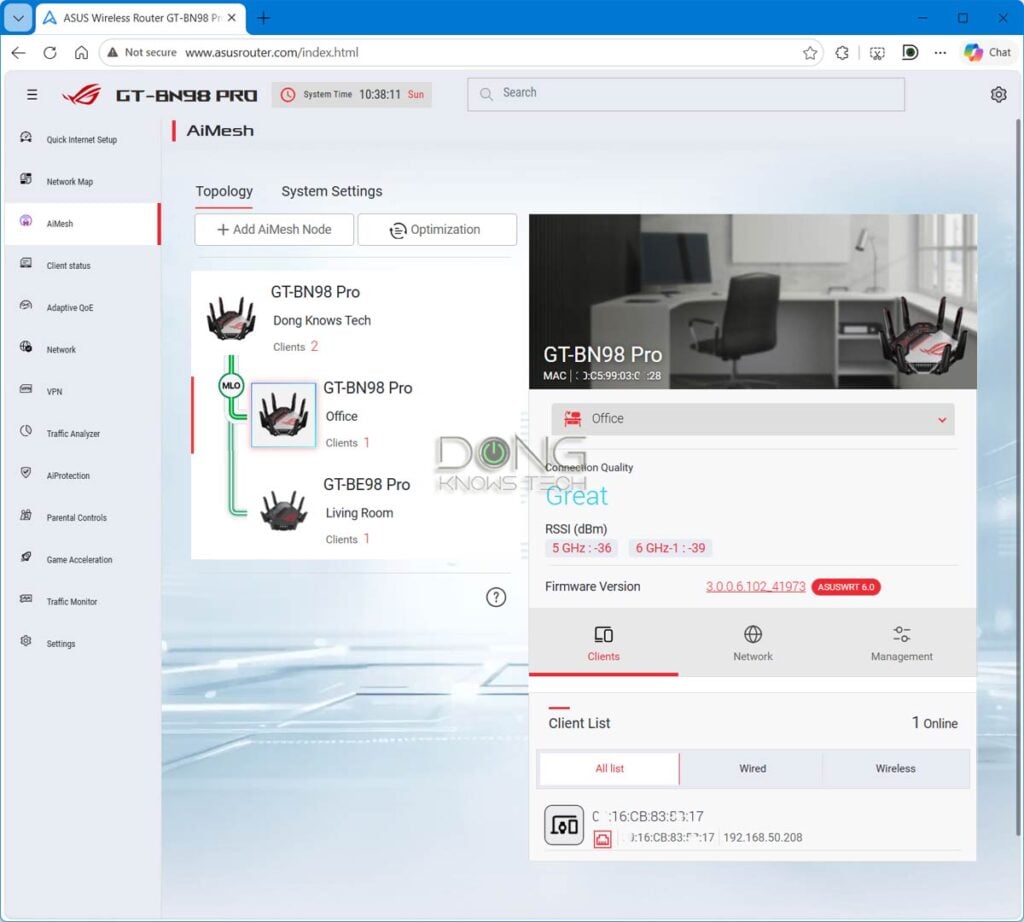
The gist is this: MLO can be excellent for a wireless mesh system, but only when it’s available, which is not always the case. Below is the list of the top five Wi-Fi 7 mesh systems, all of them featuring MLO as the backhaul.
Top 5 best full-band Wi-Fi 7 mesh systems
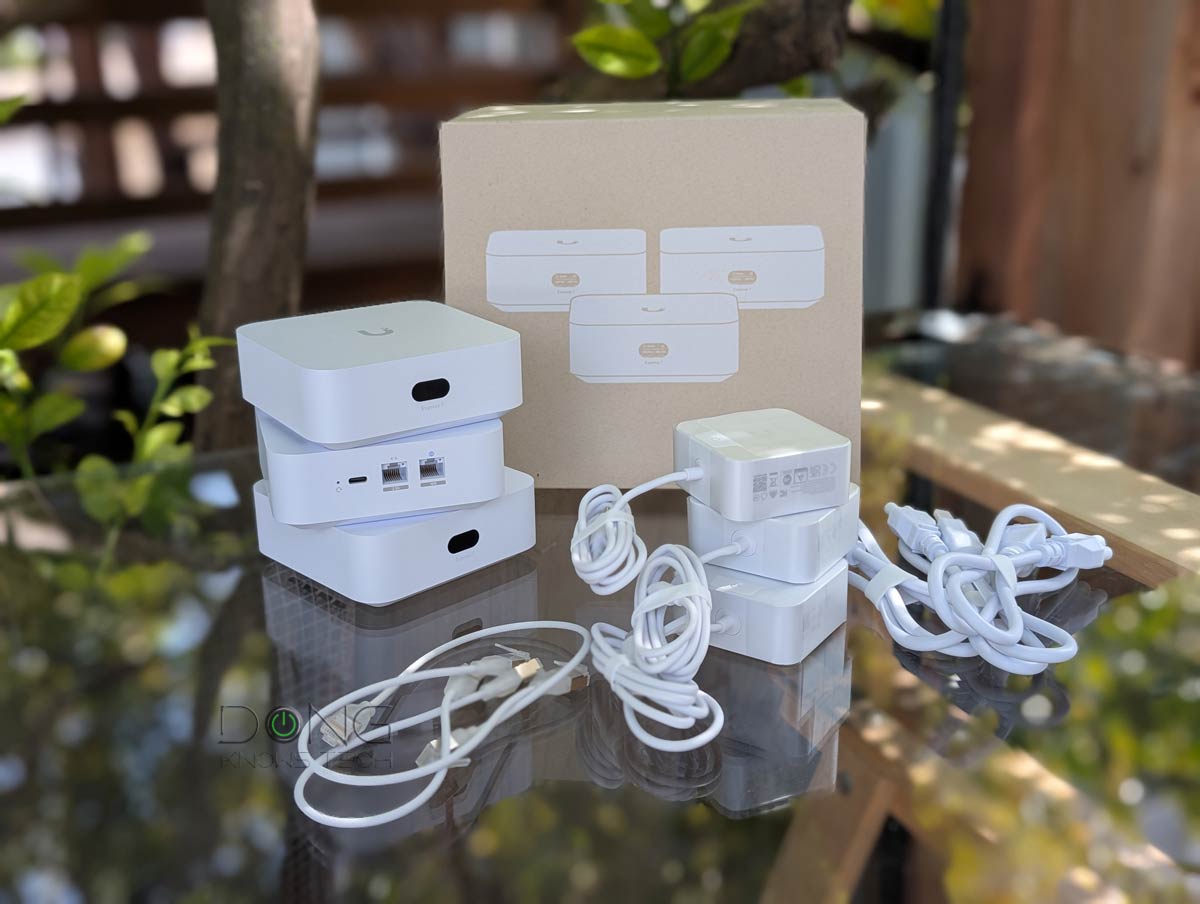 |  |  | 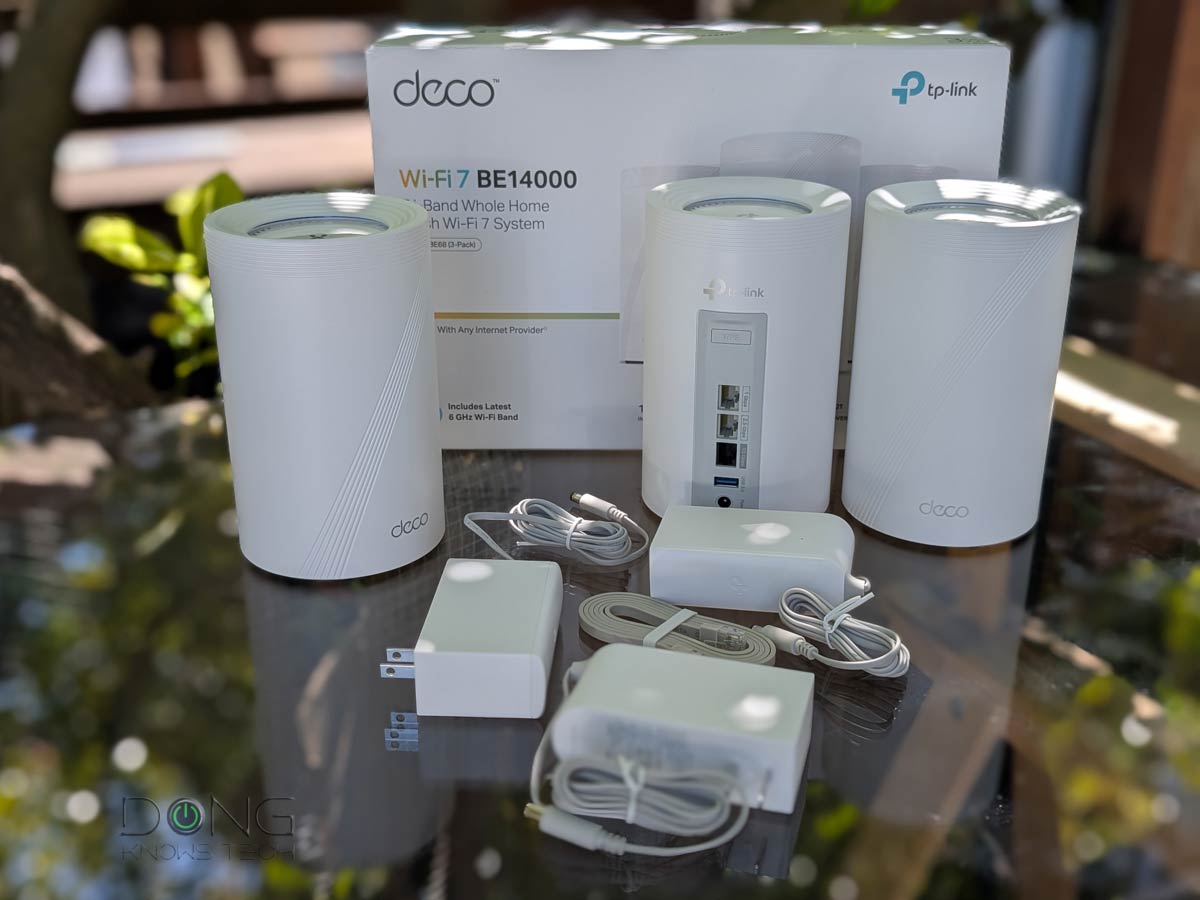 |  | |
| Name | UniFi Whole Home WiFi 7 (UX7-3)'s Rating | ASUS ZenWiFi BT10's Rating | MSI Roamii BE Pro's Rating | TP-Link Deco 7 Pro BE14000 (Deco BE67/68)'s Rating | NETGEAR Orbi 870 Series' Rating |
| Price | – | – | – | – | – |
| Rating | |||||
| Description | |||||
| Statistics | |||||
| Buy this product |
MLO on clients: Don’t expect “fast” connection speed
As mentioned above, eMLSR is generally the case for end devices (laptops, smartphones, etc.). In other words, all MLO-enabled access points (standalone, integrated within a router, or part of a Wi-Fi system) use eMLSR for the client-facing side (fronthaul).
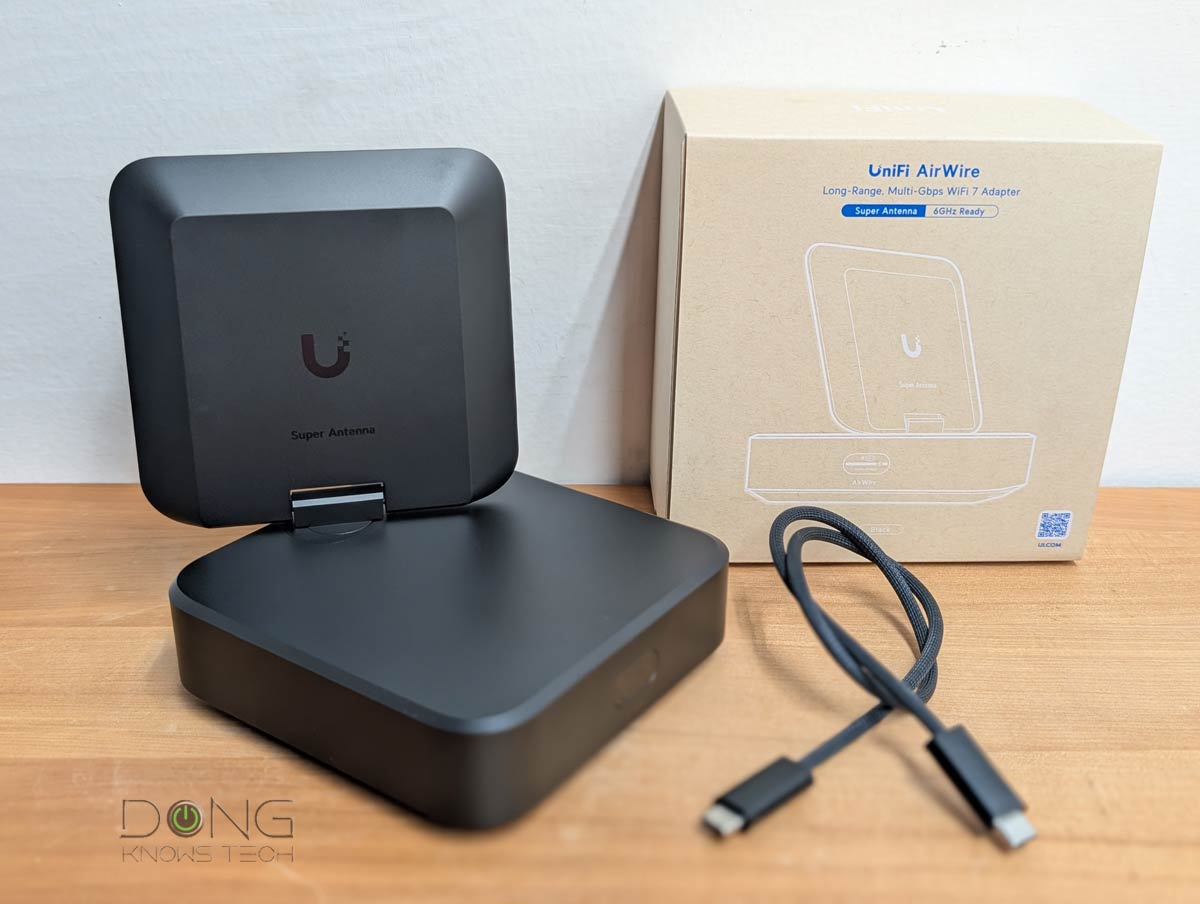
Up to early 2026, Ubiquiti’s bulky and power-hungry AirWire is the only Wi-Fi 7 “adapter” to feature STR MLO. However, it’s more of a bridge device than a client. As such, it requires a USB-C port, a high power draw, and most importantly, a supported UniFi access point to work—you can’t use it with a third-party Wi-Fi 7 access point or router.
As a result, in practice, MLO generally doesn’t increase bandwidth from the end device’s perspective. The fastest link a typical client can establish on an MLO SSID is still limited by the speed of the fastest available band at any given time, typically 6GHz or 5GHz.
And that’s been consistently the case in my hands-on reviews: devices with built-in Wi-Fi 7 adapters, such as the Intel BE200 or Qualcomm NCM865 chips, do not benefit from improved data rates over an MLO link due to the lack of STR MLO support.
Specifically, despite the high negotiated speed shown in the bonded link’s status, an MLO-enabled SSID can yield a lower real-world rate than a 6GHz or 5GHz SSID from the same access point. In other words, as mentioned above, an MLO connection can give you a good feeling when checking the link’s status, but it won’t actually improve real-world data rates of any particular application.

In other words, on the client front, MLO, eMLSR MLO to be specific, seems more like an enhanced version of “Smart Connect“, which uses a single SSID across all bands, than a performance upgrade. In fact, to use MLO as the primary SSID, you must either enable Smart Connect or use the same network name (SSID) for the bands you want to be part of the bonded link.
But enabling MLO in the primary SSID can be problematic in homes with Wi-Fi devices of different standards, which is the case in most homes. That’s because, as mentioned above, the WP3 security requirement as the authentication method prevents millions of legacy devices that support only WPA2 or lower from connecting.
Many home-grade routers, such as those in the NETGEAR Orbi or Amazon eero families, do not have enough virtual SSIDs beyond the primary ones, further complicating support for legacy clients. That said, keep the following in mind when considering MLO, especially for the fronthaul (clients):
- Turn MLO off to get the most flexible SSID configuration options for each band, including support for legacy clients (Wi-Fi 5 and older).
- Turn MLO on and:
- Use the primary SSID with MLO, but be aware that it may not support legacy devices. Or
- When possible, use the bands’ primary SSID(s) without MLO, and use a virtual SSID with MLO for Wi-Fi 6 and newer clients. Or
- When possible, use the primary SSID with MLO and separate non-MLO virtual SSID(s) with lower requirements for legacy clients.
- If you care about real-world rates, include only the 5GHz and 6GHz in an MLO SSID. Adding the 2.4GHz to the mix generally only makes the connection slower.
So, on the client front, MLO is generally always available, but the use of it can complicate your network due to the lack of support for the latest security requirements in legacy clients.
Top 5 best Wi-Fi 7 adapters
 |  |  |  |  | |
| Name | Intel BE200 Wi-Fi 7 Adapter's Rating | Qualcomm NCM865 Wi-Fi 7 Adapter's Rating | ASUS ROG USB-BE92 Wi-Fi 7 USB Adapter's Rating | NETGEAR A9000 Wi-Fi 7 USB Adapter's Rating | Ubiquiti AirWire (U-AirWire) Wi-Fi 7 USB Adapter's Rating |
| Price | – | – | – | – | – |
| Rating | |||||
| Description | |||||
| Statistics | |||||
| Buy this product |
The takeaway
The idea of Multi-Link Operation is great, but its real-world application is nuanced and varies by hardware and your clients.
It’s safe to say that when MLO is available in a mesh system, it greatly improves the wireless backhaul links. However, just because you use the latest mesh system doesn’t mean MLO backhaul is a given—among other things, you generally must use hardware of the same specs (same models) and arrange them in the star topology.
The point is that Multi-Link Operation has proven to be more of an aspirational feature than a sure real-world benefit. If you have it, it’s great, but your feelings might get seriously hurt if you assume it will be there or that it will magically increase your device’s connection speed.


This is exactly what I’ve observed using a 2-node BT10 mesh. The MLO wireless backhaul is very fast, but I don’t use MLO for fronthaul since everything’s very fast without that. And while I have wifi-7 enabled (but no MLO) for my main fronthaul/client subnetwork, I do have a couple of IoT subnetworks available for legacy devices. Those don’t have wifi-7 or wpa3 enabled, and only 2.4 and/or 5GHz. bands…some legacy clients do support 5GHz., so I can use that and get more speed for them.
Anyways, very happy with the MLO backhaul. That gives me almost full speed throughout the house for wifi-6 and wifi-7 clients.
-Roger
Roger that, Roger! 🙂
Since wifi 6 I’ve preferred using ‘smart connect’ and used built in Guest or IOT virtual ssid’s for cameras/legacy devices. It wasn’t until writing this comment that if finally clicked with me why my phone will often hang as I move around the house.
the difference between this approach and separate ssid’s for separate bands; smart connect = router picks band vs separate ssid’s = client picks band by saving all the ssid’s.
I still prefer the simplicity of a single ssid for the primary network.
I’ve read and re-read here and elsewhere, but left with a couple thoughts / questions on the fronthaul side. I picked up a BE3600 last year and have been super happy with it compared with past eero and NightHawk AX. I’m playing with my homelab for the winter and revisited my router settings. Do I enable MLO with the single router? would it matter if I add another BE3600 (or better presuming mix/match tplink easy mesh is ok) Backhaul will be wired. I’m not worried about bandwidth, just like the range of 2.4.
Any benefit or downside of MLO (MLSR) on either wifi 6(e) or wifi 7 clients? Primarily phones since they do the most active roaming.
My understanding is that the wifi 7 devices (s24+/s25+) would basically get the fulfilled promise of smart connect and both router and client could seamlessly switch bands as they roam.
wifi 6(e) devices (s21/s23+) already ‘smart connect’ better on the BE3600, would MLO enhance it a bit?
MLO will help, Matt, as long as you’re OK with *not* consistently getting your (pre-7) devices connected using the band you want. Otherwise, it’s best to separate the bands. Many systems allow you to have both MLO and separate SSID for each bands.
Hi Dong,
I finally replaced my netgear 8500 & e7000 with a Orbi 770. It is significantly faster and I hope more stable.
It seems MLO is turned on for wireless backhaul because the only option is to enable 240MHz bandwidth. I searched your article and comments and saw nothing about it.
Looking on the web it seems it is bad idea if you live next to a airport and while I am in the NYC I am not near any airport or radar dome. I am in a old brick building so the satellite’s have to go through real walls but are within 20-30 feet of the router. Also given I am in the city the spectrum is saturated by my neighbors.
Do you have any thoughts or facts around enabling 240MHz for MLO Backhaul?
As always, thank you.
Daniel
You should use that channel width for the backhauling, Daniel. That’s the only place it’s good for since, so far, no client support that width. Good luck!
I have also noticed that I can connect any 802.llac or ax client to my TP-Link BE3600 MLO network. They all connect like regular clients on an ac or ax spec’d network. Is that backwards compatibility or just an example of more marketing hype on this low-grade Wally World router? If it utilized the same radios as the standard ac and ax networks, is it creating just useless overhead? Trying to find any detailed information on how Wi-Fi 7 is being implemented in the Real World is mind numbing. On the surface, it is all about the 46Gbps theoretical hype. We need to go back to our friendly wire, Mr. Ethernet.
“Multi-Link Single Radio (MLSR): It’s a multi-link system that utilizes dynamic band switching between 5 GHz and 6 GHz to deliver load balancing and lower latency. (For dual-band hardware, this mode switches between the 2.4GHz and 5GHz bands.) This mode does not increase data rates between connected devices.”
This is exactly why the TP-Link BE3600 Wi-Fi 7 Router is nothing more than a sales gimmick. The upgraded Intel BE200 Wi-Fi 7 card on my laptop only connects to one band at a time and gives the same speed/bandwidth connection as the Intel AX200 that it replaced. If it is NOT a Tri-Band router with a 6GHz radio, don’t waste your money.
HI you mesnion that currently no client support EMLMR but qualcomm fastconnect 7800 should support this, it has 2 radios integrated, do you think that in meantime drvier will be suporting EMLMR.
Thanks
It’s one of my test clients, Oso. It’s unclear if it supports it since, so far, no broadcaster has had EMLMR for client yet.
I have ask AI and it is 🙂 but as you say no broadcester is supporting this but i think it can be supported in future =, I have found that Cisco Meraki is supporting this modes{…}
On this front, AI only plagiarizes, it doesn’t know anything. Technical guide is what it is, technical guide, which everybody knows.
And no, there’s no way to experience faster speed with MLO yet. My take is even when that’s supported on both ends, things will be complicated, certainly more complicated than Link Aggregation with wired connectivity which doesn’t necessarily give you faster speed anyway. I’d not count on MLO for data speed on the end client, or at least not use it as the reason to buy Wi-Fi 7.
No spamming please.
As it stands now, is it possible that EMLMR is utilized for wireless backhaul of meshed networks and/or extended networks (WiFi extenders)?
Some do. It depends on the chipset.
Hello Dong,
I recently upgraded my AiMesh to BE98 Pro as main router and two BQ16 pro as nodes in full wireless setup. However I found that MLO backhaul is not available. After searching, I found the ASUS website states MLO backhaul is only available between same models.
I am wondering if it’s technically difficult to add MLO backhaul feature between different models. How likely will ASUS add the feature in a future firmware?
That’s to be expected, Wei. More here. That particular combo only makes sense, financially among other things, when you use it via wired backhauling.
> despite the high negotiated speed shown in the bonded link’s status, an MLO-enabled SSID often yields a lower real-world rate than a 6GHz or 5GHz SSID from the same broadcaster.
omg I thought I was doing something wrong. especially when I switched to dedicated 6ghz and got better speeds and signal strength too. why is that though? even tplink mentions on all FAQ that this could happen with MLO. will existing MLO APs do ok with better client implementation in the future? the faq from tplink seemed to suggest the issue was mostly down to implementation as the standard is so new. or is MLO as standard itself flawed and we’ll never see things like the negotiated phy rate as actual speed or better stability or something?
That happens in Link Aggregation, too. Its bandwidth vs. speed, similar to the case of dual-WAN. So, it’s not flawed, it’s just physics.
oh interesting. Sorry, I missed that where you said that, i see it now:
> client’s particular application still uses one band at a time.
But let me ask you then, what is the “best case future scenario” you see for MLO? Like let’s say we have the best Wifi7 broadcasters from today and some future wifi7 device that implements MLO in a good way, what can i *hope* to see as an improvement over non MLO, just using 6ghz wifi? Or, if i could put it a bit bluntly: what is the point of MLO, ultimately? (beyond the marketing hype etc)
As mentioned above, that would be when you use MLO as the backhaul in a mesh system. In my experience, the satellite unit can use the link as its backhaul which had more (and more reliable) bandwidth than when one band is working as such at a time. For clients, the point of MLO is convenience and the chance of the best-possible given the airspace. It doesn’t mean it’s *always* the best in data rates, but it’s collectively the best. And of course, it’s also a nice marketing ploy (again, as mentioned in the post).
In any case, make sure you read the entire post first. Else, you’ll miss a lot more. One of the rules is that you need to first read before leaving a comment.
This all gives the Microsoft vibes way too much.
‘Let’s put an unfinished product on the market, tout it as the bee’s knees to get as many suckers… I mean, customers, and have them work out all the kinks for us. At Microsoft, our customers ARE our Beta testers!’
Hello Dong,
My question is about the two MLO options I have with my ASUS BQ16 twin set.
One option is to use “2GHz, 5GHz and 6GHz” bands as MLO, and the other (Default) is “5GHz-1, 5GHz-2 and 6GHz”.
I wonder what would be the recommendable choice, having in mind I plan to use MLO only as a backhaul.
Thanks for your help and commitment.
Those are two different modes as mentioned above, Steve. In my experience, they are similar in terms of performance at a certain range. You can use either and it’s no the end of the world to switch between them when you change your mind.
Well, of course I switched the MLO bands several times and didn’t see any notable difference.
In fact, my curiousity to ask such a question, was inspired by the presence of this snail-slow, obsolete and trimmed 2.4GHz band, as a part of the top-of-the-tier, ultra modern and speedy Wi-Fi 7 feature, as MLO is.
In other words – how can this archaic slow 2.4 GHz band play any role at all in the super-speed world of Wi-Fi 7?
2.4 GHz is mainly a legacy band for Wi-Fi 7; it’s mostly used by older devices that weren’t made for 5 GHz (like IoT devices not made for true “wireless mesh” networks like Z-Wave, Zigbee, Matter or Thread), or for extended range (greater than the other two frequencies). The Wi-Fi 7 protocol alone only slightly boosts speeds at 2.4 MHz, and may actually be a hindrance to devices expecting older Wi-Fi protocols. There’s not a lot of benefit for 2.4 GHz in future years.
As far as MLO, my guess is you have more than enough bandwidth & signal that your 6 GHz band plus one of your 5 GHz bands is all the wireless backhaul you can use; it makes no difference if you add the other 5 GHz band or the 2.4 GHz band. (Probably best to avoid the 2.4 GHz band for MLO in that case.) If you’re still not getting most of your Internet speed to your satellite BQ16, try wired backhaul.
Thank you for your opinion and advice. In fact I don’t have any connection issues, BQ16 AiMesh is doing fine, speeding right to the top.
I was just wondering what has to do granny old and slow 2.4 GHz band amongst the WiFi-7 MLO standards. Simply I can’t find any technical logic and explanation for 2.4 GHz participation in MLO tier bands.
It’s obvious why Wi-Fi 7 routers still have a 2.4 GHz band in general—backwards compatibility; some of them retain Wi-Fi 6 protocols on that band while others support Wi-Fi 7 protocols there as well. And though including 2.4 GHz in MLO can slow down performance especially for backhaul (as my latest Deco firmware update appears to acknowledge), my guess is it’s included to help Wi-Fi 7 clients on the edge of the AP’s range more easily maintain a connection; even though 2.4 GHz will never be as fast as the other two bands, it can’t be beat on range.
As mentioned in the post, Steve, it’s part of what that makes MLO the “enhanced version” of Smart Connect. When you’re at a distance out of the 6GHz and 5GHz’s range, you’ll still get connected without having to manually switch the SSID. There’s more in a connection than just speed.
Great info on the MLO. I hooked this up on a mesh, wired network, between an Asus BE7200 and an AX89X. Had been informed previously that the AX89X supported MLO, but when signals began to drop repeatedly I did some further investigation and found that that information on the AX89X was incorrect. It just didn’t work at all. Needless to say, had to turn the MLO off, and once I rebooted everything, the mesh was good again.
From what I read in your post, it sounds like the concept is good but the functionality will only benefit when everything is perfect, and I think that is still going to be a stretch for most of us.
Appreciate the great research and write up, as always.
MLO is only available in Wi-Fi 7, John. Whoever told you the RT-AX89X had it had no idea what they were saying or simply lied to you.
I should note that TP-Link Decos with Wi-Fi 7 treat their “Backhaul Aggregation” feature as separate from MLO, as it potentially aggregates all Wi-Fi bands plus even a wired connection as backhaul—though I can’t see what benefit adding Wi-Fi to 2.5GbE wired backhaul can bring to my BE63 (perhaps Decos with faster WAN ports can use it), and its newest firmware update defaults to disabling 2.4 GHz backhaul as they say it can impair legacy clients. That does sound a lot like MLO, but maybe just slightly different? It did allow me to move my two BE63s from my old house to a small apartment where my 1 gig fiber Internet is in the back while my TV is in the front; they’re close enough that wireless backhaul alone delivers nearly full speed to my wired streaming boxes & a few Wi-Fi 6E/7 clients.
👍