
Ubiquiti today introduced a new consumer-grade mesh category, the UniFi Whole Home WiFi Mesh.
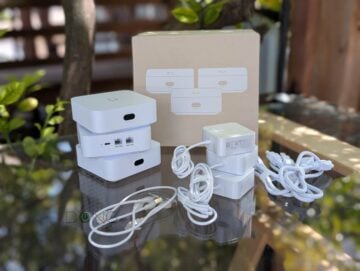
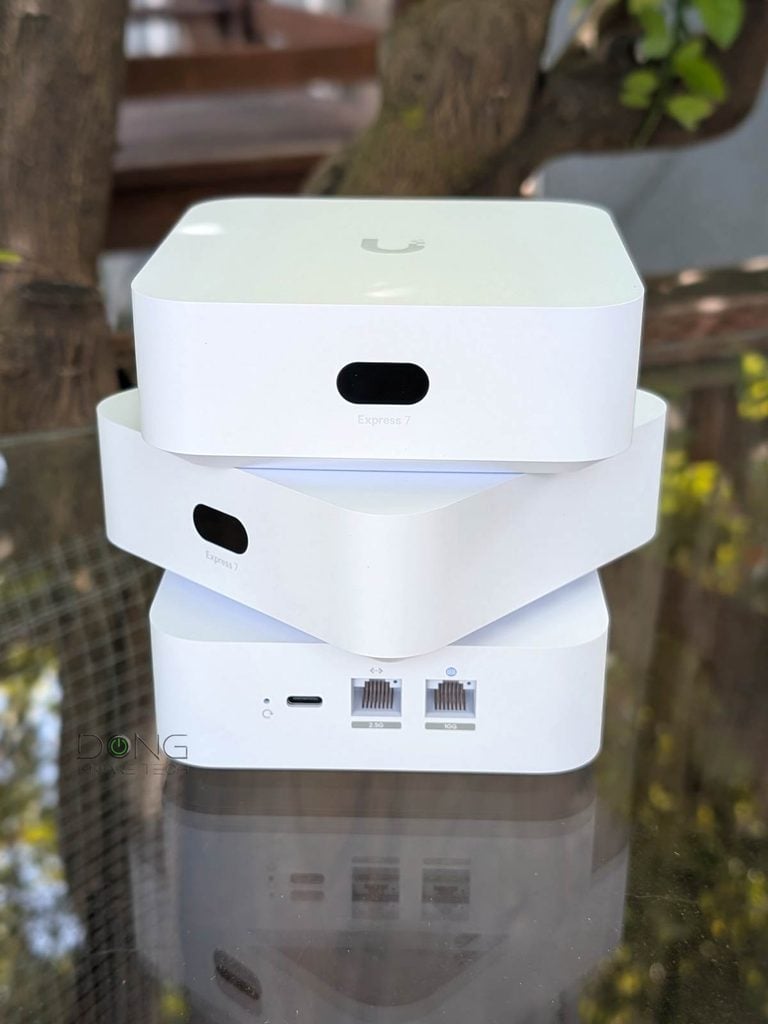
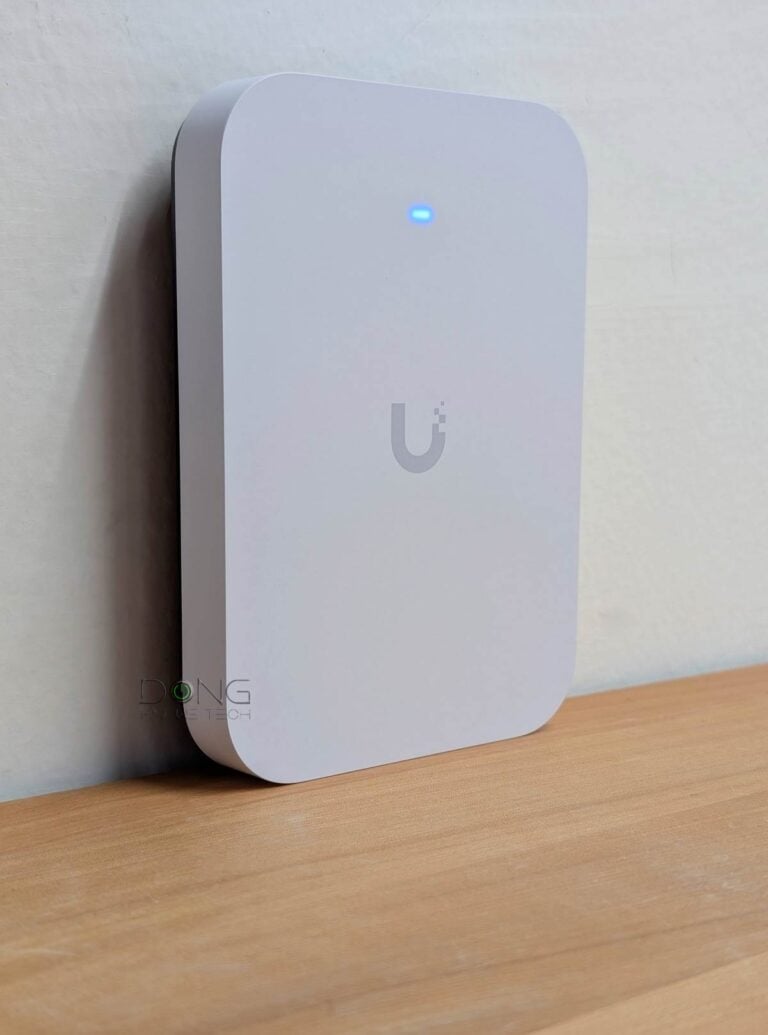
Its first product is the UniFi Whole Home WiFi 7, which consists of bundled packs of the UniFi Express 7 (model UX7)—available as a 2-pack (UX7-2) or a 3-pack (UX7-3) that costs $379 and $559, respectively—as true MLO-enabled mesh systems.
“True MLO-enabled mesh” is the keyword, as you’ll find out more below.
Here’s the bottom line: Ubiquiti’s Whole Home WiFi 7 is a formidable contender in the crowded pool of Wi-Fi 7 mesh systems. The feature also makes the UniFi Express 7 a handy add-on for those who need to expand their UniFi Wi-Fi network coverage. Need a robust mesh system for your home? Get a UniFi Express 7 bundle today!
Alternatively, you can build a customized system using one of the mixed-hardware options.
UniFi Whole Home WiFi 7 (UX7-3)'s Rating
Pros
Powerful STR MLO backhaul to deliver excellent performance, reliable, and flexible mesh configuration
Fully integrated within the UniFi ecosystem to offer various mixed hardware combos with lots of network-related features managed via a comprehensive web user interface with an optional mobile app
Compact, fanless, beautiful design
Comparatively affordable
Cons
Only two network ports per hardware unit, with only one being 10 Gbps, no PoE
Mid-tier Wi-Fi specs; no AP mode as a Wi-Fi system; no 2.4GHz band in the backhaul MLO link; no AFC
Not wall-mount-ready
UniFi Whole Home WiFi 7: UX7-based mesh with true MLO backhaul
The UniFi Express 7 (UX7) was first available in March 2025. At the time, it was released primarily as a standalone UniFi Cloud Gateway that could run a single Network app, making it a “router”.
Since day one, it’s always been able to work as a UniFi mesh member—as a Mesh Parent or a Mesh Child—when you use multiple units or pair it with another Wi-Fi 7 UniFi Cloud Gateway, such as the UniFi Dream Machine 7 (UDR7), and has always had MLO on the fronthaul for connected clients. However, for the backhaul (uplink), it used either the 5 GHz or 6 GHz band.
That changes today.
UX7 gets STR MLO via UniFi OS 5.2 update
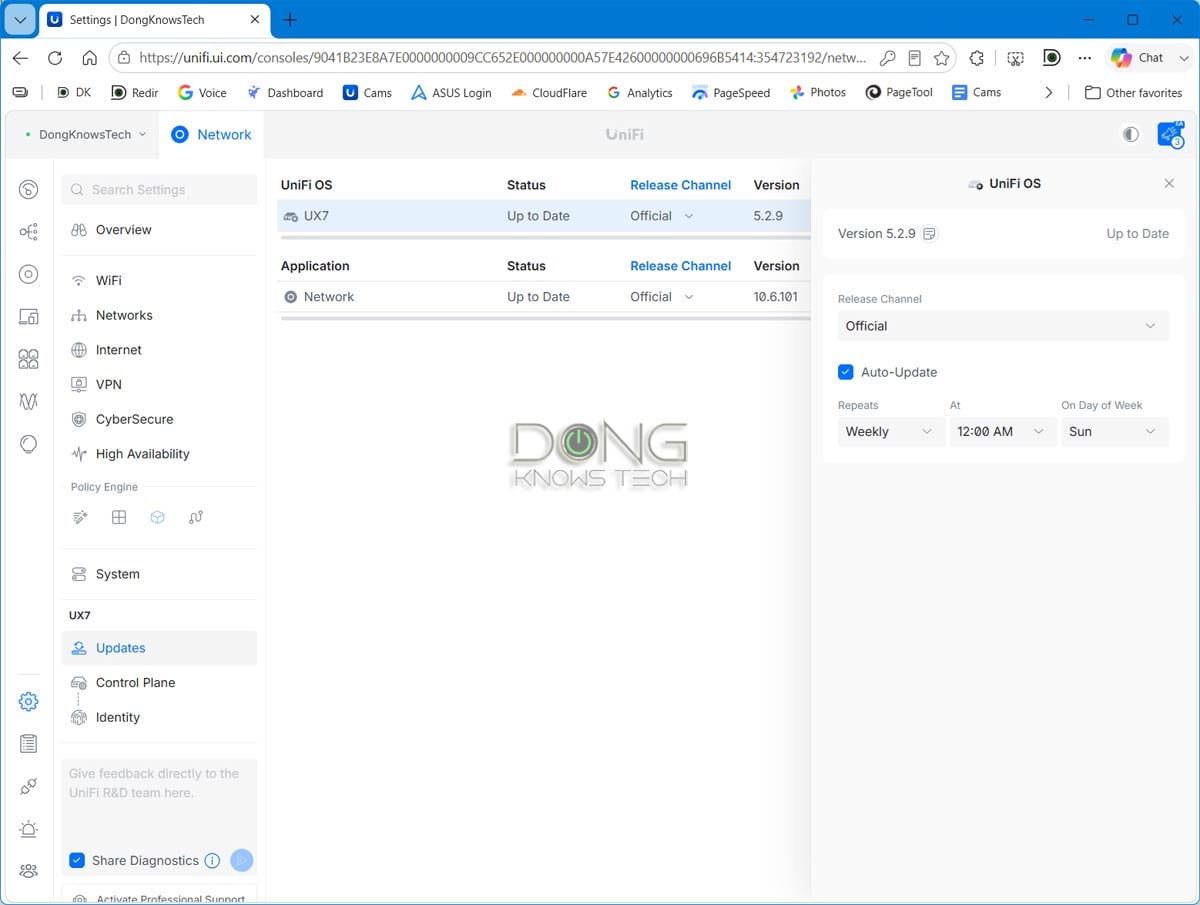
With the release of UniFi OS 5.2, which is a free update, the UX7 now supports STR MLO as its mesh uplink.
And with that, we now have the UniFi Whole Home WiFi 7 as the first in Ubiquiti’s UniFi Whole Home WiFi Mesh category. The idea also applies when you mix it with other UniFi tri-band Wi-Fi 7 access points in the same system.
Specifically, when paired with any existing tri-band UniFi Wi-Fi 7 access point in a network hosted by a UniFi Cloud Gateway, the UX7 will use the bonded 5GHz+6GHz link as the backhaul when a network cable isn’t an option.
That said, you can now get these bundles—either a 2-pack (UX7-2) or a 3-pack (UX7-3)—to build a typical home mesh from scratch, rather than buying canned systems from other brands, such as ASUS’s ZenWiFi, TP-Link’s Deco, or NETGEAR’s Orbi.
UniFi Whole Home WiFi 7: No pre-synced hardware, wired backhaul still recommended
Note that even with a bundled pack, UniFi Whole Home WiFi 7’s hardware units aren’t pre-synced. In other words, getting the bundled packs is the same as buying multiple standalone UX7 units in terms of hardware setup.
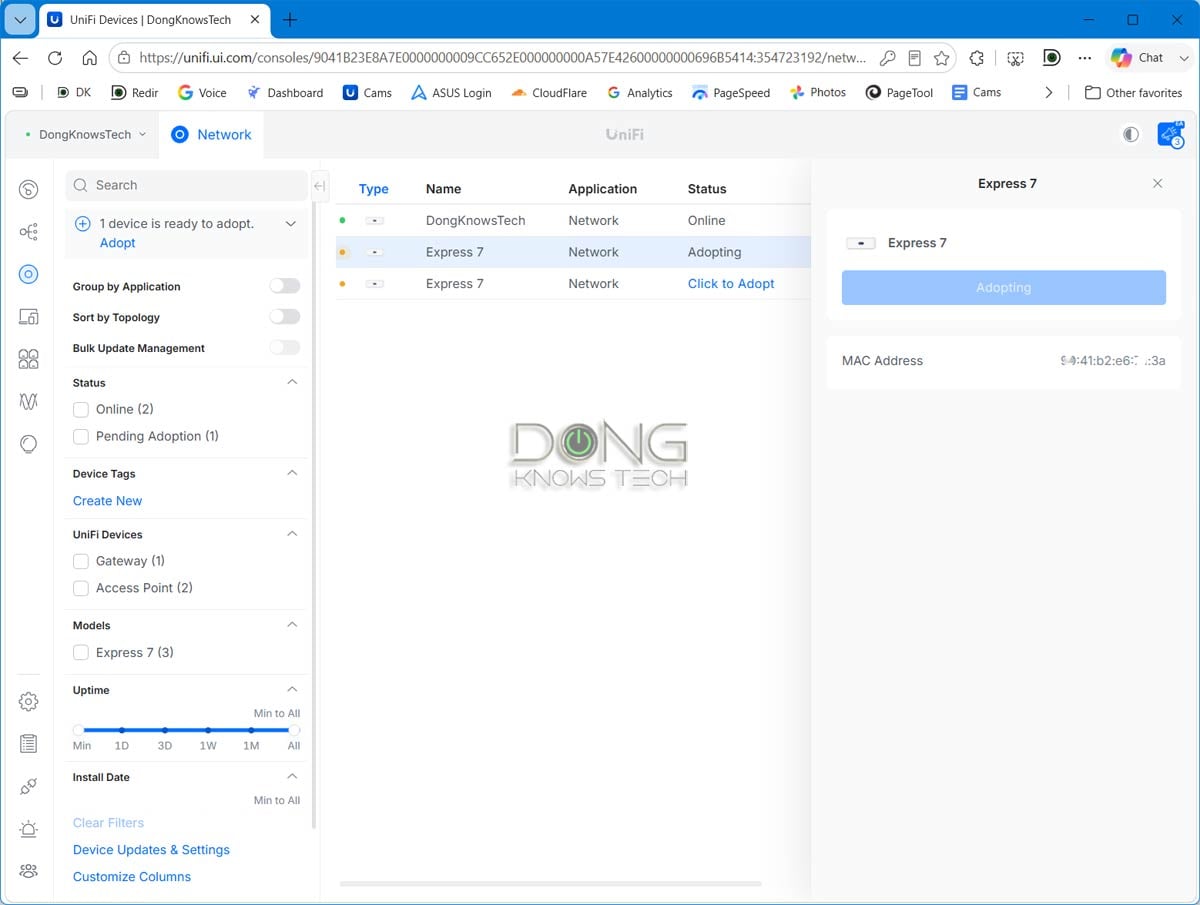
Specifically, you need to pick one as the system’s primary router, then add the rest, one at a time, to form a mesh. This is not a huge deal, as the process is straightforward—just like adding any UniFi device to the network, as detailed in this guide.
Alternatively, in many cases, you can use a single UX7 unit to wirelessly extend an existing Unifi Wi-Fi 7 system—there are many options for a mixed hardware setup.
No matter what hardware combo you have, rest aware that the UX7 will have strong STR MLO as the uplink as long as the source access point is a tri-band UniFi Wi-Fi 7 unit.
Keep in mind that while STR MLO backhaul is great, like all mesh systems, UniFi Whole Home WiFi Mesh works best with wired backhaul, which is best suited to a wired home. And with the UniFi Whole Home WiFi 7, you can choose a 2.5GbE or even a 10GbE backhaul.
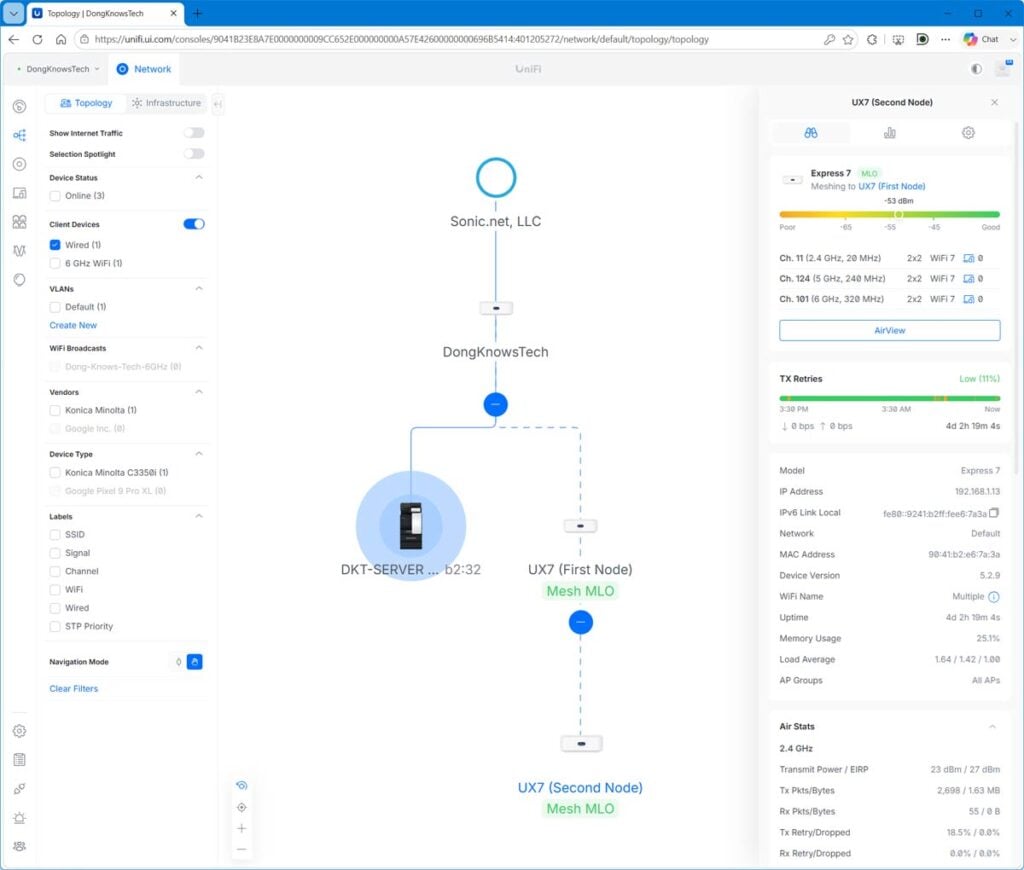
The point here is that when running network cable is not possible, the STR MLO mesh uplink is the second-best option. Let’s see how it pans out in real-world use.
Three-pack UniFi Express 7 (UX7-3) as UniFi Whole Home WiFi 7: Excellent real-world performance
I reviewed the UniFi Express 7 as a standalone “router” a while ago, and my assessment hasn’t changed. With the latest UniFi OS and Network version, the UX7 evolves alongside the rest of the ecosystem, offering the same features and customization as other UniFi Cloud Gateways when used as a router.
The biggest difference is that, this time around, as a mesh node, it can use STR MLO as the backhaul, and I focused on the performance improvements of UniFi Whole Home WiFi 7 when working as a true mesh system.
For that, I tested a 3-pack UniFi Express 7 (UX7-3) for a few weeks, and it was a satisfying experience compared to when I first ran into the UniFi Express 7 last year, especially since the new mesh feature was a simple (and free) software update.
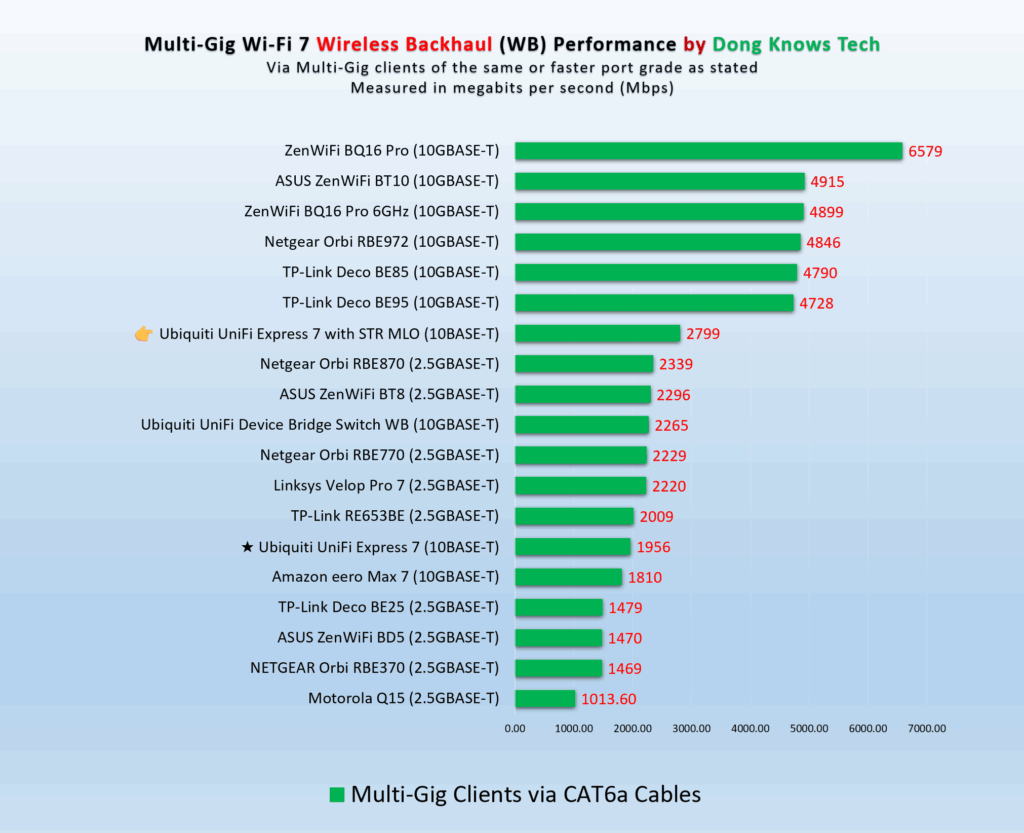
By combining the 5 GHz and 6 GHz bands into a single link, the mesh node now has much stronger wireless backhaul (WB) bandwidth than when it used only 5 GHz (or 6 GHz) for backhaul—an increase of over 800 Mbps in my testing.
With that powerful backhaul, the mesh node also worked better for clients overall.


You’ll note on the charts that because STR MLO used both the 5 GHz and 6 GHz bands for the uplink, neither band could reach top speed when serving the single test client, as it did when the 5 GHz band was used as the backhaul. Additionally, the improvement in STR MLO played a more significant role in long-range tests.
As expected, STR MLO didn’t improve range on the UX7, which doesn’t support AFC—coverage remained the same when the UX7 used a single band for the backhaul in the previous version of UniFi OS.
Still, the node’s coverage is quite excellent. It’s hard to put Wi-Fi range into a single number, but I estimate that each UX7 node, when placed at the center, can cover about 1,700 ft² (160 m²) of area—your mileage will vary.
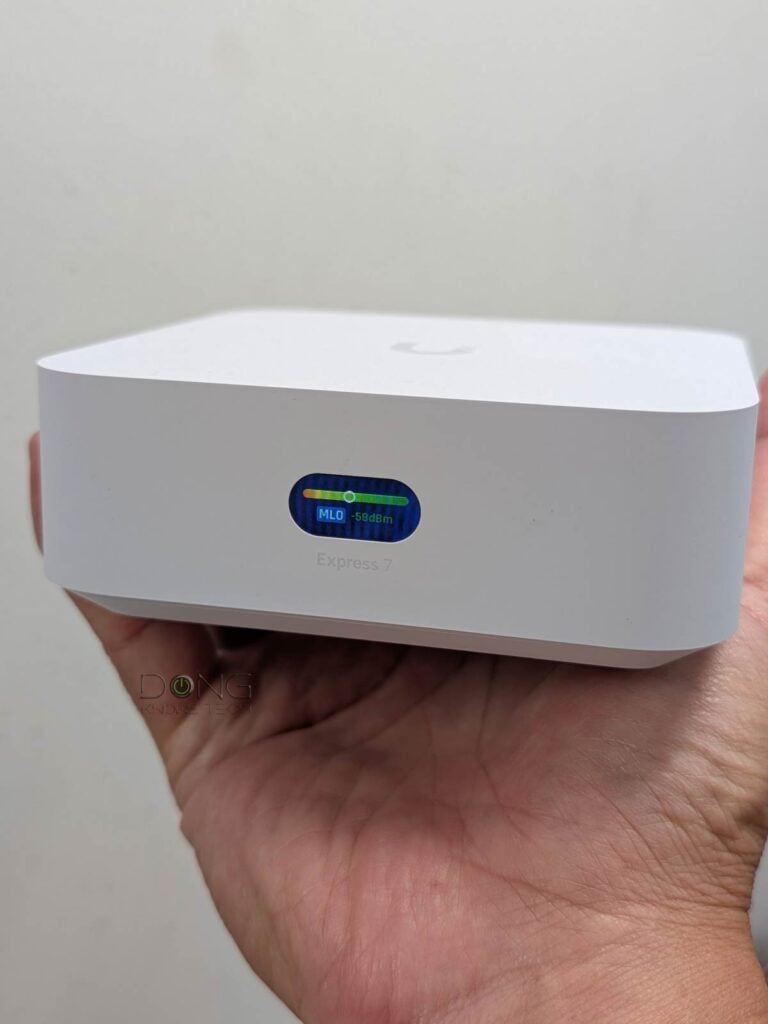
It’s worth noting that a UniFi mesh system offers excellent customization and handoff. My test clients roam more easily between different nodes, and I can also lock them to a particular access point within the system.
Conclusion
By enabling STR MLO on the UniFi Express 7 and bundling multiple units with discounts into the UniFi Whole Home WiFi 7 mesh system, Ubiquiti has gone the extra mile to make its enterprise-class ecosystem consumer-friendly in both functionality and cost.
And with that, fans of home mesh now have another excellent option for one of the best, if not the best, mesh approaches. Consider it today!



Hi!
I want to use 2xUX7 as strong wifi bridge with 5gh+6gh (internet modem is at the other end of our flat). Can I dedicate these bands for backhaul only and use 2gh for wireless clients (dont need super performance for smartphones or tablets) and wired access for my computer?
Best regards, Thomas
If you turn the Mesh STR MLO setting to Off (as shown in the Left screenshot of the second pair in this part), then the 5GHz or 6GHz will be used as the backhaul. If you turn it to Auto, STR MLO is used by default. But there’s no need to do that because STR MLO only uses the two 5GHz and 6GHz bands anyway. So the pair is already working as you’d like by default (STR MLO or not).
Thanks for your fast reply und support!!!
Can you bridge the ux7 to the modem port or do you always have to use NAT?
I don’t understand what you’re asking, Thomas.
Could a 3 pack system be connected to my broadband providers router or does this system require a Ubiquiti router in place for these to connect to. I have to keep my providers router due to using their IP phone line for a physical land line. I would turn its wifi off and allow the unifi mesh can take over and handle all client connections.
With the 3 pack, if I want to hardwire all 3 I would need a switch? How to configure?
You don’t need a switch if you daisy-chain them, JBK. Pick one as the primary router, then connect the second unit to it, and the third to the second. But a switch will work, too.
hi dong,
big fan of your site. trying to move from my existing (and old) plume homepod setup to something better. I have ethernet wired downstairs so could have AP at each end of house with the UDR7 in the middle. Spousal approval means need something small and/or snazzy. Would a 2 pack of the UX7 for each end and the UDR7 work well together – or is it overkill? Its an old house so worried I might need to add mesh upstairs.
Thanks!
Yes, that combo will work well, Will. Go for it! But a UX7-3 set works great, too, if you don’t need extra ports or the camera support. You can start with that and change to any UniFi router as the primary unit later.
I still have the original Dream Machine (not Dream Router). Could I just drop in an Express 7 and it would still work as a mesh AP for the UDM? The old UDM doesn’t support 6ghz or 2.5gbit ethernet, so I’d have to use 1gbit ethernet for backhaul.
You’d need a pair of the UX7, Maxstr. One wired to the UDM. You then can just ignore its built-in Wi-Fi access point or use it with a separate SSID.
The UDM is still a great router today. Make sure you upgrade it to the latest UniFi OS and Network versions.
Hi,
Thank you for review. I now have UCG Fiber, and flex 2.5G 8 port in another room. I wondering to get 3pack of these. 1 would be wired to Fiber, another one to Flex switch and for 3rd I don’t wiring so it needed to be wireless backhaul. Is it a good idea to do it like that? Will it work as mesh as whole?
Thank you
Yes and yes, David.
For a single AP setup, do you recommend a UX7 or a Dream Router 7?
I’d go with the UDR7, Grady. It’s nice and has lots more, such as the support for Protect, which is an excellent app for surveillance.
if I already have a ucg fiber and 4 u7 pro xg, did I make bad decisions in getting that not knowing this was on the way? am I missing out on features?
You don’t, Anand. If you have wired backhaul, which you should, your setup is already great. Consider an UX7 only if you need to extend the coverage wirelessly.
I’m running the cloud gateway fibre and a Unifi 7. Can I add one of these nodes to add to it in another spot in the house that doesn’t get good reception?
If by “UniFi 7” you mean a UniFi tri-band Wi-Fi 7 access point, Shawn, then yes, that’s the idea of the UX7 in this case. As for good reception, that depends on hardware placement. Good luck!
Ubiquiti UDR7 UniFi Dream Router 7 (UDR7) and Ubiquiti Cloud Gateway Fiber
The UCG-Fiber and the UDR7 can’t work in the same network, the latter has no access point mode, and you’d have a double NAT or a complicated setup. But you can use the UX7 with either of them.
Just curious, how have you been using those two together?
They can as I’ve been running it for several months now, workout issue. The Fibre Gateway is connected to the ONT and used like a switch. The home is wired throughout with cat 6. The UDR7 is connected at one end of the home. Never had an issue, even once.
You have a double NAT. You have no issue because you only need Internet access. If you want to use anything else, you’ll run into all sorts of issues. Keep that in mind. For future reference:
1. Remove the UDR7 and add the U7 Pro Max, or better yet the U7 Pro XGS, in its place. Or.
2. Remove the UCG-Fiber and use the UDR7 in its place, then add an access point in the UDR7’s place.
After that, you can add the UX7 as a mesh or a wired access point. If your house is wired, it’s better to use more UniFi access points instead.
Would you happen to know when Unifi OS 5.2 is due out for public release?
It should be for the UX7. For other UCGs, you don’t need this version, as STR MLO has already been available starting with Network application version 10.3.x in UniFi OS version 5.x, and they will likely jump from UniFi OS 5.1.x to 6.0.x.
Actually didn’t get the update until this morning. Promptly updated and wiped the UX7 AP and re-adopted it to start fresh. Meshed right back up with MLO nicely and noticed performance has greatly improved in my deployment. Actually saturating my ISP connection through it now. Thanks for heads up, Dong!
👍
Leave it up to Unifi to introduce a new Wi-Fi 7 system when others are starting to roll out their draft Wi-Fi 8 hardware… 😂
I think that’s smart, Josh. It’ll be a few years before Wi-Fi 8 actually matters. Among other things, there are no clients for it yet.
Love this review site and I am frequent visitor. I am about to give up on U7s in my house due to constant roaming and drops (yes, blame it on me on being unable to properly configure) and going back to Orbi (which I had before and the mesh worked much better). How do you compare this to the Orbi 770s?
It’s 10x better, Spock. Upgrade to the latest UniFi OS and Network, and you’ll see. You’ll need UniFi OS 5.2 or later.
I tried the U7s in mesh mode and that was a disaster. Are you telling me they fixed that in UX7s? Can you elaborate on your 10x comment? I am certainly willing to try.
I’m not sure which U7 you use, but of them, the only unit that should be used in mesh mode is the dual-band U7 mesh. For the rest, since they are PoE devices, you should use the network cable as the backhaul anyway (and they can work as Mesh Parents). In any case, with the latest UniFi OS (and Network app), the mesh function of the UniFi should be much better than before. So upgrade your Cloud Gateway to UniFi OS 5.2.x (or later) and try again.
And as a mesh node, the UX7 should be better than many other U7 access points, within its Wi-Fi specs.
Thanks. I have U7 Pro, U7 Lite and U7 LR. Tried to use them in mesh mode and it was a nightmare especially for IOT devices. Nevertheless, I am willing to try the UX7.
Of the ones you have, only the U7 Pro has STR MLO (and it should only work as a mesh parent). The other two are dual-band, so there is no STR MLO for backhaul. In a mesh, you should use the UX7 as a child of the U7 Pro, or use a few UX7 units. Meshing the UX7 (or any tri-band APs) with dual-band APs is inherently problematic.