
Ubiquiti’s new UniFi AirWire (U-AirWire) is both exciting and disappointing.
On the one hand, it’s the first Wi-Fi 7 USB “adapter” with super-fast Wi-Fi uplink thanks to support for STR MLO. On the other hand, it’s impractical to use due to its bulky design, high power requirements, and, most significantly, its compatibility being limited to the UniFi ecosystem.
Here’s the bottom line: If you already have a robust UniFi Wi-Fi 7 network and now really want to connect a USB-C-enabled desktop computer reliably—and I mean that to be a big if—the AirWire is the media bridge you’ve been waiting for, until you see its cool $199 price tag.
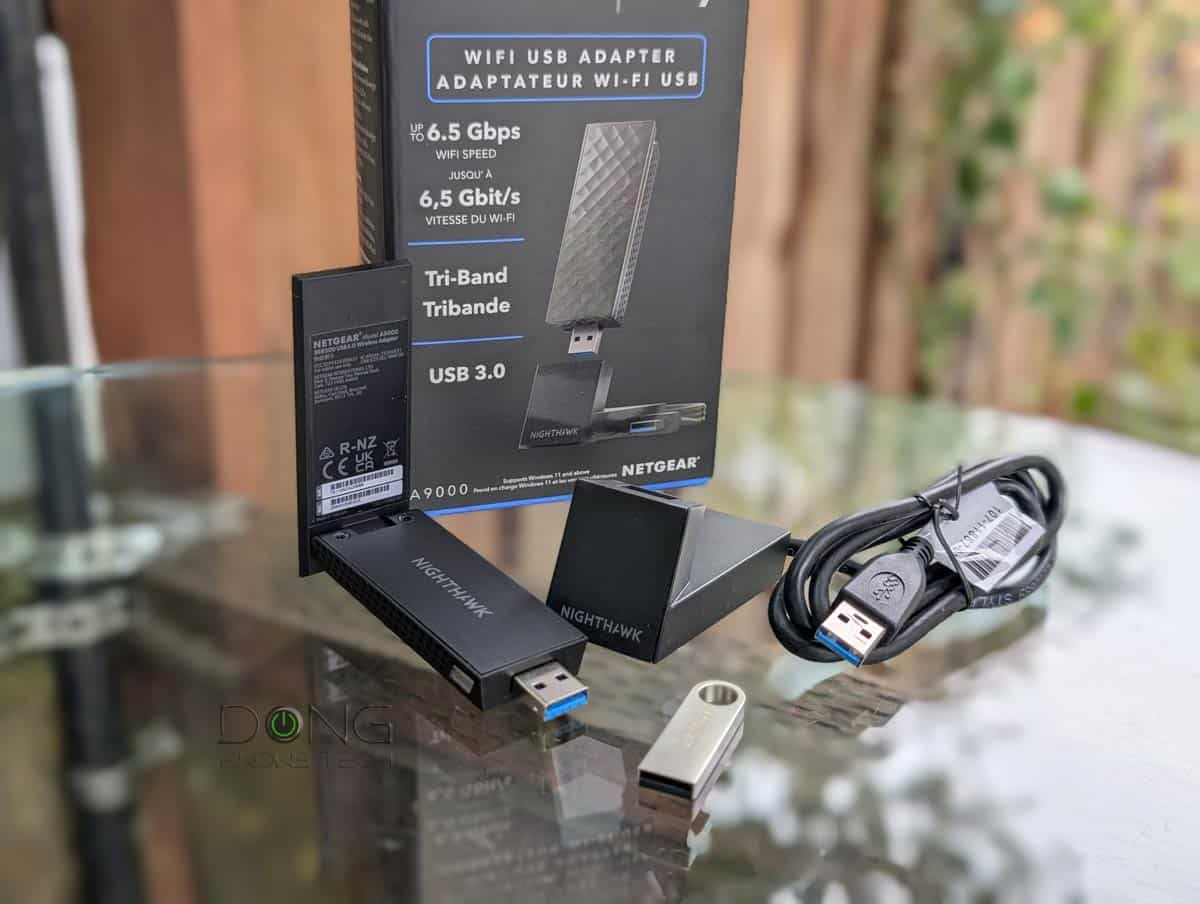
In most cases, though, a standard Wi-Fi 7 adapter, such as the Netgear A9000, or even the UniFi Express 7 (UX7) in the mesh mode, is a much better option.
Dong’s note: I first published this review on April 13, 2026, and updated it on April 15 with STR MLO performance.
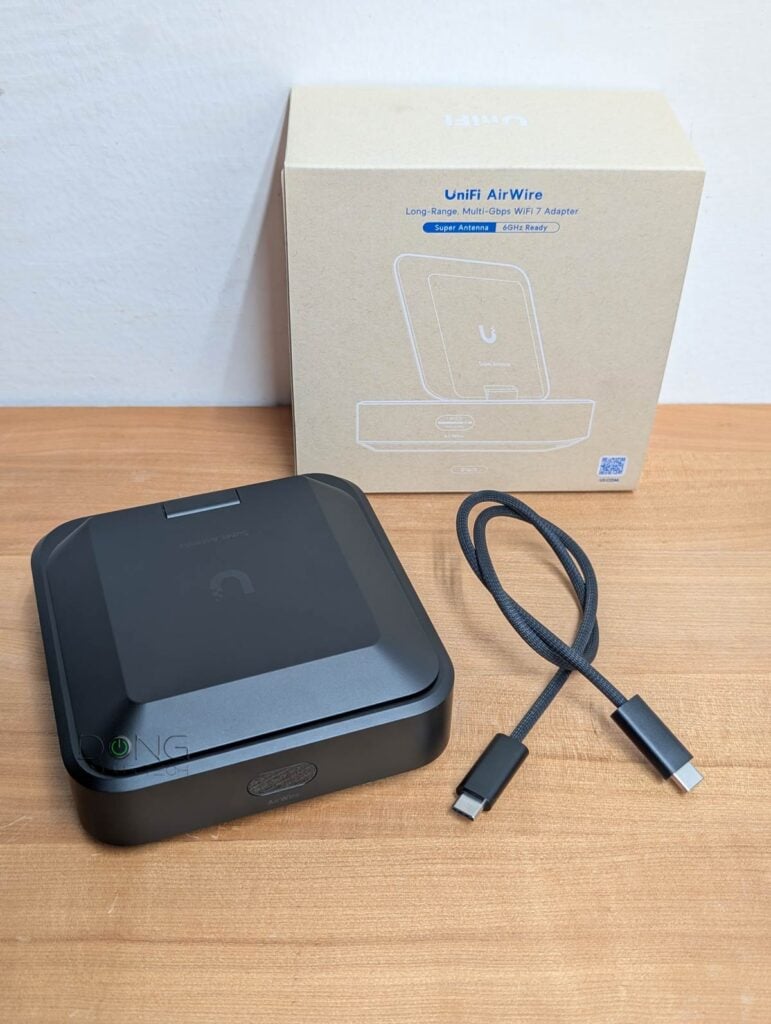
Ubiquiti AirWire: A niche Wi-Fi 7 adapter for hardcore UniFi enthusiasts
If you think of new AirWire as another typical USB Wi-Fi 7 adapter, like the NETGEAR A9000, you’re not entirely wrong—Ubiquiti calls it a “WiFi 7 client adapter” after all. However, you’ll be in for a surprise.
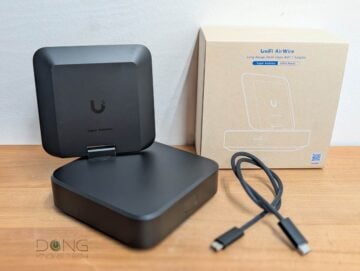
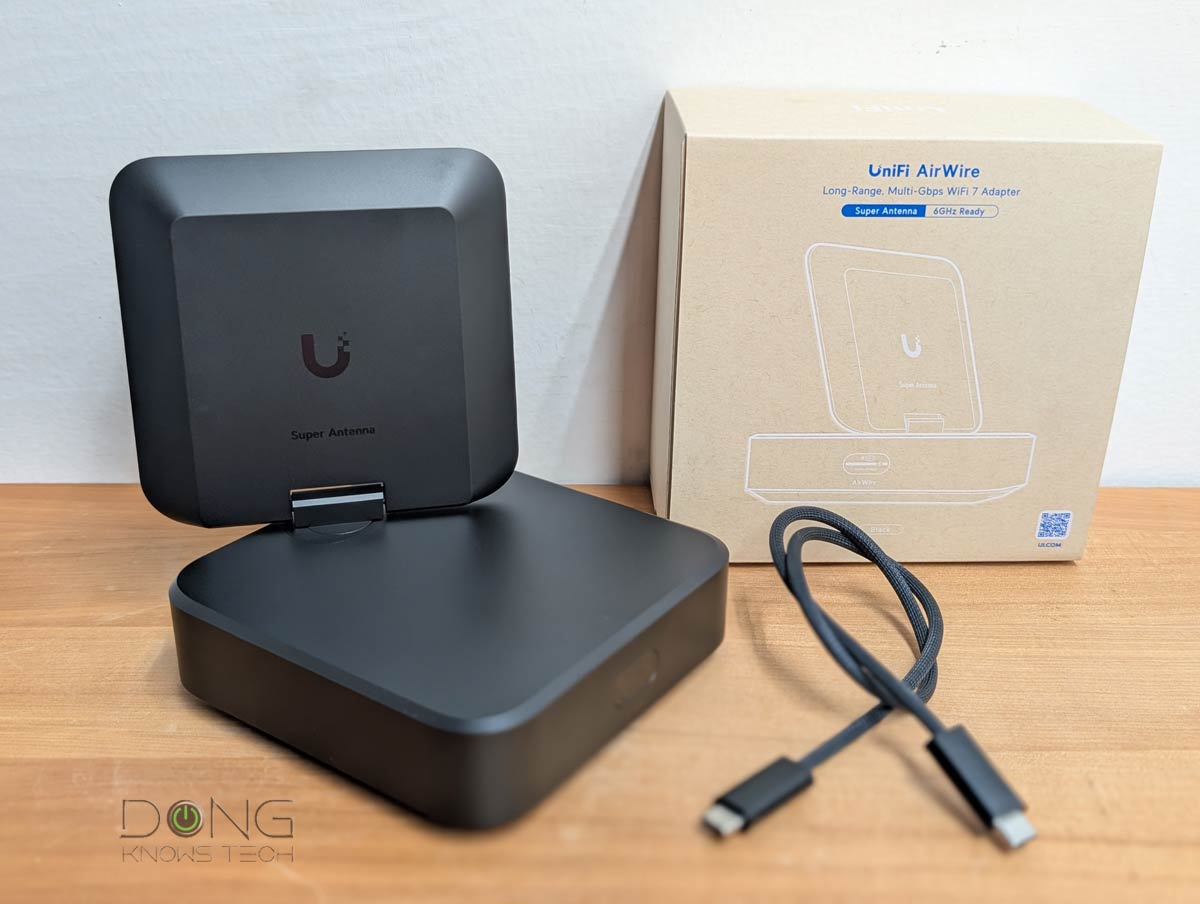
Out of the box, the AirWire is huge, literally the same physical size as the UniFi Express 7, which is a Wi-Fi 7 “router”.
On top, the AirWire comes with a large, non-detachable antenna that you can swivel around half a sphere to get the best reception. This is a directional antenna that can offer exceptional uplink range, somewhat similar to the U7 Mesh. On the front, the adapter has a little screen that shows its backhaul link in real time during operation. This screen helps the user determine the best angle for the antenna.
By now, you’ve already realized that this is no typical USB Wi-Fi adapter. In truth, there’s more, and it’s indeed anything but typical.
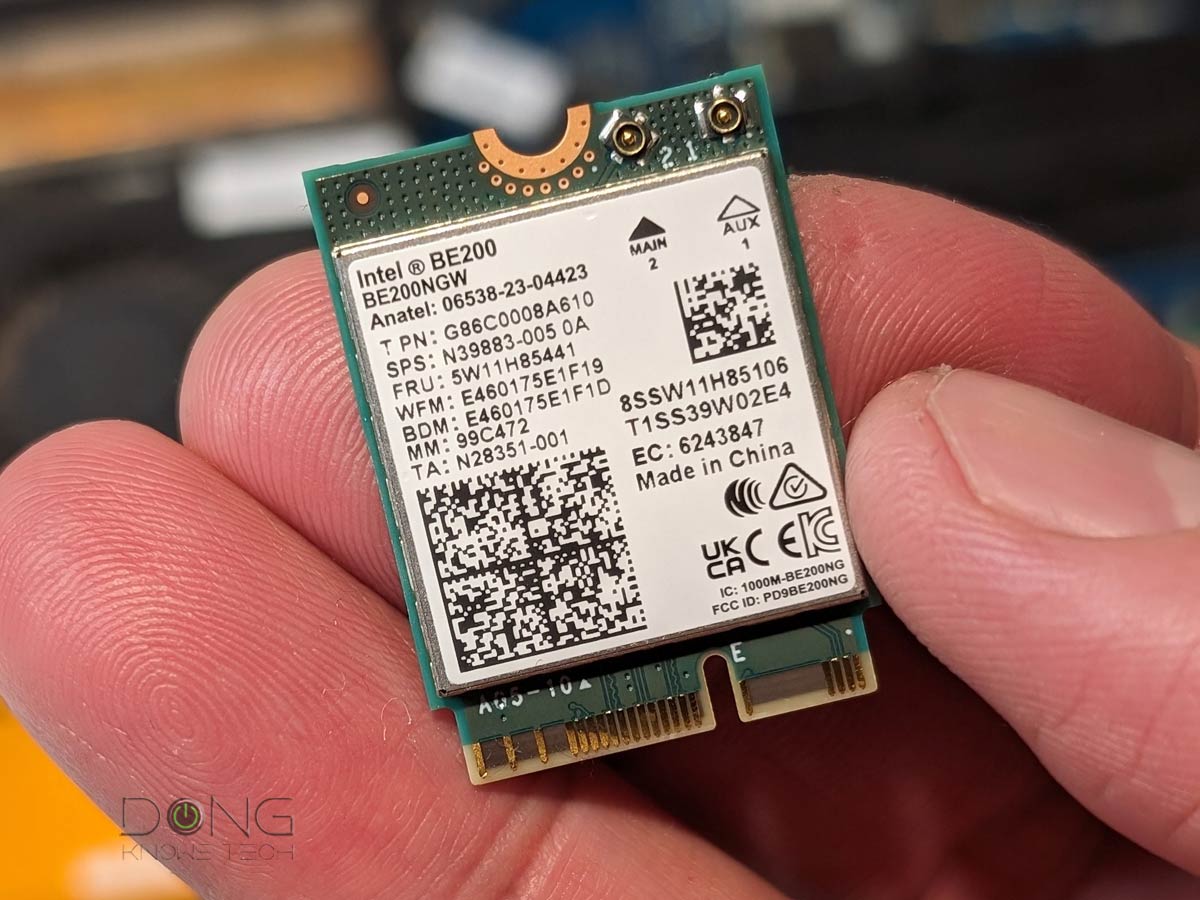
We’ll address all that, starting with hardware specifications. The table below compares the AirWires with the NETGEAR A9000 and the popular Intel BE200 internal adapter.
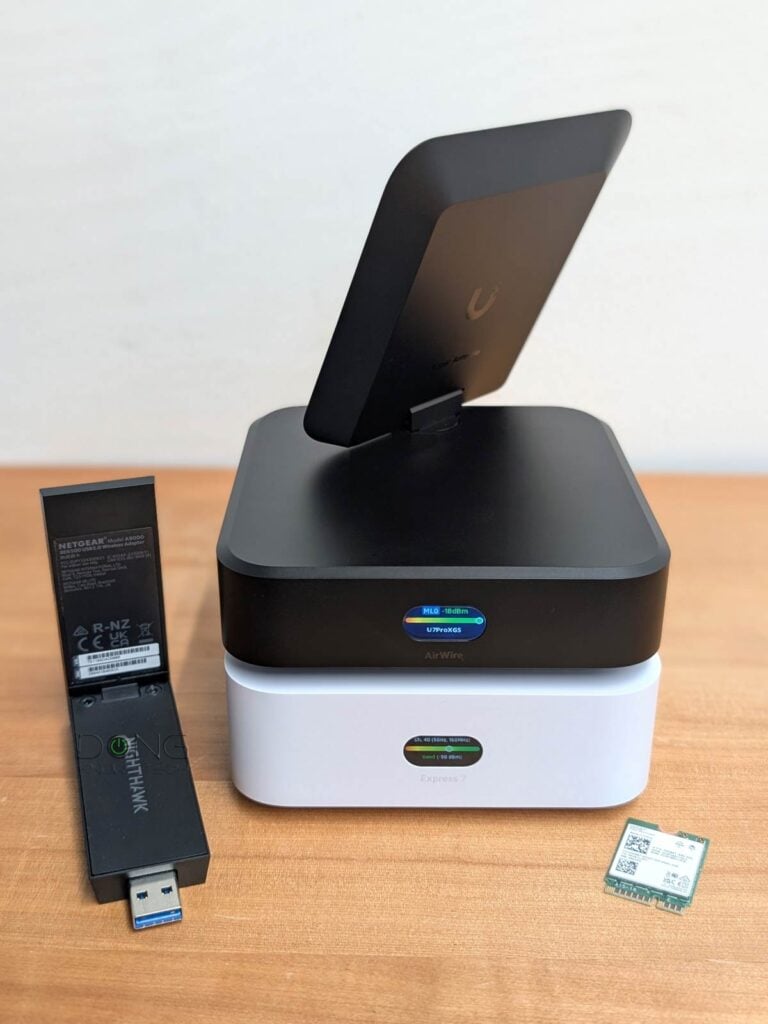
Hardware specifications: Ubiquiti AirWire vs. Intel BE200 vs. NETGEAR A9000
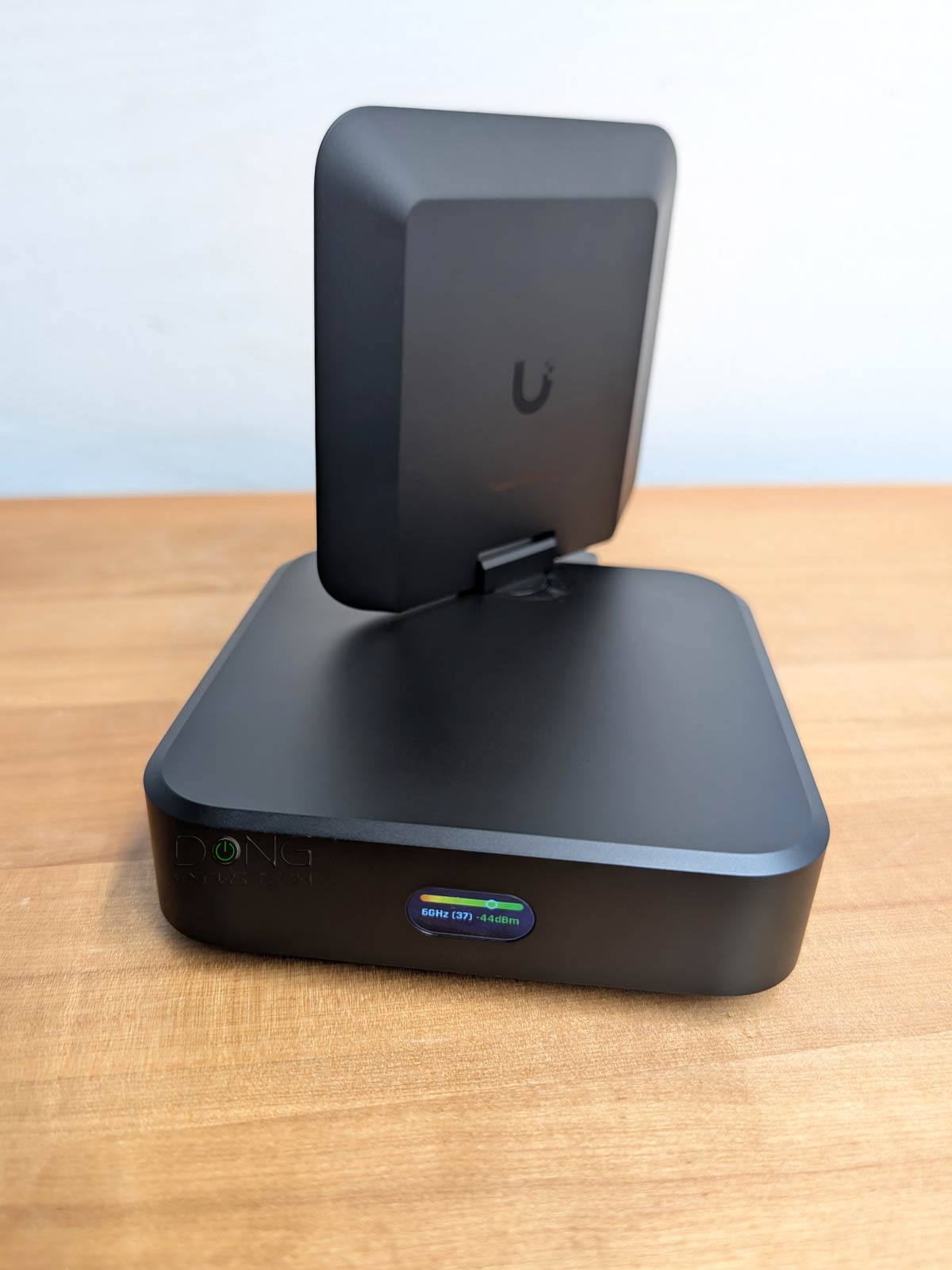 |  | 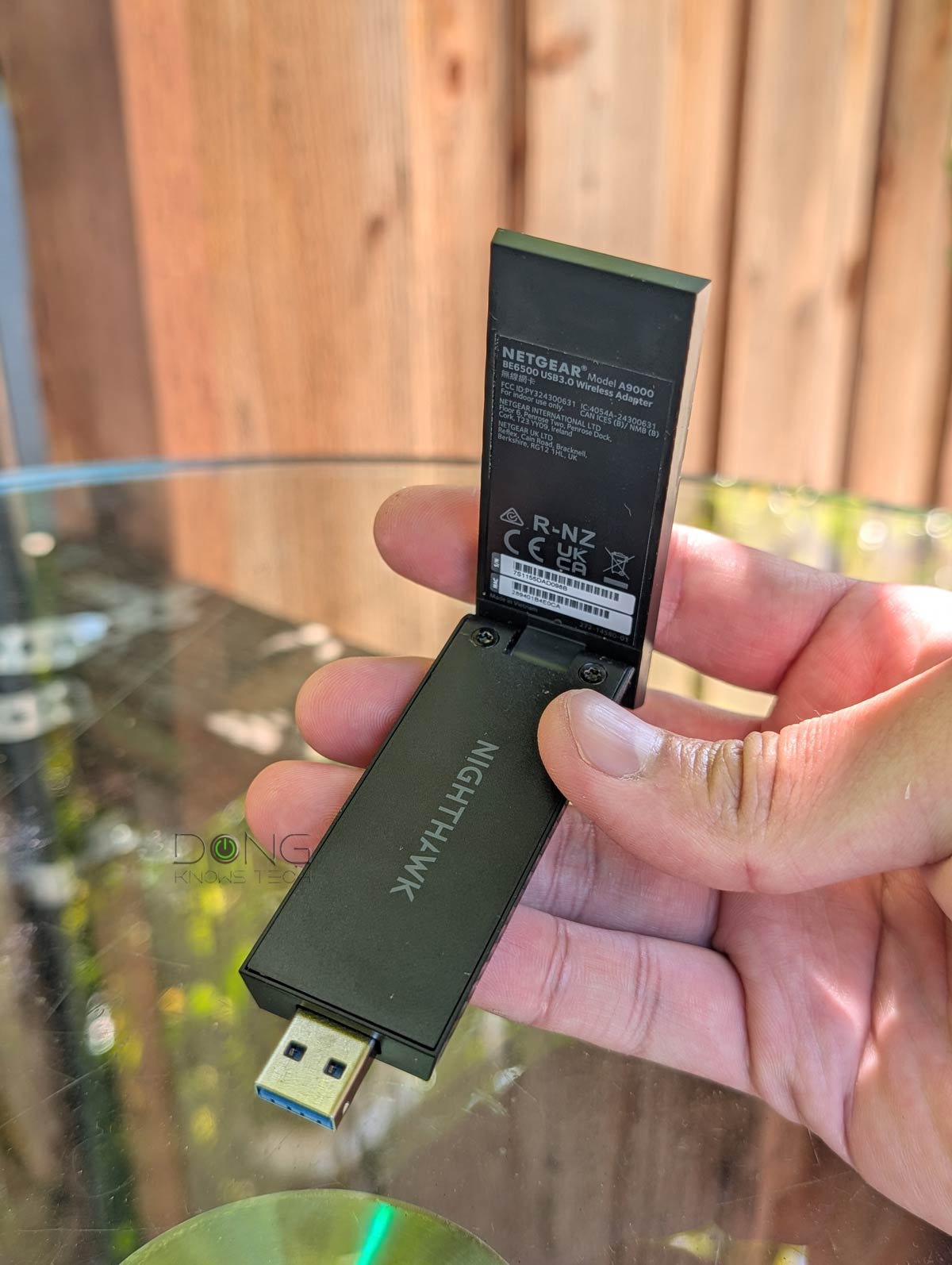 | |
|---|---|---|---|
| Name | Ubiquiti AirWire | Intel BE200 Wi-Fi 7 Adapter | NETGEAR A9000 Nighthawk WiFi 7 USB 3.0 Adapter |
| Model | U-AirWire | BE200 | Nighthawk A9000 |
| Dimensions | 4.6 x 4.6 x 1.7 in (117 x 117 x 42.5 mm) | M.2 2230 (22 x 30 x 2.4 mm), M.2 1216 (12 x 16 x 1.7 mm) | Adapter: 3.66 x 1.24 x 0.57 in (93.0 x 31.4 x 14.45 mm) Cradle: 2.49 x 1.76 x 1.39 in (63.14 x 44.67 x 35.19 mm) |
| Weight | 1.2 lb (537 g) | 0.15 g | Adapter: 0.99 oz (28 g) Cradle: 3.17 oz (90 g) |
| Wi-Fi Bandwidth (theoretical) | Dual-band BE10000 | Tri-band BE9500 | Tri-band BE6500 |
| 2.4GHz Band (channel width) | None | 2×2 BE: Up to 688Mbps (20/40MHz) | |
| 5GHz Band (channel width) | 2×2 BE: Up to 4.3Gbps (20/40/80/240MHz) | 2×2 BE: Up to 2.9Gbps (20/40/80/160MHz) | |
| 6GHz Band (channel width) | 2×2 BE: Up to 5.8Gbps (20/40/80/160/320MHz) | 2×2 BE: Up to 2.9Gbps (20/40/80/160MHz) | |
| MLO Support | Yes (STR MLO) | Yes (eMLSR MLO) | |
| Best Theoretical Wi-Fi Speed | 5Gbps (USB 3.2 Gen 1) | 5763Mbps (6GHz) | 2882Mbps (6GHz) |
| Security Support | WPA2, WPA3 | WPA, WPA2, WPA3 | |
| Bluetooth | None | 5.4 | None |
| Interface | USB-C port, USB 3.2. Gen 1 (5Gbps) | M.2 | USB-A port USB 3.2. Gen 1 (5Gbps) USB 2.0 (reduced performance) |
| Hardware Required | USB-C port | M.2 slot, PCIe adapter | USB-A port |
| Platform Support | Windows, MAC | Win 11: 2.4GHz, 5Ghz, 6GHz (with Wi-Fi 7 features) Win 10: 2.4GHz, 5GHz | |
| Firmware/Driver Version (used for testing) | UniFi firmware: 8.5.19 RealTek Windows Driver: 11.19.602.2025 | Intel Windows Driver: 23.60.1.2 | NETGEAR Intel Windows Driver: 20.1.6 |
| Platform Support | Windows 7 and newer macOS 10.x and newer (latest driver download page) | Windows 10 and later (Windows 11 24H2 or newer required for MLO) | |
| US Launch Price (Check street prices!) | $199 | $20-$60 | $99.99 |


Bulky design for a reason
As shown, the AirWire is gigantic compared with other Wi-Fi 7 adapters, and it’s big for a reason.
It’s the first on the market to feature STR MLO for its uplink and a directional antenna, offering a truly fast wireless connection to an existing Wi-Fi 7 network, even at an extended range. All other Wi-Fi 7 adapters feature eMLSR MLO, which offers no bandwidth improvement.
Tip
- MLSR (Multi-Link Single-Radio) MLO: A multi-link technique that allows clients to dynamically switch among all available bands (2.4 GHz, 5 GHz, and 6 GHz). MLSR is often available in enhanced mode—Enhanced Multi-Link Single Radio (eMLSR)—where clients listen across all available bands to reduce latency in crowded airspace. In either case, this mode does not increase data rates between connected devices but only offers the chance of connecting using the best available band within the bonded link. (e)MLSR requires little energy to operate and is therefore widely implemented in client devices, including popular internal Wi-Fi 7 adapters and their variants. In other words, when you use a laptop or a smartphone, MLO, when available, is often of this type.
- STR (Simultaneous Transmit and Receive) MLO: A multi-link technique that enables clients to use all available bands, though often the 5GHz and 6GHz bands, simultaneously to deliver higher throughput, lower latency, and improved reliability. This mode requires much more power and, when available, is often used to link devices with an external power source, such as an access point, mesh node, or bridge client. It’s also referred to as MLMR (Multi-Link Multi-Radio) MLO and has two sub-modes:
- Asynchronous Multi-Link Multi-Radio (Async MLMR): A client uses multiple bands simultaneously to transmit and receive data, with each operating independently.
- Synchronous Multi-Link Multi-Radio (Sync MLMR): A client uses multiple bands simultaneously to transmit and receive data, with transmissions coordinated and synchronized across the bands.
The AirWire connects to a host computer via its USB-C port and an included USB-C cable. Like most adapters, this port serves as both the data connection and the power draw.
So, despite the large physical size, at a glance, the idea of the AirWire is as simple as any other USB Wi-Fi adapter: Connect it to a computer via a USB-C port, and it’ll power on and be ready to work.
However, getting it connected to an existing Wi-Fi network is where things start to get complicated.
A UniFi-only adapter
Unlike other standard Wi-Fi 7 adapters, the AirWire doesn’t just connect to any existing Wi-Fi network, but only those hosted by a UniFi Cloud Gateway using UniFi Access points.
While that’s disappointing, it makes sense if you don’t think of the AirWire as a typical Wi-Fi adapter. Rather, it’s a “mesh” unit, like the UDB Switch, and meshing is generally proprietary. For example, you can’t mesh a TP-Link access point with a NETGEAR one.


In the case of the AirWire, it’s a proprietary Wi-Fi media bridge unit that uses USB-C (and not a network port) to connect a wired computer to an existing network. Specifically, you don’t connect it to the network by using the host computer’s Wi-Fi manager. Instead, you make it part of the UniFi network the way you do any UniFi device. From the host computer’s perspective, the AirWire is simply a USB Ethernet adapter.
In that sense, it’s basically the same as the UDB Switch, but it can connect only a single wired device to the network, rather than eight. Still, you can treat the AirWire the same as the UDB Switch or any UniFi device—that’s if you use it in the Standard mode.
AirWire in Standard mode: Simple plug-and-play
The AirWire has two operating modes, Standard and Enhanced.
The former, which is the default, is simple: once the adapter is connected to a computer’s USB-C port and powered on, it’ll be recognized by the network’s UniFi Cloud Gateway, just like any other UniFi device. Now you can “adopt” it into the system with a single tap (via the UniFi mobile app) or a mouse click (via the gateway’s web-based user interface).
And that’s it! It’ll automatically connect to an existing UniFi access point (standalone or integrated within a gateway) on the 5GHz band, 6GHz band, or both (via STR MLO when applicable), allowing its host computer to join the network.
There are a couple of things to note about this Standard mode, however:
- The AirWire uses channel width up to only 160MHz on the 6GHz (and not the high-bandwidth 320MHz of Wi-Fi 7) for uplink. As a result, it will not connect at the fastest possible Wi-Fi 7 speed.
- Its USB-C connection is limited to 2.5Gbps.
So, this Standard mode is quite subdued. Considering the main appeal of the AirWire lies in its performance, its Enhanced mode is what the fuss is all about. And with that comes the fine print.


Ubiquiti AirWire: The power-hungry and demanding enhanced mode
In my experience, for the AirWire to work in the Enhanced mode, a few conditions must be met.
The first is that I needed to use a separate 20W (or higher) USB PD power adapter to power it via the AUX port. That allows the adapter to use its main USB-C port solely for data while still getting enough power to deliver the 5Gbps maximum speed.
On this power front, it’s important to note that even if you’re willing to use two USB-C ports on a host computer with the AirWire, the enhanced mode remains elusive.
That’s because generally, all USB ports on a computer can deliver no more than 15W—a Thunderbolt port can deliver more power, but only to a Thunderbolt device, which the AirWire is not—and the AirWire doesn’t use both of its USB-C ports for power. When the AUX port is used, the main port will automatically work only for data.
The second thing to note is that you may need to upgrade the software driver before it can connect at 5Gbps.
Specifically, the AirWire, as a USB network adapter, uses a “Realtek USB Ethernet Controller” to connect to the host computer. As a result, it’s generally plug-and-play as an add-on network adapter, as most operating systems have a generic driver for a USB network controller.
In my experience with all Windows 11 (and Windows 10) computers, it always connected at 2.5Gbps at most until I downloaded and installed the latest driver. Only then will it be recognized as a “Realtek USB 5GbE Ethernet Controller” with a 5Gbps negotiated connection speed.
By the way, I figured out this driver issue myself because Ubiquiti didn’t provide this information, and the system didn’t update the driver to the latest version via Windows Update.
I tried the AirWire on a few Macs running the latest macOS, and none had this driver issue. Additionally, the adapter was recognized as “AirWire” rather than a Realtek USB adapter.
Finally, for the AirWire’s uplink to connect using STR MLO, this feature must be available to the parent UniFi access point and enabled on the network’s UniFi Cloud Gateway. If not, the adapter will connect to either the 6GHz or 5GHz band, but not both simultaneously.
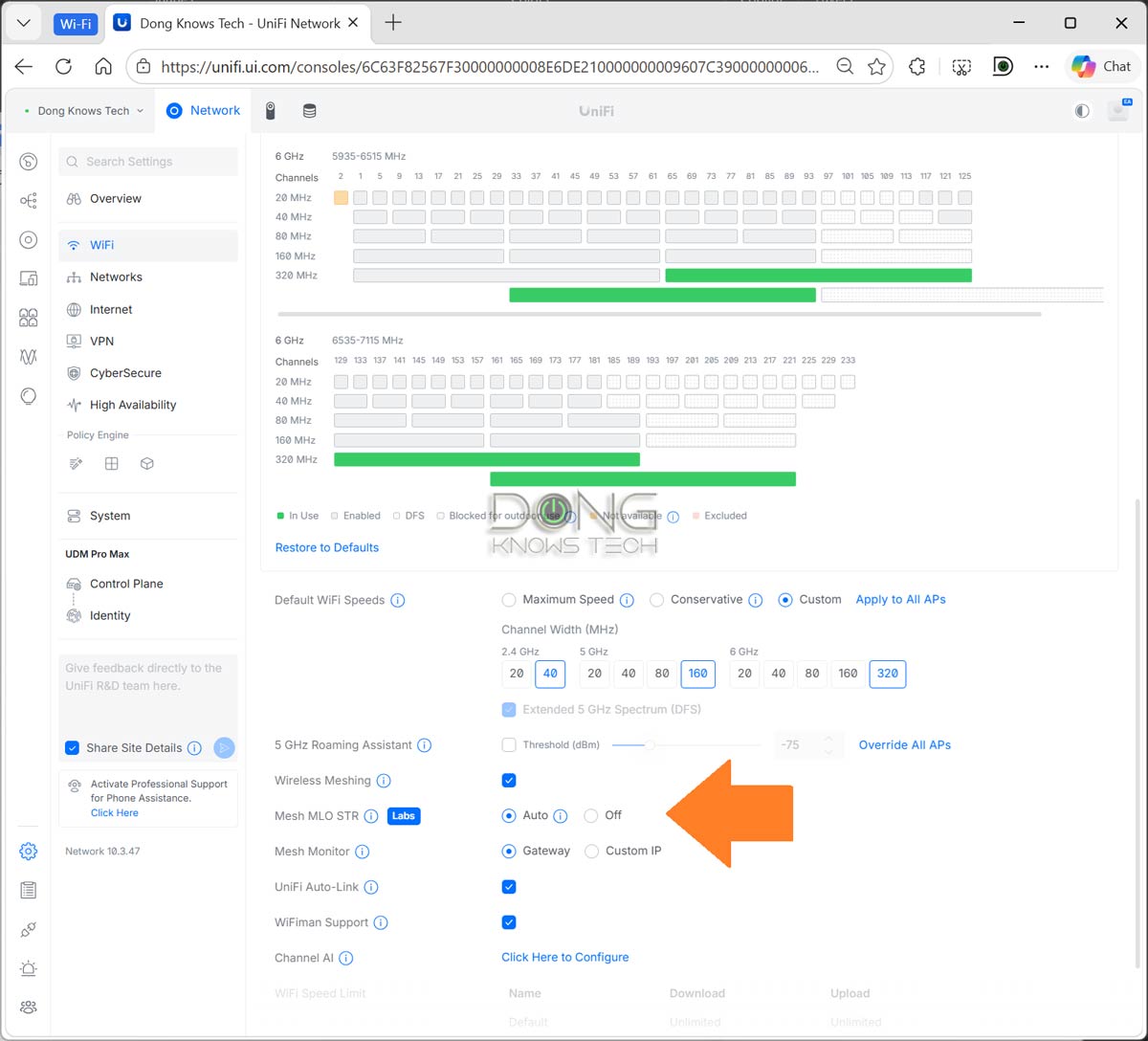
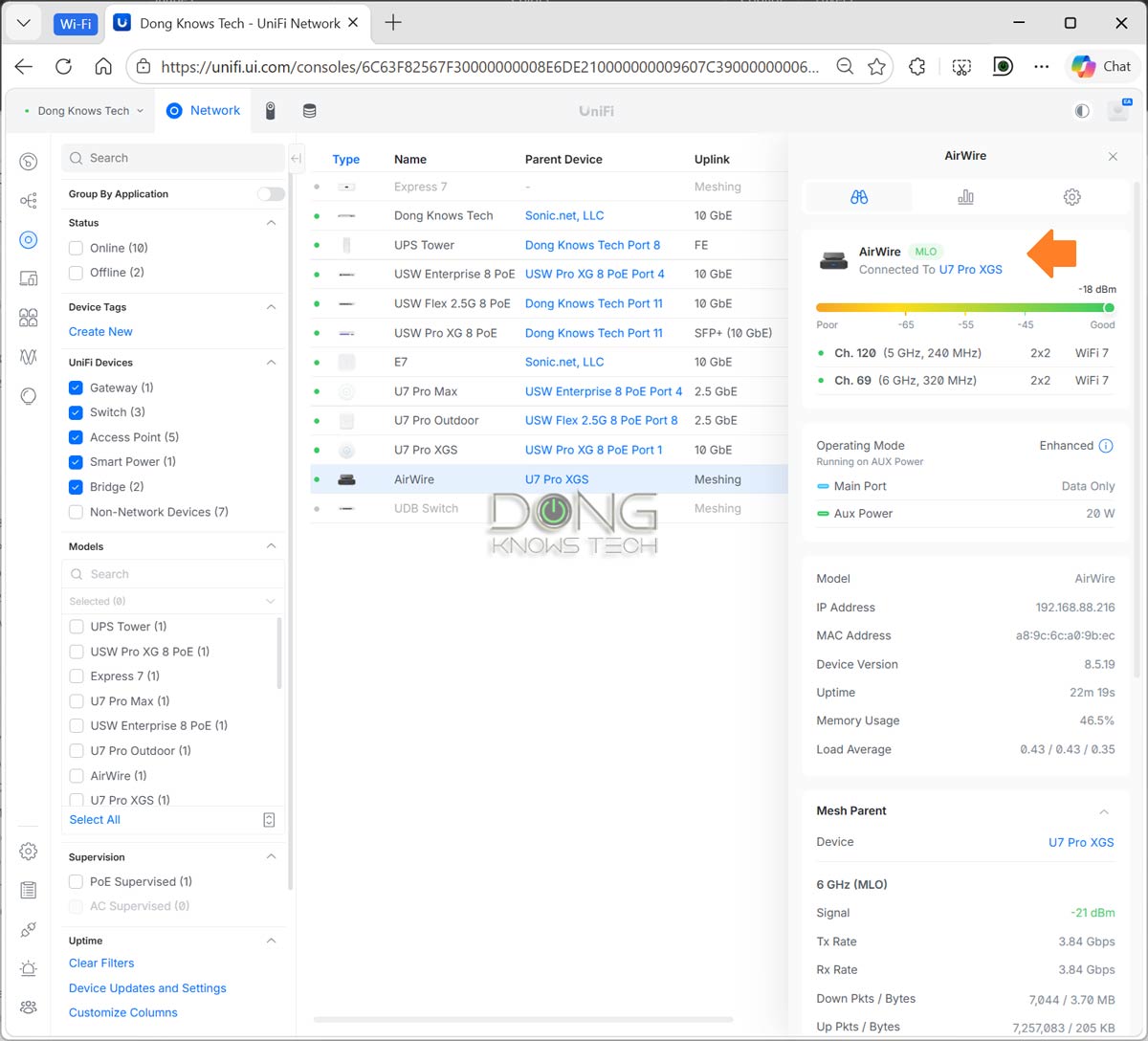
The point here is that the desirable Enhanced mode renders the AirWire impractical. The fact that you have to use a separate power adapter defeats its plug-and-play notion, will clutter your workspace, and means it’s simply not suitable for use with a laptop, even if you don’t mind its bulkiness.
Ubiquiti AirWire: Excellent performance for a USB adapter
If you’re thinking the AirWire will give you close to 5Gbps, or even 4Gbps of sustained real-world speed, you’ll be disappointed.
Two things to keep in mind about the AirWire’s performance:
- As a USB adapter, the AirWire’s performance is limited by the USB connection to the host computer. As a result, it can’t be compared to an internal Wi-Fi 7 adapter, such as the Intel BE200, because USB has significantly more overhead than PCIe.
- The AirWire doesn’t allow manual band/SSID selection or customization. It’ll automatically connect to the 5GHz or 6GHz band, or to an STR MLO link if available, and you have no say in that. In other words, its connection to the UniFi access point is not accessible to users.
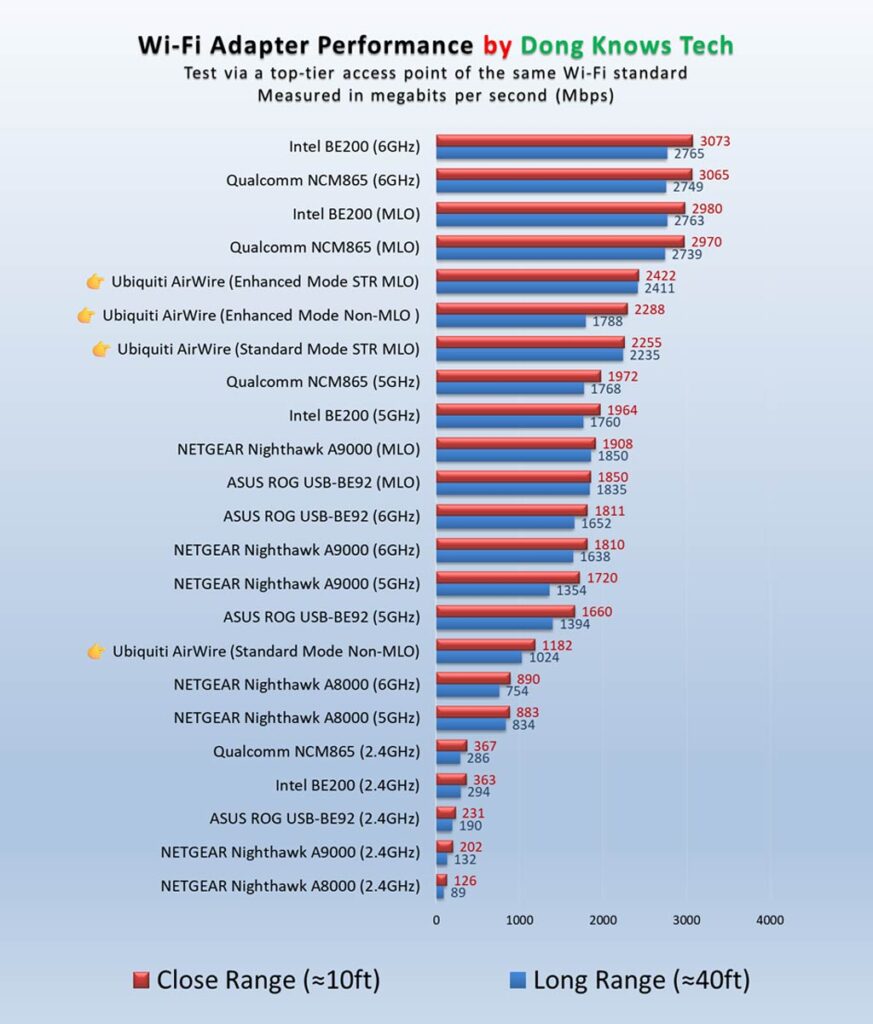
I first tested the AirWire when STR MLO wasn’t available, then with this feature, and the difference in real-world rates between the two wasn’t pronounced at close range. However, STR MLO significantly improved throughput over long distances, as you’ll note in the performance chart.
Still, in both cases, the AirWire’s sustained performance was significantly below the 5Gbps theoretical speed of its USB standard. I’d generally blame the USB 3.2 Gen 1 standard for that.
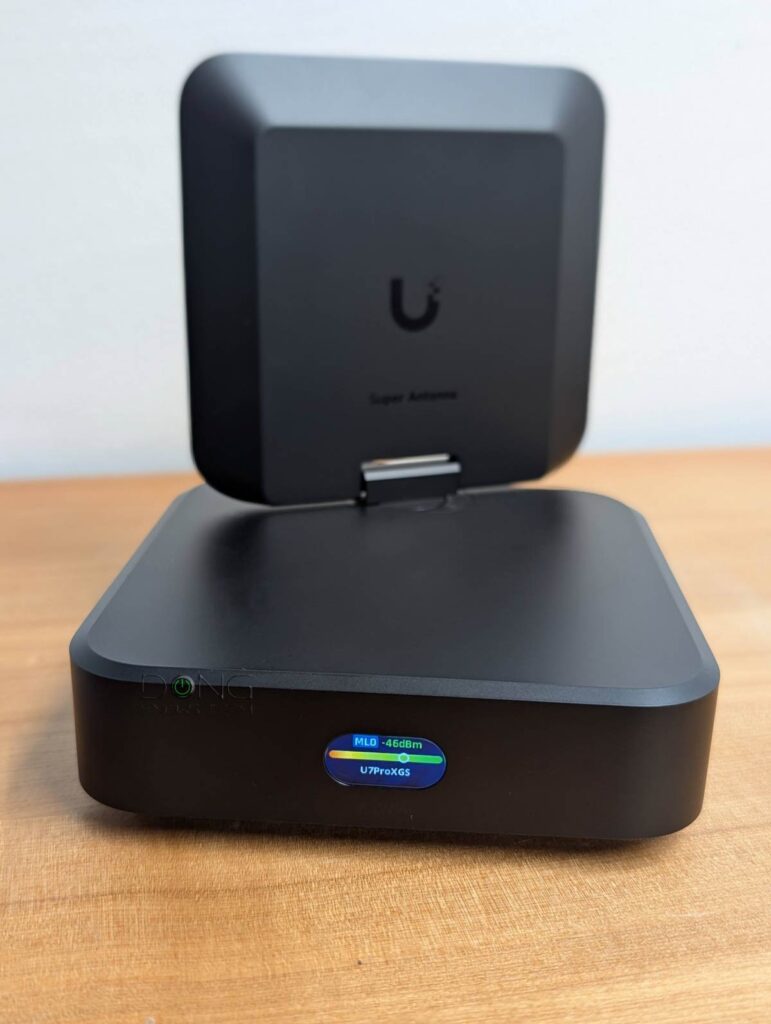
Overall, I tested and used the AirWire for almost two weeks with various UniFi access points, and while it didn’t blow me away in sustained speed, I was happy with its performance and functionality. Thanks to the flexible antenna, the adapter demonstrated excellent uplink range, delivering impressive performance over extended distances.
It’s also worth noting that the adapter can switch from Standard mode to Enhanced mode—by getting power via its AUX port—without restarting, though its USB-based network connection briefly reconnects to switch the negotiated speed from 2.5Gbps to 5Gbps. However, the other way around often requires a restart.
Speaking of a restart, the AirWire can take up to a minute to boot up, which can be a drag. Note that a computer might stop supplying power to its USB port when it goes to sleep, effectively turning the AirWire, in Standard mode, off. In this case, when the computer wakes up, you’ll have to wait a minute or so before getting reconnected.
Other than that, the AirWire was completely silent during my trial—it seems to have no internal fan. Additionally, it remained quite cool. It became warm to the touch but never hot enough to cause concerns
Ubiquiti AirWire (U-AirWire) Wi-Fi 7 USB Adapter's Rating
Pros
Fast Wi-Fi uplink, STR MLO support
Plug-and-play, up to 5Gbps USB connection
Flexible high-range uplink antenna with optional auxiliary USB PD power input, USB-C cable included
Cons
Uplink requires a Wi-Fi 7-enabled UniFi network, no 2.4GHz band
Auxiliary power and an updated driver (not included) are required for top performance
Raw speeds limited to 5Gbps (USB 3.2 Gen 1) with real-world rates significantly lower
Bulky design, expensive, long boot time, power adapter not included
Conclusion
If you think of the Ubiquiti AirWire as a typical Wi-Fi 7 USB adapter, you’ll be disappointed by its requirements and limited compatibility with only the UniFi ecosystem.
As a niche device, though, it can be an excellent adapter designed specifically to take advantage of Ubiquiti’s embrace of Wi-Fi 7’s STR MLO feature. In the end, it boils down to whether you can stomach the $199 price tag.
To put things in perspective, the UX7 costs the same and can work in mesh mode, soon also with STR MLO, to host up to two multi-Gigabit wired clients (via its 2.5GbE and 10GbE ports) as well as Wi-Fi devices, albeit without a high-range antenna.
If you find choosing between the two too daunting, one of the standard Wi-Fi 7 adapters listed below will make life much easier.
Top 5 best Wi-Fi 7 adapters
 |  |  |  |  | |
| Name | Intel BE200 Wi-Fi 7 Adapter's Rating | Qualcomm NCM865 Wi-Fi 7 Adapter's Rating | ASUS ROG USB-BE92 Wi-Fi 7 USB Adapter's Rating | NETGEAR A9000 Wi-Fi 7 USB Adapter's Rating | Ubiquiti AirWire (U-AirWire) Wi-Fi 7 USB Adapter's Rating |
| Price | – | – | – | – | – |
| Rating | |||||
| Description | |||||
| Statistics | |||||
| Buy this product |


Stupid question, but do you have any Windows 10 boxes in your possession yet? I can’t get a straight answer from Ubiquiti whether Windows 10 would be supported, or what specific macOS versions are supported, etc.
Not a stupid question and yes, it is supported, Stiletto, since it only requires the driver for the standard USB Network Adapter. Driver download link for all supported Windows and legacy macOS versions is in the review (macOS 11 and newer has this driver built-in).
Something doesn’t look right in these results. Why does the AirWire look like it is limited to 2.5gbps and not 5gbps. I assumed that WiFi had a large overhead, around half of the theoretical max. The Intel adapter seems to be in line with that. But, for USB and Ethernet I assumed they would be on the order of 10%. I would expect the AirWire to match the intel in the non-str mode and then be limited by the 5gbps USB connection in str. I’m wondering where the discrepancy is coming from. Still a bad driver, AirWire firmware issues, AirWire design issue? It looks like WiFi is having the same problem as USB where new versions add lots of optional features but it is hard to utilize them.
I tried a few computers, including those with Thunderbolt 4, made sure the negotiated speed showed 5Gbps, etc. I’d say the current performance is the combo of different factors….
Such a comprehensive review, as usual. Thanks, Dong! Can’t wait to see how this thing performs with STR MLO.
Comprehensive? this review was a complete waste of time, the whole reason this device exists is to run MLO STR, and he didn’t even test it! I want my time back from reading this.
Read the review, David. STR MLO is NOT yet available the US and I said I’d add it when it is. Speaking of wasting time, I can’t work on something for 10 days without producing any content and there’s value (or issue) to this adapter with or without STR MLO, today. You only have 5Gbps via the USB connection (much lower after overhead) so there’s only so much you can expect from STR MLO.
I did read the review, and it looks available to me: https://community.ui.com/releases/UniFi-Access-Point-all-U7-and-E7-models-8-5-21/ba1bacba-86ec-424e-96b5-90701c9eaf95
Again, the only reason this product exists at this price point is for this capability. Otherwise, as you reviewed, there are plenty of other client adapters at cheaper price points that are plenty capable. So posting a review without that capability tested is a massive disservice to Ubiquiti and your readers.
David, STR MLO was NOT available by the time I published the review (it’s still NOT right now where I am) and Ubiquiti told me that it would be “by May”, which is why I couldn’t wait. Just because it “looks” avaible to you doens’t mean that it “is” indeed avaible. You’ll note in the review that I use all mentioned access points. In any case, stay tuned for the update.
@David, you’re just an ungrateful spoiled brat.
👍