
The Omada Fusion Pro 2.5G PoE Gateway with SSD Tray is part of the Fusion Pro Series TP-Link announced today, which includes two new non-Wi-Fi routers: the Omada Fusion Pro 2.5G Gateway with SSD Tray and the Omada Fusion Pro 2.5G PoE Gateway with SSD Tray. Both are excellent members of TP-Link’s Omada ecosystem and major upgrades to the previous Fusion Series, represented by the Fusion 2.5G, that came out in July 2026.
Of the two, I picked the latter for this review as a representative. Again, if you ignore the PoE notion, it’s virtually the same as the Fusion Pro 2.5G Gateway, as you’ll find out more below.
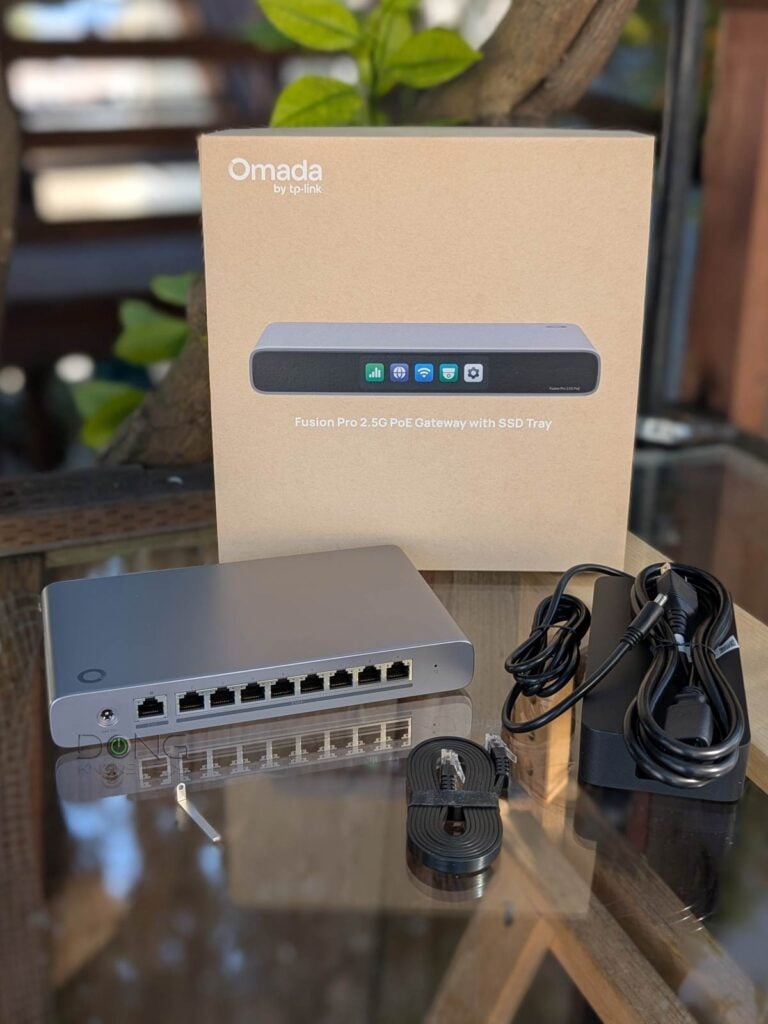
Here’s the bottom line: While the lack of 10Gbps support is disappointing, the Omada Fusion Pro 2.5G PoE Gateway with SSD Tray is an exciting combo of a 2.5Ggbps router, an Omada controller, an 8-port 2.5Gbps PoE+ switch, and a network video recorder (NVR), worthy of its $449.99 retail price. If you’re a fan of the Omada ecosystem or already have one or a few Omada access points, get one today!
Alternatively, if you don’t care for PoE-related applications, the more compact non-PoE version, Omada Fusion Pro 2.5G Gateway, is also a viable option at $299.99. On the other hand, for those starting a new network and want 10Gbps performance, the UCG-Fiber is a much better choice at a lower price point.
TP-Link Omada Fusion Pro 2.5G PoE Gateway's Rating
Pros
A robust combo of a 2.5Gbps router, an Omada controller, an 8-port 2.5Gbps PoE+ switch, and an NVMe-based ONVIF-enabled NVR with reliable and fast real-world performance
A complete set of enterprise-grade networking features, including powerful security/web-filtering, advanced VPN options, excellent web user interface, and useful mobile apps
Compact and practical design, no subscription or required vendor-connected login account
Low power consumption; helpful programmable touchscreen
Cons
No 10Gbps BASE-T or SFP+ port; underwhelming PoE+ power output per port
Remote management generally requires a TP-Link account
Mounting accessories not included; comparatively expensive


TP-Link Omada Fusion Pro 2.5G PoE Gateway with SSD Tray: A container device with built-in PoE+
The name leaves nothing to imagination: the Omada Fusion Pro 2.5G PoE Gateway with SSD Tray is a non-Wi-Fi router designed for TP-Link’s Omada ecosystem with a built-in PoE switch, an Omada controller, and an internal tray to host an NVMe SSD for an integrated network video recorder (NVR).
This NVR feature and its storage approach are almost identical to what I found in the UCG-Max and UCG-Fiber. Specifically:
- This removable SSD tray is locked to the gateways’ body and requires a pin (included) to unlock.
- It can hold an NVMe SSD of any length, ranging from 2230 to 22110.
- While the max storage is specified as 2TB, in my testing, the Fusion Pro 2.5G PoE Gateway, like the case of Ubiquiti’s gateway, could recognize larger-capacity SSDs. I tried a few 4TB drives, and they all worked.
Tip: The Omada Fusion Pro gateways are not available with storage. Instead, they both include the SSD tray. For comparison, if you buy a non-storage version of the UniFi gateways, you’ll have to buy the tray separately, which costs around $19.


A true container device
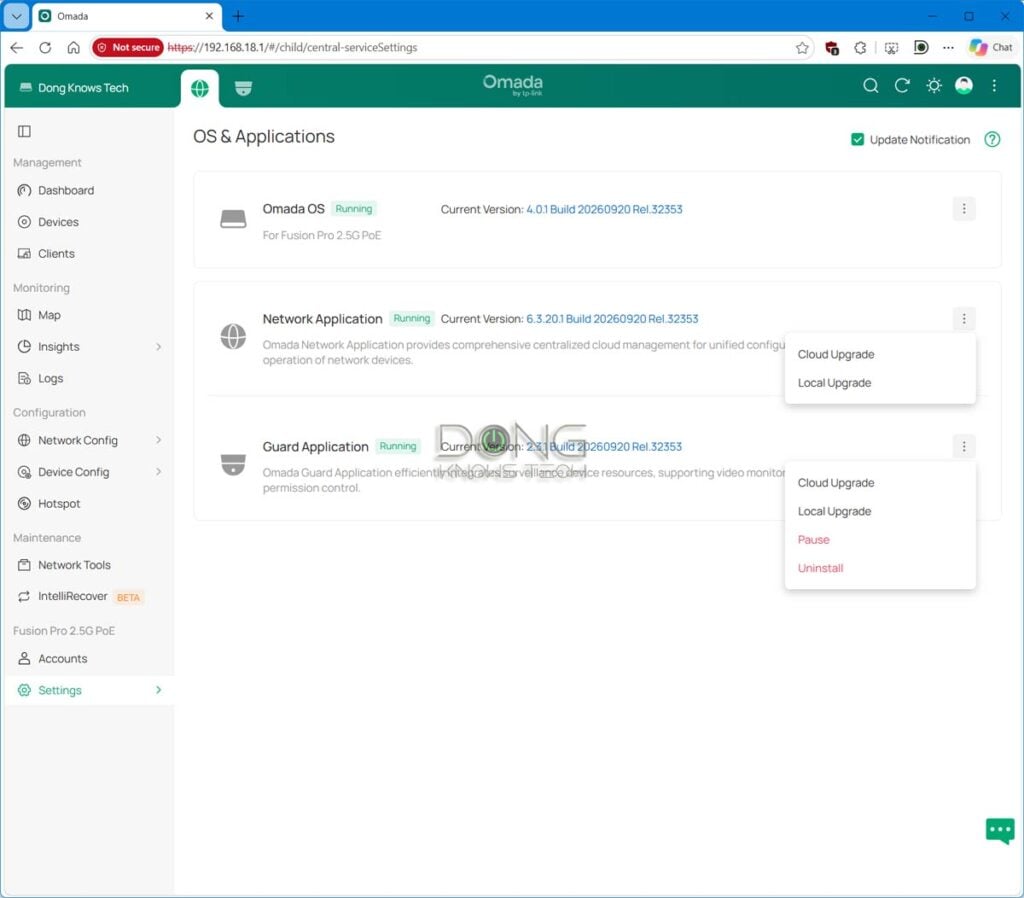
As mentioned, like the case of Ubiquiti’s gateways, the Fusion Pro 2.5G PoE (as well as its non-PoE version) is a console powered by Omada OS and can run two applications simultaneously.
The first one is the default Network app, which effectively turns it into a router as well as an Omada controller. This app is part of the hardware’s default function, can’t be removed, and doesn’t need extra storage to work.
The second app, Guard, turns the gateway into a network video recorder (NVR). This is an optional app that can be installed or removed and, when enabled, uses the hardware’s NVMe storage. TP-Link says the Fusion Pro 2.5G PoE can handle up to 24 cameras from its VIGI family or ONVIF-enabled third-party cams.
Tip: TP-Link’s Guard is similar to Ubiquiti’s UniFi Protect. It’s worth noting that Ubiquiti’s UniFi is a more robust ecosystem with even more apps.
In this review, I only tested the network function of the Fusion Pro 2.5G PoE. The Guard app is the topic of another review. In any case, this container device concept is what separates TP-Link’s new Fusion Pro Series from its previous non-Pro series, which only has the Network app. The table below compares the hardware specs and real-world power consumption of the devices mentioned above.


Hardware specifications and real-world power consumption
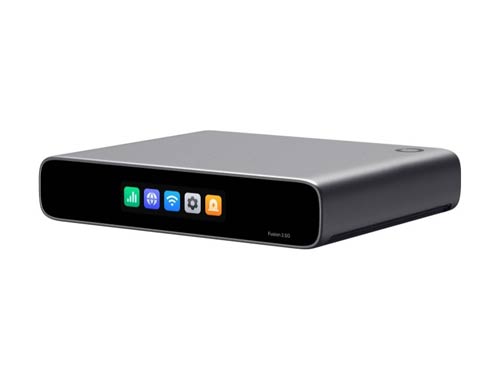 | 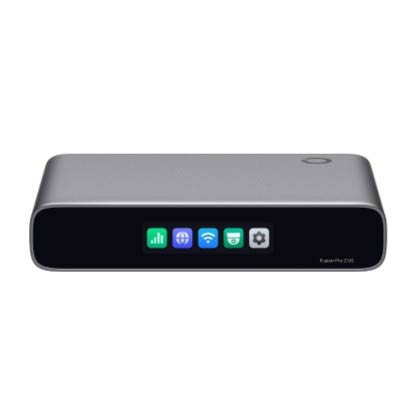 |  |  | |
|---|---|---|---|---|
| Full Name | TP-Link Omada Fusion 2.5G Gateway | TP-Link Omada Fusion Pro 2.5G Gateway with SSD Tray | TP-Link Omada Fusion Pro 2.5G PoE Gateway with SSD Tray | Ubiquiti Cloud Gateway Fiber |
| Model | Fusion 2.5G | Fusion Pro 2.5G | Fusion Pro 2.5G PoE | UCG-Fiber |
| Built-in Wi-Fi Bandwidth | None | |||
| Processing Power | Undisclosed Quad-Core CPU, 2 GB RAM | Undisclosed Quad-Core CPU, 4 GB RAM | Quad-core ARM Cortex A73 at 2.2 GHz, 3 GB RAM | |
| IDS/IPS Throughput (routing bandwidth with security turned on) | 2.1 Gbps | 2,364 Mbps | 5,000 Mbps | |
| Max WireGuard VPN Throughput (vendor claim) | 605 Mbps | 1,332 Mbps | 1,200 Mbps | |
| Storage | None | 1x NVMe storage slot | ||
| Max Storage (as tested) | N/A | > 2TB | ||
| Dimensions | 6.3 × 5.12 × 1.24 in (160 × 130 × 31.5 mm) | 8.9 × 5.3 × 1.24 in (226 × 135 × 31.5 mm) | 8.3 x 5 x 0.5 in (212.8 x 127.6 x 30 mm) | |
| Weight | 1.12 lb (510 g) | 1.37 lb (620 g) (without SSD) | 1.83 lb (828 g) (without SSD) | 1.5 lb (675 g) (without SSD) |
| Mount Options | Surface, wall, or rack (Mounting accessories not included) | |||
| Gigabit Port | None | |||
| PoE Port | None | 8x 802.3at (PoE+) | 1x 802.3at (PoE+) | |
| PoE Power Budget | None | 180W | 30W | |
| Max PoE Power Per Port (as tested) | N/A | 25.5W | 30W | |
| Multi-Gig Port | 1x 2.5GBASE-T WAN/LAN 4x 2.5GBASE-T LAN/WAN | 1x 2.5GBASE-T WAN/LAN 8x 2.5GBASE-T LAN/WAN | 1x 10GBASE-T WAN/LAN 1x SFP+ WAN/LAN 1x SFP+ LAN/WAN 4x 2.5GBASE-T LAN/WAN | |
| Max WAN Ports (multi-WAN) | 4 | 6 | ||
| Power Method | USB-C with USB PD (power adapter included) | DC Jack 54V, 4.16A. 225W (power adapter included) | DC Jack 54V, 1.1A (power adapter included) | |
| Supported Power-in Voltage | 100-240V AC | |||
| Power Consumption (per 24 hours) | ≈ 90 Wh (measured with one wired client) | not tested | ≈ 260 (measured with one wired client and an SSD) | ≈ 390 Wh (measured with one wired client and an SSD) |
| Internal Fan | No | Yes | ||
| Notable Design | Compact design with 2.51-inch color touchscreen | Compact design with 3.69-inch color touchscreen | Compact design with 0.96″ LCM status display | |
| Application Suite | Network (router and Omada Hardware Controller) | Network (router and Omada Hardware Controller), Guard (surveillance NVR) | Part of the UniFi ecosystem that includes: Network (router), Protect (surveillance NVR), Talk (IP phone system), Access, Connect | |
| Max Device Support (switches, access points, cameras, etc.) | 30+ | |||
| Max Camera Support | N/A | 24 | HD (15) 2K (8) 4K (5) | |
| Max Concurrent User Support (end devices) | 300+ | |||
| Software Version (at review) | 1.0.20 Build 20260425 Rel.32539 | not tested | Omada OS: 4.0.1 Build 20260920 Rel.32353 Network app: 6.3.20.1 Build 20260920 Rel.32353 | UniFi OS: 4.0.6 Network app: 8.4.59 |
| Management | Local and cloud web-based user interface | |||
| Vendor-Connected Login Account | Optional | |||
| Mobile App | Omada | UniFi | ||
| Release Date | July 20, 2026 | November 11, 2026 | July 16, 2024 | |
| US Launch Cost (check current street pricing) | $169.99 | $299.99 (no storage) | $499.99 (no storage) | $199 (no storage) $279 (512GB) $349 (1TB) $479 (2TB) |
A standard non-Wi-Fi router in a compact, practical design
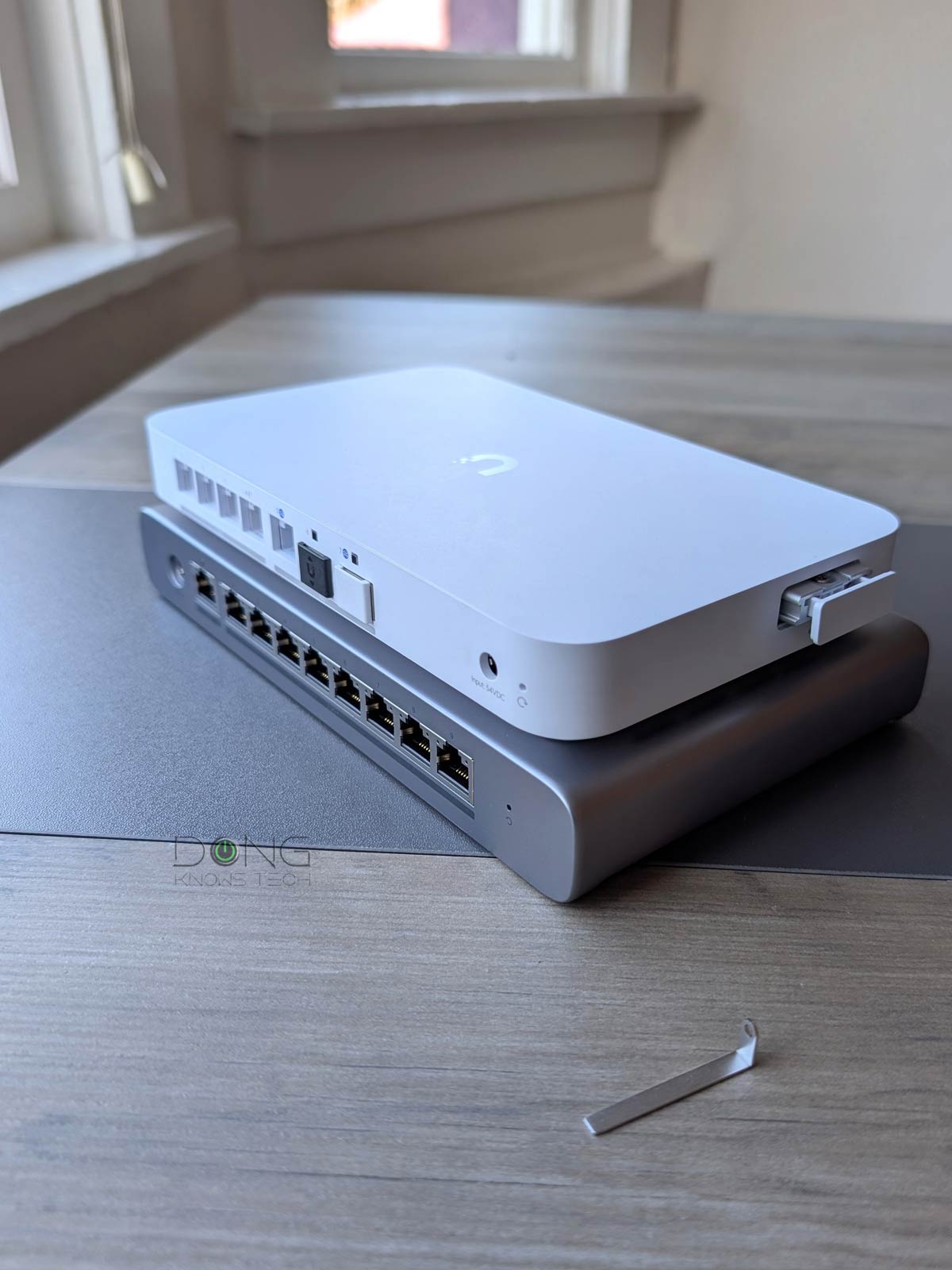
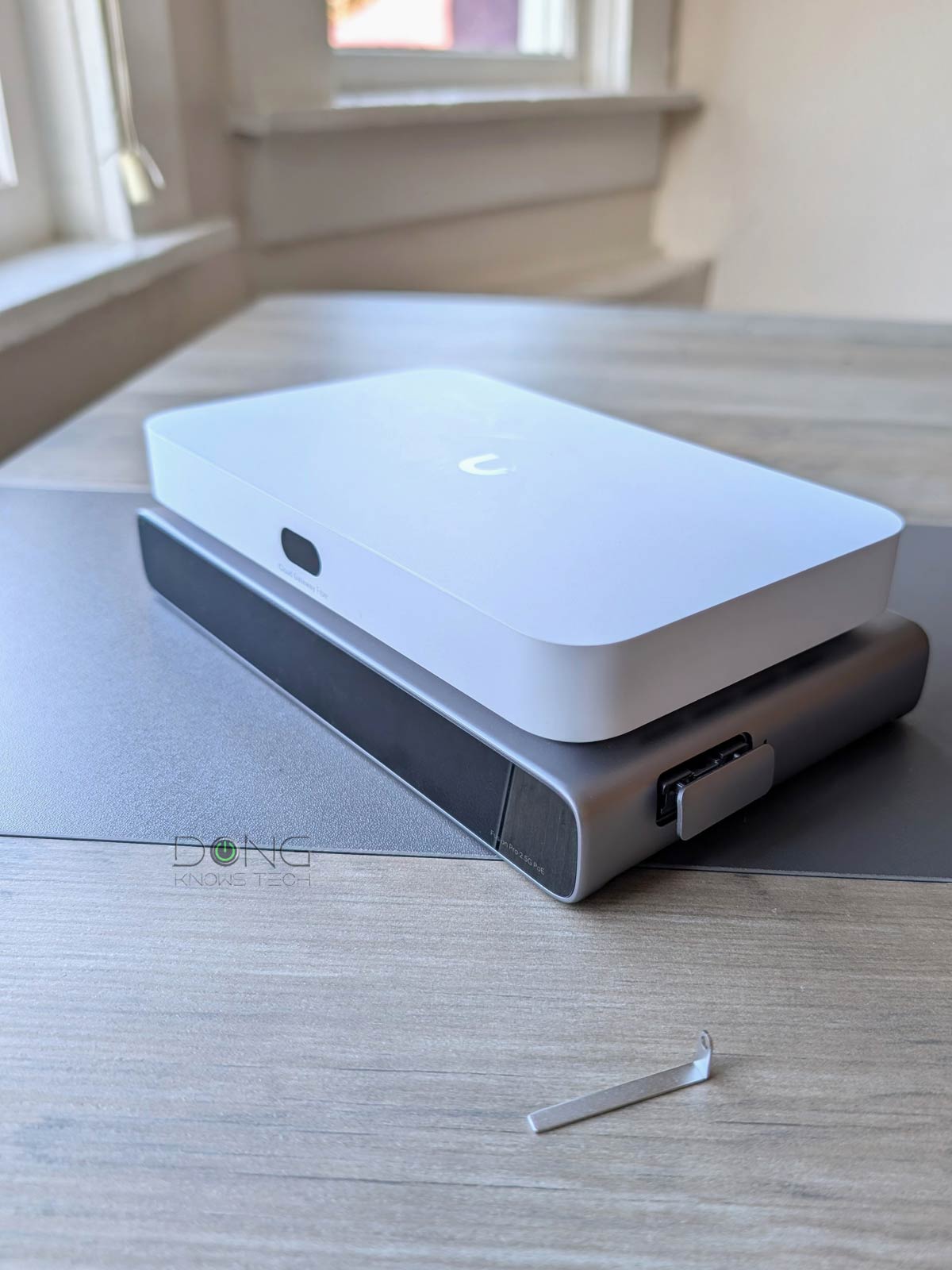
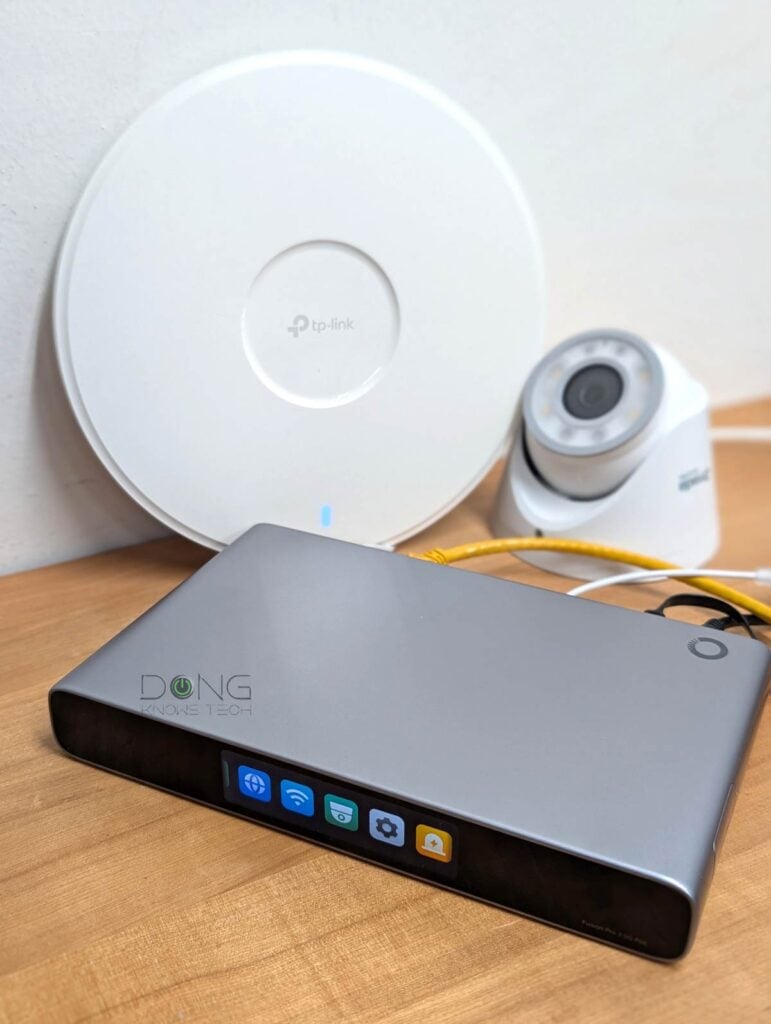
While significantly larger than the non-PoE version of any Omada Fusion gateway and a tad bigger than the UCG-Fiber, the Omada Fusion Pro 2.5G PoE is still really compact. In fact, it’s just about the size of a 9-port switch with all of its ports located on the back.
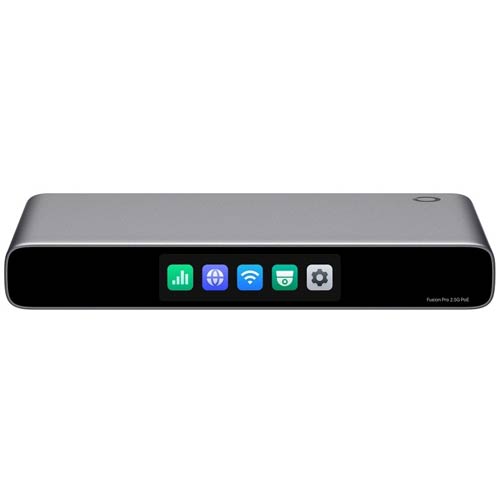
The gateway is made to stay put on a surface, but with accessories (not included), it can also be mounted on a wall or a network rack. On the front, it has a touchscreen that, as with previous hardware, is designed for easy hardware monitoring.
Specifically, this screen—which can be turned off, programmed to be on during a set time, or set to automatically time out after a few minutes (default) via the web-based interface or mobile app—lights up via a touch or when there’s a notification. It comes with five large buttons, each tied to a category: Throughput, Internet, Wi-Fi password, Guard (NVR), and Settings. Tap on one, and you can swipe between pages to view their various information and status. The only functions you can use the screen to apply are adjusting its brightness and rebooting the hardware.
Like any non-Wi-Fi routers, you connect the Fusion Pro 2.5G PoE’s WAN port to an Internet source (such as a cable modem or fiber-optic ONT, and the rest of its WAN ports are ready to host wired devices. And that’s it! Now you have a 2.5Gbps wired network.
After that, the Fusion Pro 2.5G PoE Gateway’s Network app incorporates an Omada hardware controller that lets you manage multiple Omada devices, including switches and Wi-Fi access points. Add a few of those, and you can extend the network for both wired and Wi-Fi clients.
Considering the eight PoE+ ports, the new gateway is ready to host a robust Wi-Fi system right out of the box. But this network expansion is also where it falls short, compared to the UCG-Fiber.
Omada Fusion Pro 2.5G PoE Gateway: Still no10Gbps, low-end PoE+ power output
My biggest complaint about the previous Fusion Series is that its hardware didn’t have any 10Gbps port. And that pain persists with this Fusion Pro Series. Specifically, the Omada Fusion Pro 2.5G PoE has no 10Gbps port—for comparison, the UCG-Fiber has two SFP+ and one 10GBASE-T port.
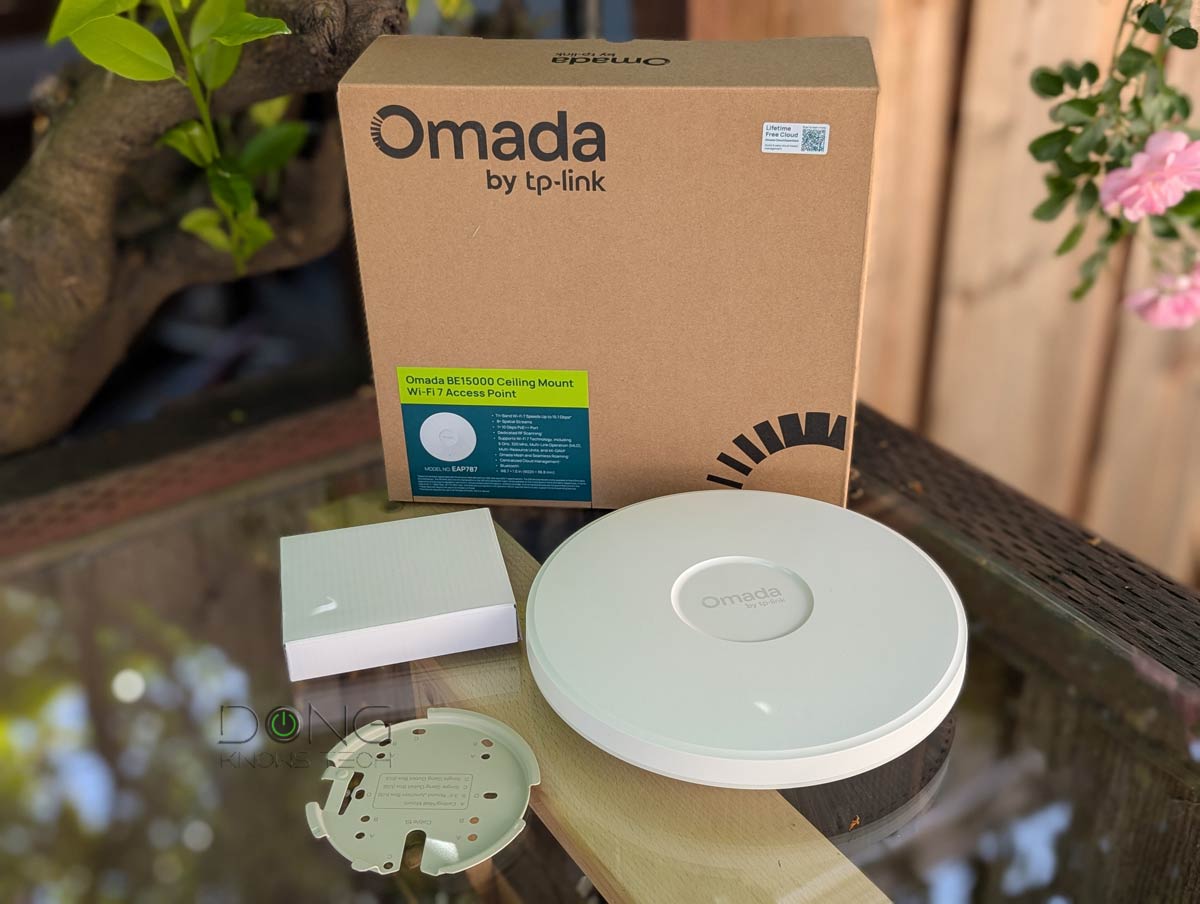
This lack of top-grade ports means that when you want to add a switch or a top-tier Wi-Fi access point, a 10Gbps uplink is not an option. That proved to be awkward in my trial. The TP-Link SG2210XMP-M2, for example, has an SFP+ uplink as an option. And the Omada EAP787 access point requires a 10Gbps uplink to deliver its best performance.
Speaking of the EAP787 access point, there was something else of note as I ran into something interesting: generally, PoE+ means the max output (of each port) is 30W. However, the Fusion Pro 2.5G PoE Gateway reported that it didn’t provide enough juice for the EAP787, which draws 29W of power. As it turned out, the gateway’s PoE+ port only delivers 25.5W maximum at the receiving end, and there’s no option to adjust PoE power output.
That’s to say, the gateway doesn’t provide the full 30W of PoE+ at the end device (to compare, the UCG-Fiber could handle the EAP787 without any issue). While this is a bit disappointing, it’s not a huge deal since many PoE devices, including mid-tier 2.5Gbps-uplink Wi-Fi PoE+ access points, require less than 30W.


Other than that, the Fusion Pro 2.5G PoE Gateway proved to be a robust business-class router that offers virtually everything you’d need for a robust network. It can handle up to four WAN connections for load balancing with auto failover, with enough power to deliver high bandwidth even when having IDS/IPS features turned on. Additionally, it has all advanced VPN options, including multi-site VPNs.
The router also has built-in web-based user management via the default IP address, which is 192.168.188.1, allowing users to set up and manage it as any standard router. In my trial, it was also fast in recognizing Omada hardware (switches, access points, or cameras) and could adopt them via a single mouse click.
Like the case of all TP-Link routers, in addition to the local web-based GUI, there’s also the Omada app for those who want to use a mobile device for setup and ongoing management. You’re not required to use a TP-Link account, but the interface often suggests that. If you opt to log in with a TP-Link account, you’ll gain some convenience, including remote management and the ability to manage multiple sites from the same place.
TP-Link and your privacy
Signing in with a vendor-linked online account generally means your hardware connects to the vendor at all times, which translates into inherent privacy risks.
On this matter, the China-origin company, among other things, insists that it’s a “global multinational group” and offers this assurance:
“TP-Link takes privacy seriously and complies with U.S. policies to protect consumers.”
TP-Link’s Privacy Policy page.
Managing your home network via a third party is generally a double-edged sword, and privacy is a matter of degree and trust. Data collection and handling vary from vendor to vendor and region by region.
The long and short is that the Fusion Pro 2.5G PoE Gateway (likely as well as the non-PoE version) offers everything you can expect from a business router, and its built-in Omada controller gives users the Wi-Fi flavor of a robust system, as I detailed in this post. After that, the support for the Guard surveillance app is a pure bonus.
TP-Link Omada Fusion 2.5G Gateway: Reliable and fast 2.5Gbps performance.
During my week-long trial, the Fusion Pro 2.5G PoE Gateway proved to be reliable and fast. The PoE power issue aside, it could handle multiple Omada devices (access points, switches, and cameras) without any issues, and everything worked as intended, at least as far as networking is concerned.
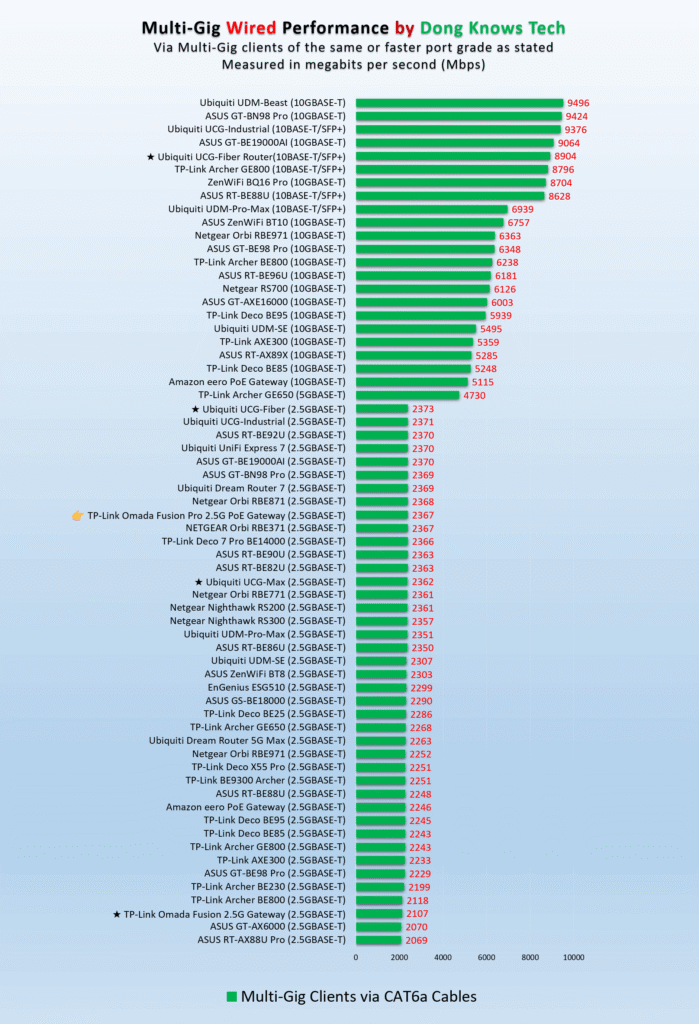
In terms of real-world performance, the Fusion Pro 2.5G PoE Gateway proved to be as fast as a 2.5Gbps router can be. To be specific, it wasn’t the fastest, but it was among the top performers of the 2.5Gbps port grade with reasonable overhead.
Despite having an internal fan, the Fusion Pro 2.5G PoE Gateway was silent during my trial and felt barely warm to the touch, even during heavy operation when it was hosting multiple PoE devices. On this heat front, it proved to be much better than any Unifi routers I’ve tested.


As mentioned, the Omada Fusion Pro 2.5G PoE Gateway with SSD Tray is a non-Wi-Fi router. You’ll need one or a few Wi-Fi access points to complete the network. While this gateway can host any standard access point, you get the best experience with Omada hardware, such as those on the top-five list below.
Top 5 best Omada Wi-Fi access points
 |  |  |  | 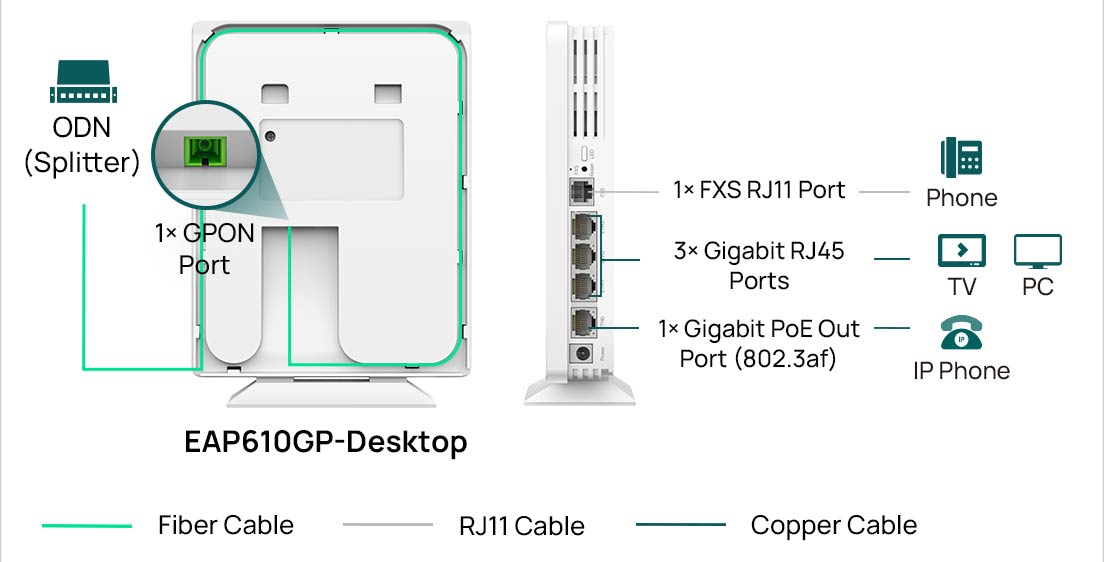 | |
| Name | TP-Link Omada EAP787's Rating | TP-Link Omada EAP783's Rating | TP-Link Omada EAP773's Rating | TP-Link Omada EAP670/EAP610's Rating | TP-Link Omada EAP610GP-Desktop's PRELIMINARY Assessment |
| Price | – | – | – | – | – |
| Rating | |||||
| Description | |||||
| Statistics | |||||
| Buy this product |
Conclusion
While not a novelty in the home networking realm—you have to give that to Ubiquiti’s UniFi Cloud Gateways, which came out years ago—TP-Link’s Omada Fusion Pro 2.5G PoE Gateway with SSD Tray has enough to make it totally “new” within the Omada ecosystem. For the first time, users have a robust 4-in-1 approach with a robust router, an Omada controller, an 8-port PoE+ switch, and a cool NVR in a single device.
For that, this gateway in particular and TP-Link’s Fusion Pro Series as a whole are definitely worth considering. Get one today if 2.5Gbps is the type of bandwidth you’re happy with.



Comments are subject to approval, redaction, or removal. You're in the no-nonsense zone and that applies BOTH ways.
It's generally faster to get answers via site/page search. Your question/comment is one of many Dong Knows Tech receives daily.
Thank you!
(•) If you have subscription-related issues or represent a company/product mentioned here, please use the contact page or a PR channel.