
Following the previous Fusion series, namely advanced routers with built-in Omada controllers, TP-Link today, in my opinion, made clear its intention to rival Ubiquiti’s multi-purpose UniFi hardware approach by officially unveiling the Fusion Pro series that comprises much more capable hardware.
And that can be quite exciting for fans of the popular networking vendor’s Omada ecosystem.
Let’s dig in!
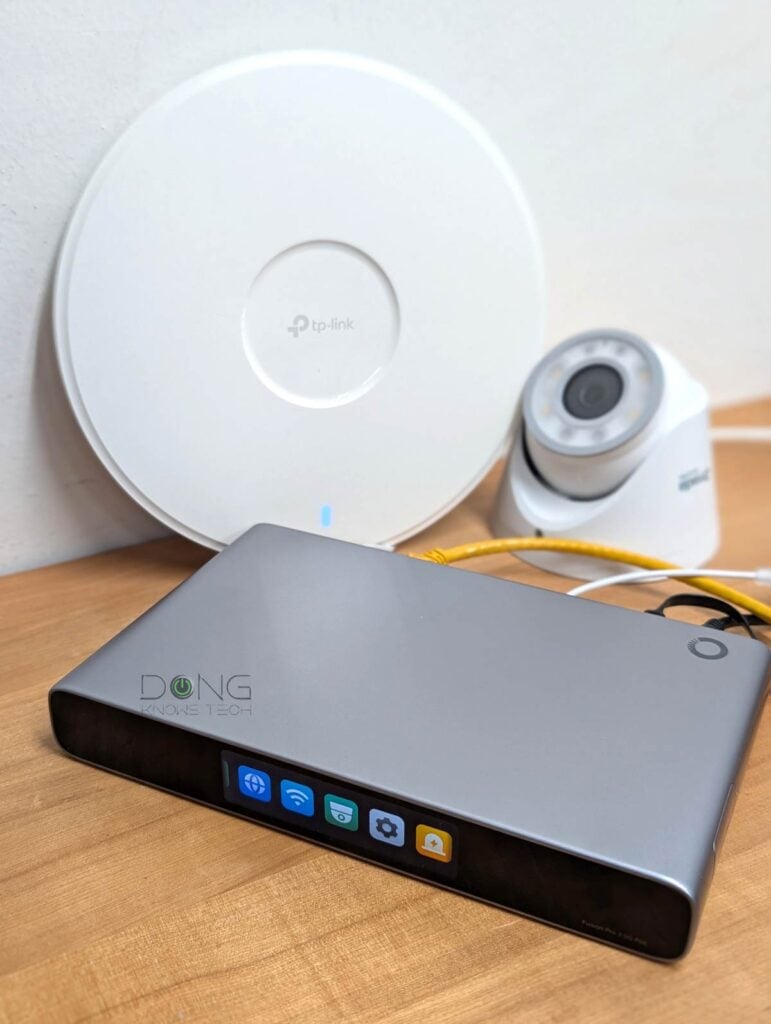
TP-Link Fusion Pro Series: Two robust 2.5Gbps container-device gateways
The new Omada Fusion Pro series includes two new gateways:
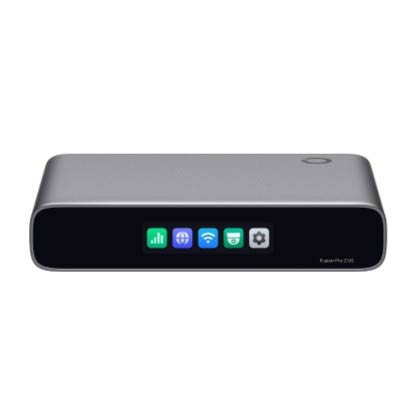
- The Omada Fusion Pro 2.5G with SSD Tray (model Fusion Pro 2.5G)
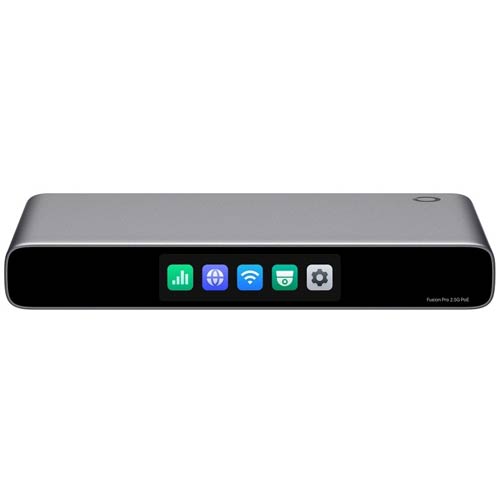
- The Omada Fusion Pro 2.5G PoE with SSD Tray (model Fusion Pro 2.5G PoE)
These new gateways share the same physical size and number of network ports as those of the previous Furon series. However, as the name suggests, they now come with an SSD Tray to host an NVMe SSD.
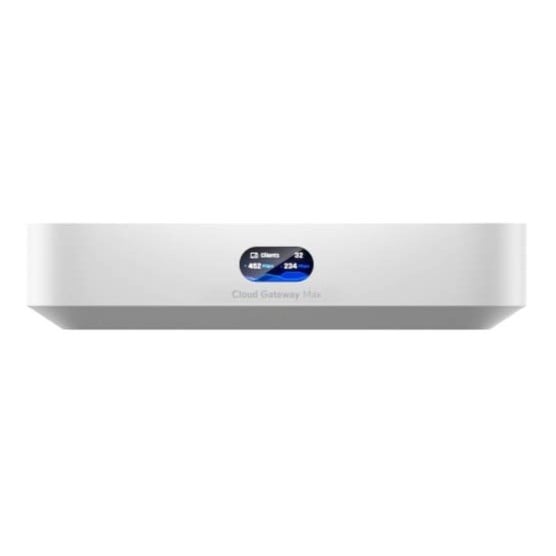
If the idea seems familiar, that’s because the same storage approach was first used a few years ago by Ubiquiti’s UniFi Cloud Gateway Max (UCG-Max) and UniFi Cloud Gateway Fiber (UCG-Fiber).
Here’s an interesting fact: In my real-world experience with the Fusion Pro 2.5G PoE, the SSD tray of the Omada gateways shares almost the same shape and design as those of Ubiquiti’s counterparts. If not for the contour of the hardware’s body, you can use them interchangeably.


And, you guessed it, just like in the UniFi case, the new Omada Fusion Pro gateways use NVMe storage for their (new) separate role: they can now work as a network video recorder (NVR) while hosting a computer network. In other words, they are no longer “routers” that handle all things networking, but also hardware built for additional roles simultaneously.
According to TP-Link and confirmed by my experience, each Omada Fusion Pro gateway is a container device powered by Omada OS and can run two separate apps, including:
- Network: This is the default app that turns the hardware into an advanced router as well as an Omada controller that handles multiple Omada access points to deliver a robust Wi-Fi system.
- Guard: This is an optional app that handles Omada cameras, as well as TP-Link’s existing VIGI cameras and ONVIF third-party cameras for a robust surveillance system.
To put things in perspective, the Omada gateways of the previous Fusion series are single-app devices: they only run the Network app.
Other than that, the PoE option is the only thing that separates the two new Fusion Pro gateways—one comes with eight 2.5Gbps PoE+ LAN ports, while the other comes with only four 2.5Gbps LAN ports. The table below shows the hardware specs of the two gateways sandwiched between two UniFi gateways they purportedly directly rival.
Omada Fusion Pro gateways: Hardware specifications
 |  |  |  | |
|---|---|---|---|---|
| Full Name | Ubiquiti Cloud Gateway Max | TP-Link Omada Fusion Pro 2.5G Gateway with SSD Tray | TP-Link Omada Fusion Pro 2.5G PoE Gateway with SSD Tray | Ubiquiti Cloud Gateway Fiber |
| Model | UCG-Max | Fusion Pro 2.5G | Fusion Pro 2.5G PoE | UCG-Fiber |
| Built-in Wi-Fi Bandwidth | None | |||
| Processing Power | Quad-core ARM Cortex-A53 at 1.5 GHz, 3GB RAM | Undisclosed Quad-Core CPU, 4 GB RAM | Quad-core ARM Cortex-A73 at 2.2 GHz, 3 GB RAM | |
| IDS/IPS Throughput (routing bandwidth with security turned on) | 2,300 Mbps | 2,364 Mbps | 5,000 Mbps | |
| Max WireGuard VPN Throughput (vendor claim) | 500 Mbps | 1,332 Mbps | 1,200 Mbps | |
| Storage | 1x NVMe storage slot | |||
| Max Storage (as tested) | > 2TB | |||
| Dimensions | 5.6 x 5 x 1.2 in (141.8 x 127.6 x 30 mm) | 6.3 × 5.12 × 1.24 in (160 × 130 × 31.5 mm) | 8.9 × 5.3 × 1.24 in (226 × 135 × 31.5 mm) | 8.3 x 5 x 0.5 in (212.8 x 127.6 x 30 mm) |
| Weight (without SSD) | 1.1 lb (519 g) | 1.37 lb (620 g) | 1.83 lb (828 g) | 1.5 lb (675 g) |
| Mount Options | Surface, wall, or rack (Mounting accessories not included) | |||
| Gigabit Port | None | |||
| PoE Port | None | 8x 802.3at (PoE+) | 1x 802.3at (PoE+) | |
| PoE Power Budget | None | 180W | 30W | |
| Max PoE Power Per Port (as tested) | N/A | 25.5W | 30W | |
| Multi-Gig Port | 1x 2.5GBASE-T WAN/LAN 4x 2.5GBASE-T LAN/WAN | 1x 2.5GBASE-T WAN/LAN 8x 2.5GBASE-T LAN/WAN | 1x 10GBASE-T WAN/LAN 1x SFP+ WAN/LAN 1x SFP+ LAN/WAN 4x 2.5GBASE-T LAN/WAN | |
| Max WAN Ports (multi-WAN) | 6 | 4 | 6 | |
| Power Method | USB-C with USB PD (power adapter included) | DC Jack 54V, 4.16A. 225W (power adapter included) | DC Jack 54V, 1.1A (power adapter included) | |
| Supported Power-in Voltage | 100-240V AC | |||
| Power Consumption (per 24 hours) | ≈ 300 Wh (measured with one wired client and an SSD) | not tested | ≈ 260 (measured with one wired client and an SSD) | ≈ 390 Wh (measured with one wired client and an SSD) |
| Internal Fan | No | Yes | ||
| Notable Design | Compact design with 0.96″ LCM status display | Compact design with 2.51-inch color touchscreen | Compact design with 3.69-inch color touchscreen | Compact design with 0.96″ LCM status display |
| Application Suite | Part of the UniFi ecosystem that includes: Network (router), Protect (surveillance NVR), Talk (IP phone system), Access, Connect | Network (router and Omada Hardware Controller), Guard (surveillance NVR) | Part of the UniFi ecosystem that includes: Network (router), Protect (surveillance NVR), Talk (IP phone system), Access, Connect | |
| Max Device Support (switches, access points, cameras, etc.) | 30+ | |||
| Max Camera Support | HD cams (15), 2K cams (8), 4K cams (5) | 24 | HD (15) 2K (8) 4K (5) | |
| Max Concurrent User Support (end devices) | 300+ | |||
| Software Version (at review) | UniFi OS: 4.0.6 Network: 8.4.59 | not tested | Omada OS: 4.0.1 Build 20260920 Rel.32353 Network app: 6.3.20.1 Build 20260920 Rel.32353 | UniFi OS: 4.0.6 Network app: 8.4.59 |
| Management | Local and cloud web-based user interface | |||
| Vendor-Connected Login Account | Optional | |||
| Mobile App | UniFi | Omada | UniFi | |
| Release Date | July 16, 2024 | November 11, 2026 | July 16, 2024 | |
| US Launch Cost (check current street pricing) | $169.99 | $299.99 (no storage) | $449.99 (no storage) | $199 (no storage) $279 (512GB) $349 (1TB) $479 (2TB) |
Omada Fusion Pro: Networking and Surveillance in one platform
As mentioned, each of the new Omada Fusion Pro gateways has a built-in NVR. To complete their new surveillance role, TP-Link also unveiled six new PoE Omada security cameras in turret and bullet designs with resolution ranging from 5MP to 12MP that can be adopted directly by the Fusion Pro gateways to form a surveillance system.
These cameras will work right away with the Fusion Pro 2.5G PoE, which can host up to eight of them out of the box thanks to its built-in PoE switch, but what if you have the non-PoE Fusion Pro 2.5G gateway? Well, you can get a PoE switch, but TP-Link has a better idea: the company also unveiled today a new line of camera-based Omada security solutions, which consist of a 16-channel standalone Omada NVR unit.
The Omada NVR comes with eight PoE+ ports of its own, to handle up to eight cameras on its own, and will work as part of a system hosted by a Fursion Pro gateway. As bundles, however, each Omada NVR kit includes four cameras.
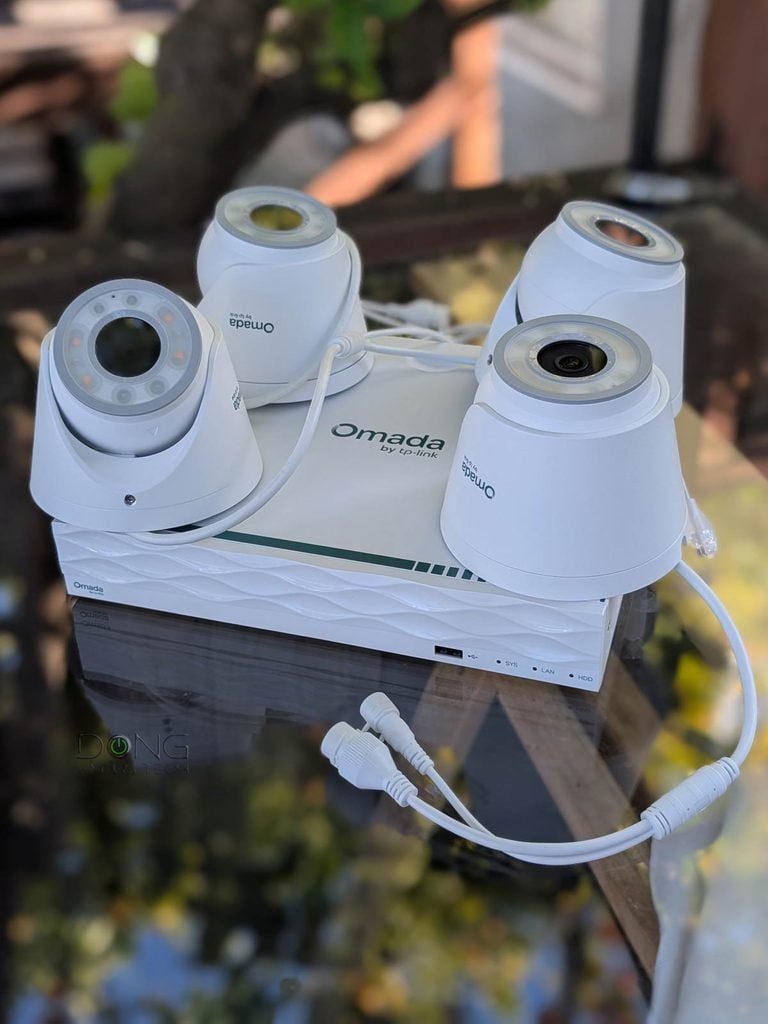
Let’s face it, the new Omada NVR kits seem eerily similar to Ubiquiti’s UniFi Network Video Recorders (UNVRs), and from the design, it’s the direct rival of the UniFi UNVR-Instant. Below are the hardware specs of the two.
TP-Link Omada Security Camera System: Hardware specifications
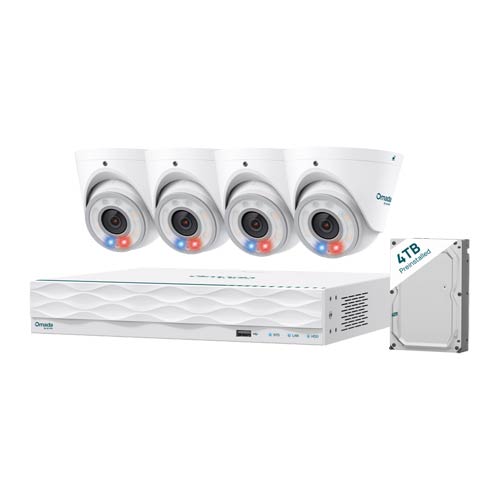 | 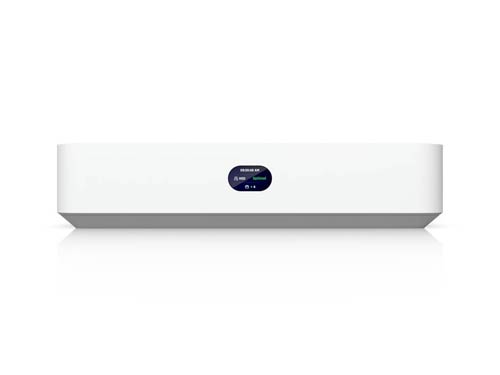 | |
|---|---|---|
| TP-Link Omada Security Camera System | Ubiquiti UniFi Network Recorder Instant | |
| Model | Omada T8S4-4T: 4x 8MP turret cams Omada B8S4-4T: 4x 8MP bullet cams Omada T5S4-4T: 4x 5MP turret cams Omada B5S4-4T: 4x 5MP bullet cams | UNVR-Instant |
| Device Type | Standalone Network Video Recorder | Standalone Network Video Recorder |
| Processing Power | Undisclosed | Quad-core ARM Cortex-A55 at 1.7 GHz, 4GB of RAM |
| Applciation (built-in) | Omada Guard (default) | UniFi Protect (default) UniFi Access UniFI InnerSpace |
| Camera Support | 16 (HD) 16 (2K/5MP) 12 (4K/8MP) 8 (12MP) 6 (16MP) | 15 (HD) 8 (2K) 6 (4K) |
| HDMI Port (for live feed) | 1 | 1 |
| Storage Capacity | 1x 3.5-inch HDD bay (4TB included, up to 16TB) 1x eSATA port (up to 16TB) | 1x 3.5-inch HDD bay (any capacity) |
| Design | Compact desktop | Compact desktop |
| Mount | None | Wall, DIN rail mount (accessories included) |
| Network Port | 1x GbE RJ45 uplink port, 8x GbE PoE+ RJ45 ports | 1x GbE RJ45 uplink port, 6x GbE PoE RJ45 ports |
| View Port (for live feed) | 1x HDMI | 1x HDMI |
| Power over Ethernet Standard (PoE) | 28x 802.3bt (PoE+) | 6x 802.3bt (PoE) |
| Max PoE Power Budget (all ports) | 115W | 40W |
| Max PoE Power Output (per port) | 30W | 15.4W |
| Power Intake | 53.5V DC/2.43 A 100-240V | AC/DC, Internal, 60W via Universal AC input, 100-240V AC, 1.5A Max, 50/60 Hz |
| Power Consumption (per 24 hours without PoE devices) | Not yet tested | ≈ 330 Wh (running only the Protect app with a 4TB HDD) |
| Internal Cooling Fan | Yes | Yes |
| Local Web-based Management | Undisclosed | Yes |
| Cloud-Management | Yes (via Omada) | Yes (free) |
| Mobile App | Omada Guard App | UniFi UniFi Protect |
| Dimensions | 10.2 × 9.1 × 1.8 in (260 × 230 × 45 mm) | 8.7 x 8.7 x 1.9″ (220 x 220 x 47 mm) |
| Weight (without HDD and mounting accessories) | 2.23 Kg (4.92 lbs) | 2.3 lb (1.04 kg) |
| Display | None | 1.14″ status display |
| Ambient Operating Temperature and Humidity | -10 °C to 55 °C (14 ℉ to 131 ℉) | 0 to 40° C (32 to 104° F) 5 to 95% noncondensing |
| US Launch Price | $799.99 (Omada T8S4-4T or Omada B8S4-4T) $599.99 (Omada T5S4-4T or Omada B5S4-4T) (Buy now!) | $199 (standalone, no storage) $699 (kit with four cameras and 1TB HDD) (Buy now!) |
The takeaway and availability
TP-Link’s latest Omada Fusion Pro gateways and security systems, in my opinion, make clear its intention to compete with Ubiquiti’s UniFi ecosystem. Specifically:
- The Omada Fusion Pro 2.5G Gateway rivals the UniFi Cloud Gateway Max (UCG-Max).
- The Omada Fusion Pro 2.5 PoE Gateway aims at the UniFi Cloud Gateway Fiber (UCG-Fiber).
- The Omada Security Camera System competes with UNVRs, especially the Instant.
While the similarities in the software and hardware design make Omada seem like a UniFi copycat, when hardware vendors compete, consumers win. Speaking of that, the new Fusion Pro gateways are available now at reasonable prices.
The Fusion Pro 2.5 PoE carries a retail price of $449, with the non-PoE version costing $299. TP-Link says that during this launch period, if you buy the Fusion Pro 2.5G, which has no PoE ports, you’ll get $200 off an Omada 8MP NVR kit or $150 off an Omada 5MP NVR kit. Similarly, the Fusion Pro 2.5G PoE will give you 30% off up to four Omada cameras of any type.
As for the surveillance system, the cameras’ costs range from $74.99 apiece (5MP) to $139.99 (12MP). The NVR kits range from $599 (4x 5MP cams) to $799 (4x 8MP cams).
If you’re curious about how new Fusion Pro gateways perform as routers, check out the in-depth review of the PoE version here.



Comments are subject to approval, redaction, or removal. You're in the no-nonsense zone and that applies BOTH ways.
It's generally faster to get answers via site/page search. Your question/comment is one of many Dong Knows Tech receives daily.
Thank you!
(•) If you have subscription-related issues or represent a company/product mentioned here, please use the contact page or a PR channel.