
As a travel router, the TP-Link Roam 7 has gone through a lot.
TP-Link first announced it at the beginning of 2025 as the TL-WR3602BE, then made it available for purchase on August 5 of the same year under that same cryptic name.
In early 2026, TP-Link quietly adopted a new “Roam” branding for its travel routers. With that, “TL-WR3602BE” became the “Roam 7 BE3600” (and the previous Wi-Fi 6 version, “TL-WR3002X”, became the “Roam 6 AX3000”).
While a bit confusing, the new naming convention makes sense.
Here’s the bottom line: The TP-Link Roam 7, designed to rival the ASUS RT-BE58 Go, is a clear improvement over the Roam 6. It has enough to justify the slightly higher cost, which is still friendly enough compared to the more versatile ASUS counterpart. If you’re looking for a travel router that can handle a faster-than-Gigabit broadband plan, get one today!
Dong’s note: I first published this piece on August 5, 2025, as a preview of the TP-Link TL-WR3602BE and updated it to an in-depth review of the TP-Link Roam 7 BE3600 on June 22, 2026, after thorough hands-on testing.
TP-Link Roam 7 BE3600 (TL-WR3602BE)'s Rating
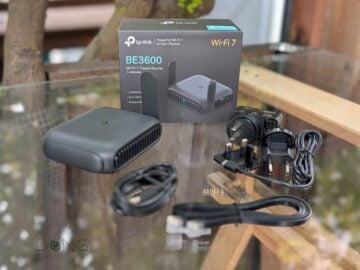
Pros
Compact design with 2.5Gbps WAN port and Wi-Fi 7 support to deliver reliable on-the-go performance
Useful features tailored to travelers, including multiple versatile operation modes, built-in NAS capability, and advanced VPN support
Robust web user interface with a useful optional mobile app, standard USB-C charging, and affordable
World-compatible power adapter and additional USB charging cable included.
Cons
Real-world throughput could be better
No battery option or built-in cellular modem
Not mesh-ready
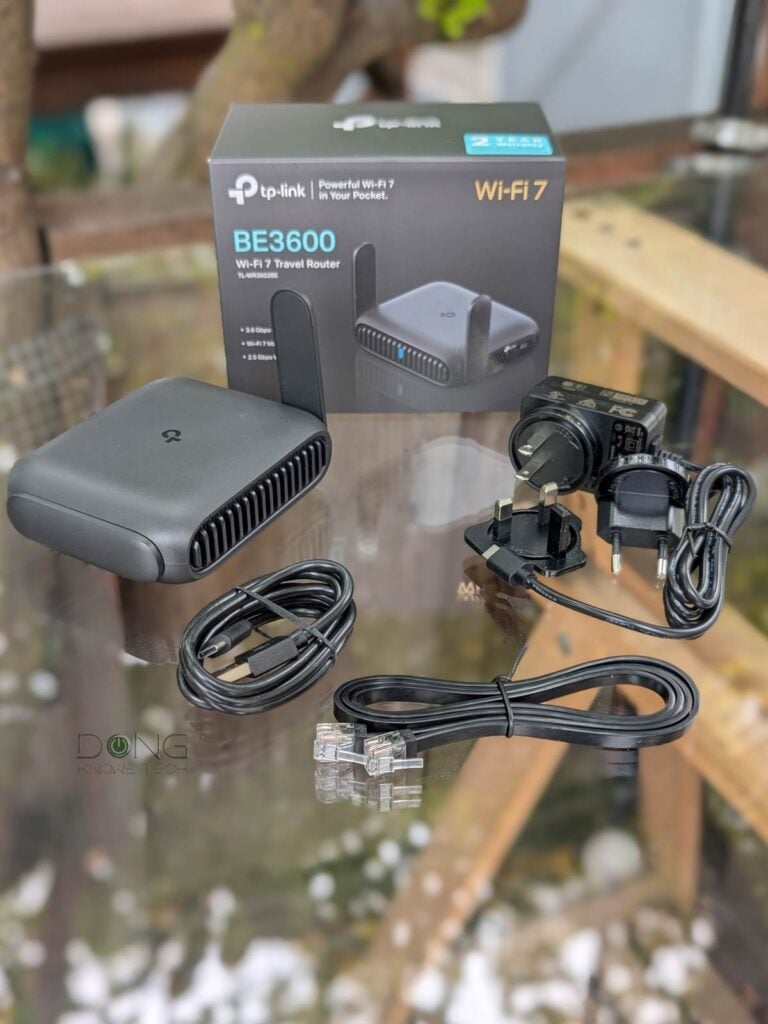
TP-Link TL-WR3602BE vs. TL-WR3002X: The same physical size now with external antennas and dual-band Wi-Fi 7
Physically, the TL-WR3602BE (Roam 7) is similar to its older Wi-Fi 6 cousin, the TL-WR3002X (Roam 6), but now slightly larger, with two external antennas on its sides and dual-band Wi-Fi 7.
It’s worth noting that the router supports the bare minimum Wi-Fi 7 specs, as is expected for a travel router. Specifically, it has BE3600, which is the same as the Archer BE230.
Other than that, the new router retains the 2.5Gbps (WAN) port from the Roam 6, but omits the miniSD slot. The table below shows the hardware specs of the two, with the ASUS RT-BE58 Go as a reference.


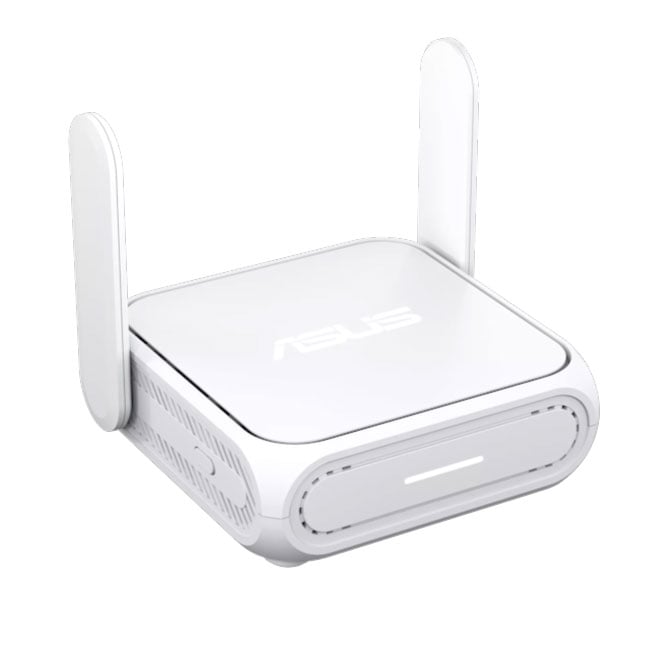
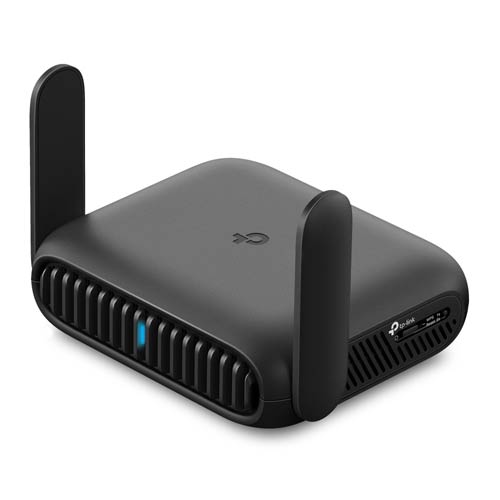
TP-Link Roam 7 vs. TP-Link Roam 6 vs. ASUS RT-BE58 Go: Hardware specifications and real-world power consumption
 |  |  | |
|---|---|---|---|
| Full Name | ASUS RT-BE58 Go BE3600 Dual-band Wi-Fi 7 Travel Router | TP-Link Roam 7 BE3600 Wi-Fi 7 Travel Router | TP-Link Roam 6 AX3000 Wi-Fi 6 Travel Router |
| Model | RT-BE58 Go | TL-WR3602BE, Roam 7 | TL-WR3002X, Roam 6 |
| Dimensions (without antennas) | 3.86 x 3.7 x 1.22 in (98mm x 94mm x 31mm) | 4.96 x 3.68 x 1.5 in (125.98 x 93.47 x 38.1 mm) | 4.09 × 3.54 × 1.10 in (104 × 90 × 28 mm) |
| Weight | 8.18 oz (232g) | 6 oz (170 g) | 5.4 oz (153 g) |
| Processing Power | Quad-core 2.0GHz, 256MB Flash, 1GB RAM | undisclosed | |
| Wi-Fi Technology | Dual-band BE3600 | Dual-band AX3000 | |
| 2.4GHz Band (channel width) | 2×2 BE: Up to 688 Mbps | 2×2 AX: Up to 578 Mbps | |
| 5GHz Band(channel width) | 2×2 BE: Up to 2882 Mbps (20/40/80/160MHz) | 2×2 AX: Up to 2404 Mbps (20/40/80/160MHz) | |
| Backward Compatibility | 802.11a/b/g/n/ac/ax | 802.11a/b/g/n/ac | |
| Wireless Security | WPA, WPA2, WPA3 | ||
| Multi-Link Operation (MLO) | Yes | N/A | |
| Built-in Cellular Modem | None | ||
| Mobile App | ASUS Router | TP-Link Tether | |
| Web User Interface | Yes | ||
| Networking Features | VPN (Server and Client) Device-based QoS, Dynamic DNS | ||
| VPN Server Support | OpenVPN WireGuard L2TP/IPSec PPTP | ||
| Advanced VPN | VPN Fusion | VPN Merge | None |
| Operating Roles | Router Mode, USB Tethering Mode, 3G/4G/5G USB Modem Mode, Hotspot Mode (WISP Mode), Access Point Mode, Range Extender Mode, Client Mode | Router Mode USB Tethering Mode 3G/4G/5G USB Modem Mode Hotspot Mode (WISP Mode) Access Point Mode Range Extender Mode Client Mode | |
| Mesh-Ready | Yes (AiMesh router or satellite) | No | |
| Firmware Version (at review) | 3.0.0.6.102_38978 | 1.2.15 Build 20260312 rel.18894(5553) | 1.0.3 Build 20250221 rel. 47347(5553) |
| USB Port | 1x USB-C (power) 1x USB 3.0 (cellular tethering and storage) | ||
| Card Slot | None | 1x microSD | |
| Gigabit Port | 1x LAN | ||
| Multi-Gig Port | 1x 2.5Gbps WAN | ||
| Dual-WAN | Yes (broadband with cellular backup) | ||
| Link Aggregation | No | ||
| Power Intake | USB-PD via USB-C | ||
| Real-World Power Consumption (per 24 hours) | ≈ 185 Wh | ≈ 145 Wh | ≈ 140 Wh |
| US Launch Price (check street prices) | $129.99 | $139.99 | $99.99 |


A familiar Archer router
As shown in the chart above, the novelty of Wi-Fi 7 support doesn’t make the Roam 7 BE3600 (TL-WR3602BE) a massive leap over the Roam 6 AX3000 (TL-WR3002X): the two are only 600 Mbps apart in total theoretical bandwidth.
In real-world use, the new router wasn’t consistently faster than its older cousin, though it was faster in most cases, as you’ll note in the performance section below.
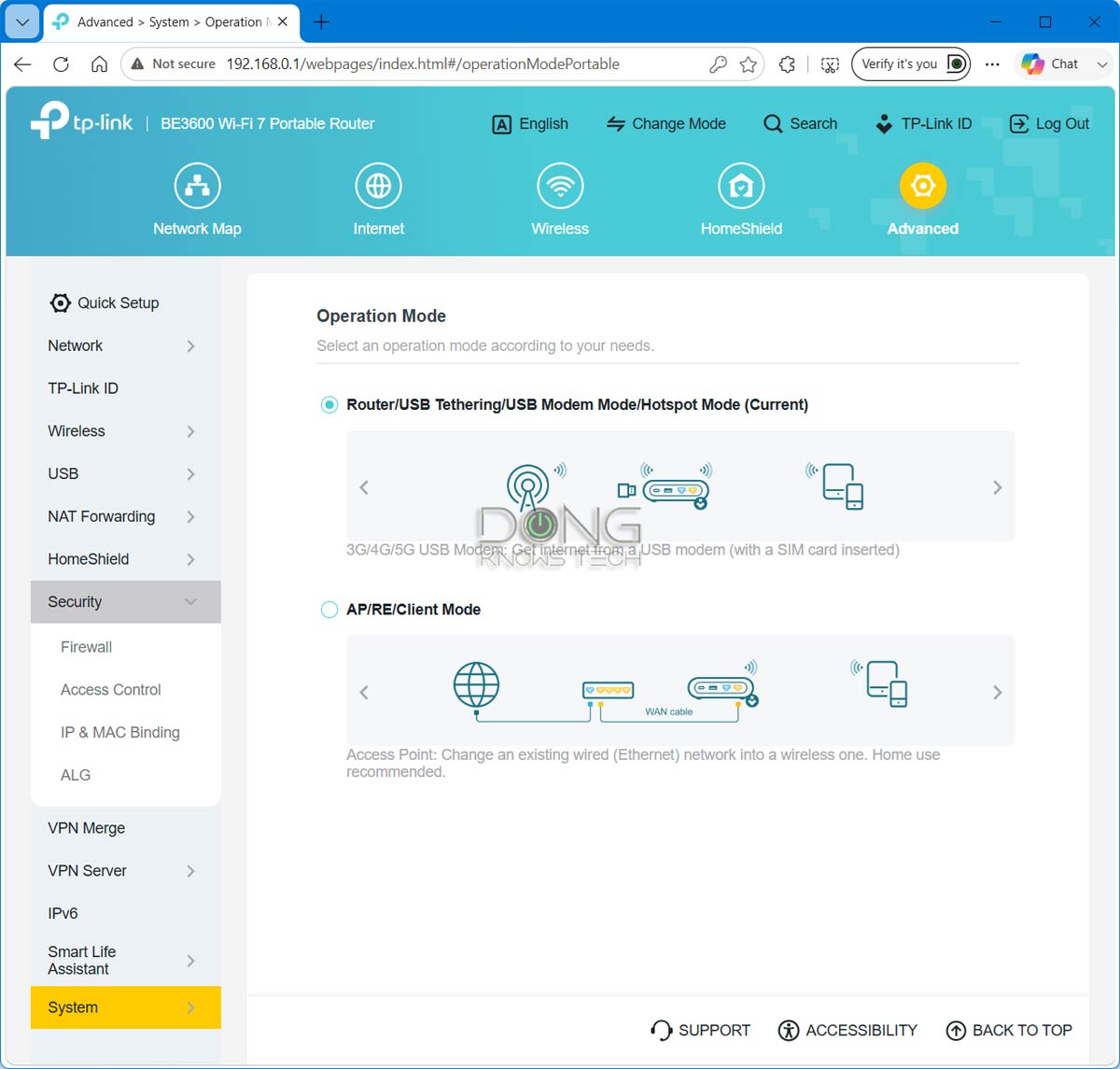
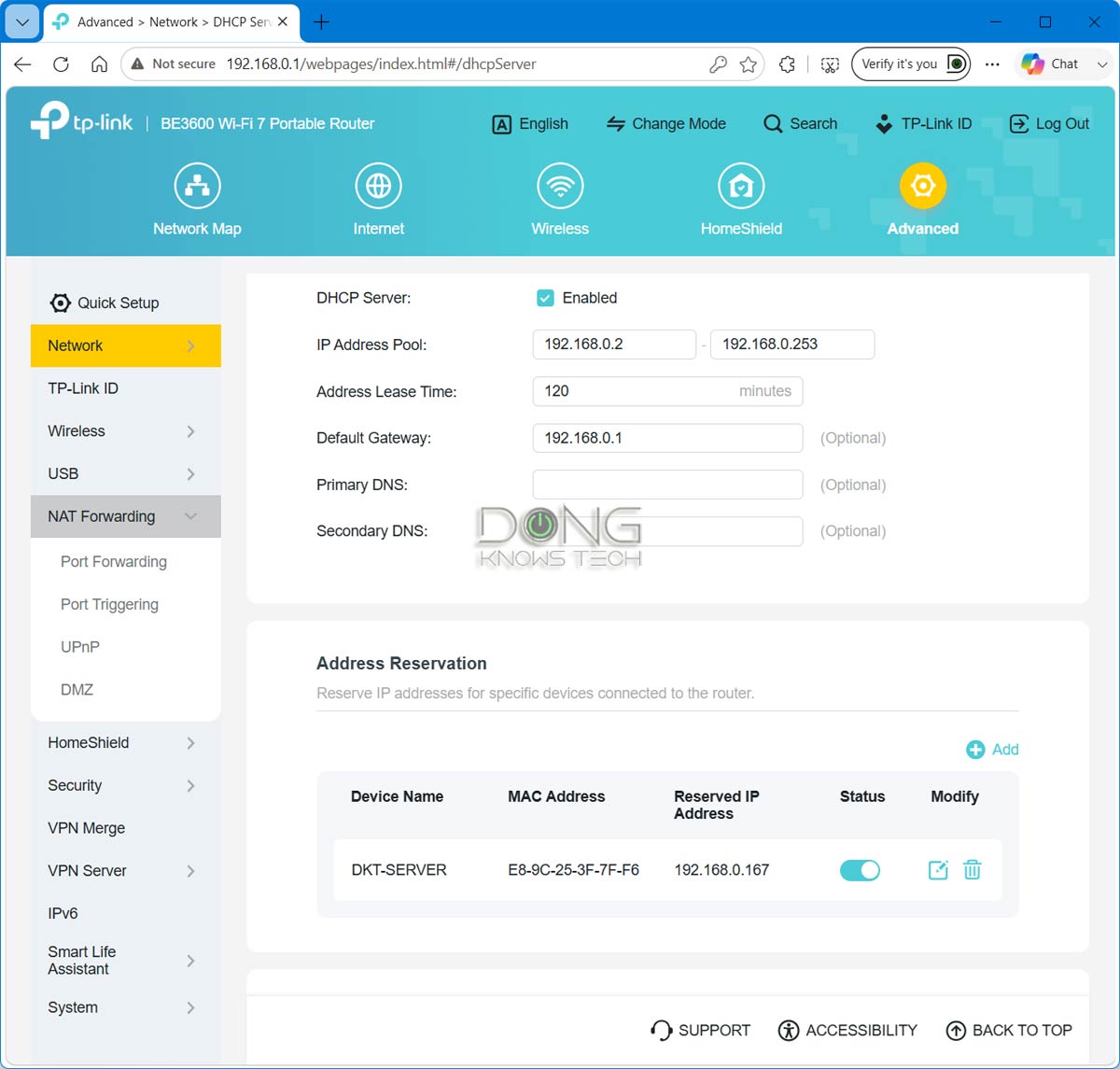
In terms of features and settings, the two are practically the same. Specifically, you can use the Roam 7 (as well as the Roam 6) in the following ways:
- As a standard router: In this case, the router can host a standard internet connection via its 2.5Gbps WAN port, or a cellular modem/cellphone via the USB port. You can also use both at the same time, with the latter being the backup. It’s basically Dual-WAN with failover.
- As an access point, an extender (repeater), or a client (bridge).
- As a hotspot: The router can connect to an existing Wi-Fi network and use it as the broadband source for its network. This mode is often known as the WISP mode, a.k.a. public Wi-Fi mode.
Tip
WISP stands for Wireless Internet Service Provider. It’s an operating mode in which a supported router connects to the Internet via Wi-Fi and then shares that connection with multiple devices over its own Wi-Fi network. It works similarly to a Wi-Fi extender (or repeater) with two added elements:
- The WISP router’s Wi-Fi network is shielded from the existing Internet-providing Wi-Fi network to keep its connected clients safe and private.
- The WISP router can handle an incoming Internet-enabled Wi-Fi connection that requires a particular authentication method, such as a captive portal or a paid login account.
When you use a public Wi-Fi network or one with ambiguous security, WISP is recommended as it keeps devices connected to the router shielded from others on the public Wi-Fi network.
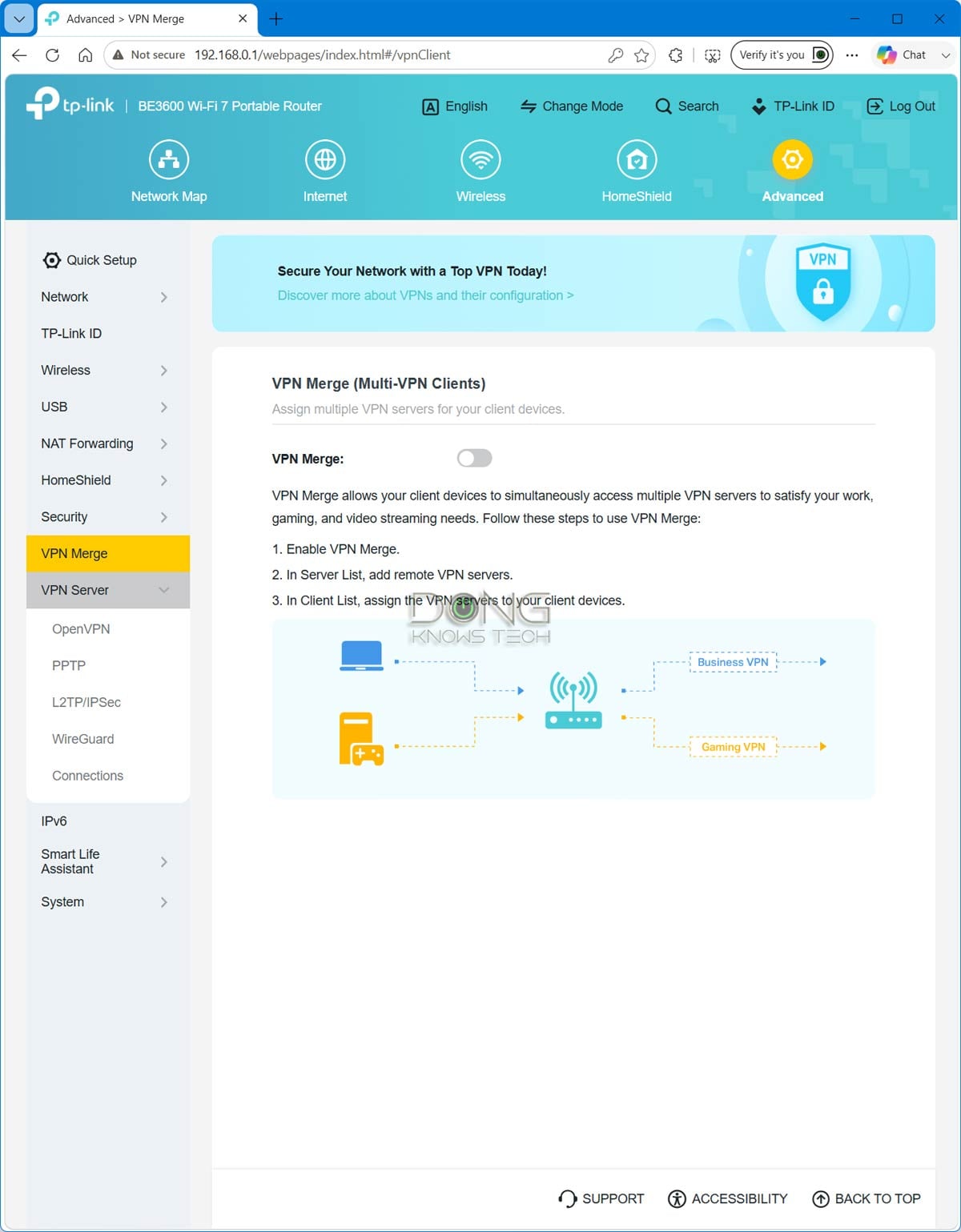
Additionally, like the Roam 6, the Roam 7 can work as a flexible and advanced VPN solution as it features all popular VPN protocols, namely PPTP, L2TP, OpenVPN, and WireGuard, and supposedly can handle all of them simultaneously.
There’s something new on this front: Running the latest firmware for the Archer series, the Roam 7 now has VPN Merge, allowing clients to use multiple VPN connections, similar to VPN Fusion in ASUS routers. (It’s unclear if the Roam 6 would get this same feature when updated to the latest firmware.)
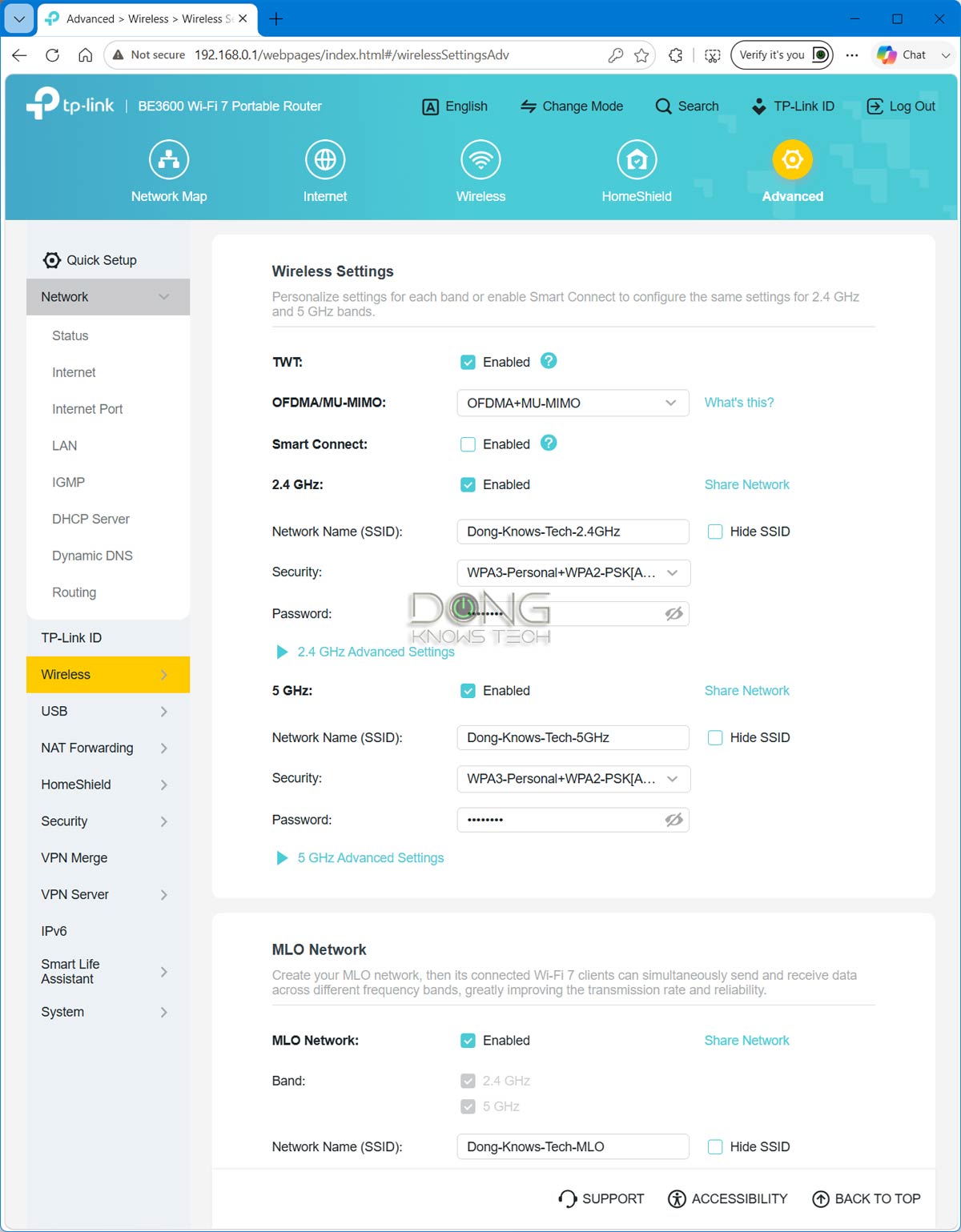
That said, the support for Wi-Fi 7, including its new MLO connection, and the ostentatious antennas proved to be minor upgrades overall. The real-world performance of the Roam 7 wasn’t markedly better than the Roam 6’s and was clearly worse than the ASUS RT-BE58 Go’s.
TP-Link Roam 7: Reliable but modest real-world performance
Considering the modest specs and the tiny physical size, I didn’t expect the TP-Link Roam 7 to break any records, and it didn’t. In fact, it was relatively modest and slower than the Roam 6 when hosting a 5GHz client.
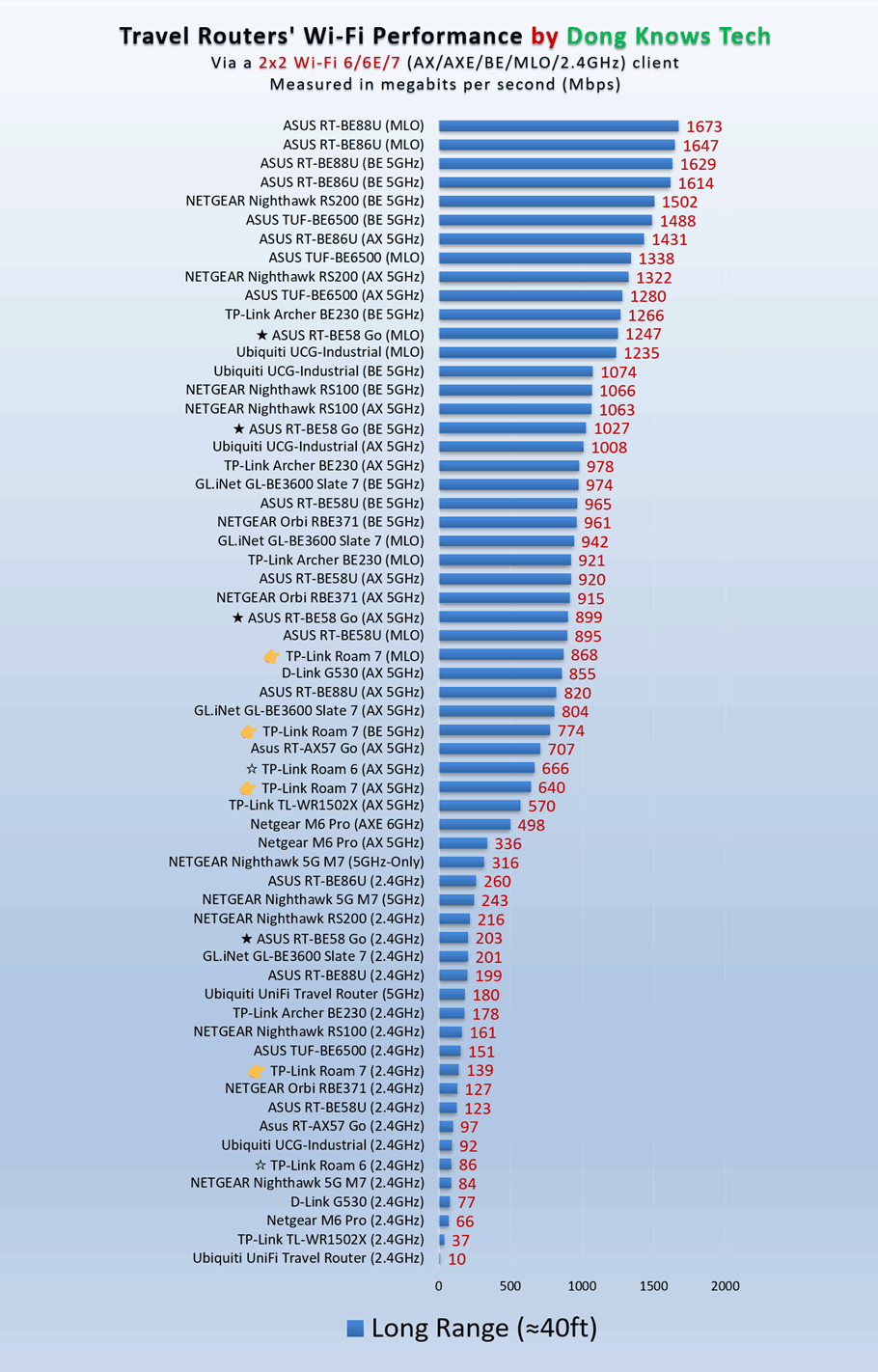
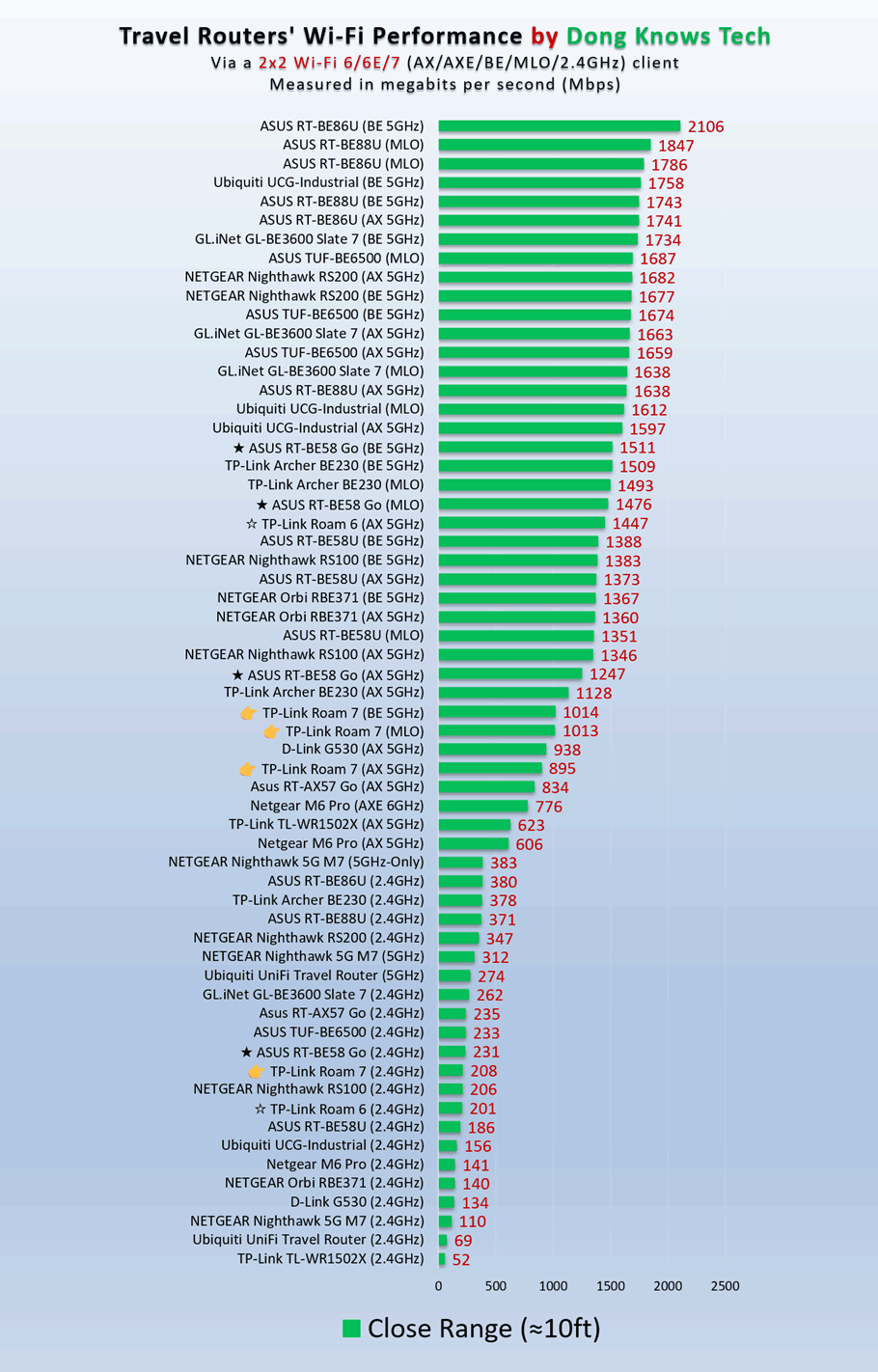
But its throughput wasn’t exactly slow, with 5GHz clients hovering slightly above 1 Gbps in sustained rates at an ideal distance, which is more than fast enough for any traveler.
In terms of range, it proved to be the same as the prevoius model. It’s always hard to put Wi-Fi coverage in numbers, but if the router has enough to blanket a hotel room or an RV with ease.
The TP-Link Roam 7 was completely silent during my trial and became slightly warm to the touch only on the underside. It passed my three-day stress test without any disconnection.
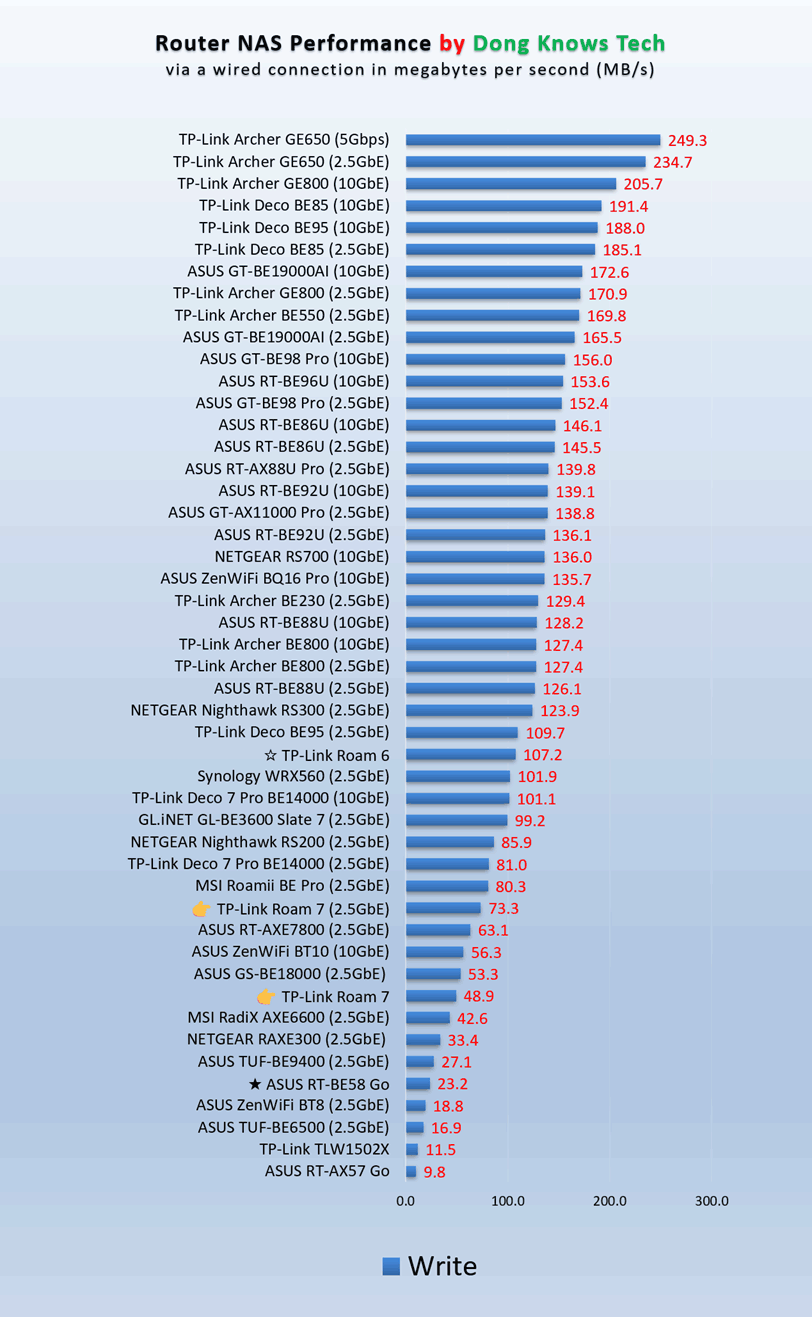
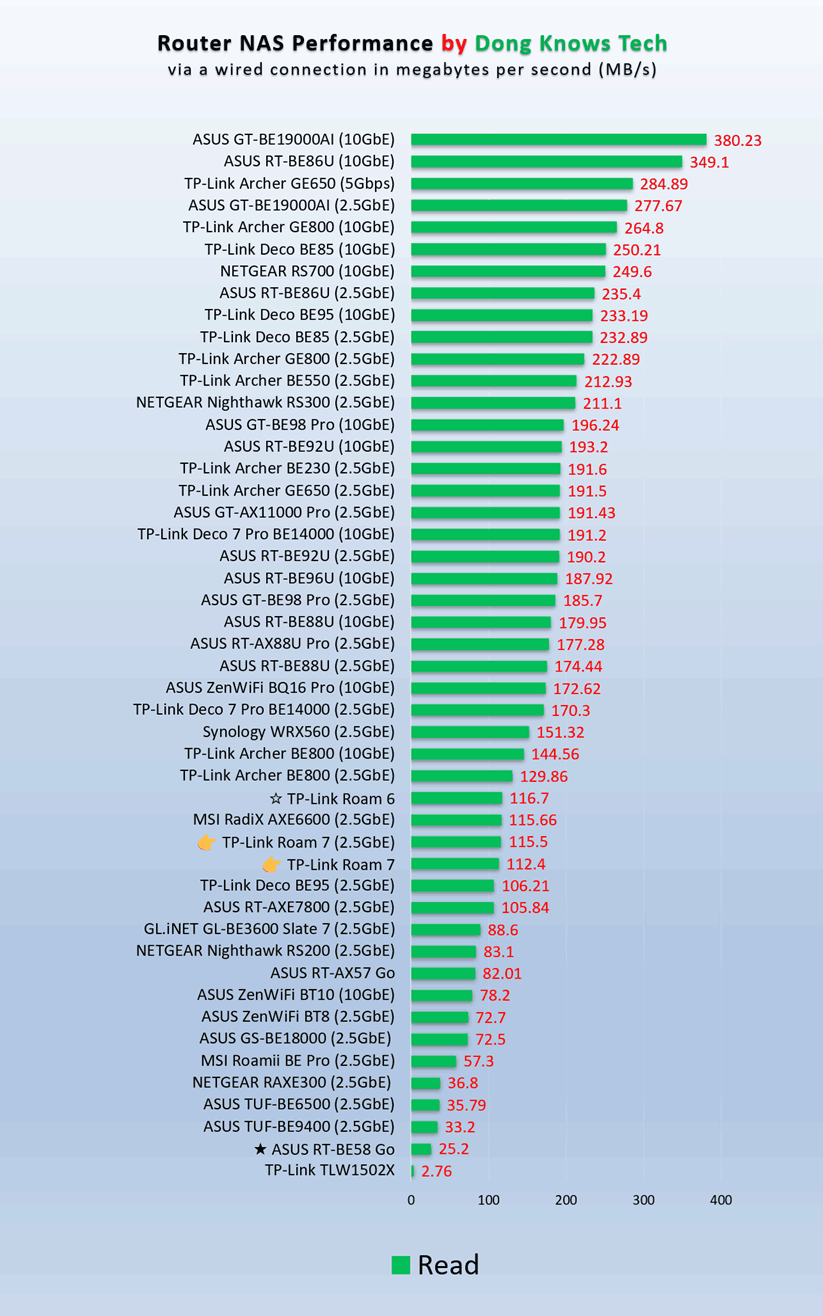
When hosting. a portable SSD via its USB 3.0 port, the router offers a good selection of USB-based storage features. I managed to test it via both the Gigabit and 2.5Gbps ports, and the sustained rates weren’t the worst but, again, weren’t decidedly better than the previous model. They were better than those of the ASUS RT-BE58 Go, however, and enough for casual data sharing while on the go.
Conclusion
The TP-Link Roam 7 BE3600 Wi-Fi 7 Portable Travel Router (model TL-WR3602BE) has two things going for it: the new, easy-to-remember name and an affordable price tag.
At an MSRP of $139.99 (before any discounts), it’s an easy recommendation. Still, if you go with the even less-expensive Wi-Fi 6 Roam 6, you’ll likely have the same experience.
On the other hand, the ASUS RT-BE58 Go has enough to justify its highest price of the three. Consider any of them today before taking that long-planned trip.



salutations dong ngo,
s’il vous plait, ici quel est la différence entre tl-wr3602be et
Archer be230 alias archer be3600,
est ce que archer be230 peut faire les mêmes fonctions que tl-wr3602be ?bien de choses à vous.
Here’s the review of the Archer BE230. Among other things, it’s not a travel router and does NOT have:
1. Cellular tethering.
2. WISP mode.
Hi Dong,
thanks for the review -. very helpful.
One Question: When using USB Tethering will the travel router power / charge the connected phone as well ? Or is it just data transmission ?
If not are you aware if I could connect a USB Splitter cable to the USB port of the phone. One goes to a charger for power supply of the phone, the other goes to the travel router to provide data connection via USB Tethering ?
thanks, Roland
I haven’t tested this one but I’m pretty sure it’s the same as the previous model on this front, meeaning, yes, it can charge the phone as well, albeit at no more than 15W output, likely lower.
Easy mesh?
Unlike those from Asus, which all support AiMesh, TP-Link’s travel rotuers generally don’t support EasyMesh, Greg.
no use without 4g/5G function.
You can tether a phone or a cellular modem. But you’re not wrong.
If you connect a router to a mobile phone hotspot, isn’t that like wearing a belt and suspenders?
That’s not tethering. You want to leave the phone in a non-hot-spot state and let the router do the job of Wi-Fi broadcasting. So, it’s more like having a roll cage instead of counting on a regular seatbelt to the extent the analogy applies.
Shouldn’t the WR3002X 5GHZ bandwidth in the chart read up to 2400 Mbps?
It should and has been fixed, Mark. The table merged incorrectly. Thanks.