
Here’s some good news for fans of Ubiquiti’s UniFi Cloud Gateways (a.k.a. UniFi routers): The networking vendor just made available the release candidate version of its UniFi Network 11 that includes a host of exciting improvements.
The official version is slated to be available in a few days.
Among those, the added support for Matter Thread IoT devices and the Wi-Fi uplink option for select UniFi Cloud Gateways are bound to be beneficial to many.
UniFi Network 11: The next big improvement made possible by UniFi OS 6 after STR MLO
To upgrade to UniFi Network 11, you first need to upgrade the UniFi Cloud Gateway to UniFi OS version 6, which has recently become available, currently at build 6.0.10, to bring Ubiquiti’s STR MLO to its entire UniFi ecosystem to make the UniFi Whole Home WiFi Mesh a reality.
That said, version 11 of the UniFi Network app is the next big improvement of this OS release, and it includes quite a few noticeable features.
WiFi Uplink: WISP mode is now available to all Wi-Fi 7 UniFi Cloud Gateways
WiFi uplink is when you connect your router to an existing Wi-Fi network, such as those in your neighborhood or one in a hotel room, and use that as the Internet source for your entire network.
This function is widely available in travel routers, including Ubiquiti’s own UTR, where it’s more often called the “WISP” mode.
Tip
WISP stands for Wireless Internet Service Provider. It’s an operating mode in which a supported router connects to the Internet via Wi-Fi and then shares that connection with multiple devices over its own Wi-Fi network. It works similarly to a Wi-Fi extender (or repeater) with two added elements:
- The WISP router’s Wi-Fi network is shielded from the existing Internet-providing Wi-Fi network to keep its connected clients safe and private.
- The WISP router can handle an incoming Internet-enabled Wi-Fi connection that requires a particular authentication method, such as a captive portal or a paid login account.
When you use a public Wi-Fi network or one with ambiguous security, WISP is recommended as it keeps devices connected to the router shielded from others on the public Wi-Fi network.
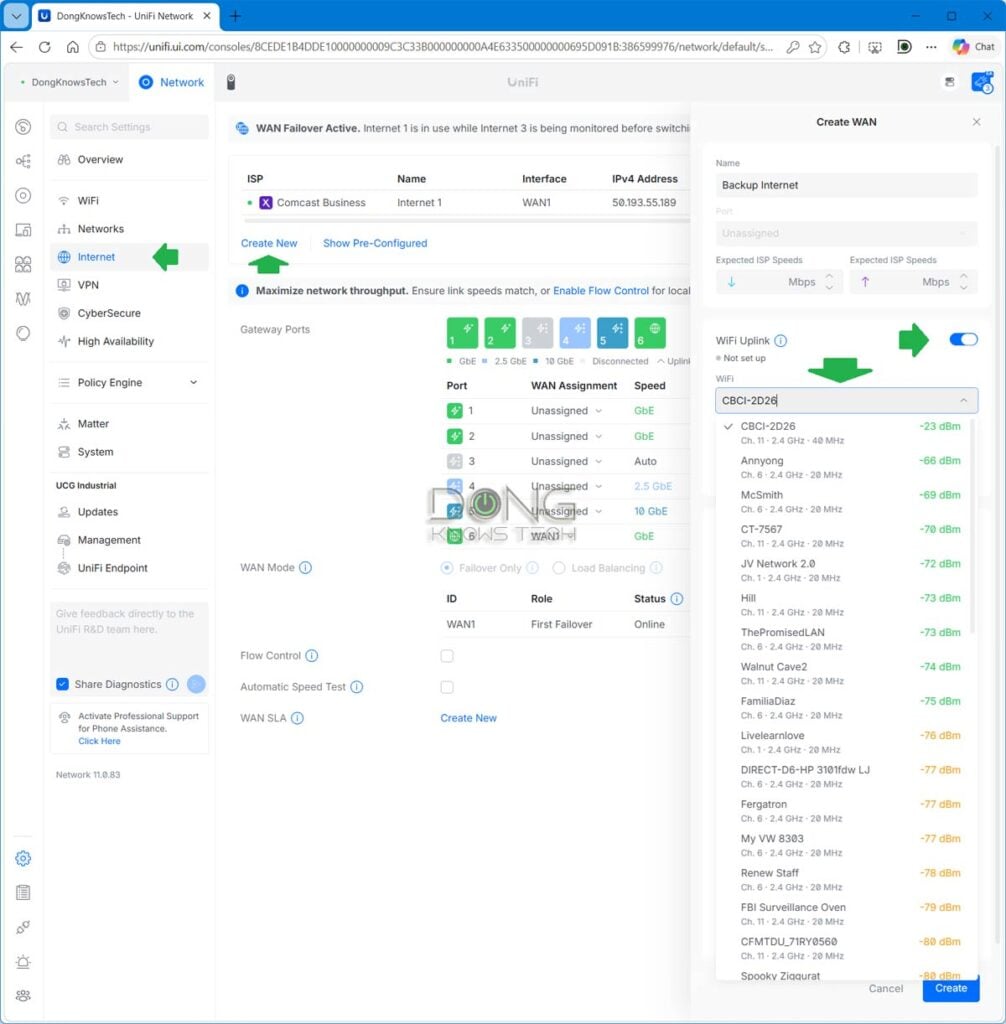
I tried this feature out, and it was straightforward: In the gateway’s interface, go to the Internet section and choose to create a new WAN connection. Now, turn on the WiFi Uplink, and the rest is self-explanatory. You can pick an existing foreign Wi-Fi SSID that you have access to for the router to connect to. After that, it’ll be used as a backup connection in a dual-WAN (or multiple-WAN) setup. If you do this with the gateway having no existing Internet connection, the WiFi Uplink will be its primary connection.
If you live in a neighborhood with multiple strong Wi-Fi networks that you have access to, this WISP mode will save you from having to get your own broadband. So, it can be a valuable feature.
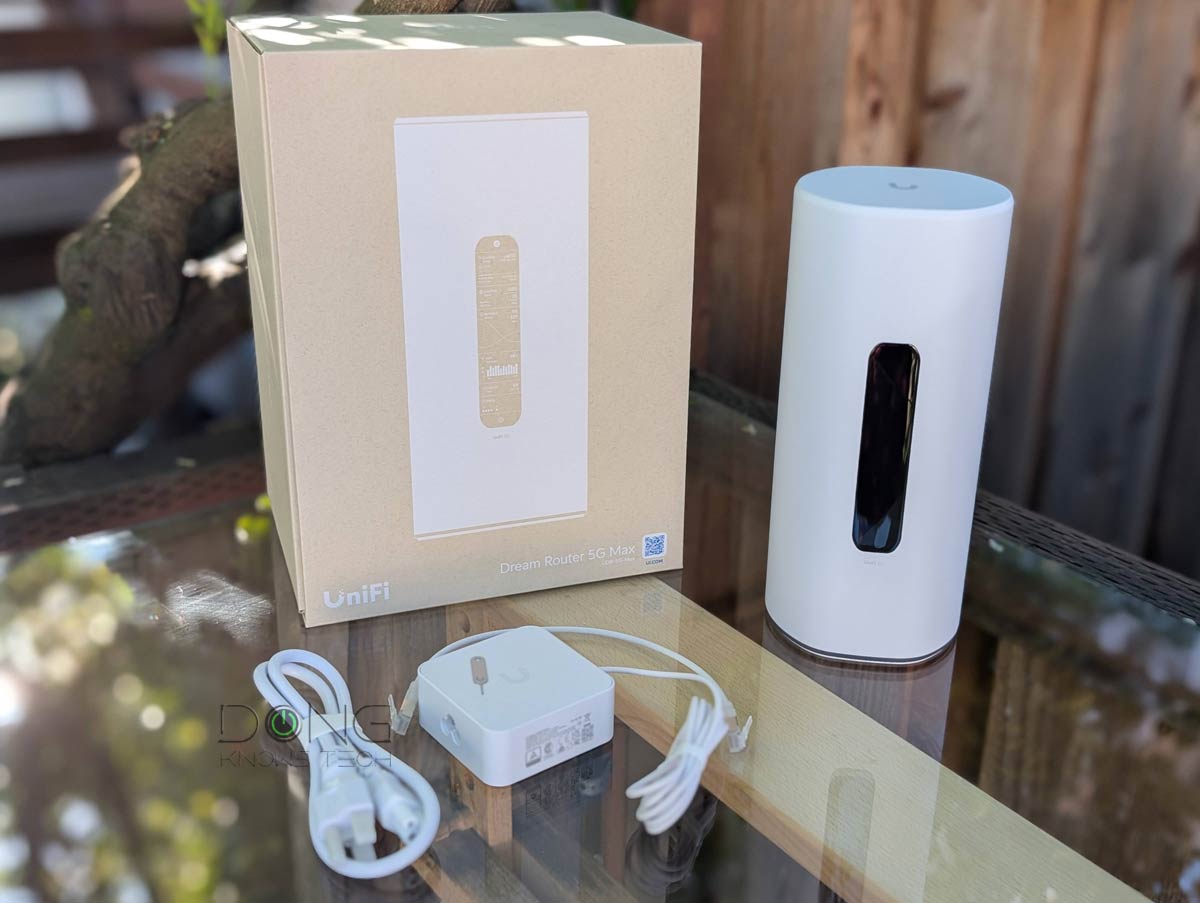
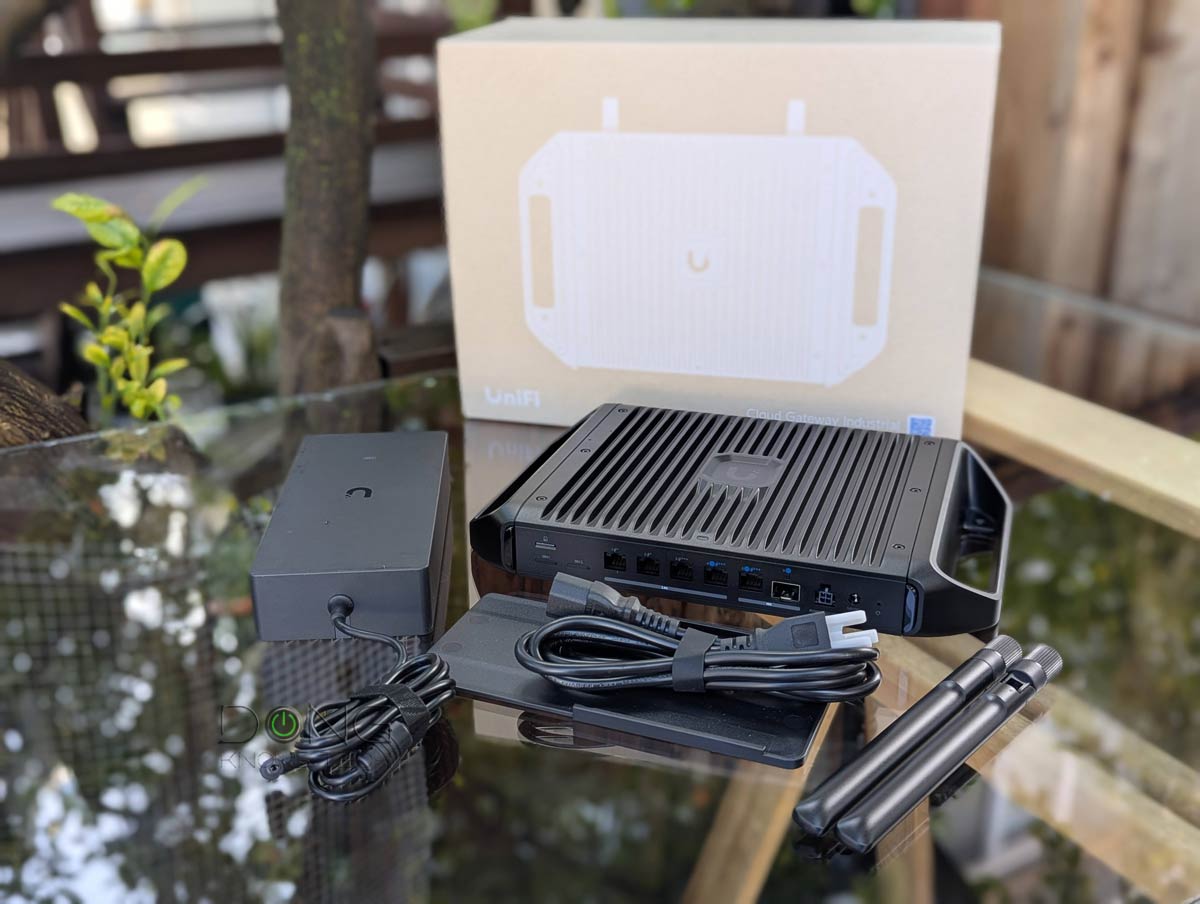
By the way, for Wi-Fi Uplink to work, the router must have built-in Wi-Fi. Thus, UniFi Network 11 adds this function to all UniFi Cloud Gateways with integrated Wi-Fi 7 access points, namely the UDR-7, UDR-5G-Max, Express 7, and UCG-Industrial—the first four in the top-five list below.
Top 5 best Wi-Fi-integrated UniFi Cloud Gateways
 |  |  |  |  | |
| Name | Ubiquiti UniFi Dream Router 7 (UDR7)'s Rating | Ubiquiti UniFi Dream Router 5G Max (UDR-5G-Max)'s Rating | Ubiquiti UniFi Cloud Gateway Industrial (UCG-Industrial)'s Rating | Ubiquiti UniFi Express 7 (UX7)'s Rating | Ubiquiti UniFi Dream Router (UDR)'s Rating |
| Price | – | – | – | – | – |
| Rating | |||||
| Description | |||||
| Statistics | |||||
| Buy this product |
Check current prices at the Ubiquiti Store or on Amazon!
Comprehensive Matter Thread support
The second significant feature of UniFi Network 11 is the support for Matter Thread devices. Specifically, this version, for the first time, makes the UniFi ecosystem Matter-aware: When hosting a Matter controller or hub, the UniFi network can now show the connected Matter IoT devices’ real-time status, such as battery life, signal strength, firmware versions, and most importantly, how everything connects, using the same network map and seamless topology as it has been for UniFi devices and network clients.
Additionally, users can also go back in time via the Time Machine feature to find out when connectivity issues began. According to Ubiquiti, the UniFi system can even alert users when a new Matter device joins the network (via its controller) and assign a custom icon to each.
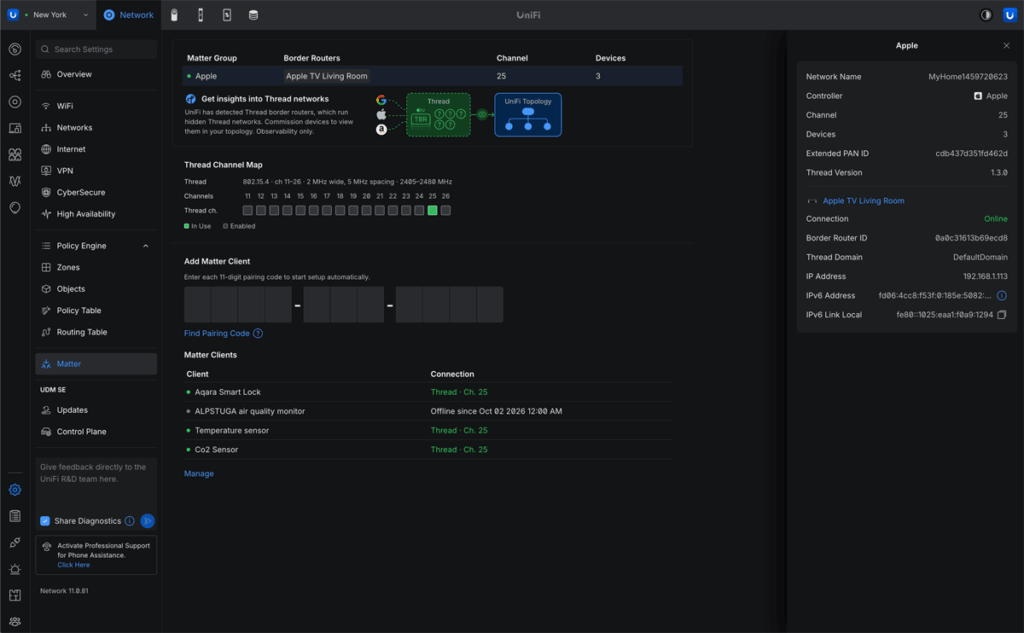
If you have a network with lots of Matter Thread IoT devices, this feature will make life much easier since you can manage everything in one place, without having to use the separate interface of the controller (or hub).
Live Flows for better security monitoring and more
The third significant feature is Live Flows, which shows active flows of traffic— in All traffic, threats, or blocked categories—on a UniFi Cloud Gateway and allows users to terminate any on demand.
Apart from showing live flows, this feature also includes a History tab that summarizes the traffic during a particular period, ranging from one hour to one month or a user-selected duration. There’s also an option to place the flow on a zoomable world map.
This feature definitely comes in handy for anyone who needs to monitor their network against online threats.
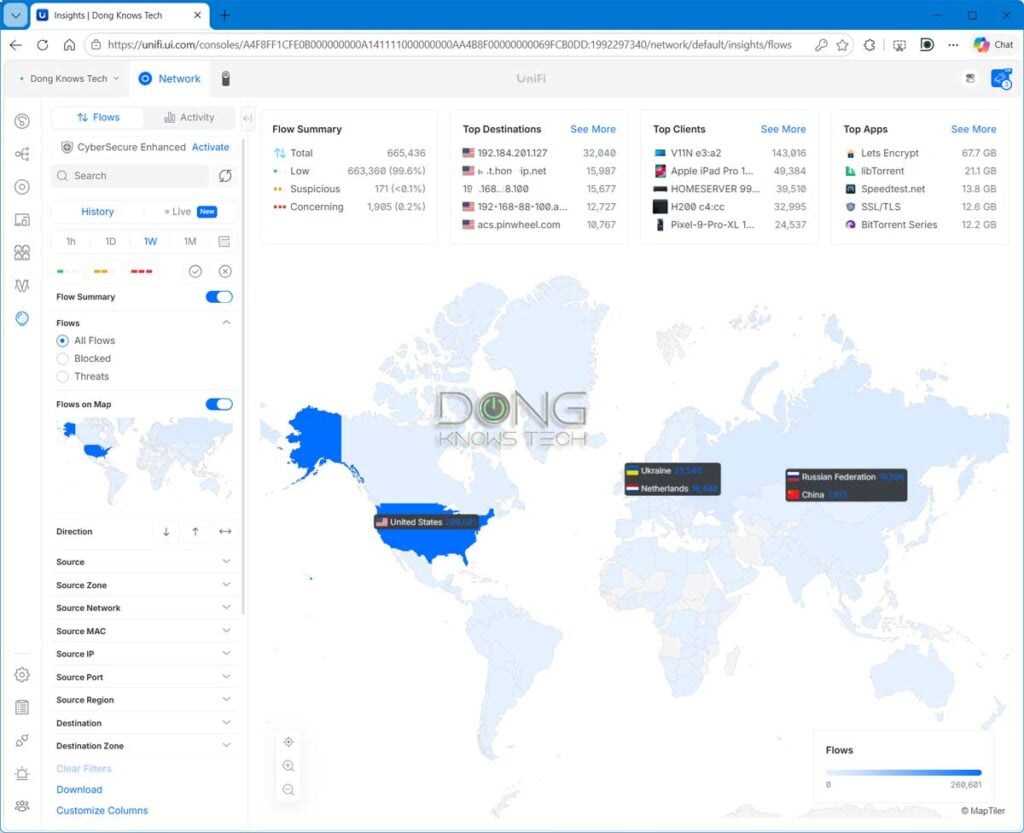
Contrary to the WiFi Uplink feature above, Live Flows is only available in non-Wi-Fi UniFi Cloud Gateways, including those in the top-five list below.
Top 5 Best non-Wi-Fi UniFi Cloud Gateways (UniFi routers)

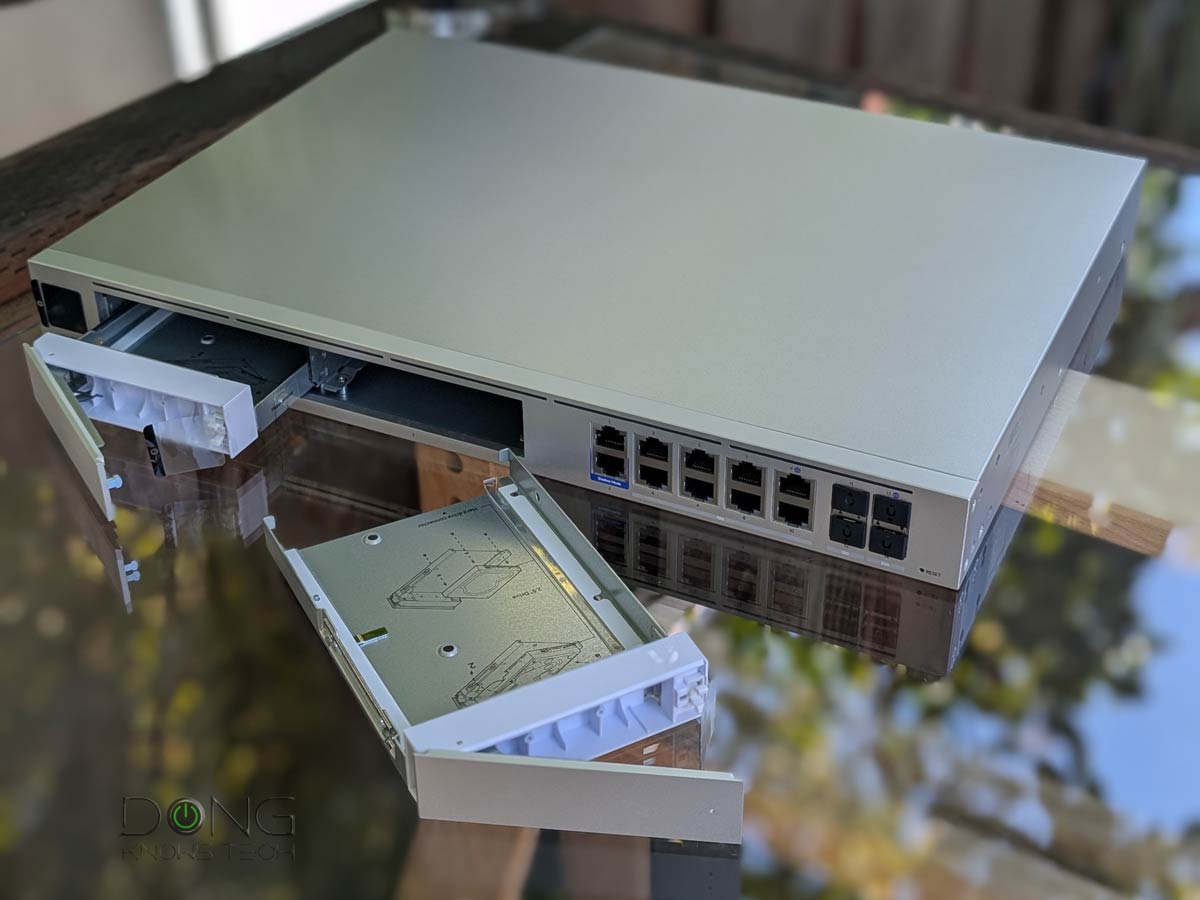


Best non-Wi-Fi UniFi Cloud Gateways at Ubiquiti Store or on Amazon!
Other than that, UniFi Network 11 also includes a new External Network Lists feature that adds an external source option to Network Lists to import domain or IP lists from external sources, and the following minor changes and improvements:
- Migrated the application database to PostgreSQL.
- Introduced a new, more scalable statistics engine: Existing statistics history is cleared and starts fresh after the update.
- Removed USG gateway support: Network Application 10.6 is the last version supporting USG.
- Removed Network Application Server support: Upgrade to UniFi OS Server, the official replacement.
- All sites are automatically migrated to the Zone-Based Firewall.
- Added an option to generate client device icons.
- Added a new client connection alarm.
- Added Battery Self-Test for UPS devices.
- Added bulk editing for clients, including removal and blocking.
- Added a country selection dropdown to Channel Plan.
- Added support for Subnet Overlap System Logs.
- Added Time Machine to the Topology page.
- Added IPIP WAN support for Japanese IPv4 over IPv6 services.
- Added a Packet Capture option to the Radio side panel.
- Added Remote Power Cycle support for UPS 2U Pro.
- Added a USB-C option for EAV-Bridge.
- Added SD-WAN Policies for destination- and performance-based routing across selected spokes, with configurable hub selection, WAN priorities, and tunnel health thresholds for packet loss, latency, and jitter. (Requires Site Manager 5.10.2 or newer.)
- Improved traffic animations in Topology.
- Improved guest authorization latency through the API.
- Improved switch stacking stability.
- Improved the 802.1X and RADIUS settings user experience.
- Improved Channel AI.
- Improved IGMP Snooping settings validation.
- Improved the firmware Revert experience with a feedback form.
- Improved the Deep Inspection settings user experience.
- Improved Port Manager default columns and filters.
- Improved Time Machine loading performance on large sites.
- Improved the VPN settings user experience.
- Improved availability detection for Virtual Network Override.
- Improved the Routing settings user experience.
- Increased the VLAN limit when no gateway is adopted.
- Time Machine now remembers whether it was open or closed.
- Updated Site-to-Site OpenVPN encryption options with AES-192-CBC and AES-128-CBC support.
- Removed System Settings when using Site Manager.
Upgrade today
I upgraded a few UniFi Cloud Gateways to UniFi OS 6 and UniFi Network 11, currently at RC build 11.0.83, and the process was painless and straightforward, taking just about 10 minutes each for both.
Considering the added benefits mentioned above, it’s a good idea to upgrade your gateway today, or in a few days if you want to wait for the final version of the app.


Comments are subject to approval, redaction, or removal. You're in the no-nonsense zone and that applies BOTH ways.
It's generally faster to get answers via site/page search. Your question/comment is one of many Dong Knows Tech receives daily.
Thank you!
(•) If you have subscription-related issues or represent a company/product mentioned here, please use the contact page or a PR channel.