
This post features the top five 10Gbps Multi-Gig Wi-Fi systems I’ve reviewed and even used for an extended period, with multiple 10Gbps Sonic Fiber-optic plans in various areas, offering the fastest and most reliable performance in a large wired home.
If you only need a single access point or don’t care about Wi-Fi at all, check out this list of 10Gbps routers. Those who want to settle for 2.5Gbps performance grade because that’s all they need or are on a budget, should check out these lists instead.
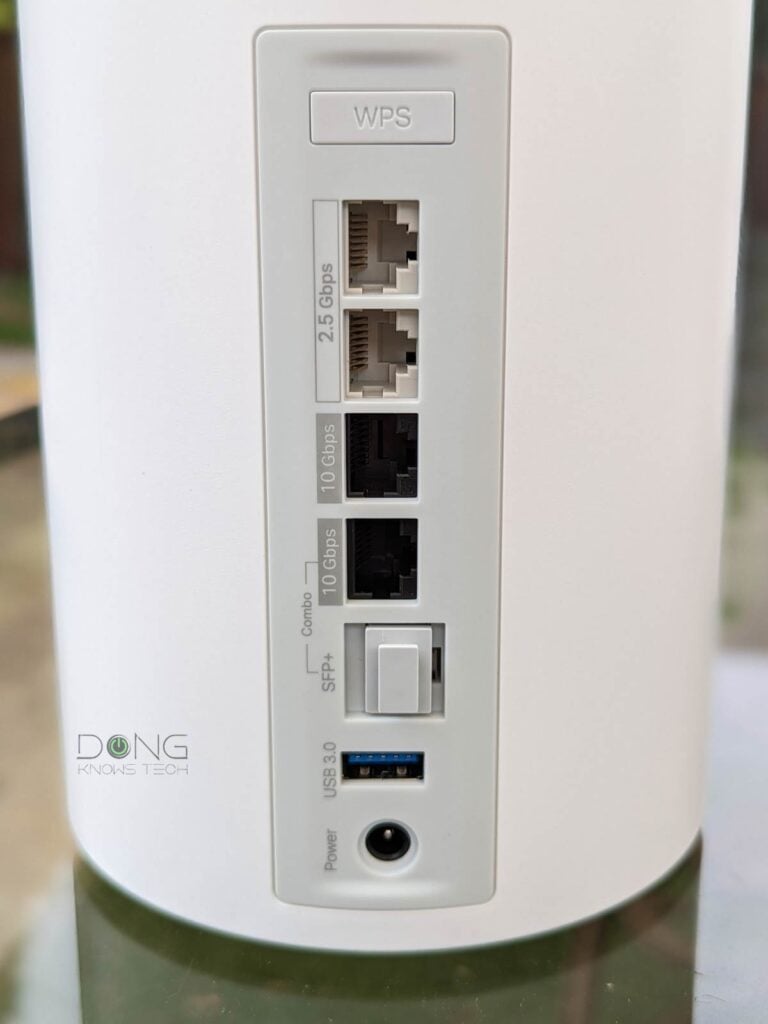
When used in a mesh (wireless) configuration, a Wi-Fi system can’t reliably deliver performance throughout a large area. For that, the hardware units need to be connected via 10Gbps wired backhaul links.
Tip
When you use multiple Wi-Fi access points—in a mesh Wi-Fi system or a combination of a Wi-Fi router and an extender—there are two types of connections: fronthaul and backhaul.
Fronthaul (or downlink) is the Wi-Fi signals broadcast outward to clients or to local area network (LAN) ports for wired devices. It’s what we generally expect from a Wi-Fi broadcaster.
Backhaul (a.k.a. backbone) or uplink, on the other hand, is the link between a Wi-Fi satellite unit and the network’s primary router, or between satellite units.
This link works behind the scenes to keep the hardware units together as a system. It also determines the ceiling bandwidth (and speed) of all devices connected to the particular Wi-Fi satellite unit.
At the satellite/extender unit, keep the following in mind about the connection used for the backhaul uplink, which is a Wi-Fi link (wireless) or a network port (wired):
- Hardware of Wi-Fi 6e, Wi-Fi 6, or Wi-Fi 5 standards always uses one of its bands (2.4GHz, 5GHz, or 6GHz) for the uplink. In this case:
- When a Wi-Fi band handles backhaul and fronthaul simultaneously, only half its bandwidth is available to either end.
- When a Wi-Fi band is used solely for backhauling, often available in tri-band hardware, the link is called a dedicated backhaul.
- Most Wi-Fi 7 satellite units can use multiple bands for the backhaul link thanks to the MLO feature.
For the best performance and reliability, network cables are recommended for the uplink or wired backhauling, an advantage of mesh Wi-Fi hardware with network ports. In this case, a Wi-Fi satellite unit can use its entire Wi-Fi bandwidth for the fronthaul.
2026’s five best 10Gbps routers and Wi-Fi systems: The list
A couple of things to keep in mind:
- To qualify for this list, each Wi-Fi system must have enough 10Gbps ports on its hardware units to support 10Gbps WAN and 10Gbps wired backhauling.
- These lists are sorted in recommendation order—the numbers indicate the ranking, with #1 being the best in my experience for my needs.
Notes on 10GbE network hardware
Network hardware needs at least two 10GbE network ports, high processing power, and compatible firmware to deliver top real-world performance at this grade.
Generally, consumer-grade 10GbE-capable routers and switches do not deliver true 10Gbps (10,000Mbps) throughputs. After “overhead”, they sustain between 6.5Gbps and 9Gbps. Traffic-related features, such as QoS and security, when enabled, can adversely affect its bandwidth.
Hardware supporting the entry-level Multi-Gig, 2.5GbE, often can deliver closer to 2.5Gbps in real-world performance.
Top 5 best 10Gbps Multi-Gig Wi-Fi systems
 |  |  |  |  | |
| Name | Ubiquiti UniFi Network Wi-Fi System’s Rating | ASUS ZenWiFi BQ16 Pro’s Rating | ASUS ZenWiFi BT10’s Rating | TP-Link Deco 7 Elite BE85’s Rating | NETGEAR Orbi 970 Series (RBE973S)’s Rating |
| Price | – | – | – | – | – |
| Rating | |||||
| Description | |||||
| Statistics | |||||
| Buy this product |
5. NETGEAR Orbi 970 series: 2x 10GBASE-T + 4x 2.5GBASE-T (router) / 1x 10GBASE-T + 2x 2.5GBASE-T (satellite)

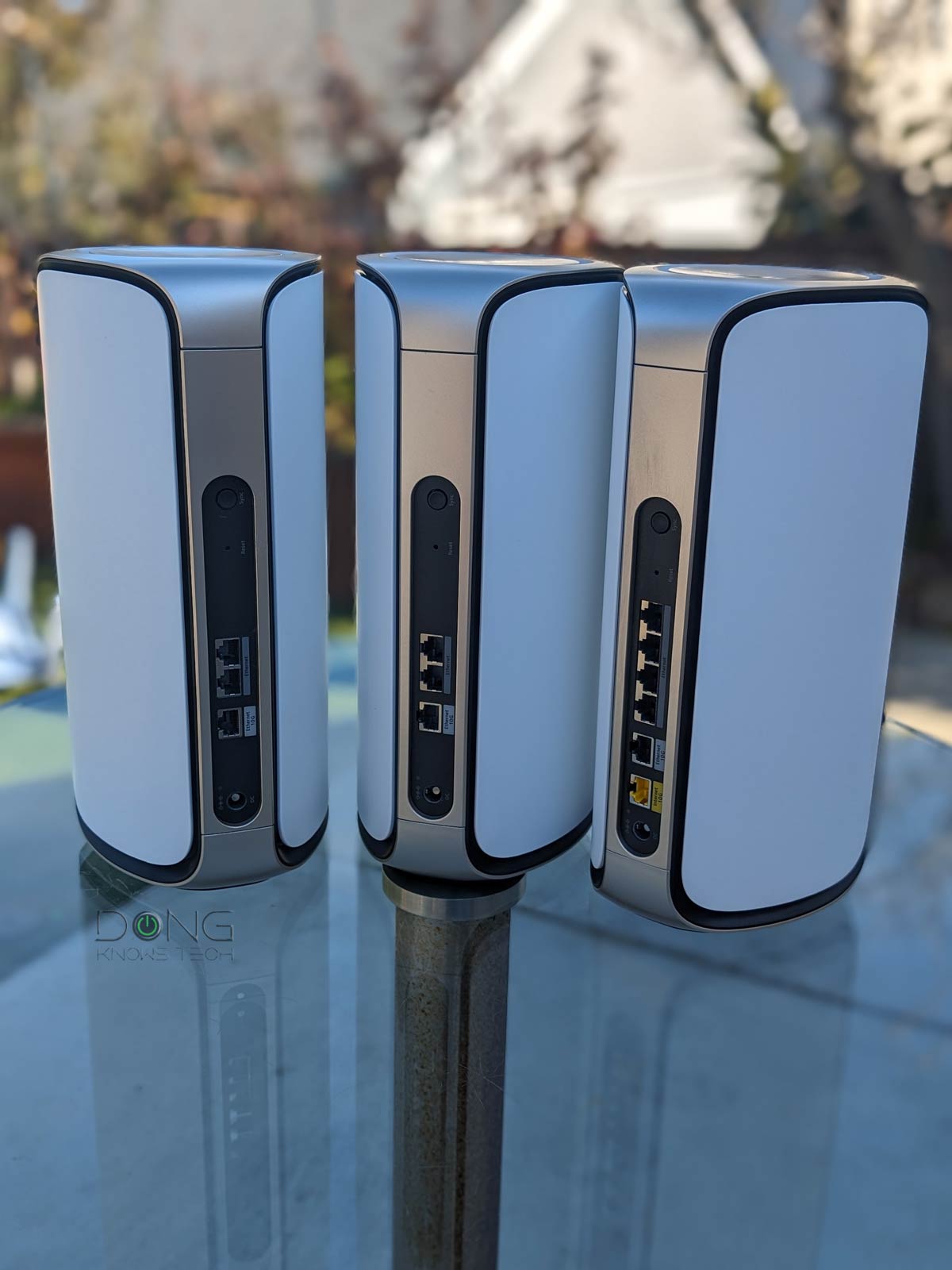
The 970 series is NETGEAR’s latest Orbi mesh set and also the company’s first canned system to feature Wi-Fi 7 and full Multi-Gig. The hardware does not have a Gigabit port. Unfortunately, unlike the TP-Link BE85 below, the satellite unit has only one 10Gbps port, so you’ll need a switch to achieve true 10Gbps wired backhauling.
NETGEAR Orbi 970 Series (RBE973S)'s Rating

Pros
Powerful hardware with quad-band Wi-Fi 7 with all-Multi-Gig ports
Fast performance, extensive coverage, with excellent wireless backhaul bandwidth
Multi-Gigabit wired backhauling support; easy to use; runs cool and quiet
Cons
Unreasonably expensive; the permanent 5GHz backhaul band is unavailable to clients in a wired backhaul setup
No web-based Remote Management, limited Wi-Fi and network settings, few free features; mobile app (with a login account and even subscriptions) is required to be useful
No 2nd 10Gbps port on the satellite; unreliable (at launch); no USB port; lots of upselling pop-ups
4. TP-Link Deco BE85: 2x 10GBASE-T and 2x 2.5GBASE-T
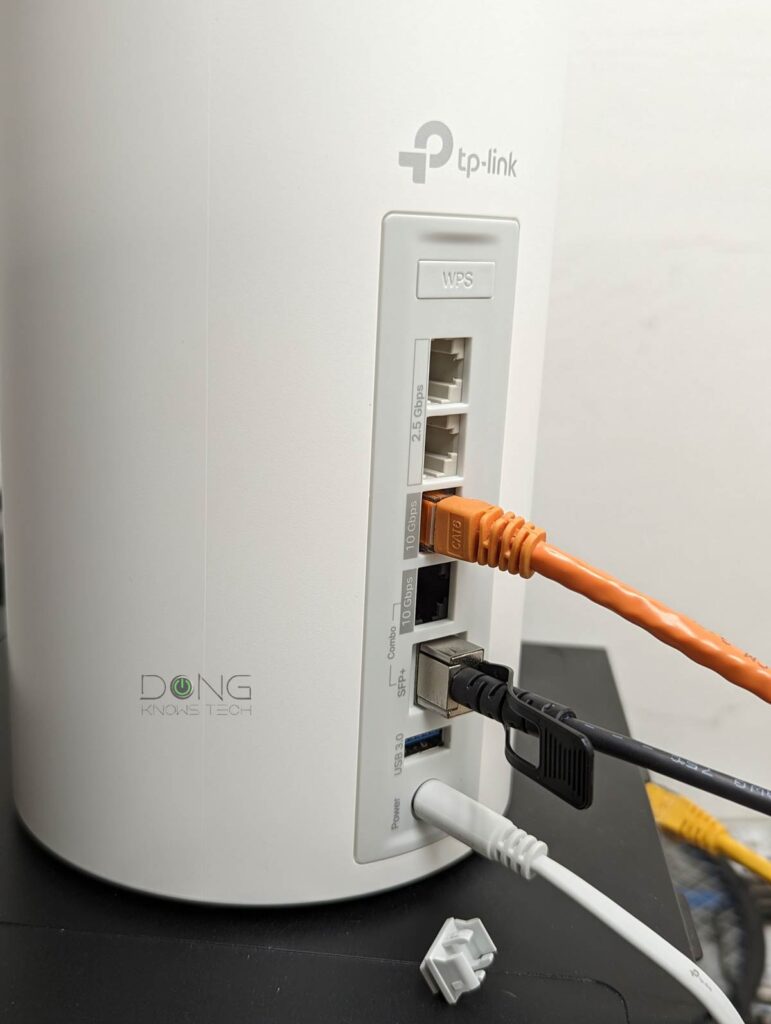
The Deco BE85 forgoes Gigabit ports altogether. Instead, it comes with two 10GBASE-T ports (one is an SFP+/RJ45 combo) and two 2.5GBASE-T ports. With them, this 3-pack mesh is the best-performing Wi-Fi solution to date via wired backhauling.
Alternatively, consider the Deco BE95.
TP-Link Deco 7 Elite BE85's Rating

Pros
Four Multi-Gig ports, including two 10 Gbps, one of which supports RJ45/SFP+ combo; multi-Gigabit wired backhauling out of the box
Wi-Fi 7 support, backward compatible with existing clients; excellent overall real-world performance
Easy to use
Cons
The performance of the 2.4 GHz band and 10Gbps ports could be better
Vendor-connected mobile app required, no web-based user interface, HomeShield Pro costs extra
Noisy internal fan, runs a bit hot
3. ASUS ZenWiFi BT10: 2x 10GBASE-T


The ZenWiFi BT10 is the tri-band version of the BQ16 Pro below and the second in the family to feature Wi-Fi 7. This 2-pack mesh had a rough start upon its July 2024 launch. It wasn’t until November that a well-developed firmware version became available, making it a formidable alternative to its superior cousin. If you have a wired home, this is an excellent Wi-Fi 7 upgrade.
Alternatively, you can use multiple ASUS 10GbE-capable Wi-Fi 7 routers to build an AiMesh system, as further discussed in this post.
ASUS ZenWiFi BT10's Rating

Pros
Tri-band Wi-Fi 7 with two 10Gbps ports and excellent performance
ASUSWRT 5.0 has lots of customizations and free-for-life high-end features (VPN, Parental Controls, Online Protection, Dual-WAN, Link Aggregation, Smart Home Master, etc.).
Robust web user interface and helpful optional mobile app; easy-to-blend-in design
Comparatively compact with no internal fan; runs cool and quiet
Cons
Only three network ports
No AFC (at launch); not wall-mount-ready
2. ASUS ZenWiFi BQ16 Pro: 2x 10GBASE-T


The ZenWiFi BQ16 Pro is the first in ASUS’s ZenWiFi family to support Wi-Fi 7. Most importantly, it is at the top tier of the standard, with 6GHz split into two sub-bands to deliver more bandwidth. That, plus two 10Gbps ports per unit, means it’s a Wi-Fi 7 system as powerful as can be.
ASUS ZenWiFi BQ16 Pro's Rating

Pros
Top quad-band Wi-Fi 7 specs with all features to deliver best-to-date real-world performance both in throughputs and coverage; two 10Gbps Multi-Gig ports
The latest ASUSWRT 5.0 has lots of customizations and free-for-life high-end features (VPN, Parental Controls, Online Protection, Dual-WAN, Link Aggregation, Smart Home Master, etc.).
Robust web user interface and helpful optional mobile app; easy-to-blend-in design
Comparatively compact with no internal fan
Cons
Comparatively expensive; numerous settings require a lengthy restart to apply
Only two Multi-Gig ports; AFC still pending certification (by late 2025)
Not wall-mount-ready
1. Ubiquiti UniFi-based Wi-Fi system: 2x SFP+, (1x 10GBASE-T,) and multiple 2.5Gbps ports

A UniFi-based mesh Wi-Fi system is not available as a “canned” solution. You’ll need to start with a 10Gbps-capable gateway, such as:
plus, if necessary, a UniFi 10GbE-capable switch and then add a couple or more 10Gbps-capable UniFi access points, such as:
to build a system. In return, it’ll give you the most robust network with the best performance and top-notch feature set.
Ubiquiti UniFi Network Wi-Fi System's Rating

Pros
Excellent and reliable performance with seamless support for UniFi hardware of multiple categories (Network, Protect, Talk, Access, etc.)
Tons of helpful networking features, a comprehensive web user interface, and a mobile app
Practical and aesthetically pleasing hardware design, no vendor account required
Cons
No AP mode as a system, most Wi-Fi-integrated consoles can only work in the primary router role
Some helpful features (teleport VPN, automatic backup, convenient remote access, etc.) require a vendor-connected login account
Default Wi-Fi settings heavily favor compatibility and reliability over fast real-world performance
The takeaway
To have the best-performing Wi-Fi system in a large home, you’ll need hardware that features multiple 10Gbps ports and top-tier Wi-Fi 7 specs. After that, using network cables to link them together—wired backhaul uplinks—is a must. That’s because Wi-Fi uplink (or mesh) is generally finicky, not to mention Wi-Fi is always half-duplex.
Network connection: Wi-Fi vs. Wired
- Wi-Fi: Partial bandwidth and always half-duplex. Data moves in one direction at a time using a portion of a band (spectrum) called a channel. Half-duplex is similar to walkie-talkie voice communication.
- Wired (Ethernet):
- Networking cables: Full bandwidth and (generally) full-duplex. Data travels using the entire cable’s bandwidth and in both directions simultaneously. Full-duplex is similar to a phone call in voice communication.
- MoCA: Likely half-duplex, depending on the standard, but with comparable speed and reliability to network cables of the same port grade.
- Powerline: Always half-duplex with very slow real-world speed, heavily susceptible to interference by plugged-in appliances.
Wi-Fi is super convenient, but it’s only relevant when operating on top of a reliable and speedy wired connection via network cables. Within a reasonable distance, Wi-Fi is much better than Powerline.
That said, get your home wired, and then pick any of those mentioned above.


Comments are subject to approval, redaction, or removal. You're in the no-nonsense zone and that applies BOTH ways.
It's generally faster to get answers via site/page search. Your question/comment is one of many Dong Knows Tech receives daily.
Thank you!
(•) If you have subscription-related issues or represent a company/product mentioned here, please use the contact page or a PR channel.