
This post features the five best 10Gbps Multi-Gig Wi-Fi systems—namely the best Wi-Fi systems with multiple 10Gbps Multi-Gig ports. These are among those I’ve reviewed and used for an extended period, with multiple 10Gbps fiber-optic plans in various areas. They are the ones that offer the fastest and most reliable performance in large homes, especially those wired with network cables.
If you only need a single access point or don’t care about Wi-Fi at all, check out this list of 10Gbps routers. Those who want to settle for 2.5Gbps performance grade because that’s all they need or are on a budget should check out these lists instead.
Dong’s note: I first published this piece on March 11, 2026, and last updated it on July 8, 20206 with the latest picks.
Generally, a Wi-Fi system delivers its best and most reliable performance when used in a wired backhaul (uplink) setup—you use network cables to connect the hardware units. However, when wiring is not an option, the MLO feature in Wi-Fi 7 can compensate for signal loss when the hardware is properly configured and arranged in a fully wireless (mesh) setup.
Tip
In network connectivity, there are always fronthaul and backhaul.
Fronthaul (or downlink) refers to the signal from a host device (such as a router) going toward an end device (such as a computer). Backhaul (or uplink) is the signal from an end device going to the host device.
In most cases, the backhaul and fronthaul are the same—it’s just a matter of perspective.
However, a go-between device that relays the signal, such as a network switch or a Wi-Fi access point, has two distinct backhaul and fronthaul ends: the backhaul (the uplink to a single host) determines the max bandwidth (to the router or the Internet) shared between all of its connected end devices on the fronthaul (such as wired computers, Wi-Fi clients, or more go-between devices).
Additionally, keep the following in mind about the uplink for a wireless go-between device, such as a satellite/extender unit (a mesh point or node) of a Wi-Fi system:
- Generally, one of the Wi-Fi bands (2.4GHz, 5GHz, or 6GHz) is used for the uplink (backhaul), resulting in two scenarios:
- If this Wi-Fi band also handles fronthaul simultaneously, only half of its bandwidth is available to either end (and the half used for the uplink is the maximum bandwidth available to all of its connected end devices).
- If this Wi-Fi band is used solely for backhauling, as is often the case in tri-band hardware, the link is called a dedicated backhaul. In this case, this band is no longer available for the fronthaul.
- Some Wi-Fi 7 hardware can combine multiple bands into a single backhaul link via the MLO feature, allowing these bands to operate simultaneously as both backhaul and fronthaul. In this case, half of their combined bandwidth is available to either side.
For the best performance and reliability, network cables are recommended for uplink (a.k.a. wired backhaul), which is only possible when the go-between device has a network port, preferably a Multi-Gig port.
In any case, all of the systems featured below can work in either a fully mesh or a wired-uplink configuration.
2026’s five best Wi-Fi systems with 10Gbps Multi-Gig ports: The list
A couple of things to keep in mind:
- To qualify for this list, each Wi-Fi system must have enough 10Gbps ports on its hardware units to support 10Gbps WAN and 10Gbps wired backhauling.
- These lists are sorted in recommendation order—the numbers indicate the ranking, with #1 being the best in my experience for my needs.
Notes on 10GbE network hardware
Network hardware needs at least two 10GbE network ports, high processing power, and compatible firmware to deliver top real-world performance at this grade.
Generally, consumer-grade 10GbE-capable routers and switches do not deliver true 10Gbps (10,000Mbps) throughput. After “overhead”, they sustain between 6.5Gbps and 9.5Gbps. Traffic-related features, such as QoS and security, when enabled, can adversely affect their bandwidth.
Hardware supporting the entry-level Multi-Gig, 2.5GbE, often can deliver closer to 2.5Gbps in real-world performance.
Top 5 best Wi-Fi systems with 10Gbps Multi-Gig ports
 |  |  |  |  | |
| Name | Ubiquiti UniFi Network Wi-Fi System's Rating | ASUS ZenWiFi BQ16 Pro's Rating | ASUS ZenWiFi BT10's Rating | TP-Link Deco 7 Elite BE85's Rating | NETGEAR Orbi 970 Series (RBE973S)'s Rating |
| Price | – | – | – | – | – |
| Rating | |||||
| Description | |||||
| Statistics | |||||
| Buy this product |
5. NETGEAR Orbi 970 series: 2x 10GBASE-T + 4x 2.5GBASE-T (router) / 1x 10GBASE-T + 2x 2.5GBASE-T (satellite)

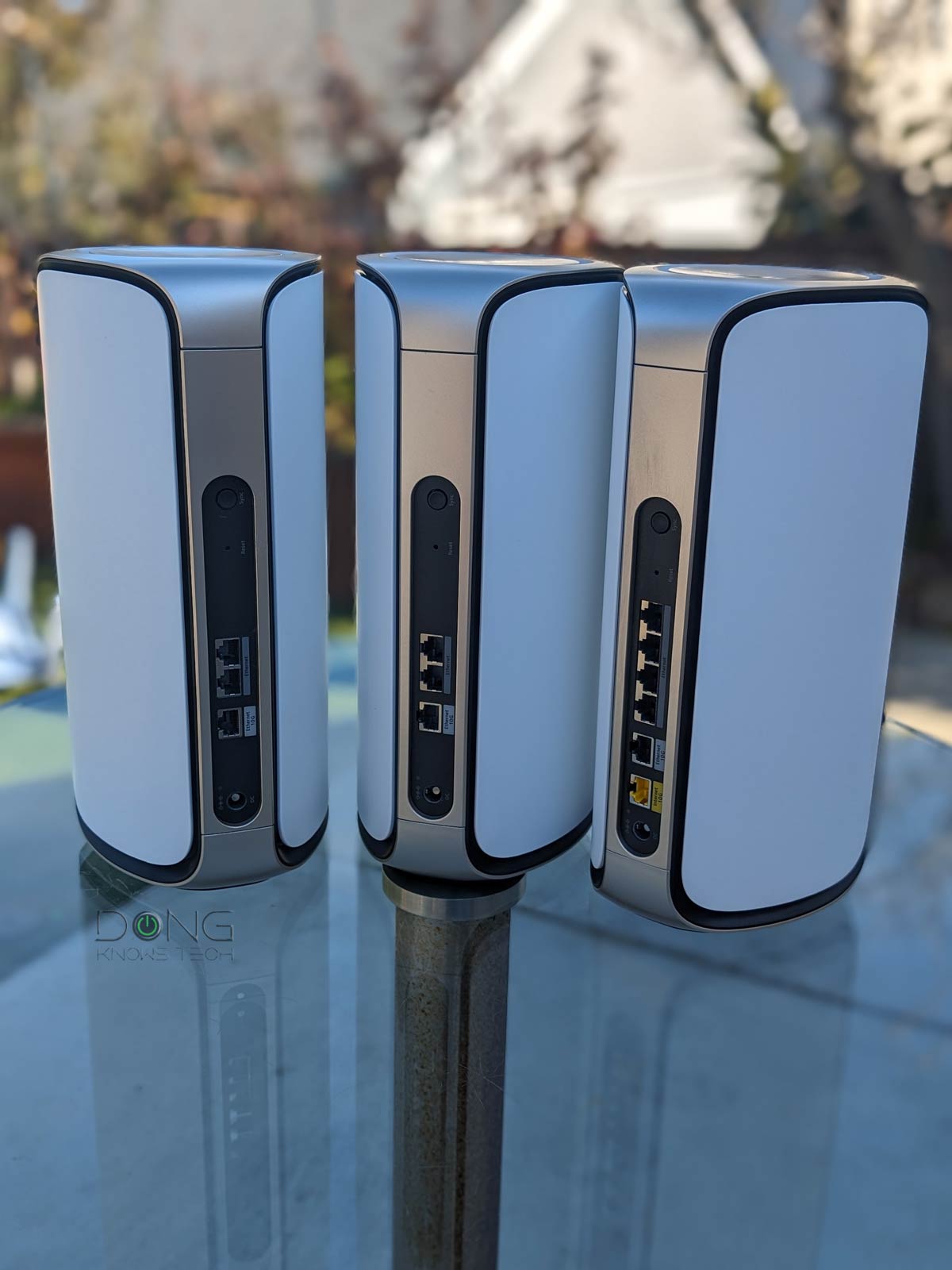
The 970 series is NETGEAR’s latest Orbi mesh set and also the company’s first canned system to feature Wi-Fi 7 and full Multi-Gig. The hardware does not have a Gigabit port. Unfortunately, unlike the TP-Link BE85 below, the satellite unit has only one 10Gbps port, so you’ll need a switch to achieve true 10Gbps wired backhauling.
NETGEAR Orbi 970 Series (RBE973S)'s Rating

Pros
Powerful hardware with quad-band Wi-Fi 7 with all-Multi-Gig ports
Fast performance, extensive coverage, with excellent wireless backhaul bandwidth
Multi-Gigabit wired backhauling support; easy to use; runs cool and quiet
Cons
Unreasonably expensive; the permanent 5GHz backhaul band is unavailable to clients in a wired backhaul setup
No web-based Remote Management, limited Wi-Fi and network settings, few free features; mobile app (with a login account and even subscriptions) is required to be useful
No 2nd 10Gbps port on the satellite; unreliable (at launch); no USB port; lots of upselling pop-ups
4. TP-Link Deco 7 Elite BE85: 2x 10GBASE-T and 2x 2.5GBASE-T
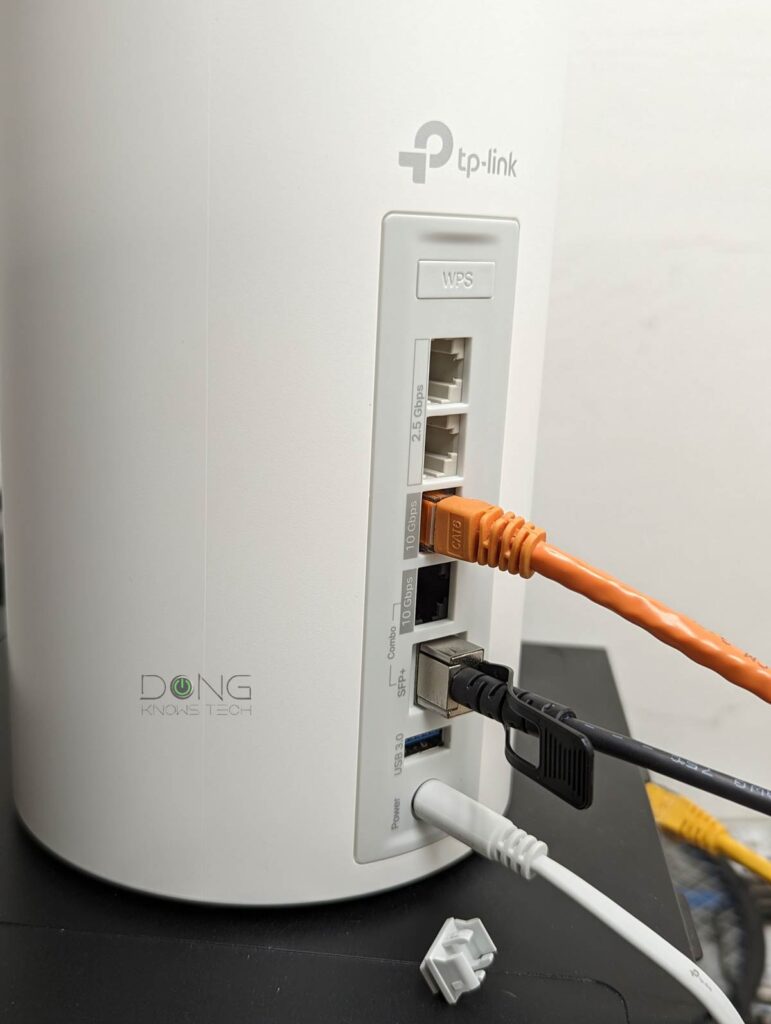
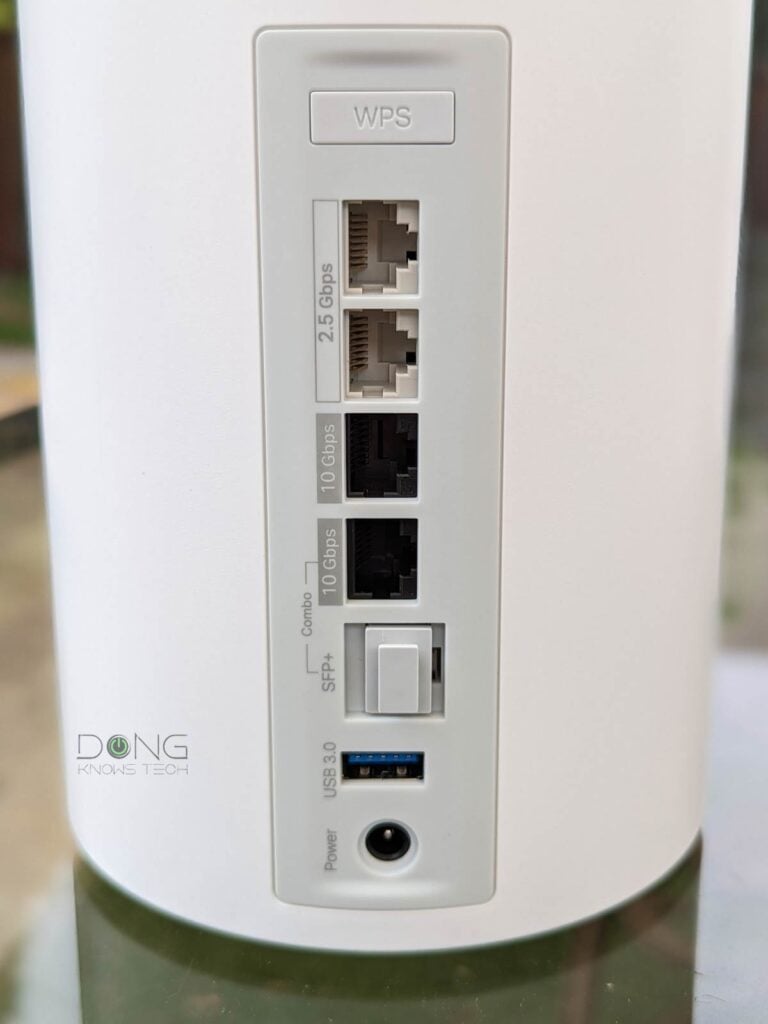
The Deco BE85 forgoes Gigabit ports altogether. Instead, it comes with two 10GBASE-T ports (one is an SFP+/RJ45 combo) and two 2.5GBASE-T ports. With them, this 3-pack mesh is the best-performing Wi-Fi solution to date over a wired backhaul.
TP-Link’s alternatively:
- Deco 7 Elite BE95 (2x 10GBASE-T and 2x 2.5GBASE-T)
- Deco 7 Pro BE14000 (1x 10GBASE-T and 1x 2.5GBASE-T)
- Check street pricing
3. ASUS ZenWiFi BT10: 2x 10GBASE-T


The ZenWiFi BT10 is the tri-band version of the BQ16 Pro below and the second in the family to feature Wi-Fi 7. This 2-pack mesh had a rough start upon its July 2024 launch. It wasn’t until November that a well-developed firmware version became available, making it a formidable alternative to its superior cousin. If you have a wired home, this is an excellent Wi-Fi 7 upgrade.
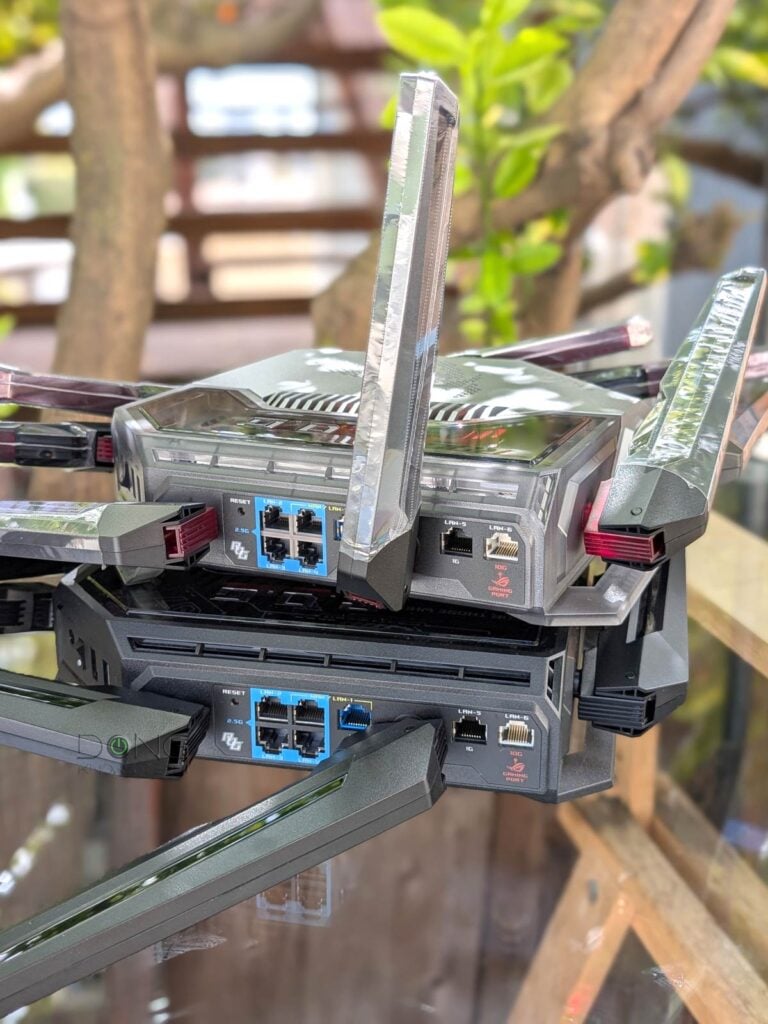
Alternatively, you can use multiple ASUS 10GbE-capable Wi-Fi 7 routers to build an AiMesh system, as further discussed in this post.
ASUS ZenWiFi BT10's Rating

Pros
Tri-band Wi-Fi 7 with two 10Gbps ports and excellent performance
ASUSWRT 5.0 offers many customizations and free-for-life, high-end features (VPN, Parental Controls, Online Protection, Dual-WAN, Link Aggregation, Smart Home Master, etc.).
Robust web user interface and helpful optional mobile app; easy-to-blend-in design
Comparatively compact with no internal fan; runs cool and quiet
Cons
Only three network ports
No AFC (at launch); not wall-mount-ready
2. ASUS ZenWiFi BQ16 Pro: 2x 10GBASE-T


The ZenWiFi BQ16 Pro is the first in ASUS’s ZenWiFi family to support Wi-Fi 7. Most importantly, it is at the top tier of the standard, with 6GHz split into two sub-bands to deliver more bandwidth. That, plus two 10Gbps ports per unit, means it’s a Wi-Fi 7 system as powerful as can be.
1. Ubiquiti UniFi-based Wi-Fi system: 2x SFP+, (1x 10GBASE-T,) and multiple 2.5Gbps ports

A UniFi-based mesh Wi-Fi system is not available as a “canned” solution. You’ll need to start with a 10Gbps-capable gateway, such as:
- UDM-Beast (2x SPF28, 2x SFP+, 8x 10GBASE-T)
- UCG-Fiber (1x SFP+, 1x 10GBASE-T, 4x 2.5GBASE-T)
- UDM-Pro-Max (2x SFP+, 1x 2.5GBASE-T)
- UCG-Industrial (1x SFP+, 1x 10GBASE-T, 4x 2.5GBASE-T)
- UDM-SE (2x SFP+, 1x 2.5GBASE-T)
- Compare specs and street pricing
Plus, if necessary, a UniFi 10GbE-capable switch, and then add a couple or more 10Gbps-capable UniFi access points, such as:
- UniFi E7 (10GBASE-T uplink)
- UniFi Pro Max (2.5GBASE-T uplnk) or UniFi Pro XG/S (10GBASE-T uplink)
- Other UniFi APs
to build a system. In return, it’ll give you the most robust network with the best performance and top-notch feature set.
Ubiquiti UniFi Network Wi-Fi System's Rating

Pros
Excellent and reliable performance, with seamless support for UniFi hardware across multiple categories (Network, Protect, Talk, Access, etc.).
Tons of helpful networking features, a comprehensive web user interface, and a mobile app
Practical and aesthetically pleasing hardware design, no vendor account required
Cons
No AP mode as a system; most Wi-Fi-integrated consoles can only work in the primary router role
Some helpful features (teleport VPN, automatic backup, convenient remote access, etc.) require a vendor-connected login account
Default Wi-Fi settings heavily favor compatibility and reliability over fast real-world performance
The takeaway
To have the best-performing Wi-Fi system in a large home, you’ll need hardware with multiple 10 Gbps ports and top-tier Wi-Fi 7 specs. After that, using network cables to link them together—wired backhaul uplinks—is a must. That’s because Wi-Fi uplink (or mesh backhaul) is generally finicky, and Wi-Fi is always half-duplex.
Network connection: Wi-Fi vs. Wired
- Wi-Fi: Partial bandwidth and always half-duplex. Data moves in one direction at a time using a portion of a band (spectrum) called a channel. Half-duplex is similar to walkie-talkie voice communication.
- Wired (Ethernet):
- Networking cables: Full bandwidth and (generally) full-duplex. Data travels using the entire cable’s bandwidth and in both directions simultaneously. Full-duplex is similar to a phone call in voice communication.
- MoCA: Likely half-duplex, depending on the standard, but with comparable speed and reliability to network cables of the same port grade.
- Powerline: Always half-duplex, highly susceptible to interference from plugged-in appliances, and has slow real-world rates.
Wi-Fi is super convenient, but it’s only relevant when operating over a reliable, fast wired uplink. At reasonable distances, Wi-Fi is much better than Powerline.
That said, the best bet is to get your home wired, then pick any of the ones mentioned above.



Comments are subject to approval, redaction, or removal. You're in the no-nonsense zone and that applies BOTH ways.
It's generally faster to get answers via site/page search. Your question/comment is one of many Dong Knows Tech receives daily.
Thank you!
(•) If you have subscription-related issues or represent a company/product mentioned here, please use the contact page or a PR channel.