
This post features the top five 10Gbps Multi-Gig routers among those I’ve evaluated. They matter because 10Gbps is the highest theoretical bandwidth available for any home or small business.
I’ve used all of these devices for an extended period—from over a month to over a year—with my 10Gbps Sonic Fiber-optic plan, and I’m still using some of them right now at various locations with different multi-gigabit broadband plans. That’s to say they are really the top among their peers.
Living in a large home? Check out this list of the current best 10Gbps Wi-Fi systems. Or, if you’re satisfied with the 2.5Gbps grade, these lists of the best entry-level Multi-Gig solutions provide just-right options that deliver better value for your money.
Dong’s note: I first published this post on May 2, 2024, and last updated it on March 1, 2026.

Top five best 10Gbps Multi-Gig routers: The lists
A couple of things to keep in mind:
- We’re talking about wired networking here, and to qualify for this list, the bare minimum is that the routers must have at least two 10Gbps ports—one for the WAN and one for the LAN. With a 10Gbps switch and proper cabling, the entire home will have the highest possible bandwidth.
- These lists are sorted in recommendation order—the numbers indicate the ranking, with #1 being the best in my experience for my needs.
Notes on 10GbE network hardware
Network hardware needs at least two 10GbE network ports, high processing power, and compatible firmware to deliver top real-world performance at this grade.
Generally, consumer-grade 10GbE-capable routers and switches do not deliver true 10Gbps (10,000Mbps) throughputs. After “overhead”, they sustain between 6.5Gbps and 9Gbps. Traffic-related features, such as QoS and security, when enabled, can adversely affect its bandwidth.
Hardware supporting the entry-level Multi-Gig, 2.5GbE, often can deliver closer to 2.5Gbps in real-world performance.
There are dozens of 10Gbps-capable routers on the market that I’d consider great, and picking only five is challenging. That said, when applicable, I’ll include comparable alternatives worthy of your consideration. So, consider these five as the top representatives of their peers.
Top 5 best 10Gbps Multi-Gig routers
 |  |  |  |  | |
| Name | Ubiquiti Cloud Gateway Fiber (UCG-Fiber)’s Rating | ASUS GT-BE19000AI’s Rating | Ubiquiti UniFi Dream Machine Pro Max (UDM-Pro-Max)’s Rating | TP-Link Archer GE800’s Rating | NETGEAR Nighthawk RS700S’ Rating |
| Price | – | – | – | – | – |
| Rating | |||||
| Description | |||||
| Statistics | |||||
| Buy this product |
5. NETGEAR Nighthawk RS700S: 2x 10GBASE-T

The Nighthawk RS700S is NETGEAR’s first standalone router with two Multi-Gig ports—both are 10GBASE-T. Despite its markedly different design, it has virtually the same hardware specs as the ASUS RT-BE96U.
It’s the least recommended on this list due to its neutered web user interface. The omission of the standard and widely used web-based remote access feature alone is a deal-breaker for many advanced users. In fact, that was the reason I stopped using it after a month.
It’s also the sole router on this list that’s not mesh-capable—it works well only for homes where a single broadcaster is sufficient. Still, if you have 10Gbps broadband, the NETGEAR RS700S has enough to make you happy.
Tip
Technically, all Wi-Fi devices are transceivers, as they can both transmit and receive wireless signals. However, in the context of a local network, you can think of a Wi-Fi access point (or a router) as the “broadcaster”, as it’s subject to regulatory “broadcasting power” and can host multiple “receivers”, also known as Wi-Fi clients or devices, simultaneously. The term is only to demonstrate their roles, and not to omit the fact that networking is two-way communication.
NETGEAR Nighthawk RS700S' Rating
Pros
Top-tier tri-band specs with Wi-Fi 7 support
Two 10Gbps Multi-Gig ports
Robust web interface, helpful (optional) mobile app
Practical fanless design; runs cool and quiet
Cons
Only two Multi-Gig ports; no standard Remote Management via Dynamic DNS
Online protection and Parental Controls require the Nighthawk mobile app and premium subscriptions
4. TP-Link Archer GE800: 1x 10GBASE-T, 1x 10GBASE-T/SFP+ combo, 4x 2.5GBASE-T

The Archer GE800 is TP-Link’s first actual gaming router. It’s a powerhouse with 7 top-tier Wi-Fi specs and a multi-Gigabit approach, including two 10Gbps and four 2.5Gbps ports. This Wi-Fi machine is arguably the best standalone router TP-Link has ever made.
Similar alternatives:
- TP-Link Archer BE800: 2x 10GBASE-T (with SFP+ support) and 4x 2.5GBASE-T
- TP-Link Archer BE900: 2x 10GBASE-T (with SFP+ support) and 4x 2.5GBASE-T
- TP-Link Archer AXE300: 2x 10GBASE-T (with SFP+ support)
Need to make a quick shopping decision? Compare their prices on Amazon!
TP-Link Archer GE800's Rating
Pros
Top-tier tri-band Wi-Fi 7 specs with full multi-Gigabit to deliver excellent real-world performance
Robust web user interface with an excellent set of network features and Wi-Fi settings, including MLO and gaming-related features
Competitively priced; useful (optional) mobile app; EasyMesh-ready; cool-looking design
Cons
Bulky design with an audible internal fan; runs hot; Wi-Fi throughputs could be comparatively a tad better
No AFC; online protection and advanced parental controls require subscriptions
Not wall-mount-ready
3. UniFi Dream Machine Pro Max (UDM Pro Max): The ultimate full-scale rackmount non-Wi-Fi router

The UDM Pro Max is a home-friendly, full-scale, non-Wi-Fi router designed for those with a network rack. With two 10Gbps ports, one 2.5Gbps port, and numerous Gigabit PoE ports, it’s ready to host a wide range of devices. The console also features two hard drive bays to accommodate terabytes of RAID1-protected storage space for its other functions.
Alternatively, you can also consider the similar UDM-SE, which has slightly lower hardware specifications and only a single drive bay.
Ubiquiti UniFi Dream Machine Pro Max (UDM-Pro-Max)'s Rating

Pros
Robust hardware to handle large-scale networks via multiple simultaneous enterprise-class applications; excellent overall performance
A complete set of useful networking features, including powerful security/web-filtering and WireGuard VPN; excellent web user interface; useful mobile apps
Dual drive support with RAID 1; no subscription required; runs relatively cool and quiet
Cons
Bulky design with only two SFP+ (10Gbps) and one 2.5GBASE-T ports, no 10GBASE-T port, no PoE support
A Ubiquiti login account is required for some useful features to work
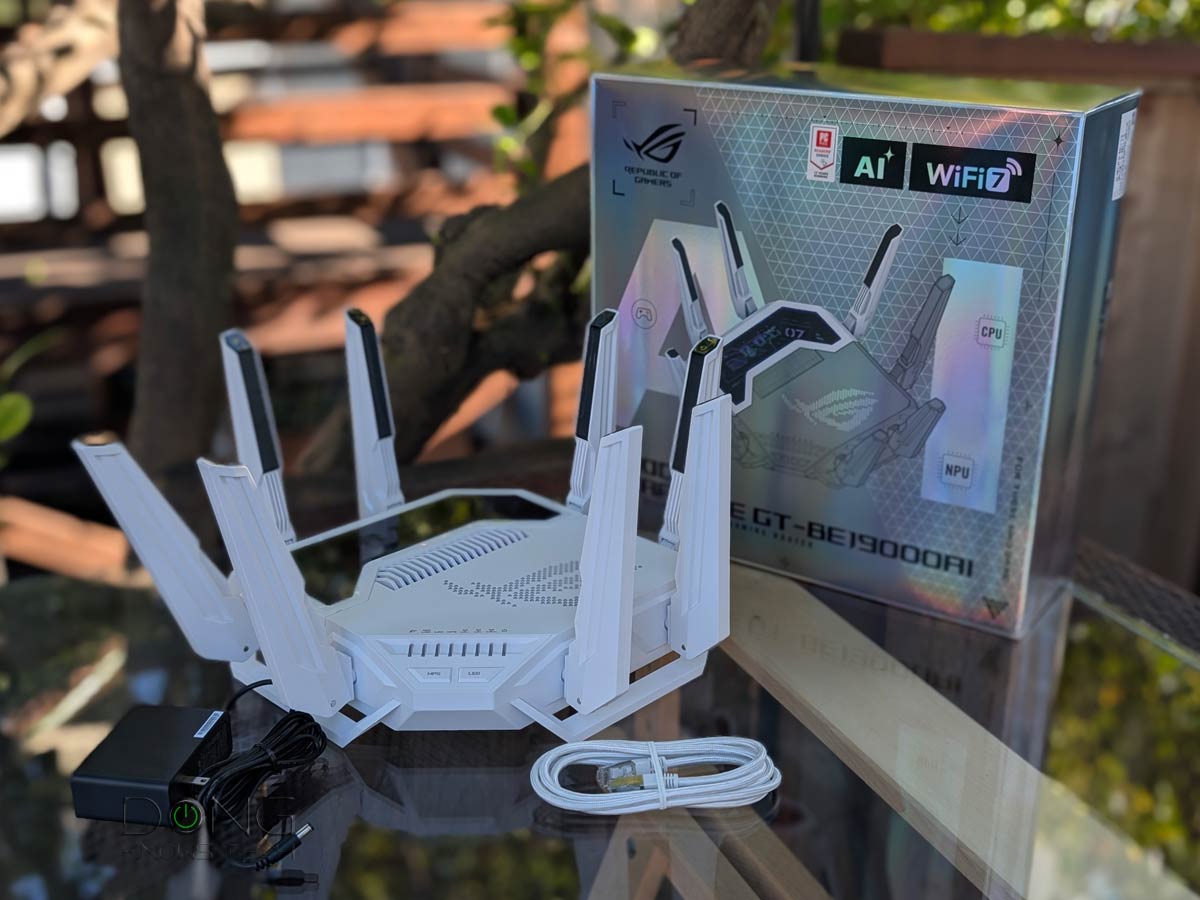
2. ASUS GT-BE19000AI: 2x 10GBASE-T and 4x 2.5GBASE-T

The GT-BE19000AI is arguably ASUS’s best Wi-Fi 7 router. Despite a similar design to previous ASUS ROG gaming routers, such as the GT-BE98 Pro or the GT-AX11000 Pro, it’s a totally different beast thanks to support for Edge AI and Docker hosting. Other than that, it has multiple Multi-Gig ports, tons of gaming features, and uncompromising Wi-Fi 7 support.
Like all ASUS routers, you can use multiple GT-BE19000AI units to build a formidable AiMesh Wi-Fi system.
Similar alternative:
- ASUS GT-BE98 Pro: 2x 10GBASE-T and 4x 2.5GBASE-T
- ASUS RT-BE96U: 2x 10BASE-T ports
- ASUS RT-BE88U: 1x 10GBASE-T, 1x SFP+ and 4x 2.5GBASE-T
- ASUS GT-AXE16000: 2x 10GBASE-T ports
- ASUS RT-AX89X: 1x 10GBASE-T and 1x SFP+
Not sure which to pick between the above? Compare availability on Amazon!
ASUS GT-BE19000AI's Rating
Pros
Top-tier Wi-Fi 7 with excellent real-world performance
Refined ASUSWRT 6.0 firmware with lots of free, in-depth, and valuable features and settings (advanced VPN, AiProtection online protection, Parental Control, adblocking, virtual SSDs, AI-enabled gaming-related features, and AiMesh)
Two 10Gbps and four 2.5Gbps Multi-Gig ports with WAN/LAN flexibility; supports Dual-WAN and LAN Link Aggregations
No vendor required login account, silent performer, runs relatively cool
Cons
Bulky design, buggy Docker support (at launch), not wall-mount-ready
AFC unavailable (at launch)
A bit pricey
1. Ubiquiti UniFi Cloud Gateway Fiber (UCG-Fiber): 1x 10GBASE-T, 2x SFP+, 4x 2.5GBASE-T

Like the UDM Pro Max above, UniFi Cloud Gateway Fiber is a non-Wi-Fi router. You can add one or a couple of UniFi access points to create a robust mesh system.
The UCG-Fiber has two SFP+ ports, one 10GBASE-T port, and four 2.5GBASE-T ports, making it one of the most generous Multi-Gig routers, port-wise. It can handle a multi-Gigabit Dual-WAN setup while maintaining a 10Gbps local connection right out of the box.
Most importantly, it offers the most features and in-depth customization, yet comes with a well-thought-out management system that makes all users happy, from home to enterprise-class.
Similar alternatives:
- UniFi Cloud Gateway Industrial: 2x SFP+ and 4x 2.5GBASE-T
- QNAP QHora-301W: 2x 10GBASE-T
- Amazon eero PoE Gateway: 2x 10GBASE-T and 8x 2.5GBASE-T
Need help deciding between these four? Check availability on Amazon!
Ubiquiti Cloud Gateway Fiber (UCG-Fiber)'s Rating

Pros
Top-tier hardware with three 10Gbps ports, four 2.5GBASE-T ports, PoE+ support, and an NVMe slot for NVR
Excellent and reliable real-world performance; can handle lots of concurrent UniFi devices (Wi-Fi access points, cameras, IP phones, etc.) and end-users
Compact and aesthetically pleasing design with everything for all users, from home to enterprise-grade
Lots of valuable features, each with tons of customization, comparatively affordable
Cons
Only one PoE+ port, no PoE++ support; SFP+ ports are less practical than 10GBASE-T
A Ubiquiti login account is required for the built-in Remote Management, as well as some other useful features, to work
Runs a bit warm, no SSD caddy is included in the non-storage version; no USB port or network-attached storage features
The takeaway
“Money is not an issue. Just tell me the best router to buy!” is the request I often receive—if only it were that easy.
Networking, whether in real life or technology, is always a matter of nuance, and individual needs vary significantly. In most cases, you need to figure that out first, and only then will money help.
Generally, though, if you have 3Gbps or faster broadband, any of the routers above will deliver the best possible real-world performance, at least for wired connections.


Very nice review, thank you, Dong. And yet, I feel like I’m missing something – Mikrotik has at least two routers that can fit in here, and, in my opinion, in the top of the performance/price and features/price ranking. Namely:
CCR2004-16G-2S+ (16 x 1G Ethernet + 2 x 10G SFP+), 64bit ARM64 CPU with 4 cores @ 1,7GHz, list price $465
CCR2116-12G-4S+ (13 x 1G Ethernet + 4 x 10G SFP+), 64bit ARM64 CPU with 16 cores @ 2GHz (!!!), list price $995
All MT devices are using the same software which is on highly professional level and is updated regularly, so you can do with it virtually everything you can imagine.
For those prices, you should go with a UniFi console and maybe a switch, Alexander. Try that and you’ll feel nothing is really missing. 🙂
Well, UDM Pro Max, e.g., isn’t much cheaper (list price €555 – ~$630) or isn’t cheaper at all, depending on what you are comparing with.
Both Ubiquity and MT have its strengths and weaknesses and they are targeted for slightly different application audiences.
I personally like the fine grained control and the freedom I get with Mikrotik to do what I want.
When it comes to WiFi Ubiquity is much better, no comparison there (although the UniFi Controller is terrible), yet, regarding routers and switches, I prefer Mikrotik.
The UDM Pro Max is for big businesses with a network rack, Alexander. There are many smaller and less expensive options, like the UCG-Max, UCG-Fiber, UDR7, etc. More in this post. Try UniFi and you’ll likely stop raving about the other brand. It’s OK to maintain a personal preference, but going online to validate that, among other things, won’t make yours better than others. 🙂
Yes, I know there are smaller Ubiquiti routers. I just picked a comparable model to the 2 MT routers I mentioned. They are both also rack mountable and with its 16 cores CCR2116 is certainly also not for the casual home user. Otherwise, the RB5009-series offers smaller and cheaper routers that combine 10G, 2.5G and 1G ports.
And, what’s amazing about MT, they are driven by the same software and offer exactly the same functionality as their bigger and more expensive brothers. Even the smallest 50-60-dollar “soap boxes” offer that same functionality, with much weaker performance, of course.
Otherwise, I’m perfectly OK with you preferring UniFi or TP-Link routers. It is YOUR personal opinion.
Then you can pick the UDM-SE or UDM Pro. Clearly you didn’t read the post I linked. All UniFi “routers” share the same OS and app. Try UniFi once and you’ll know what I mean. Everyone has opinions, it’s a matter of knowing which you should listen to. Like I said, don’t look to validate what you already believe. Or do, but keep that to yourself. This top-5 is limited to 5 for a reason.
Unifi has become terrrible, and I have moved my entire network off them. Its all fine until 15 cameras go offline do to a bad firmware update and you gotta climb 20 feet in the air to hardware reset them. Unifi has too much on their plate, and not enough actual people taking care of the products. You can fluff Unifi all you want, but there actual record of things going wrong speaks for itself.
15 cams are a lot, Bill, and Protect is not even the main UniFi application. In any case, no platform is perfect, and you need to pick and use the hardware properly. It seems from your message that there might might have been something wrong with the setup. I’ve been running multiple UniFi systems, Network and Protect, for over a year with zero serious issues. Still, you don’t have to use it and there are other options, which is the point of this post. Don’t immediately blame the hardware or call others fluff.
Sir, thank you for all the information and reviews you provide. I have a 2 story square shapped, 3600 sq-ft house with normal construction methods and large rooms with detached shop (30 feet away) that I need to provide service to. Currently I only have 1G fibre but they are upgrading soon and its true fibre all the way to the house and the provider (at least as of now) doesnt choke it down. I always see 975m up and down with 3ish ms latency/ping. I am running an orbi 770 with 2 satelites and its “fine” but not great. I am currently hardwired throughout with 5E but am upgrading the drops to 6 or 6a due to previous sloppy installation issues. I want this system to be relevant for 5-10 yrs hopefully, which is likely the life expectancy of this type of electronic equipment based on my experience (maybe you have a different opinion?) Anyhow, I have room for a rack and will likely go that route. I also intend to run 3-4 good cameras hardwired and a wifi doorbell. I have initially decided on the following equipment. UDM ProMAX cloud gateway and use both the 3.5″ bays for protect storage, XG 10 PoE Switch, and either the E7 or U7-PRO XGS AP. Most of my WIFI needs are in the central part of the house (both levels) and I think either of those AP’s will suit me fine and think a central ceiling mount on first floor will provide the best coverage with the AP’s above. I may have to get a basic AP for the garage door openers running Liftmaster MyQ in the 300 mhz range and one for the shop. I can always add another AP if needed. I think my gateway and switch choices are solid, but my AP’s are where I am struggling. Please provide suggestions wherever you deem necessary. I know this is long and it does not need to be posted on the web for that reason. Frank
Your choice of hardware is great, Frank. It’ll work. You can make many SSIDs and custimze them to the max so you won’t have issue with legacy devices. One thing to note: The UDM Pro Max is HUGE, but you likely already know that. Good luck!
Would the E7 provide enough benefit vs cost over U7-Pro XGS for my needs.
That depends on your place, Fank. If you want the best 6GHz range as possible, the E7 is the way to go, but AFC is not a guarantee, for that reason, the U7 Pro XGS is the best AP for now.
Are there any 10G routers with at least 2 RJ45 ports onboard? I have 5G internet from my fiber provider (they will sell me 50Gbps if I can afford the $900/month so I stick to 5Gbps up and down for now)
Wifi would be nice but not required.
That’s literally all non-UniFi router mentioned here, Brian. That’s one of the requirements for them to be selected. And even with UniFi routers, you can get a SFP+ to RJ45 tranceivers.
Make sure you *read*! 🙂
I don’t want to have extra things I need to buy. Was looking for a one and done.. fully RJ45 ports. I’d rather not have to deal with the SFP+ transceivers. I have a couple of 81port fully 10G RJ45 switches.
Some switches have SFP+ as the uplink. But yes, you’ll find all the options in the post. Check out the alternatives.
Excellent review, I agree with your rankings and the reasoning behind them; UCG-Fiber and U7 Pro XGS is the way to go.
My only quibble is that I would rate the Asus RT-BE96U higher than the GT-BE98 Pro because it doesn’t split the 6 GHz band. The ’96 supports 3 320 Mhz channels while the ’98 only provides 2.
As a single router, I’d take the 98 Pro over the 96U, Richard, but the two are similar.
I know this is an older post, but how are the parental control options on Ubiquity setups? I understand I can setup VLANs and a separate WiFi network for the kids, but you need to log into the system via your PC to make all the changes, right? Or is there an app where you can manage this on your phone too?
I have a Deco BE85 WiFi 7 system now and when it works, it works great. The problem is it is not reliable. Devices drop often and parental control functions sometimes stop working. But when it is working, having features like allowing extra screen time through the app and turning downtime on/off is really great. It is also convenient being able to control these features remotely while I am away at work.
Does Ubiquity offer this kind of convenience?
1. This is not an “older post”. It’s as updated as can be. Unlike other online media, I don’t artificially change the date to make the information seem “fresh”.
2. Everything you want from a home router you’ll get it from a UniFi console and MUCH more. More here. There’s no comparison.
3. Make sure you actually *read*.
Thanks for the review, Dong. Excellent as always. So does everyone enable MLO on the GT-BE98? Is it worth it? Looks like the SSID’s all wrap back into one?
I’d say it’s not worth it, Joey. Give this portion of the post on the standard a good read.
Thanks Dong. I ended up setting it up prior to your recommendation, and I found it not to be worth it – I do like keeping the SSID’s separated.
Which is another thing, it looks like the smart connect is now the default when setting up a new Asus network – frustrating to say the least.
On a more positive note, I am running 2 GT-BE98’s and two satellite BQ16 Pro’s with a XS1930-12HP switch in between – and man, I think I found the absolute perfect setup!
That’s expensive, Joey! I have a similar setup but with a single GT-BE98 Pro and a 2-pack BQ16 for future AiMesh-related posts and thought I’ve been rolling VIP. Thanks for sharing and cheers! 🙂
That’s the setup I am building now. Two bq16 pro and 1 gt-be98 pro probably as well. All hardwired of course. Great guide thank you!
With the latest firmware (for both), Sev, the combo will work well, and it’ll top-notched via wired backhauling. Good luck!
i am interested ina 10gbps router without wlan, thanks!
seems there are not many options available at the moment.
That’s the #1 in this list. And you can turn Wi-Fi off on the rest by the way.
I’m surprised you included the UDM-SE but not the TP-Link ER8411. I’ve found TP-Link’s firmware to be more reliable that Ubiquiti’s.
The main downside of the ER8411 is that it just has 2 x 10Gbps ports (SFP+) and 8 x 1Gbps ports. No 2.5Gbps. That’s fine for me since I have a MikroTik switch with 12 x 10Gbps ports.
I haven’t tested the TP- Link, and I can’t test every router. The Unifi OS has so much more, tho.
Firewalla, mine has been rock solid and never had an issue. Can’t recommend it enough.
I find Firewalla’s firmware to be a bit limited in features and bloated with unnecessary options and notifications, Tank. I stopped using the Gold after less than a month. It got old fast.
For the cost of the Gold Pro, any routers mentioned here is 10x better.
What about the TP-Link ER8411? At the prices of any one of these routers. This should be considered as well.
I haven’t tried it. It looks like a router with a built-in Omada controller. Looks decent for sure.
I am thinking about switching over to this. Because I need a backup or failover Wan and qhora refuses to do this. They only offer a broken load balancing. And I already have omada EAPs and a controller. Might as well complete the system I guess. Unless there is something that is not great with this unit. Trying to find unbiased opinions.
@Justin I’ve been using an ER8411 since its launch in November 2022, so around 18 months now. It works pretty well. I can get 8.4Gbps down in speed tests, which is the same as what I get if I connect my computer directly to the ONT.
My main complaint was the lack of a IPv6 firewall (it used to allow all inbound IPv6 connections!) but this was fixed in firmware v1.1.1 around six months ago.
How about Unifi Switch Flex XG? since it has multiple 10Gb ports, do you think that’s a good candidate?
Thanks,
Wilson
That’s a switch, Wilson, so it’s irrelevant. But you can use it with any router here, including the UDM-SE.
So I just got ATT fiber but I need a wifi extender with a Ethernet port to plug into my processor. What do you suggest? Thanks
It’s a bit cryptic what you said, DH. However, this post will likely help. Give it a good read. Good luck!
Still confusing but I need a WiFi extender with a Ethernet port cause my processor does not have WiFi capability.
Then what you need is a media bridge.
So looks like I need a booster with a Ethernet port. What’s my best option. Thanks
So is the asus rp-be58 my best option? Looks like it has a Ethernet port right?
It’ll work via the media bridge mode, but for it to be the “best,” you’ll need to have an Asus AiMesh-ready router. Generally, all Asus routers can work as a repeater (extender) or media bridge, by the way.
Now I’m thinking a mesh setup will be better. I could use better WiFi range for certain parts on my house but I need the Ethernet port to connect my 1 device to my network since it does not have a WiFi card. What do think and suggest?
Start with this post. Make sure you read and you’ll figure things out.
So looks like a WiFi mesh system.
I’m curious if you’ve had any experience with the Mikrotik switches, many of which can also do L3 routing (albeit much slower). Also do you have recommendations for NICs on the desktop side, specifically for Sonic’s 10Gbps plan?
Finally, what gear do you currently use for your 10Gbps Sonic plan? I’m on PGE so electricity consumption is a factor.
I have, but I find them a little behind the time. I talked in detail about my hardware in this post. Since then I’ve used all of these routers mentioned here with the current being the UDM- SE.
I mentioned their energy consumption in the reviews. Also on PG&E, by the way.
For MikroTik, you’d really want to get something from their router line (model numbers starting with CCR), not their switch line (CRS). The L3 offloading on the switches is mostly for inter-VLAN routing, with no NAT. It doesn’t support IPv6 routing well, and NAT slows it down quite a bit. The conntrack table is very small too, meaning the number of simultaneous connections that can take the “fast path”.