
When it comes to land-based high-speed broadband connections, there are currently two competing technologies: Coaxial Cable vs. Fiber-optic, or Cable vs. Fiber, for short.
This post will briefly explain the two and offer tips for handling their broadband terminal devices: the Cable modem vs. the Fiber-optic ONT. You’ll walk away confident about what equipment to get the next time you upgrade or change your Internet service.
Tip
There is no such thing as the “best” routers or Wi-Fi systems for a particular Internet service provider or type—Fiber-optic, Cable, or whatever.
Any standard router, including the primary unit of a mesh Wi-Fi system, will work at its full potential with any standard Internet broadband terminal device—modem, Fiber-optic ONT, or others. That’s true as long as the two can connect via a network cable, which is almost always the case.
Compatibility is generally applicable only between a terminal device and the ISP. For example, certain modems or gateways work with Comcast Xfinity, while others might not.
In relatively rare non-standard cases, some Fiber-optic lines might require a router that supports VLAN tagging (a.k.a IPTV). The majority of Wi-Fi 6 and newer routers support this.
I wrote this based on my experience as someone who moved to 10Gbps Fiber-optic after years of using Cable and kept both in a Dual-WAN setup.
Dong’s note: I first published this piece on December 28, 2021, and updated it on December 11, 2025, to add relevant, up-to-date information.
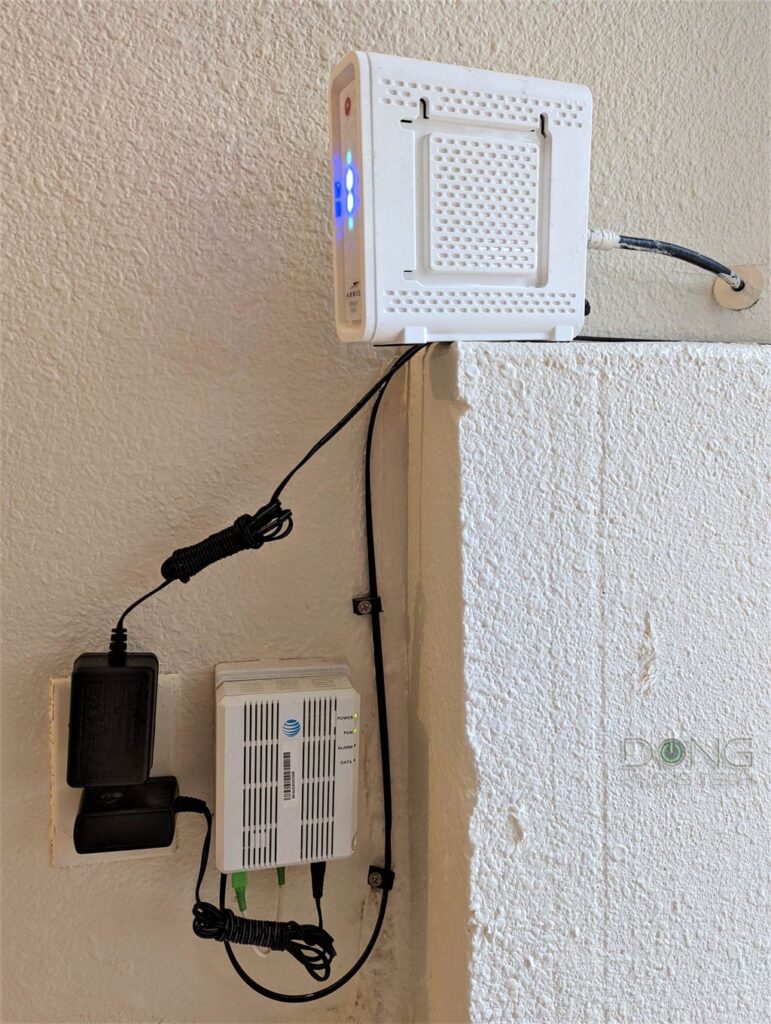
Land-Based High-Speed Internet’s terminal device: ONT vs. modem
In a home, the terminal device (an ONT or a cable modem) links the property to the electrical pole (or box) out on the street via the service line.
Before continuing, though, let’s quickly address the elephant in the room: your beloved DSL.
How about DSL?
Short for digital subscriber line, DSL uses the existing phone line—that same wire we once used for the good old Dial-up connection—to deliver modest broadband connections.
DSL has declined significantly in recent years due to slow speeds and unreliability—it’s essentially only available in rural areas and small towns. Most DSL providers have been slowly moving to Fiber as a replacement.
But in a way, as far as the Internet is concerned, DSL is similar to Cable. It also uses a modem (called a DSL modem) that leverages the phone line to deliver the Internet.
Cable Internet
As the name suggests, Cable Internet is the broadband connection via the coaxial copper wires used originally for Television or Cable TV.
Since the coaxial Cable was initially made for TV signals, there needs to be a modem to make it work for the Internet, which is data signals—similar to the case of DSL that uses the telephone line.
What is a modem?
A modem is a device that works as a modulator and a demodulator. It converts service signals into computer data signals and vice versa. Since the service in question is cable TV, we have the Cable modem.
Cable modems use the DOCSIS (Data Over Cable Service Interface Specification) to carry data signals. And that’s the only acronym you need to know in the world of Cable Internet.


DOCSIS helps make broadband affordable by leveraging the existing copper wiring for cable TV—the infrastructure is already there.
Since coaxial wiring works like a cobweb, DOCSIS is resilient. Specifically, when a cable breaks, it affects only a few families, if at all. (In return, Cable can also be hard to maintain since it can take a long time to locate and fix a broken line.)
The biggest shortcoming of DOCSIS is that it has lopsided connection speeds—the upload tends to be one-tenth (or even lower) of the download speed, resulting in asynchronous Internet. That’s the case with all cable connections.
The curious case of Cable Internet’s fast download vs. slow upload speeds
If you’re wondering why cable internet upload speed is always much slower than download speed, the reason is quite simple.
Initially, the network of coaxial copper wires was built to deliver a ton of data—the video and audio signals of Cable TV—to each household without needing anything in return. For the most part, TV viewers don’t send anything back to the provider.
When provisioned to deliver data, the same concept applies to the wiring, but this time, that’s because the provider can lower the investment and maintenance costs by not providing fast upload speeds. So, only lopsided cable modems are manufactured, and the rest is history.
And that has generally worked out fine since, in practice, consumers receive much more data (download) than they send (upload). Still, cable Internet has gradually offered faster upload speeds, and eventually, it might deliver the same speed both ways.
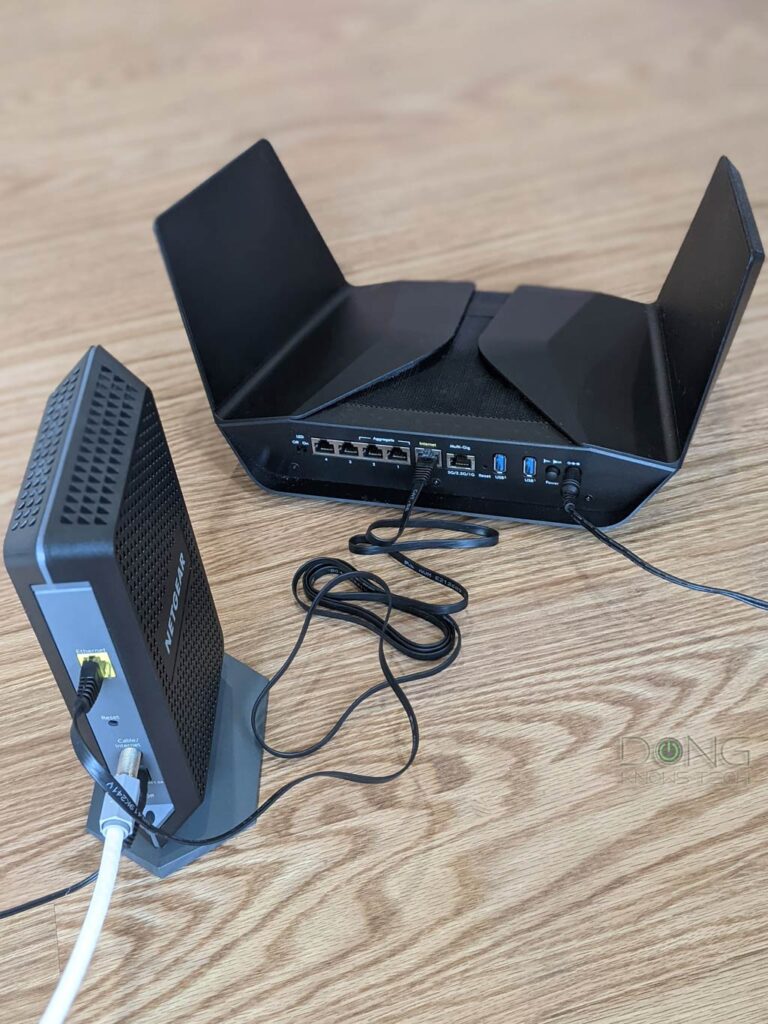
A cable modem generally includes a service port (for the coax line) and one or more RJ45 network ports to connect to a router.
Presently, DOCSIS 3.1 with its multi-Gigabit capability is the mainstream standard, with DOCSIS 3.0 largely phased out and DOCSIS 4.0 unlikely to materialize in a meaningful way. If you want to learn more about DOCSIS, open the cabinet below.
More on the DOCSIS
Cable modem (further) explained: DOCSIS 3.0 vs. DOCSIS 3.1 vs. DOCSIS 4.0
Currently, the world primarily uses DOCSIS 3.1, with DOCSIS 3.0 no longer supported in most regions. (So, there’s no need to worry about the earlier revisions—thank goodness!).
DOCSIS 4.0 was initially slated for availability in the first half of 2024, but it hasn’t materialized in a meaningful way by late 2025. While it might still arrive in the near future, with the growth of fiber optics, it’s unclear whether it will be widely used, if at all, as DOCSIS 3.1 has already pushed the speed envelope of copper.
Still, considering DOCSIS’s specifications can be very confusing—it varies by region. Let’s run through all three briefly to get the big picture.
DOCSIS 3.0: Stream channels matter
In simple terms, with DOCSIS 3.0, you can grade a cable modem’s speeds by the number of stream channels it can handle.
There are downstream channels (for download) and upstream channels (for upload). More stream channels, or channels for short, translate into faster speeds.
Each modem has a pair of digits indicating the number of channels it can handle. For example, the NETGEAR CM600 is a 24×8 modem. It has 24 downstream channels and 8 upstream channels.
In the US, the DOCSIS 3.0 standard delivers about 40Mbps per channel for downloads and 4 Mbps for uploads—again, these are ballpark numbers that vary from provider to provider. As a result, the CM600, for example, caps at 960Mbps download and 32Mbps upload.
Generally, DOCSIS 3.0’s channel count maxes out at 32×8. So, a top-notch modem of this standard has a cap speed of up to 1.3Gbps, which is DOCSIS 3.0’s maximum bandwidth.
That brings us to DOCSIS 3.1.
DOCSIS 3.1: Multi-Gigabit-capable on top of top-tier DOCSIS 3.0
Though the speed varies from vendor to vendor, a low-end DOCSIS 3.1 modem can generally deliver at least the same download speed as a top-tier 32 x 8 DOCSIS 3.0 counterpart.
DOCSIS 3.1 is so fast that vendors now omit the stream channel numbers. Instead, they call the modem DOCSIS 3.1 and its cap speed, Gigabit or Multi-Gig. The NETGEAR CM2000, for example, is a DOCSIS 3.1 2.5Gbps modem.
In other words, the stream channel numbers, such as 32 x 8 or 24 x 8, are only relevant in DOCSIS 3.0, where most modems cannot deliver Gigabit Internet. Starting with 3.1, Gigabit is the minimum, and Multi-Gig is the new norm.
You can safely assume that DOCSIS 3.1 starts where DOCSIS 3.0 maxes out. Generally, most, if not all, DOCSIS 3.1 modems can function as 32×8 DOCSIS 3.0 ones. However, the Internet provider ultimately decides which modem works and at what speed.
So far, 2.5Gbps of download speed is generally the fastest Internet speed we can expect from DOCSIS 3.1. However, if a DOCSIS 3.1 modem has a 5Gbps or 10Gbps LAN port, it likely can deliver faster broadband speeds.
And that brings us to DOCSIS 4.0.
DOCSIS 4.0: The possible future of Cable as a real alternative to Fiber-optic
The DOCSIS 4.0 standard aims to deliver connection speeds up to 10Gbps. Most importantly, it will simultaneously deliver the same speeds for download and upload.
While predicted to be significantly superior to DOCSIS 3.1, the upcoming DOCSIS 4.0 will likely still be inferior to Fiber-optic, which generally offers lower latency and can easily exceed 10Gbps.

With that, let’s continue with Fiber.
Fiber Internet
Fiber-optic broadband has a ton of confusing terms. Technically, the name is PON, short for passive optical network, a standard developed by the ITU-T (International Telecommunication Union Telecommunication Standardization Sector).
The first generation of PON is often referred to as G-PON (or G.984)—”G” standing for Gigabit. GPON is the foundational Gigabit standard that can provide up to 2.488 Gbps download and up to 1.244 Gbps upload. It has been one of the most widely deployed Fiber-to-the-Premises (FTTP), a.k.a. Fiber-to-the-Home (FTTH), broadband delivery approaches.
Nowadays, the second generation, called 10G-PON (also known as XGS-PON or G.987 & G.9807.1), is also widely used for both residential and business connections and can deliver symmetric 10 Gbps upload and download speeds.
Going forward, the next step will be 50G-PON that can deliver up to 50 Gbps of bandwdith, and more.
What is an ONT?
Since the optical wiring is designed for data connections, Fiber doesn’t require a modem.
Instead, it uses an ONT (Optical Network Terminal) at each endpoint. An ONT converts the optical signals into the common Ethernet standard via a Base-T or SFP/SFP+ port.
Base-T vs. SFP
Ethernet port types in brief
BASE-T (or BaseT) is the standard port type for data communication and refers to the 8-position, 8-contact (8P8C) wiring method used in copper network cables and their connectors at both ends.
This type is known by the misnomer “Registered Jack 45” (RJ45), which is more commonly used. For decades, RJ45 has been the go-to standard for consumer-grade and office network connectivity.
Generally, copper network cables can support up to 10Gbps connection speeds and feature the following speed grades:
- Standard Ethernet: 10Mbps
- Fast Ethernet: 100Mbps
- Gigabit: 1000Mbps
- Multi-Gig Ethernet: 2.5GbE (2.5Gbps) and/or 5GbE (5Gbps)
- 10GbE: 10000Mbps
RJ45 ports and cables are interchangeable and backward-compatible across speed grades.


On the other hand, the SFP, now with its popular SFP+ (plus) variant, is used for both telecommunications and data communications, primarily in enterprise applications. SFP stands for Small Form Factor Pluggable and is the technical name for what is often referred to as fiber.
The SFP port standard and wiring are strict in configuration and physical attachment, offering better reliability and performance. For data communication, it supports the following speed grades:
- SFP: Gigabit (1000Mbps)
- SFP+: 10GbE (10Gbps), backward compatible with SFP
- SFP28: 25GbE, backward-compatible with SFP+ and SFP
- QSFP+: 40GbE (40Gbps)
- QSF28: 100GbE (100Gbps), backword compatible with QSFP+
BASE-T vs. SFP (a.k.a copper vs. fiber): While physically different, both are part of the Ethernet family, sharing the same networking principles and Ethernet naming convention as shown above. However, the two only share Gigabit and 10GbE. SFP is the only standard that can go beyond 10GbE.
Generally, you can get an adapter, called a “transceiver”, to connect a BASE-T device to an SFP or SFP+ port. In this case, keep in mind that a particular adapter might only work (well) with the SFP/+ port of certain hardware vendors.
The BASE-T wiring is more popular thanks to its simple design and support for speed, flexibility, and low costs. In recent years, more and more networking hardware (routers and switches) has featured both of these port types.
In other words, an ONT is an Internet outlet that connects to an Internet service provider (ISP) to deliver Internet access to a home or office. Each ONT has (at least) a network port to connect to a router’s WAN port.
ONT vs. cable modem in a nutshell
Though different in technology, an ONT for Fiber-optic service is similar to a modem for a Cable Internet plan.
They are both terminal devices that bring the Internet into a particular location—a home or an office. Specifically, they’re designed to be the endpoint to which you can connect a router’s WAN port.
A modem converts the signals between those of the service line and the data. An ONT sends and receives infrared light pulses to the ISP’s server to transmit data.
Both get you connected at high speeds. How high? That depends on your Internet plan.
But the two share one thing in common: They need to be supported by the provider to work. Each ONT or modem might work with multiple ISPs, but an ISP can dictate which modems or ONTs it supports.
The point is that if you want to get your own terminal device, get one that your Internet service provider supports.
The messy acronyms aside, Fiber-optic provides “high-quality” Internet because the modern super-high-bandwidth optical data line runs (almost) directly from the provider to your home.
Among other things, this type of broadband delivers high speeds in both directions (upload and download)—currently up to 10Gbps synchronous upload and download, and even faster.
On the downside, fiber requires new wiring, which is an expensive investment for the provider, and it’s not ubiquitous. It also has a single point of failure. The Internet can be down for a large population if a single line is cut or broken. But it’s also much faster to repair—the provider can locate and fix a broken line relatively easily.


Older ONTs tend to have an SFP/SFP+ data port, but most ONTs use BASE-T nowadays.
Fiber vs. Cable Internet: The future is in the former
Generally, Fiber is the way of the future. It’s clean, fast, versatile, and built purposefully for a high-speed data network. It’s simply far superior to Cable’s old copper wiring.
Furthermore, as TV services move to streaming, there’s no longer a need for new coaxial cable development. Cable Internet is just a matter of leveraging existing infrastructure until it’s no longer suitable or cost-effective to maintain, which is still far in the future.
That said, fiber is the only preferred wiring needed for new real estate and technology developments. In other words, if your area doesn’t have Cable or Fiber right now, it’ll get the latter, if at all.
Another thing to note is that many cable providers use fiber as their primary data line to connect existing segments of cable networks. In this case, users still use a Cable Internet service—a modem is required—but will get faster, higher-quality broadband, though not at the same level as genuine fiber-optic. In return, they can sometimes experience Cable Internet outages across large areas if a main Fiber line is damaged.
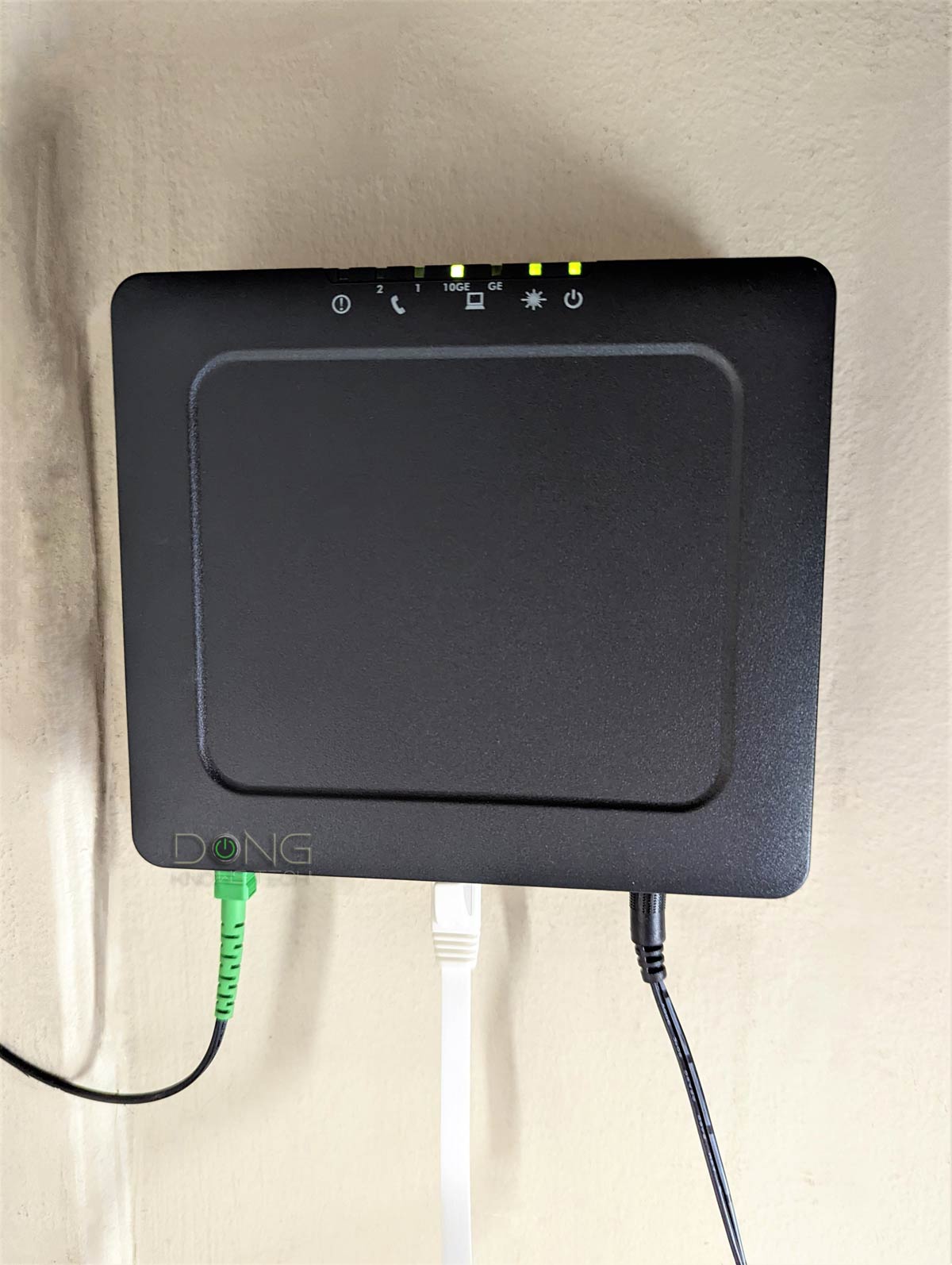

Tips on getting the right terminal device
If you’re getting a cable modem today, chances are it’s going to be one of the DOCSIS 3.1 standards.
That said, other than making sure that you pick one that’s explicitly supported by your cable service provider, here are two things to keep in mind in terms of broadband speed:
- If you pay for 900Mbps or slower broadband speeds, virtually any DOCSIS 3.1 modem will do. This is because even a modem with a Gigabit port can deliver this speed at full speed.
- Faster than 900Mbps (Gigabit, Gig+, or Multi-Gig broadband): You want to get a modem with a 2.5Gbps or faster port.
While you can use a cable modem that supports a 2Gbps Link Aggregation connection for #2 above, that’s quite clunky and requires a router that also has WAN Link Aggregation. That said, it’s best to get a modem with a Multi-Gig port.
The same idea about broadband speeds applies to the Fiber-optic ONT. Generally, an ONT often comes with a Gigabit port (RJ45 or SFP) or a 10Gbps port (RJ45 or SFP+). This port will determine your final broadband connection. Generally, it’s best to get an ONT with a 10Gbps port.
As for SPF(+) vs. RJ45, it depends on the type of port on your router’s WAN port. Generally, if a router has an SFP(+) WAN port, it likely also has another RJ45 WAN port. In any case, you can always convert an SFP(+) port into an RJ45 via an adapter. Most of the time, the Fiber service provider will supply you with an ONT for free. All you have to do is ask for what you want if there are multiple options.
Finally, what’s most important is, when possible, to get just the terminal device itself rather than a combo device—a Wi-Fi router with a terminal device built in, such as a cable gateway or a Wi-Fi router with a built-in ONT (often called an ONR, or Optical Network Router).
Getting just the terminal device gives you the flexibility to handle the hardware—you’re not stuck with a combo that’s lacking in the modem, the Wi-Fi, or both, and you might have to pay a rental fee. Instead, you can get a separate Wi-Fi solution for your home, a single router, or a mesh system that gives you better control over your privacy.
In some cases, in the US, certain Fiber-optic providers require VLAN tagging (a.k.a IPTV). In this case, you need a router that supports this requirement, and most do.

The takeaway
Either Cable or Fiber can give you faster broadband than any current application would ever need. But in more ways than one, Fiber is the way of the future. It has a much higher ceiling speed, especially for uploads, and much lower latency, making it the only choice for many regions.
In the meantime, those with an existing Cable TV service can benefit from the evolution of coaxial copper wiring. This infrastructure is still more than enough for anyone’s broadband needs for the foreseeable future.
No matter which you get, keep the following in mind:
- Get the terminal device with the LAN port of a faster speed grade than your broadband speed. It’s best to get one with the fastest port available, namely 2.5Gbps or faster.
- Get a standalone terminal device (a cable modem or an ONT) instead of one integrated within a Wi-Fi router. After that, get a router of your own to maximize performance, flexibility, features, and privacy.
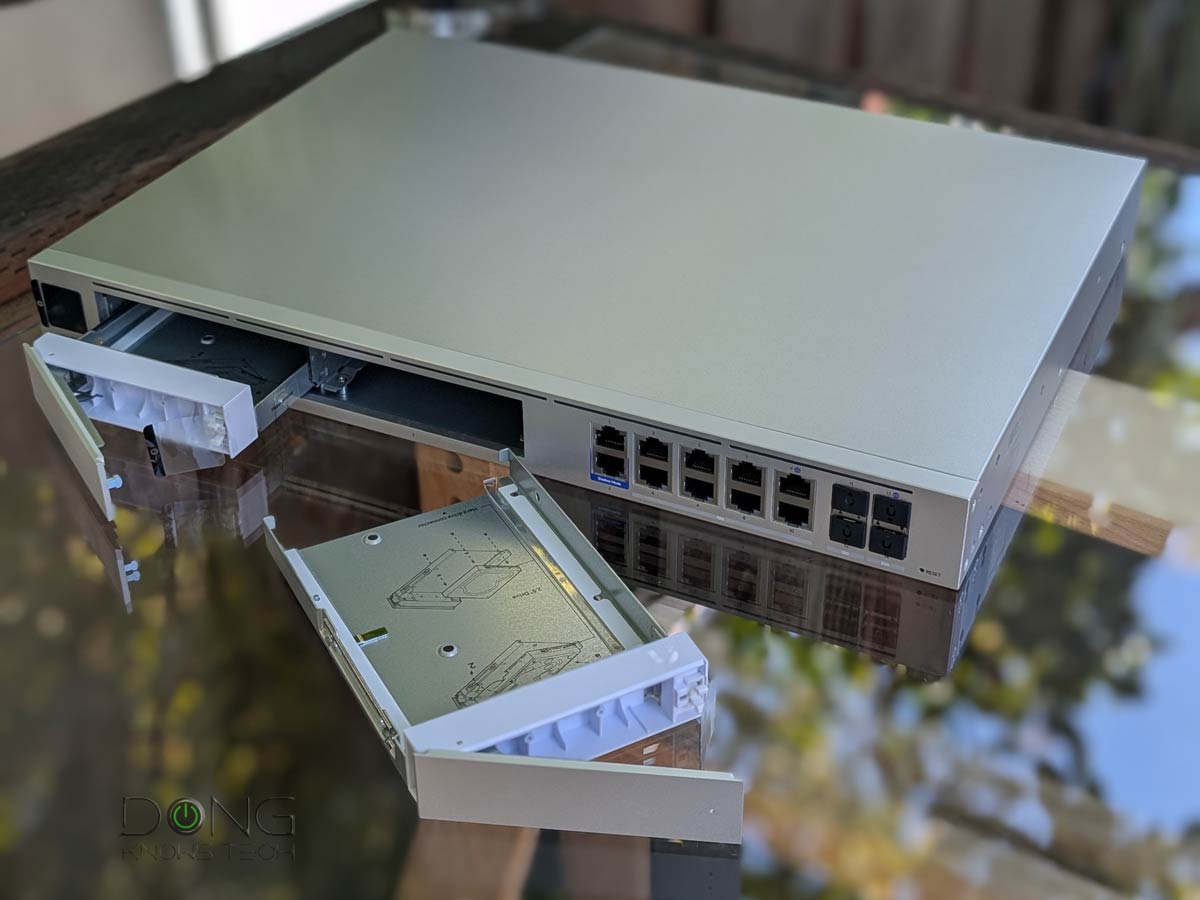
Top 5 best routers with 10Gbps Multi-Gig ports
 |  |  |  |  | |
| Name | Ubiquiti UniFi Dream Machine Beast (UDM-Beast)'s Rating | Ubiquiti Cloud Gateway Fiber (UCG-Fiber)'s Rating | ASUS ROG Rapture GT-BE19000AI's Rating | TP-Link Archer GE800's Rating | NETGEAR Nighthawk RS700S' Rating |
| Price | – | – | – | – | – |
| Rating | |||||
| Description | |||||
| Statistics | |||||
| Buy this product |


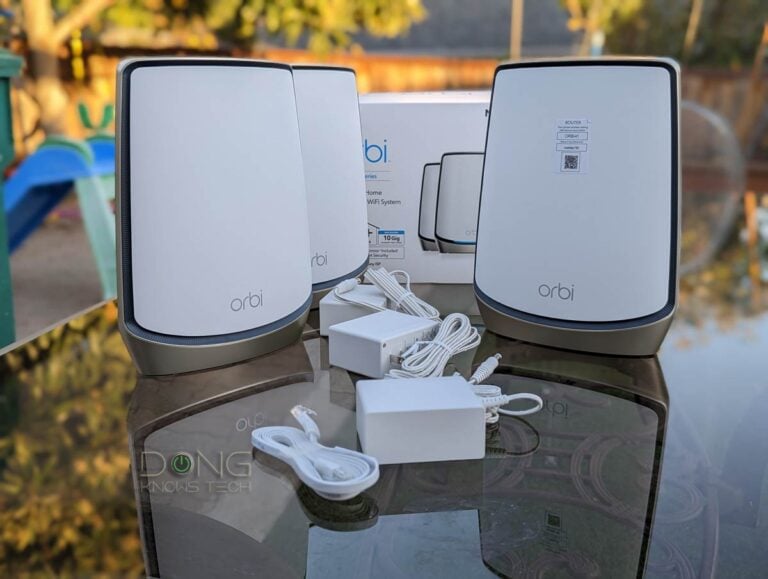

This article says all ONTs with RJ-45 jacks are either 1GbE or 10GbE. However, Brightspeed is currently deploying Calix ONTs with 2.5GbE ports here in Arkansas. Their service is advertised as 1Gb tops with 940 Mb (the 1GbE cap) in the fine print, but with the bigger port it consistently delivers 1.09Gb down / 1.02Gb up at the router in its built-in speed test.
Good catch! But I was referring to the particular ONTs in the photos. Generally, you can use the 10Gbps port for any plans faster than 1Gbps. Using a Multi-Gig port means the ONT is limited to 2.5Gbps or 5Gbps.
Just wanted to thank you, Dong, for an excellent discussion . Everything clear and to the point.
👍
I’m building a house where the fiber is Optimum Internet. I will be able to prewire with lots of Cat 6.
I’ve never owned a TV. But I want to plan for future homeowners. My current FiOS ONT has a coax jack for those wanting TV. Meaning coax is needed to get to the set top box.
What is the connection between on Optimum ONT and the box? If I wire no coax, and coax is required, I know they could use a balun.
You can stream TV now, just like Netflix. It’s so 1999 to use coax cable for that. Relatively soon cable TV via coax will be no longer.
OTA channels will still require coax to get the signal from the antenna to the tv.
Just a thought
Thanks for the thought, Bob, but we generally don’t use TV antennas for Internet access. 🙂
What you forgot to mention, and it is very important is that cable is very susceptible to lightning storms and can easily be a conduit that can fry connected equipment. No such danger with fiber.
Good point, Rob. In some areas, cables are laid underground.
Thank you for explaining how fiber internet is built to offer higher speeds. My husband and I have been talking about upgrading our internet at home. I’ll have to share this with him to see if this could be an option for us to consider.
So which ONT should I buy as my Isp only provides the router/ont combo which is terrible. I couldn’t find much information on this and amazon doesn’t seem to have a lot of ONT’s.
For now, generally, you have to use the one provided by your ISP, unless it gives you a list of retail ONT it supports. In your case, you might have to use the provided gateway. If so, check out this post for more on what you can do.
I have had both Comcast cable and Verizon FIOS. I currently have Verizon FIOS mainly because of the QOS. I was remined of the unreliability of Comcast yesterday when I went to buy a truckload of ComPro soil amendment. The companies Comcast was out, and they really did not have a timeline for the service coming back online. Reminded me of why I switched from Comcast. I was always calling Comcast to fix the problem, a 45-minute process, once I answered all the questions and tried the support technicians’ instructions. I would start the conversation asking the technician to perform the procedure that I knew would fix the problem and ultimately that is the procedure that was done.
Since switching to Verizon my service up time is measured in months not weeks. Most of the time the problem is resolved by the technical BOT. In over 7 years I have only had 3 outage’s that needed a technician to come out to fix the problem. When selecting a carrier, it is always advisable to check service reliability by the carrier. Your article was well written and easy to understand. I enjoyed the read.
But how do you check that? Companies don’t reveal their downtime stats. And I’ve had 3 providers, and all of them have issues.
Help. Cox just installed fiber into our home. We purchased an Arris B8200 not realizing that it only works with cable. Is there a converter that will allow us to use the modem with fiber? So far, we are not finding a fiber modem for cox that we can purchase. Only rental from them. Thenks.
You’re not alone. Folks tend to call home network things arbitrarily but the hardware doesn’t work arbitrarily. You can’t get a tractor when you need a car, so to speak. You might want to check out this one for future reference.
For now, you need a router, so return the gateway and get the right hardware. There’s no converter between the two and even if there was, you don’t want to use it.
We are going to return ithe modem, but so far we have not found a fiber modem that we can purchase for Cox. We already have a separate router. It seems that rental is our only option. Any ideas?
Read *this* post, please.
First, great article. I’m a bit confused because I have fiber internet (via sparklight), but the fiber line goes into a device on the outside wall which comes out as a coax line. So I still have to use a cable modem even though it’s a fiber line coming to the home. I would think I use an ONT instead of a modem and ditch the coax cables? I can’t seem to find much information about this. Have you seen this configuration before?
That means you use cable, Jeff, as mentioned in the post, many cable ISPs is moving to Fiber while leveraging the existing coaxial infrastructure. Give the post a closer read.
You mentioned above that a DOCSIS 3.1 modem might not work for slow internet plans. Can you expand upon that? I hadn’t heard that before, and have been recently researching what modems to buy so I can stop renting my current one. I was leaning to 3.1 in case I upgrade my current plan a level or two in the future (my current plan is xfinity 200mbps cable).
I’ve read many of your articles in this process and can’t thank you enough for your explanations and details!
That depends on the provider, Daniel. It’s best to check with the provider on what modem they support. In the US generally, DOCSIS 3.1 encompasses DOCSIS 3.0.
Thank you for your outstanding article.
You’re welcome! 🙂
I thought it was interesting how you pointed out that fiber is the way of the future. I’ve been wondering if we should get fiber or cable internet for our new home. It seems like fiber might be the better option if it’s going to be more superior to cable. {spam link removed}
You should, Olivia. And, no spam links, please! 🙂
Thanks for the article – very informative. Our home was built 5 years ago with an in-wall distribution hub – cable modem, router, switches, etc. – and of course wired Ethernet to every room. For Wi-Fi, we have multiple wireless access points powered by POE. Fiber is being added by our utility dept and will soon be available at our home. We would love to have the higher speeds, and the cost is going to be cheaper monthly that what we have paid for Comcast. However, we have concerns about integration to our robust existing system, how we will get the fiber module run in the wall to replace the current cable modem, etc. With all this relatively new, and fiber optic’s inability to be bent/manhandled by running through walls like RG6, what advice would you have for us?
I recently got a similar project done, Ron, and it was straightforward. The technician will run the line for you to where you want in the house. However, if that’s hard, you can place it anywhere and run a network cable from it to your router in the in-wall box. Good luck!
Running Ethernet cable isn’t much different then running coax. Just make sure you use the right cable for the right application. For in wall installations most electricians use Cat6 CMR (riser) rated cable Cat6 or 6a CMX rated cable is recommended for outdoor residential applications. Both use solid core copper and can be bent, but not like patch cable which uses stranded cooper and is more flexible. If the installation is done professionally, running Ethernet through walls or outdoors shouldn’t be an issue.
No, Ian. If you have Gigabit or faster Fiber-optic, generally coax won’t cut it—it’ll work but not at the speed you’d like. You must use CAT6 or higher cable grade.
Hi Dong! With fiber yes.
Actually, I was referring to the installation, not the performance of coax. However, with a Docsis 3.1 cable system, coax speeds can match maximum cat6 download speeds of 10MBPS (rated at 240 MHz). Where as cat5e (rated at 100 MHz) is limited to about 1Gig. That is why I use, and always recommend, cat6 or 6a Ethernet cable for fiber.
I appreciate that Ian, however house is already wired. I ran RG6 and Cat6 to each room, some multiple runs in a few rooms. My concern had to do with replacing the cable modem with a new fiber system, but incorporating into the existing “smart home” type setup. With the switches and modem in a wall cabinet, I had concern that fiber could not be bent or ran through the wall to enter the existing cabinet. If it can’t be incorporated as is, then I would probably just stay with cable due to aesthetics. Thanks again
You may want to consider running a flexible (bendable) flat cat6 cable with a high temp rating like this.
https://www.amazon.com/Ethernet-Cat6-Wholesale-Resistant/
Great site. thank you for the info.
Sure, David. 🙂
Hi, are there any ONT’s that you recommend? My ISP allowed me to do that, I only need to provide them my new ONT MAC adress to authorize it. I currently have ZTE F680, but it often drops connection. Maybe I would ask them for F601 but I’m worried about stability. I also found on internet Ubiquiti UF Loco, I trust more Ubiquiti than ZTE but it’s a bit expensive and works with ZTE OLT’s.
There are not a lot of options out there yet. Find the list of approved ONTs for your ISP and pick one.
Thank you for this detailed article with background! I did have one question please. We are considering which service to choose at a new to us house. Fiber is the easy choice no question. My concern is regarding the ONT and/or router. (Frontier provides up to 2 G symmetric service as the fastest option J am aware of). At this speed they provide a free landline. (Still trying to convince my wife to be honest, as it’s literally double the price of 1 G symmetric. So I shouldn’t accept their free loaner equipment if at all possible? Sometimes there is issues with non-provided router (ie ASUS) regarding speeds not meeting provider speed? (Thank you in advance)!
You shouldn’t use Wi-Fi equipment from the provider unless there’s no choice. It’s important, though, to make sure that they use a generic ONT—the case of all providers I know but not of *all* providers. If not, ask for the requirement on the router side and get one that meets those requirements.
A generic ONT would give you the correct output at its port no matter what router you plug into it.
But even if you have to use an ISP-provided gateway, you can still get your own equipment—more in this post.
I currently have cable internet and each room in my house also has a coax wall outlet for cable TV that are not being used. Is it possible to have a cable modem in each room so that each room can have a wired connection? Love your articles!
No, Steve, you can only use one modem per a Cable Internet plan. But you can move the modem around the house and place your router there for the best coverage.
While you can only use one modem per plan Dong, it is possible to have more than one plan and more than one modem. I actually used to have 3x modems back in 2004 used in conjunction with a Cisco rv016 multi-wan router in order to have 2Mb upload speeds. The technician used the same wiring for all 3 modems, but because there were 3x accounts tied to them, all 3 got the full 8Mb/768k bandwidth. Later this was upgraded to 25/5 each and I discontinued the other two modems since I didn’t need 75/15 as the 5Mb upload was enough.
Steve, I know this is an older post, but if you want to use the existing coax outlets in each room, you can set up a MoCa network to take advantage of those unused outlets…or even where some are used they can share.
One MoCa adapter will connect to your router and each room will have another. The adapters will provide an Ethernet port for each room. I prefer the Motorola 2.5 MoCa Adapters as they can provide up to 2gig’s and they don’t require a splitter.
Yeah Jim, moca is great along with their cousins powerline adapters. I hope Dong gets into reviewing these neat devices that make ‘wiring’ networks a lot easier.
The powerline can be quite terrible. Don’t use it unless you don’t care about bandwidth.
I wouldn’t use that as a blanket statement.
I still have cloth wrapped, two wire electrical in my 1940’s house. I use powerline to extend my internet to my detached garage (with newer wiring and its own sub-panel) for my security cameras. I get a very reliable 250mbps connection.
If I were trying to connect to a file server and process videos, that might not be satisfactory, but’s it’s excellent for my use and given the wiring hurdles it deals with.
Especially given the alternative of punching holes in the walls to run ethernet, boring through the foundation to get it outside the house, digging a trench across the yard, and punching a hole in the garage.
I think you didn’t read the post I linked, Bill. By “terrible,” I meant in the context of Wi-Fi 6 and MoCA. And yes, 250Mbps is terrible if that is the backhaul link for a broadcaster that can deliver more than a Gig of sustained speed over Wi-Fi.
In any case, the statement itself is not “blanket.” Everything *can* be terrible.
I did read the article before I posted. Yes, in specific circumstances, it can be called terrible. For most of what most people do (e.g. web surfing and video streaming), it’s great. Also, the 250Mbps is over some pretty bad wiring, crossing boxes, into an out building. I expect better in a ‘normal’ home.
It’s comes down to a cost / effort vs reward for ones particular needs. For my needs, it’s an awesome solution. For your needs, it is terrible. We’re both right.
It’s not about being right. Nothing is about being right or wrong. It’s about appropriateness, and for the previous context, Powerline is terrible compared with the 2.5Gbps of MoCA 2.5, which is also already there in many homes. The point here is that paying attention to the context and details is imperative before telling people what they should or shouldn’t do, especially when not asked. And you don’t know my needs—I never mentioned them.
I certainly didn’t intend for this to turn into an argument.
“The powerline can be quite terrible. Don’t use it unless you don’t care about bandwidth.” is one heck of a damming statement to turn off Steve who is only looking for internet connectivity. All I was trying to say is that powerline has its place.
My apologies if I hit a sore spot with you. I enjoy your articles.
No worries, Bill. And no, I’m not offended. I say things as they are. I started this no-nonsense website for exactly that.
And I didn’t think you wanted to start an argument, either. It’s just that we often act on incomplete information. That’s part of the chaos out there.
Steve has Coaxial cables around the house. That’s a much better alternative than Powerline. But even then, I didn’t recommend him MoCA since it tends to be hit or miss. Folks aren’t aware that when something works for their home, that doesn’t mean it will work for other houses. The only thing that works consistently, in this case, is the network cable.
All is good. Thanks Doug.
Not the name, but yes, other than that, all is. 🙂
(Not a huge deal, I’m sure it was autocorrect.)
Arg, that was not intentional. Sometimes the fingers thing for themselves.
I have a Motorola cable modem, which I bought about four years ago. No problems with it whatsoever and Comcast didn’t blink at my using it instead of their cable box. They did do some harassment when I switched from their TV service to Sling, but that stopped suddenly when it became clear that a change in federal administration suggested that there might be tougher oversight.
Yeap. You should be able to replace the equipment with your own, M. Considering the modem is relatively old, you might want to get a new one if you have already upgraded the speed.
Dong there is a 3rd option I am just trying out 5G cellular WiFi. I Just got the T-Mobile Home WiFi unit. I am gettin as high as 400 Mbps directly off the box. I connected my Asus mesh setup via Ethernet and it works fine. I was getting 1 Gig with cable but this is allowing me to ditch my cable company and it’s plenty fast for streaming 4k and multiple devices. The only problem is latency which is no where near as good cable.
Thanks for sharing your experience, Carmine, but you missed the very first sentence of this post. 🙂
High density areas like NYC metro currently receive 5G mmWave to boost bandwidth with services like T-mobile. The objective is to eventually offer gibibyte speeds on these systems. Hopefully, they will become more common and therefore offer more competition with Fios and cable systems in the future.
As Fiber becomes more popular and cheaper, Cable will get even cheaper. I don’t think Cable will go away any time soon, if at all. It’s plenty fast and reliable.
Just my two cents as a member of the Fair Internet Coalition lol. You’re assuming that the ISP’s will continue to maintain their cable systems properly. There have been major complaints here in the North East and other parts of the US, about subpar cable service issues. Since the FCC is considering defining broad band as at least 100 MBPS down and 100 MBPS up, I’m wondering just how long it will take for many of them to upgrade to Docsis 3.1. Altice, a telecommunication company, purchased Cablevision here in the tri-state area, with the intent to convert it to fiber. It was an aggressive 5 year plan which was interrupted by Covid in 202O. Now that they have restarted the program, most of their ads are promoting their new fiber network. Most of the cable techs and IT engineers that I know in the industry believe that cable has become antiquated. IMO, at some point in the not too distant future, cable will be riding off into the sunset and replaced by these newer more competitive technologies which offer better performance, and less maintenance.
I think it’s better to have both, Ian. It’s good to have competitions. Where I am Cable is quite good and reasonable in costs while Fiber is limited in availability and still quite expensive. My guess is this is case by case. Most of us can live with 20Mbps upload speed if the download is Gigabit or higher.
I agree Dong that the more competition the better and as long as cable can produce a service that meets consumer needs so be it. However, the trend now is to replace copper with fiber which is why many cable customers are starting to experience more service issues. It’s not financially feasible for a cable company to continue to invest in a antiquated system and until that system is replaced, maintenance suffers. You will find that most new construction areas these days are now receiving fiber nodes, not coax.
Yeap, but existing houses are not going anywhere. In many, cable is the only option. Don’t forget many still use it for their TV service. I’m not against Fiber, but the transition will take longer than you think. At least in certain regions.
Maybe in a future article you could comment on 5G mmWave wireless, currently being used by T-mobile in high density areas like NYC. Thanks.
You must live in a place like NYC near a tower. According to the Fair Internet Coalition, most people who have T-Mobile home service, experience an average between 35 and 100 MBPS which is dependent on location and weather conditions that don’t usually have an impact on Fios and Cable. Latency averages between 25 and 50 MS. However, upload speeds are usually higher then cable, but can’t compete with Fios.
As someone who lives in the midwest and can’t get cable or fiber, I was stuck with DSL. Recently, T-mobile became available. My download average around 380mbps and my upload averages around 45mbps (when you work from home, the upload speed matters). Ping times are typically 25ms.
I wonder where those averages came from. A lot of it may have to do with proximity to a tower. However, I’ve found it to be an excellent alternative to those that can’t get true broadband.
The fastest uploads come from fiber. I’m on a 300 Meg plan and my upload speed averages close to 35O Mbps. Pings average between 5 and 10 ms. Although with WiFi my down load speeds are very consistent, I find uploads speeds with WiFi can occasionally vary as much as 50%. However, I’m not complaining, even those speeds are more then enough to meet my needs.
Typo: download, upload not uploads.
Nice article Dong!
Just curious if there is a difference in latency at all between cable and fiber. Get back when you can!
They are about the same, Allen, and should be around 10ms to 15ms. That’s good enough for anything, lower make no or little difference.
Another reason for our family to switch over from 4G to fiber-optic next year when it arrives, we are all (apart from SWMBO) gamers! Even this 60 odd yr old!
I have an Arris 3.0 modem. Oddly enough it’s specifications claim a maximum data rate of 960 mbps with 24 download channels which my ISP is currently using. It also shows that my hybrid (Optimum) cable system is only using 2.0 docis with four upload channels. My average upload speed is close to 40 mbps. Verizon just installed Fios in my town home complex and I will be going that route sooner then later.