
Unveiled at CES 2026, the MNQ1525 WiFi 7 Router with Easy Mesh, or MQ15 for short, is the first Wi-Fi 7 hardware from Motorola, a brand better known for cable modems.
Despite arriving comparatively late to the Wi-Fi 7 game, it proved in my testing to be an insignificant addition to the already crowded club of dual-band Wi-Fi 7 options.
Here’s the bottom line: The new Motorola MNQ1525 mesh router offers nothing new, and the main reason it’s worth considering is the low retail price of $129.99 per unit or $299.99 for a 3-pack—street price is often lower.
If you don’t mind another tiresome app-controlled, low-end Wi-Fi 7 option and have sub-Gigabit bandwidth needs, it’s a decent choice—more so as a standalone router than a mesh system.
Dong’s note: I first published this piece on January 6, 2026, as a preview and updated it to an in-depth review on February 5, 2026, after thorough hands-on testing.
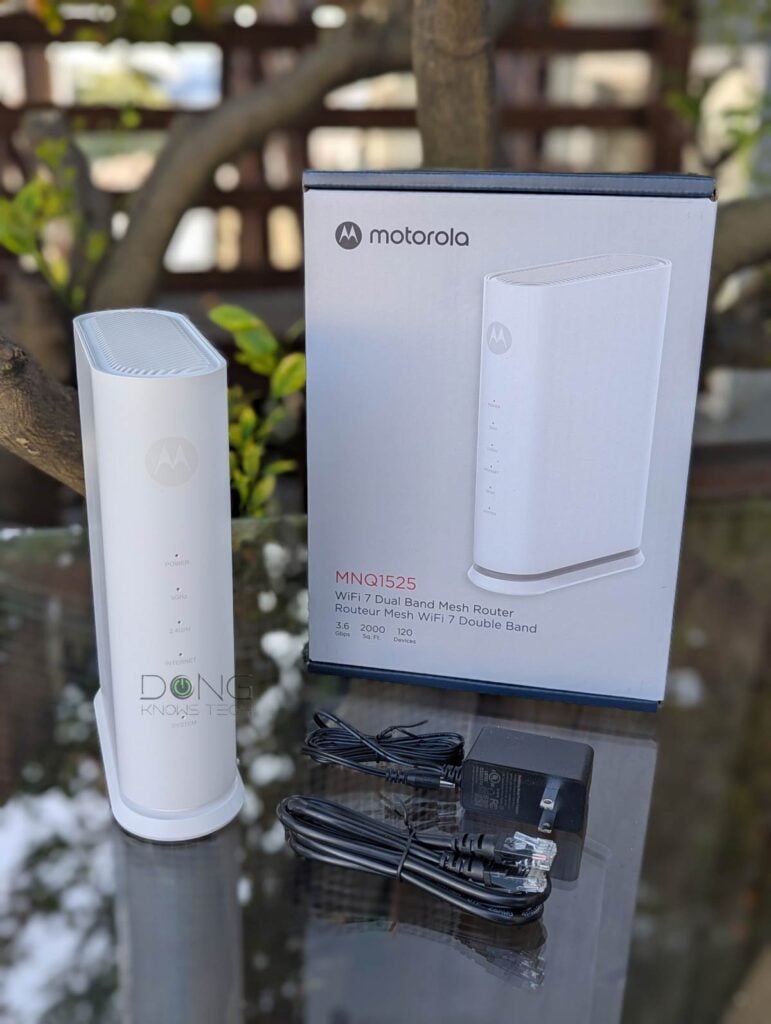
Motorola MQ15: Dual-band Wi-Fi 7 for the budget-minded
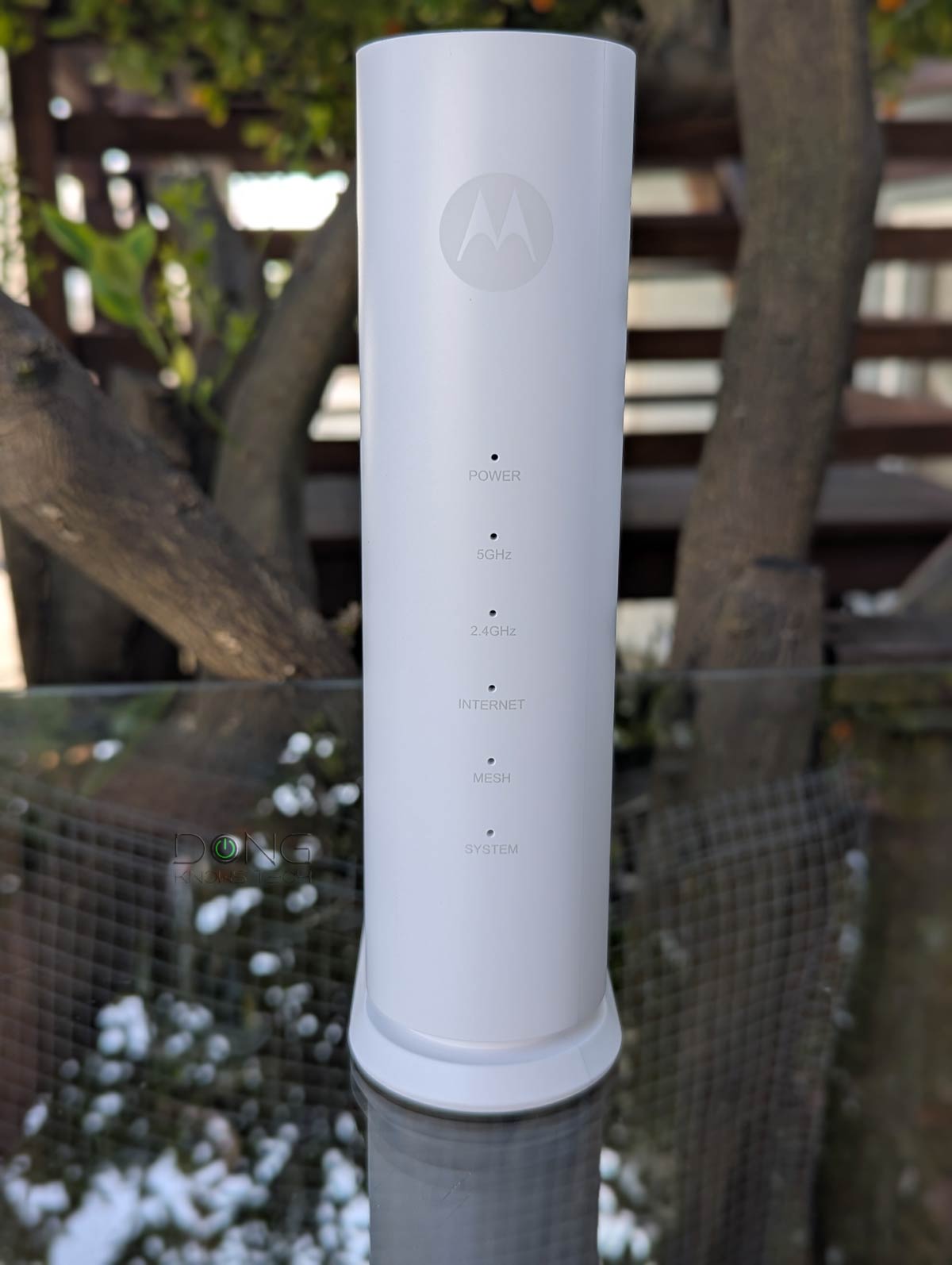
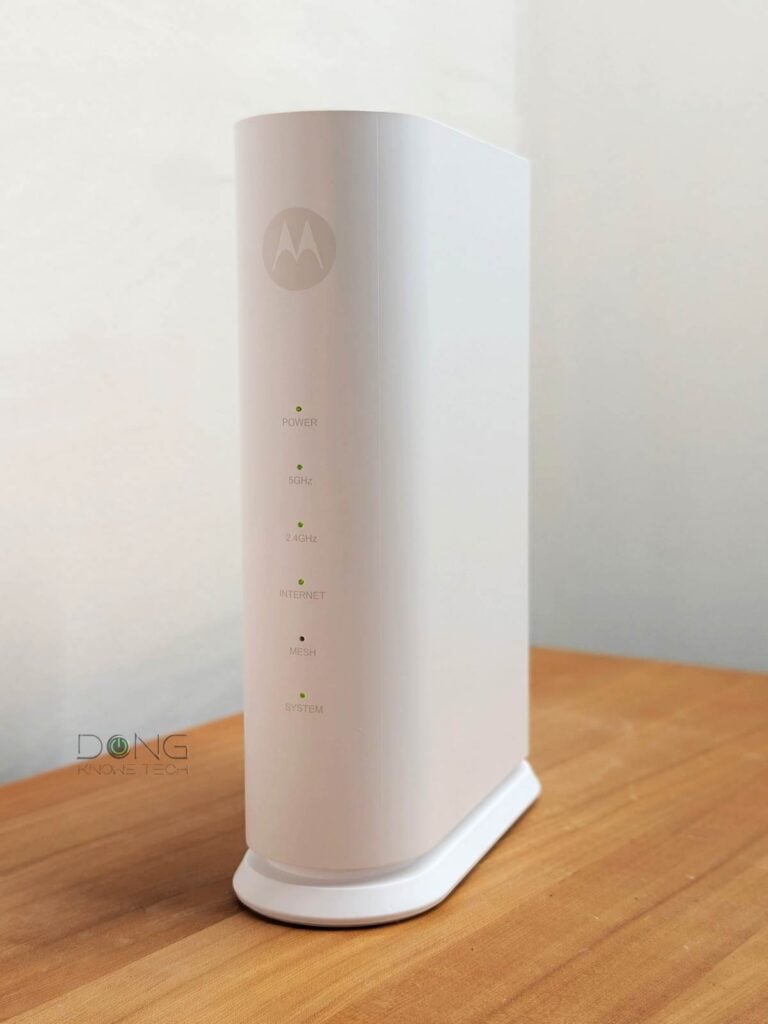
Out of the box, the Motorola MNQ1525 mesh router comes with what I’d call the “single-slot toaster” design. It’s a slender rectangular box made to sit on a surface.
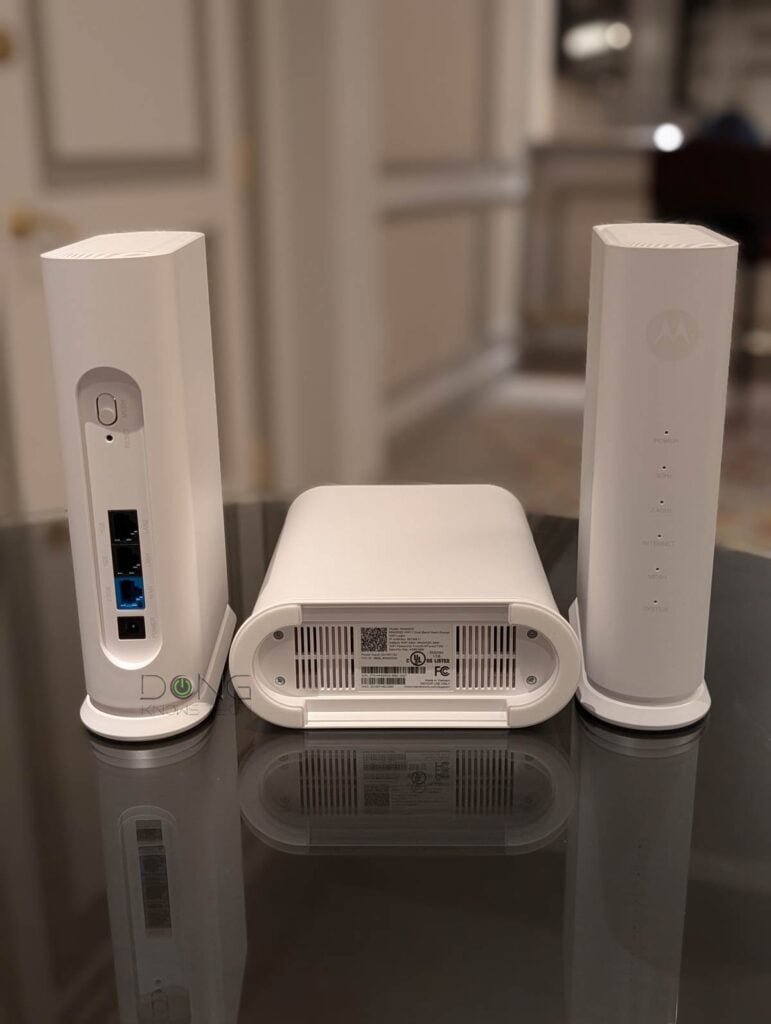
On the back, the router has a Mesh sync button, a single 2.5Gbps WAN port, and two Gigabit ports. The lack of a second 2.5Gbps port means sub-Gigabit (Gigabit after overhead) is the fastest wired connection you’ll get.
While the MQ15 can deliver Gig+ real-world rates when hosting a multi-gigabit broadband connection, a router with more Multi-Gig ports is generally better suited in this case.
Tip
Gig+, or Gig Plus, denotes a speed grade between 1Gbps and 2Gbps. So, it’s 1.5Gbps, give or take a couple of hundred megabits per second, and it’s not speedy enough to qualify as Multi-Gig Ethernet or multi-Gigabit. Intel coined the term to describe its Wi-Fi 6E client chips, the AX210 and AX211, in terms of their real-world speeds.
Gig+ primarily applies to sustained Wi-Fi 6 or Wi-Fi 7 speeds via a 2×2 at 160MHz connection, or to broadband internet speeds.
On the inside, the MQ15 has matching modest Wi-Fi specs. It’s a BE3600 device that features dual-band (2.5GHz and 5GHz) with up to 3600Mbps of combined bandwidth, the lowest-tier of Wi-Fi 7.
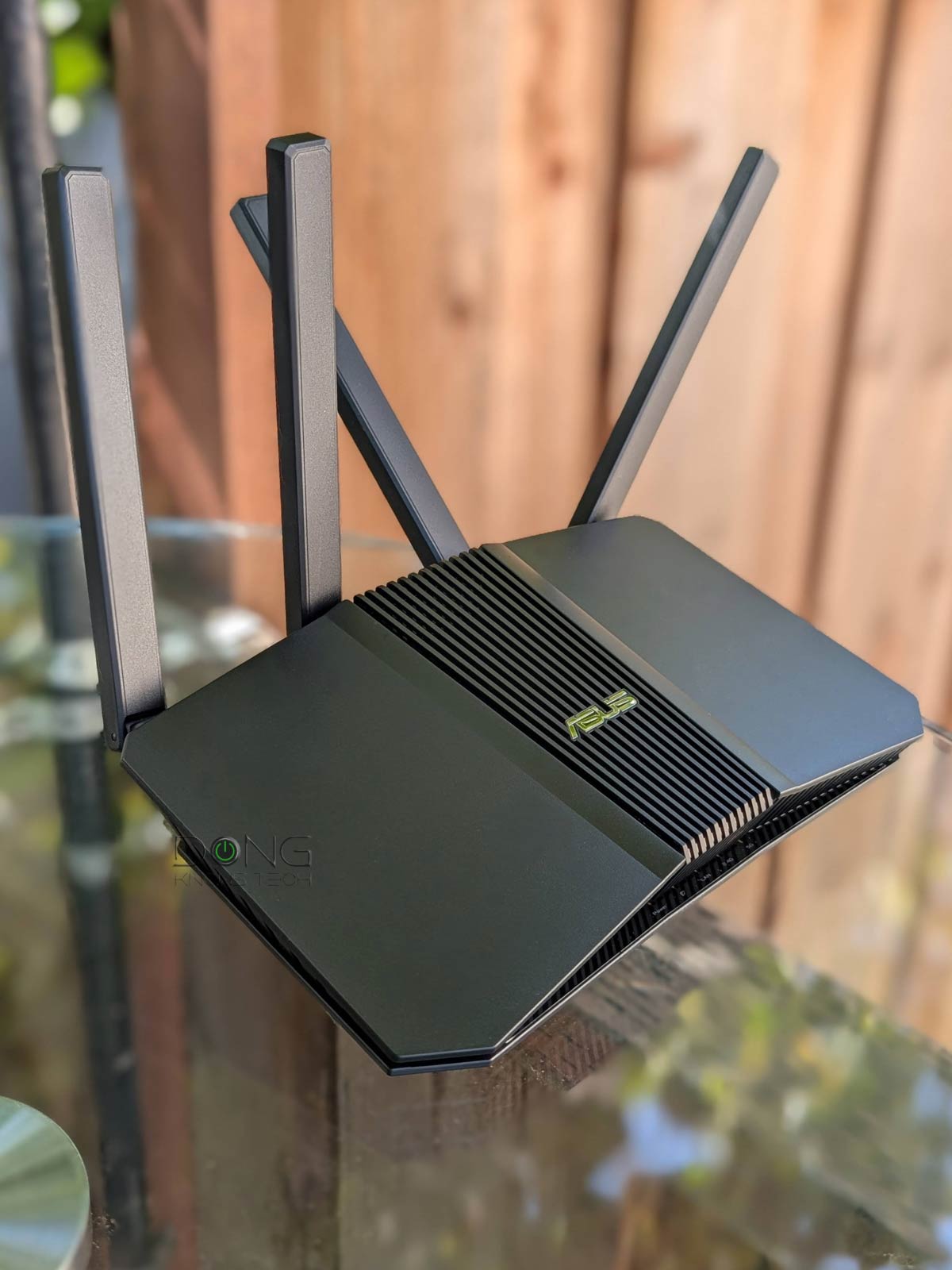
This type of low-end hardware is not a novelty—many examples have already been on the market in the past years. Among them, the ASUS RT-BE58U and the TP-Link Archer BE230 are standalone routers that are also mesh-ready.
The table below compares the Motorola MQ15’s hardware specs with those of the two others.
 |  |  | |
|---|---|---|---|
| Name | Motorola MNQ1525 WiFi 7 Router with Easy Mesh | ASUS RT-BE58U Dual-band Wi-Fi 7 Router | TP-Link Archer BE230 BE3600 Wi-Fi 7 Router |
| Model | MNQ1525, Q15 | RT-BE58U | Archer BE230 |
| Wi-Fi Bandwidth | Dual-band BE3600 | ||
| 2.4GHz Band (channel width) | 2×2 BE: Up to 688 Mbps (20/40MHz) | ||
| 5GHz Band (channel width) | 2×2 BE: Up to 2882Mbps (20/40/80/160MHz) | ||
| 6GHz Band | None | ||
| Stream per Band | 2×2 | ||
| Network Standards | IEEE 802.11a, IEEE 802.11b, IEEE 802.11g, IEEE 802.11n, IEEE 802.11ac, IEEE 802.11ax, IEEE 802.11be, IPv4, IPv6 | ||
| Network Features | MotoSync+ Mobile app, Limited set of standard network settings | Web user interface ASUS Router mobile app Generous free features and settings (VPN, AiProtection, Parental Control, QoS, etc.) | Web user interface TP-Link Tether mobile app Standard free features and settings |
| Web-Based Remote Management | No | Yes (via Dynamic DNS) | |
| Vendor Login Account | Yes (required) | Optional (for the ASUS router app) | Optional (for Tether mobile app and web user interface) |
| Premium Add-on | MotoSync+ Premium | None (all features free for life) | HomeShield Pro |
| Mesh-Ready | Yes (proprietary) | Yes (AiMesh) | Yes (EasyMesh) |
| Operating Mode | Router, Mesh Point | Router Access Point AiMesh node Repeater (extender) Media Bridge | Router Access Point EasyMesh node |
| Multi-Gig Port | 1x 2.5Gbps WAN | 1x 2.5Gbps WAN, 1x 2.5Gbps LAN | |
| Gigabit Port | 2x LAN | 4x LAN | 3x LAN |
| Automated Frequency Coordination (AFC) | N/A | ||
| Multi-Link Operation (MLO) | Not present | Yes | |
| Link Aggregation | No | ||
| Dual-WAN | No | Yes | No |
| USB Port | None | 1x USB 3.0 | |
| Dimensions | 3.59 x 11.5 x 8.19 in (9.12 x 29.21 x 20.8 cm) | 9.37 x 7.6 x 2.32 in (23.8 x 19.3 x 5.9 cm) | 13.52 x 9.25 x 3.90 in (34.34 x 23.4 x 9.9 cm) |
| Weight | 2.89 lbs (1.31 kg) | 1.02 lbs (461g) | 1.32 lbs (.6 kg) |
| Processing Power | Undisclosed | 2.0GHz quad-core CPU, 512MB Flash, 1GB DDR4 RAM | undisclosed |
| Power Intake | 110-240V | ||
| Firmware (at review) | 05.09.0001.96 | 3.0.0.6.102_37090 | 1.0.3 Build 20240612 rel.13057(5553) |
| Power Consumption (per 24 hours) | ≈ 140 Wh | ≈ 200 Wh | ≈ 195 Wh |
| US Release Date | Early 2026 | Early 2025 | July 23, 2024 |
| US Launch Price (compare current Prices!) | $129.99 | $149.99 | $99.99 |


App-operated hardware
For management, the MNQ1525 was a bit of a tease.
On the underside, the label lists the purported default IP address (192.168.1.1)—the router’s actual default IP turned out to be 192.168.9.1 in my trial—suggesting that it can be used for the setup process, but the router had no web-based user interface. Instead, like other canned mesh routers, such as TP-Link’s Deco or Amazon’s eero, it uses a mobile app called MotoSync+, available for Android and iOS.
By the way, when I tried to access the router’s default IP address, the web page appeared to be part of MQ15’s parental control feature, which was kind of odd.
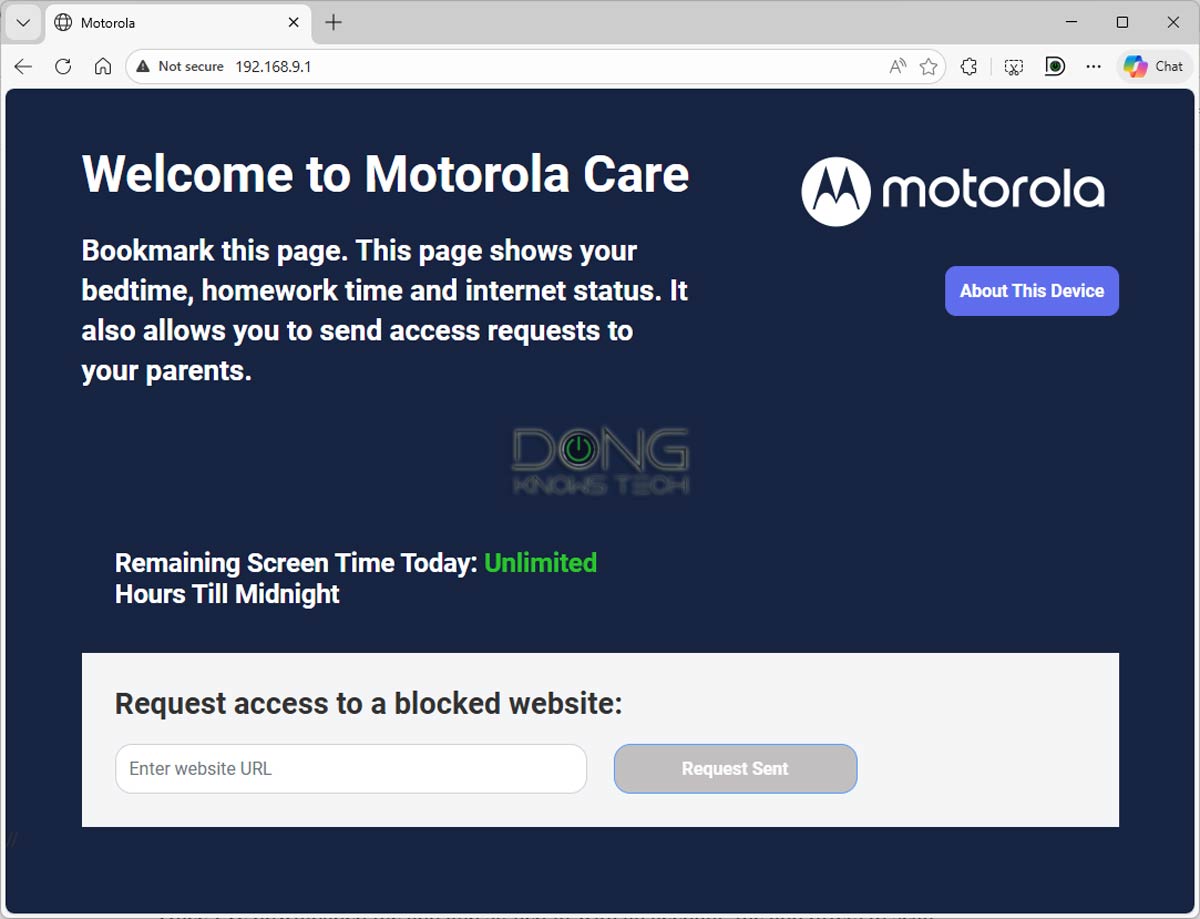
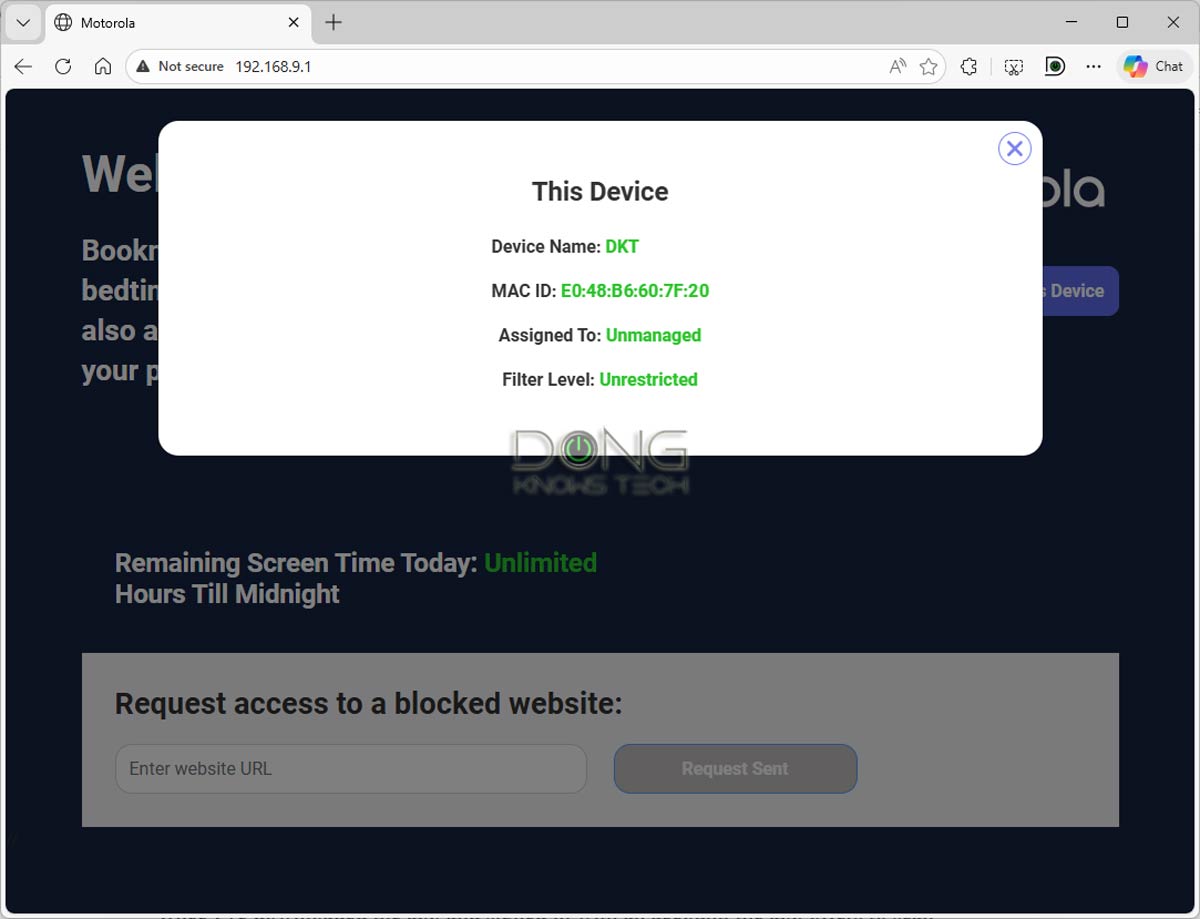
The MotoSync+ app requires a Motorola login account to work. The small-screen constraint aside, using a vendor-connected account means you can’t access the router without an Internet connection, and there are inherent privacy risks, asthe router constantly reports its status and condition to the vendor. On this front, here’s Motorola’s Privacy Policy.
In any case, you’ll need to first connect the MotoSyc+ app to Motorola’s remote server over the Internet before you use the MNQ1525. This mechanism requires a lot of behind-the-scenes work, and Motorola seemed to lack refinement in this case, which led to various management issues in my experience.
Motorola Sync+: Buggy with a Spartan feature set
Like most other app-controlled mesh routers, the MQ15 was simple to set up.
Once I’d downloaded the app and signed in, it offered to scan a QR code on the router’s underside to connect to its default Wi-Fi network, then walked me through a few steps to set it up, including finalizing the main Wi-Fi network name and password.
After that, the app offers a simple set of Internet and LAN functions, along with a few common features, including Dynamic DNS, IP reservation, and port forwarding. There’s a QoS section, but it’s largely a placeholder: you can turn it on or off without knowing what it does or doesn’t.
As for Wi-Fi settings, in addition to the primary Wi-Fi network, the MQ15 includes two virtual networks: IoT and Guest. All of these networks allow you to use a single SSID for both bands or a separate SSID for each band. After that, you can also select the channel for each band, but not the channel width. And that’s it.
While all the above seem simple and familiar enough, the MotoSync+ app was buggy during my trial, making things more complicated. I used it on an Android phone and, now and then, ran into various error messages or situations where it just didn’t work right.
I experienced many glitches, but the most noticeable was that the app often wasn’t in sync with the router itself, as if there were a significant delay between the phone, Motorola’s remote server, and the router. The “Pull down to refresh data,” as suggested by the app’s interface, didn’t do anything in most cases.
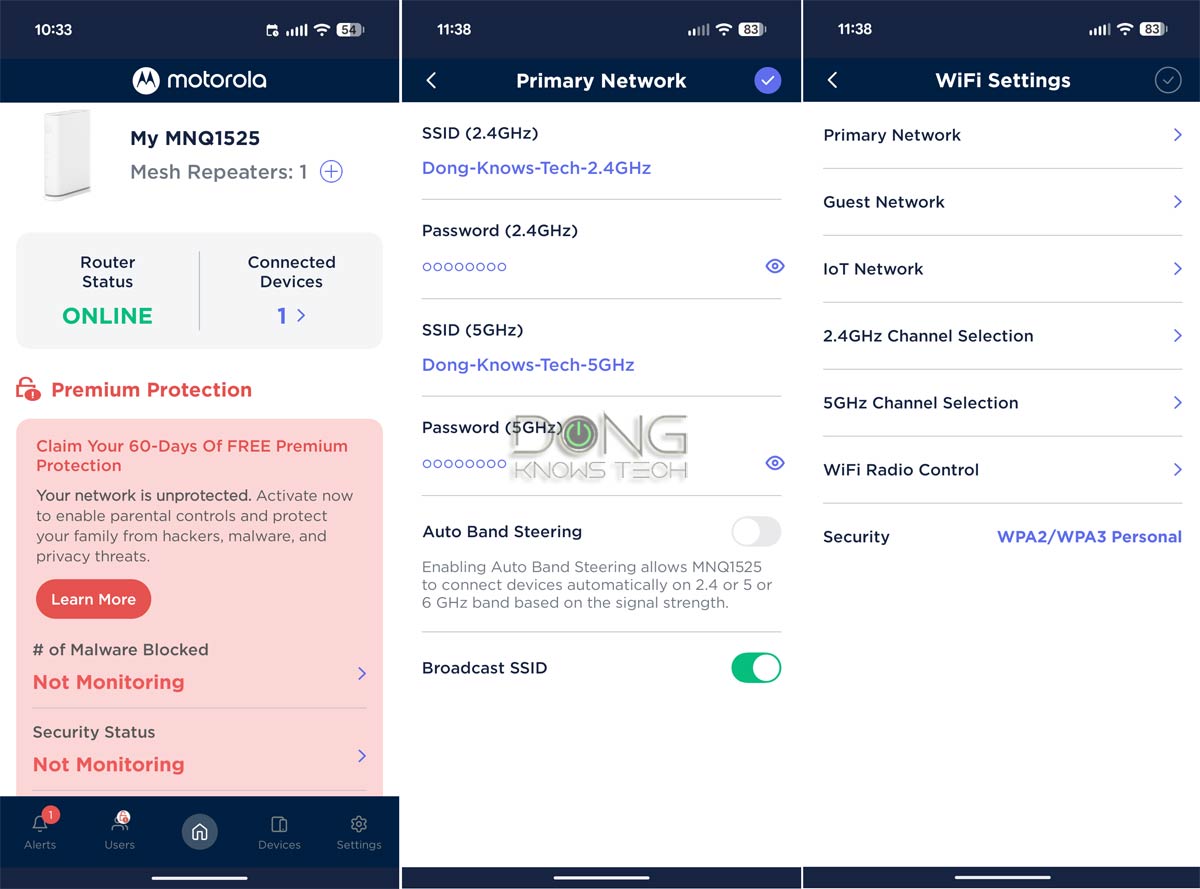
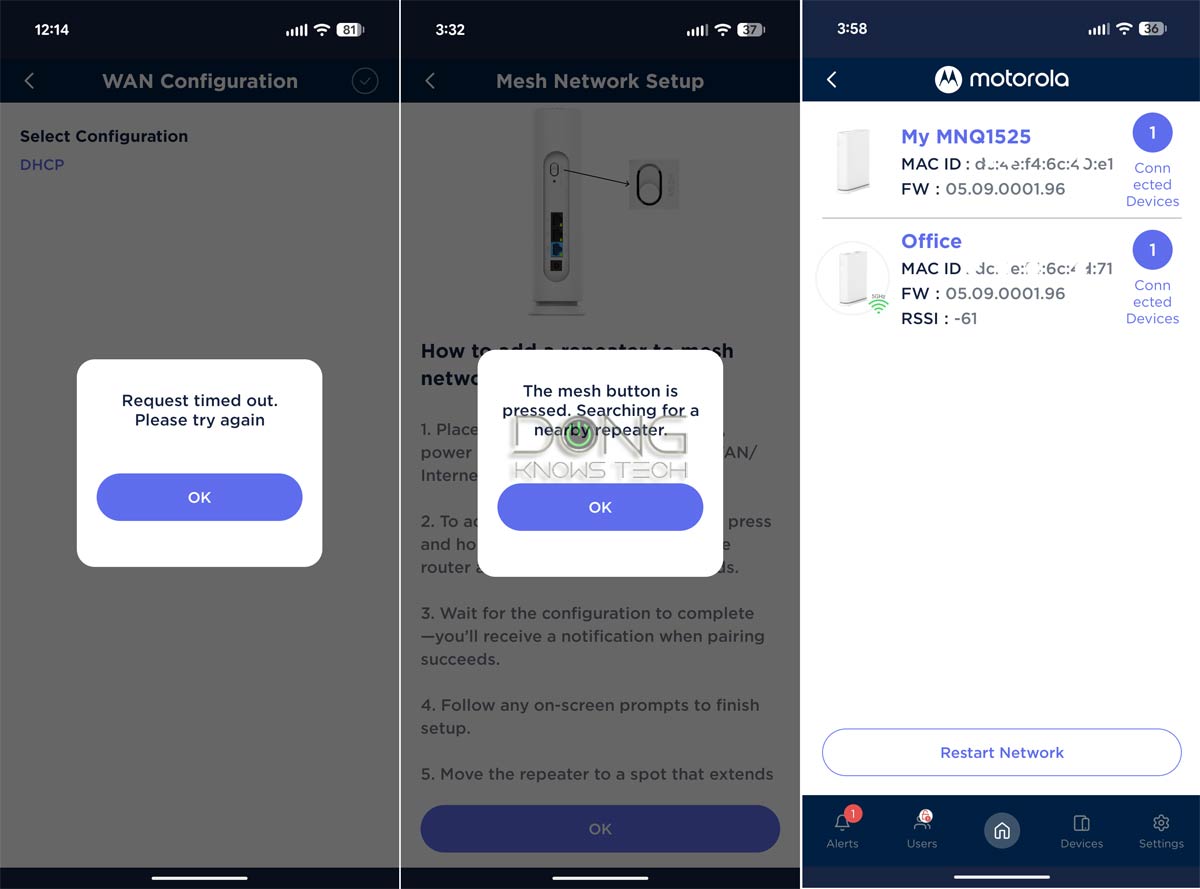
For example, the app almost never showed the correct number of connected clients in real time. Additionally, after I applied a setting that required the MQ15 to restart, such as changing the SSID or password, the app didn’t reflect the router’s offline status. Instead, during this time, it continued to behave as if the router were in normal working condition with the previous settings. Now, if I made another change, such as reapplying the same desired setting, the app would crash or show errors.
In my experience, after applying a change, it’s best to turn the app off and wait a few minutes before reopening it so it’s refreshed with the router’s real-time status. Overall, this delay can cause a lot of confusion and even frustration if you’re in a hurry, because what you see isn’t what you get.
No MLO, premium upsell
The MotoSync+ app lacks settings for Wi-Fi 7’s MLO feature, suggesting the hardware doesn’t support it.
On this front, Motorola told me that the MQ15 “does support MLO, it is automatically enabled, nothing for the end user to do”, but that proved not to be the case in my testing—no matter what I did, none of my test devices connected to any of my the MQ15 review units, working as single routers or a mesh system, via an MLO link.
Additionally, a large portion of the MotoSync+ app’s interface is permanently occupied by the upsell banner for “Premium Protection,” which purports to offer real-time protection and advanced Parental Controls. To activate the 60-day free trial, a payment method is required. After that, this add-on costs $9.99/month or 89.99/year.
This type of upsell is common in many app-operated hardware. In the case of MotoSync+, it’s tiresome, if not maddening, considering how the app fails to deliver its basic functions properly in the first place.
Simple but awkward mesh setup
As mentioned, you can use a single Motorola MNQ1525 unit as a standalone router, which provides enough coverage for a small home. Those living in a large property can scale up coverage by adding additional units, as suggested by the “with Easy Mesh” part of the router’s full name.
The “Easy Mesh” designation doesn’t mean the router supports the Wi-Fi EasyMesh standard, unlike many TP-Link Archer routers. Instead, it’s a proprietary method that only works between multiple Motorola MQ15 units, as confirmed by Motorola.
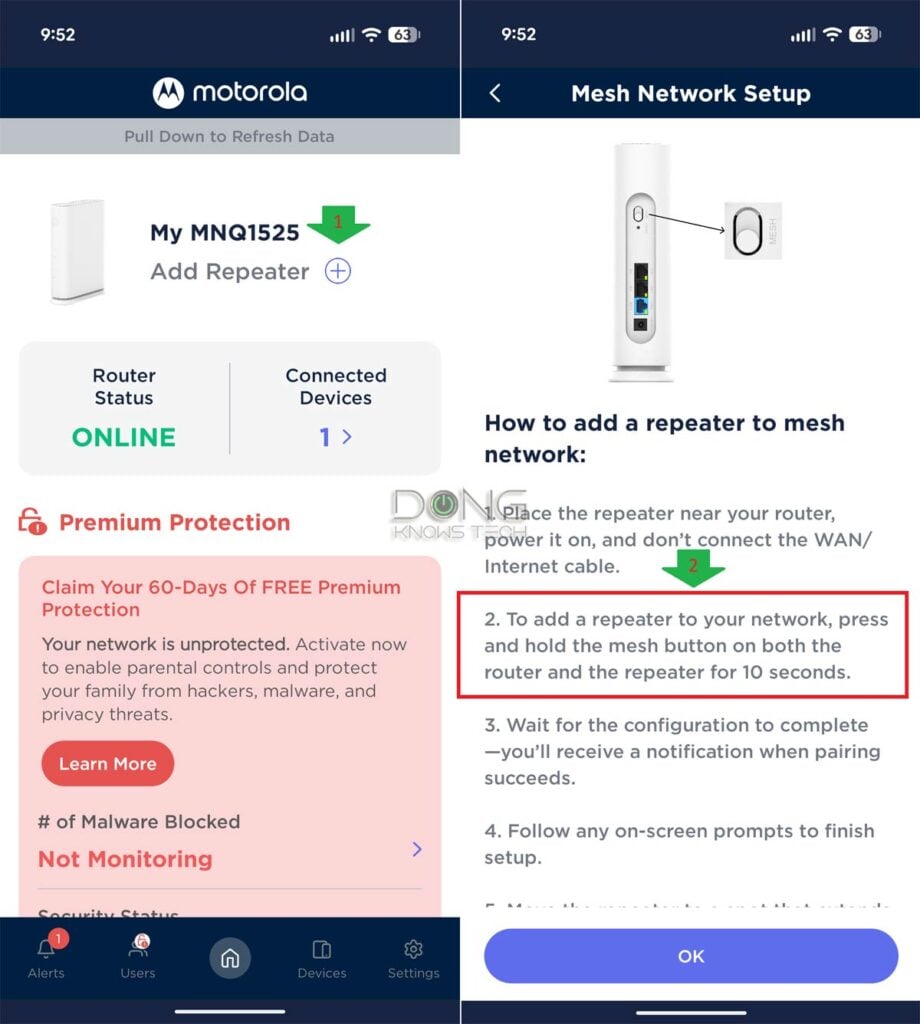
If you choose to build a mesh system from multiple MQ15 units, the primary unit (the router) is called the “base” unit per Motorola, and the satellite unit (the mesh point) is called the “repeater”. In my trial, adding a repeater to the base was simple but far from “easy”.
Specifically, here are the two main steps I had to do:
- Open the MotoSync+ app and tap the plus sign (+) next to the “Add Repeater” label on its home page to start the process. Then:
- Press and hold the Mesh hardware button on the back of both the base unit and the repeater unit for 10 seconds.
#2 is where things get interesting. Since the MQ15 is quite bulky yet light, you generally need two hands per unit: one to hold the router and the other to press the Mesh button located on its back. This button requires quite a bit of force to engage.
That said, if you’re on your own, as I was, it can be tricky to handle the Mesh buttons on both units simultaneously. Without a second hand, it’s hard enough to press the button as the router moves when you exert force on the button—forget about holding it down for 10 seconds. That, plus the app’s delay and bugs mentioned above, made setting up the hardware quite unnecessarily frustrating.
In any case, after some effort, clever placement, and the fact that I have my large hands, I managed to get the mesh configuration working as intended. By the way, in this case, all ports on the repeater (satellite) unit function as LAN ports.
Motorola MQ15 MNQ1525: Typical performance of modest hardware
I tested the Motorola MQ15 MNQ1525 for over a week, both as a standalone router and as a mesh Wi-Fi system, and its performance was typical of its hardware specs: modest.
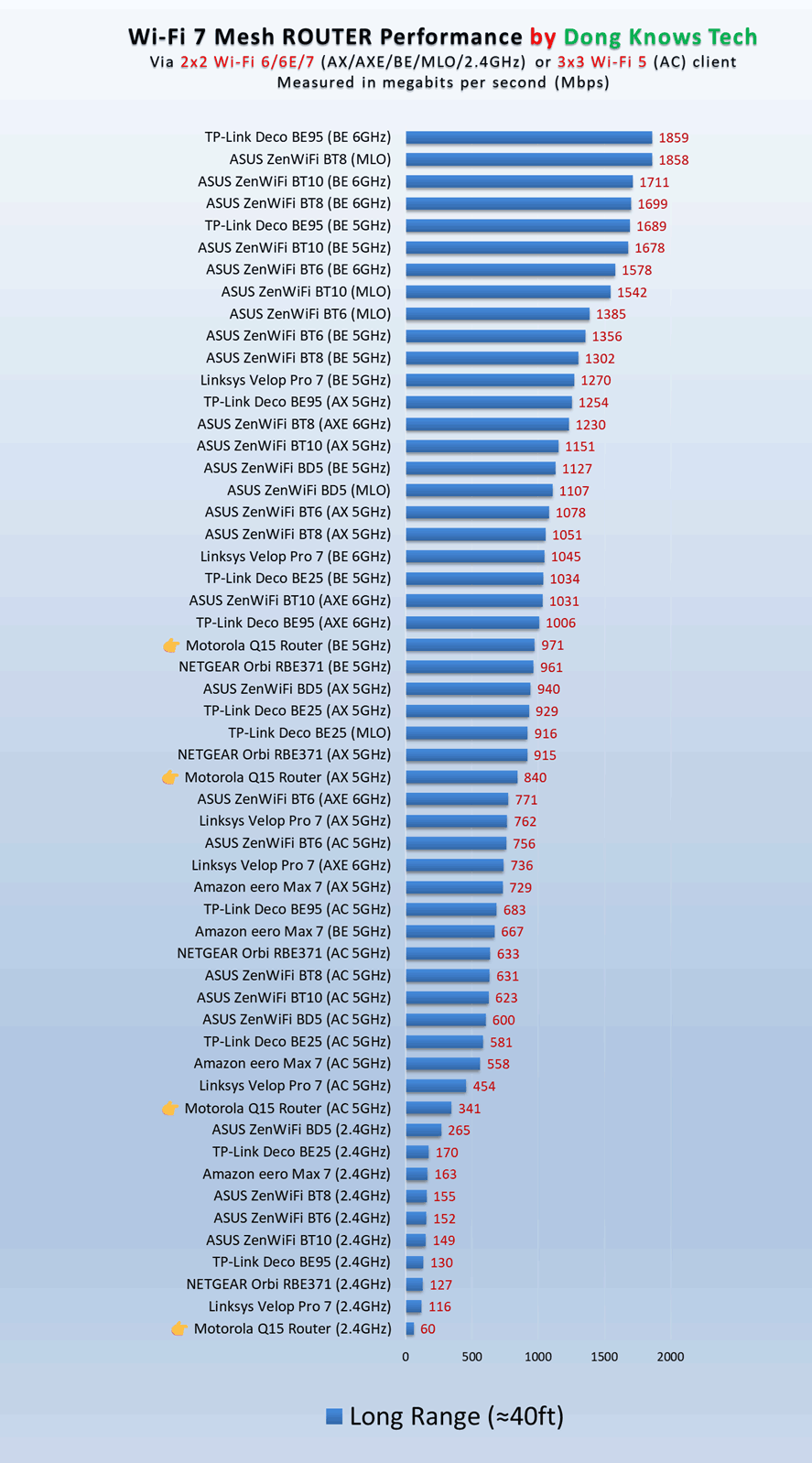
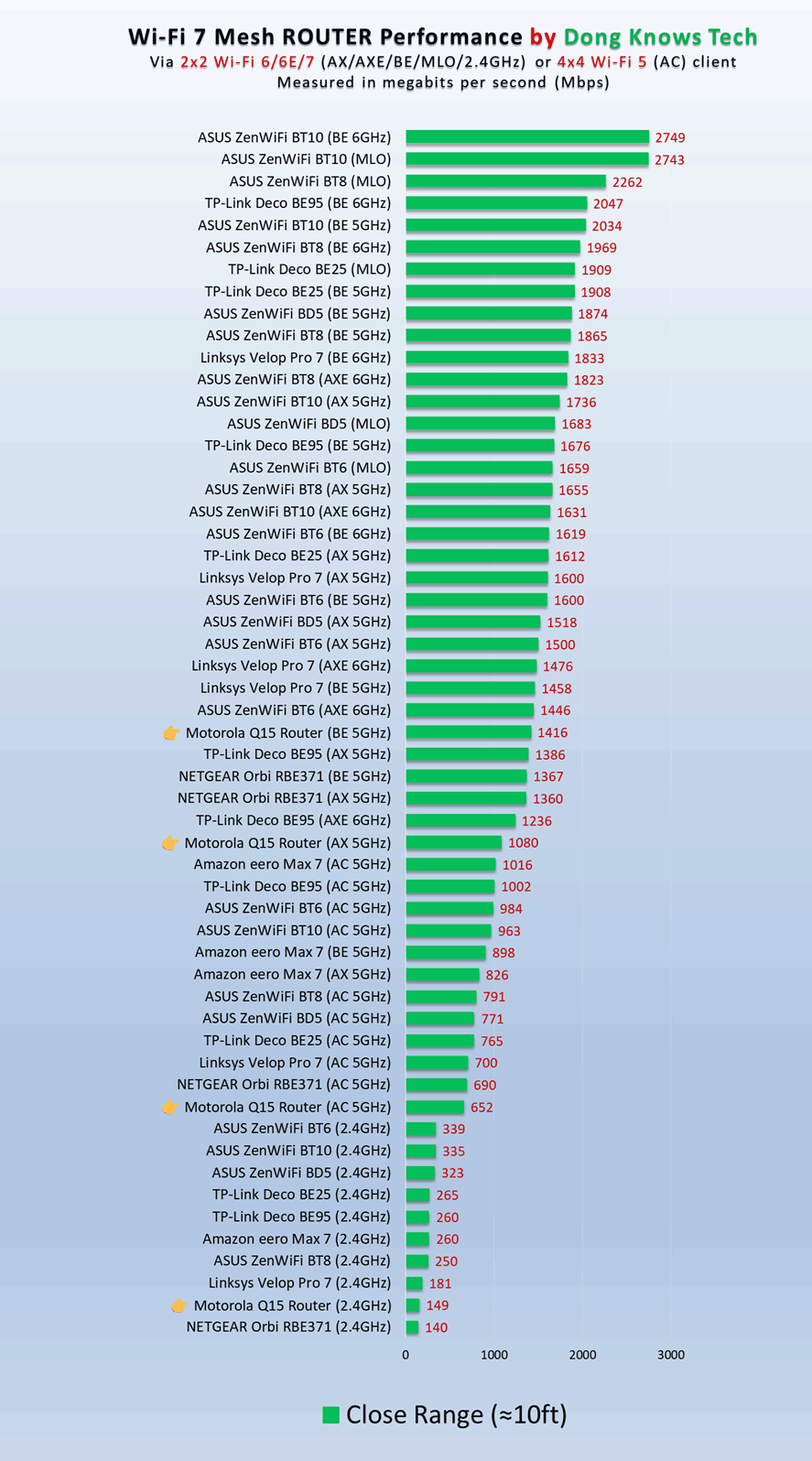
As a single router, the MQ15’s real-world Wi-Fi output maxed out at around 1.4Gbps in the best-case scenario: hosting a 10Gbps broadband connection and a single Wi-Fi 7 device at close range. After that, I generally get sub-Gigabit sustained rates.
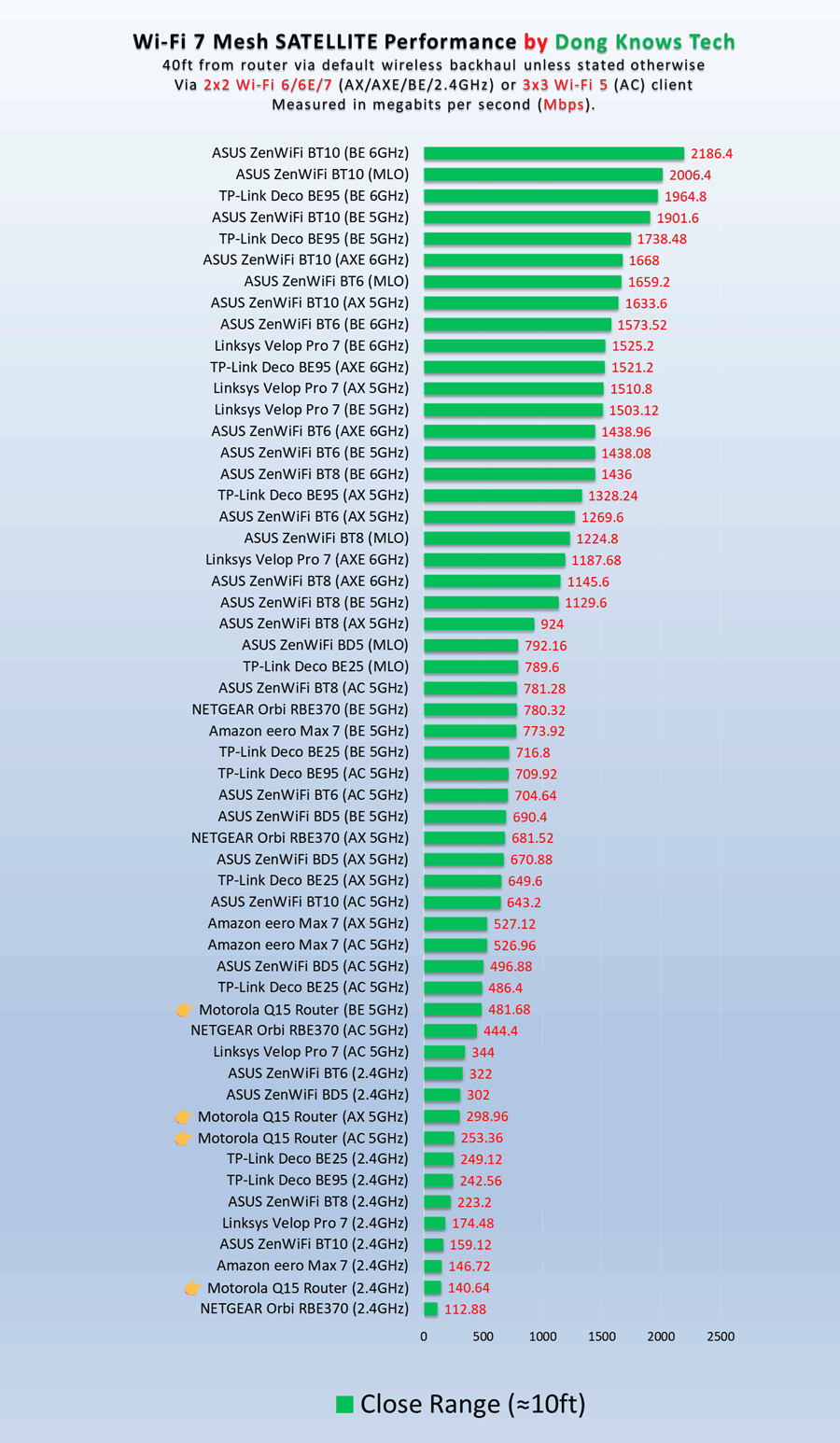
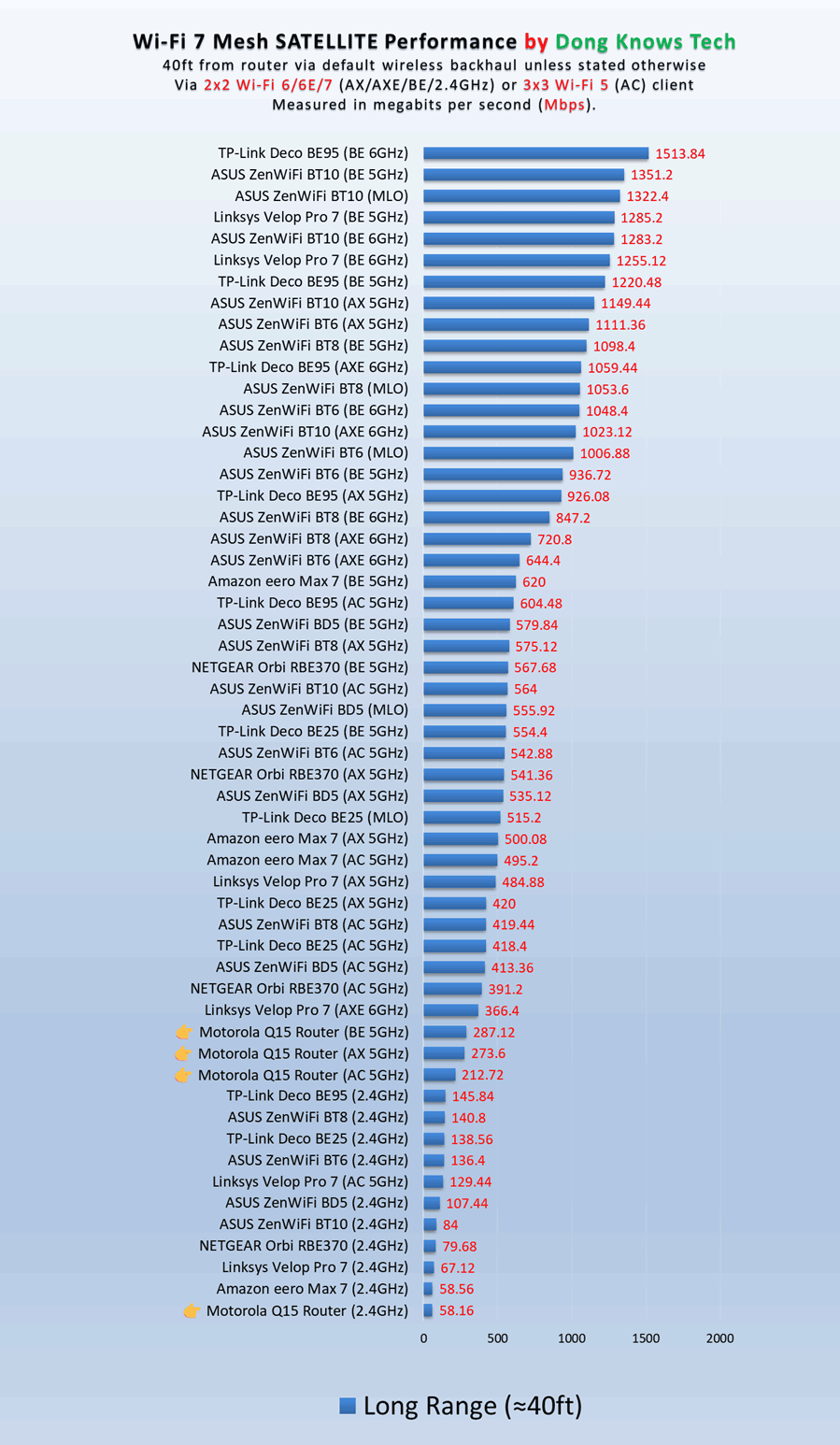
In a mesh, the satellite unit lost half of its 5Hz uplink bandwidth, which meant connected clients generally achieved sub-500Mbps real-world rates.
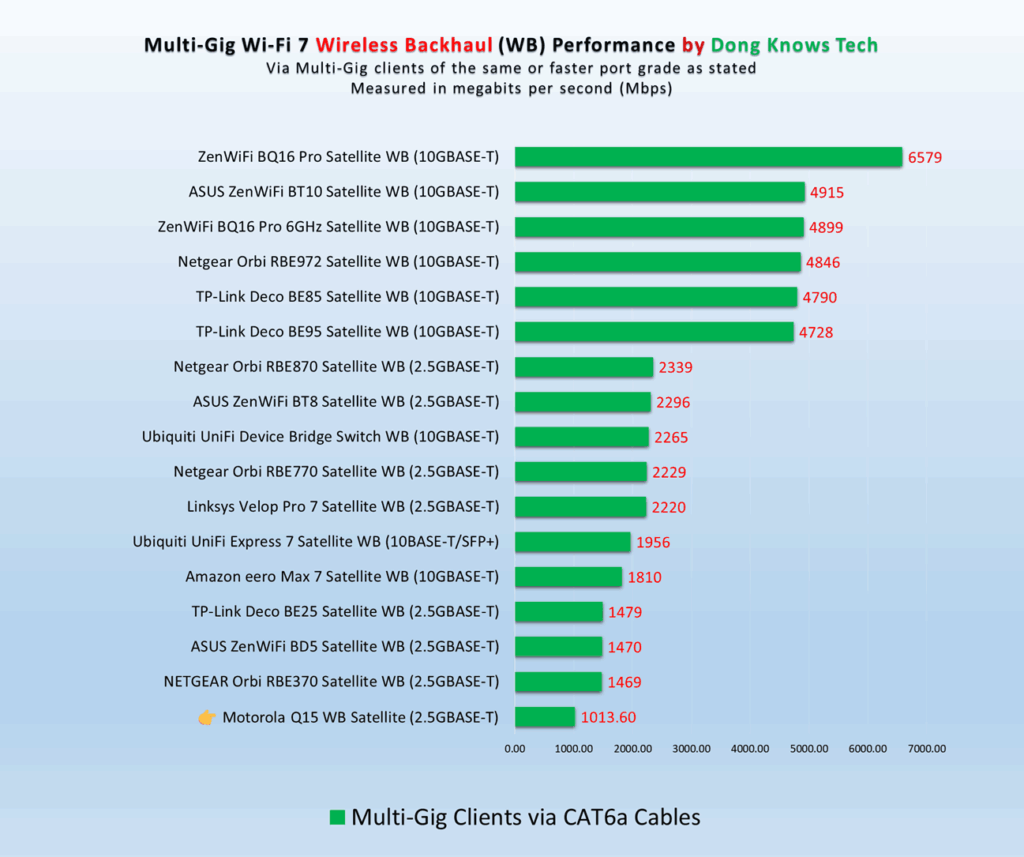
I tested the repeater (satellite) unit’s backhaul link using a 2.5Gbps client, and it proved to be the lowest among other Wi-Fi 7 mesh systems, further confirming that there was no MLO involved.
As for Wi-Fi coverage, which is always hard to quantify, each MQ15 unit could cover around 1500 ft2 (140 m2) at good real-world rates at the far end. With two units, you can increase the effective coverage to about 2700 ft2 (250 m2), depending on the hardware arrangement. However, it’s safe to say this router’s range is average, typifying its hardware specs.
Other than that, the MQ15 passed my three-day stress test without disconnection. Having no internal fan, it was completely silent during operation. The router itself felt a bit warm to the touch, but never became hot, which is always a good thing.
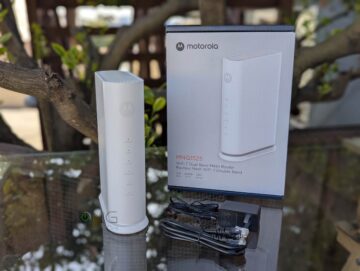
Motorola MQ15 MNQ1525 Mesh Router' Rating
Pros
Compact, simple design with reliable performance
Affordable
Run cool and quiet
Cons
No web UI, shoddy mobile app, vendor-linked account required
Limited in free features, premium add-on upsell, awkward mesh sync method
Subdued real-world performance, no MLO, not mount-ready
Conclusion
The Motorola MNQ1525 is a testament to the adage that you get what you pay for. It’s not a bad router (or a mesh system when multiple units are used), but it’s essentially a combination of low-end hardware and a buggy mobile app that, at times, feels like a pathetic cash grab with its premium upsell.
If you’re on the market for a cheap Wi-Fi 7 router that gets the job done, it won’t disappoint, given its low cost. However, if you want more than that, consider one of the best dual-band Wi-Fi 7 systems below, instead.
Top 5 best dual-band Wi-Fi 7 mesh systems
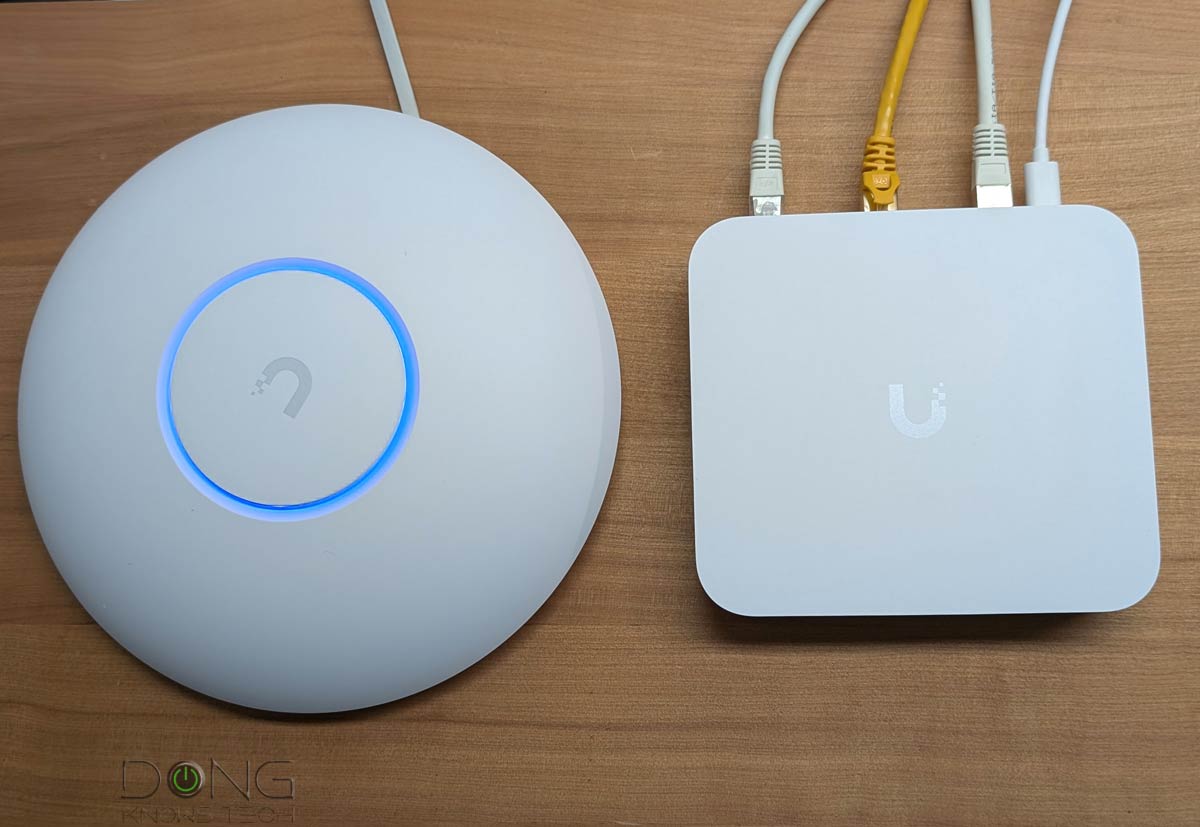 | 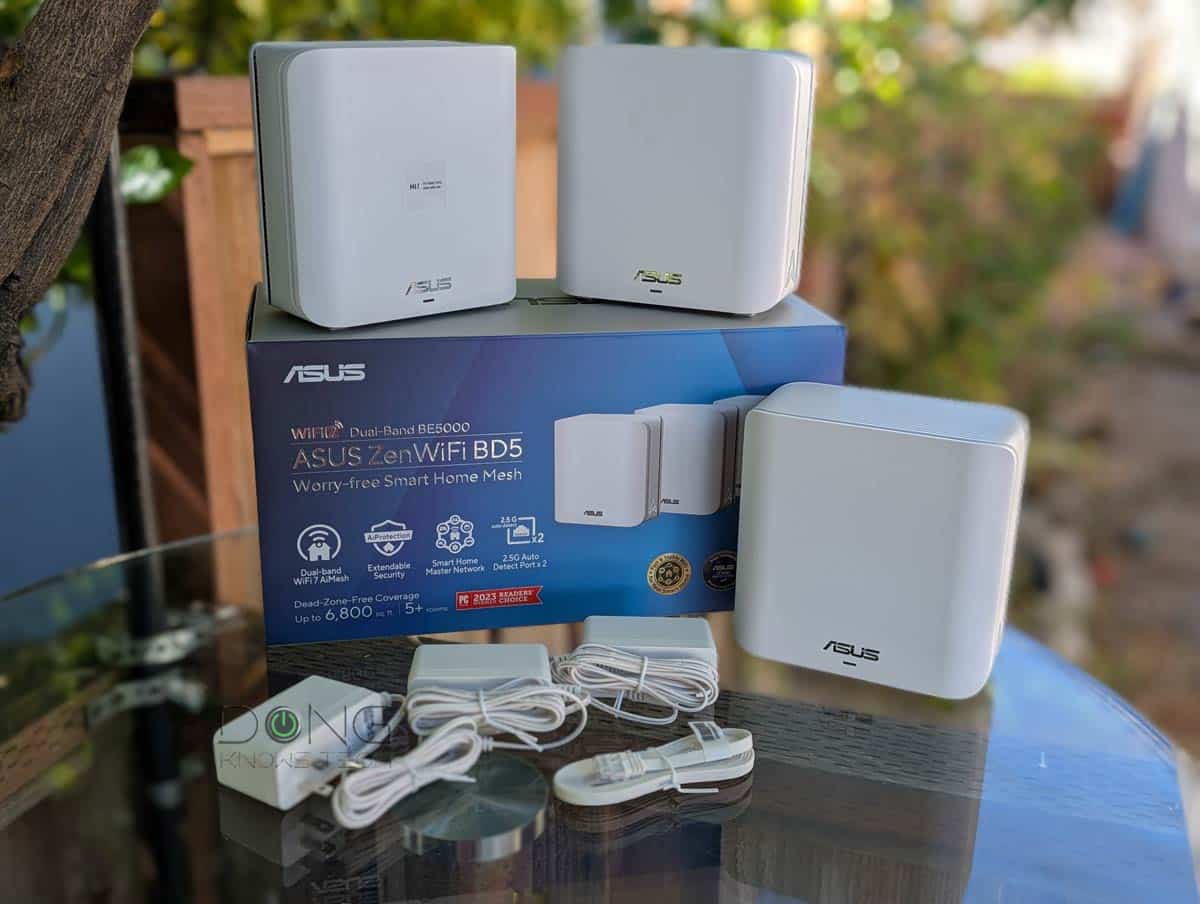 | 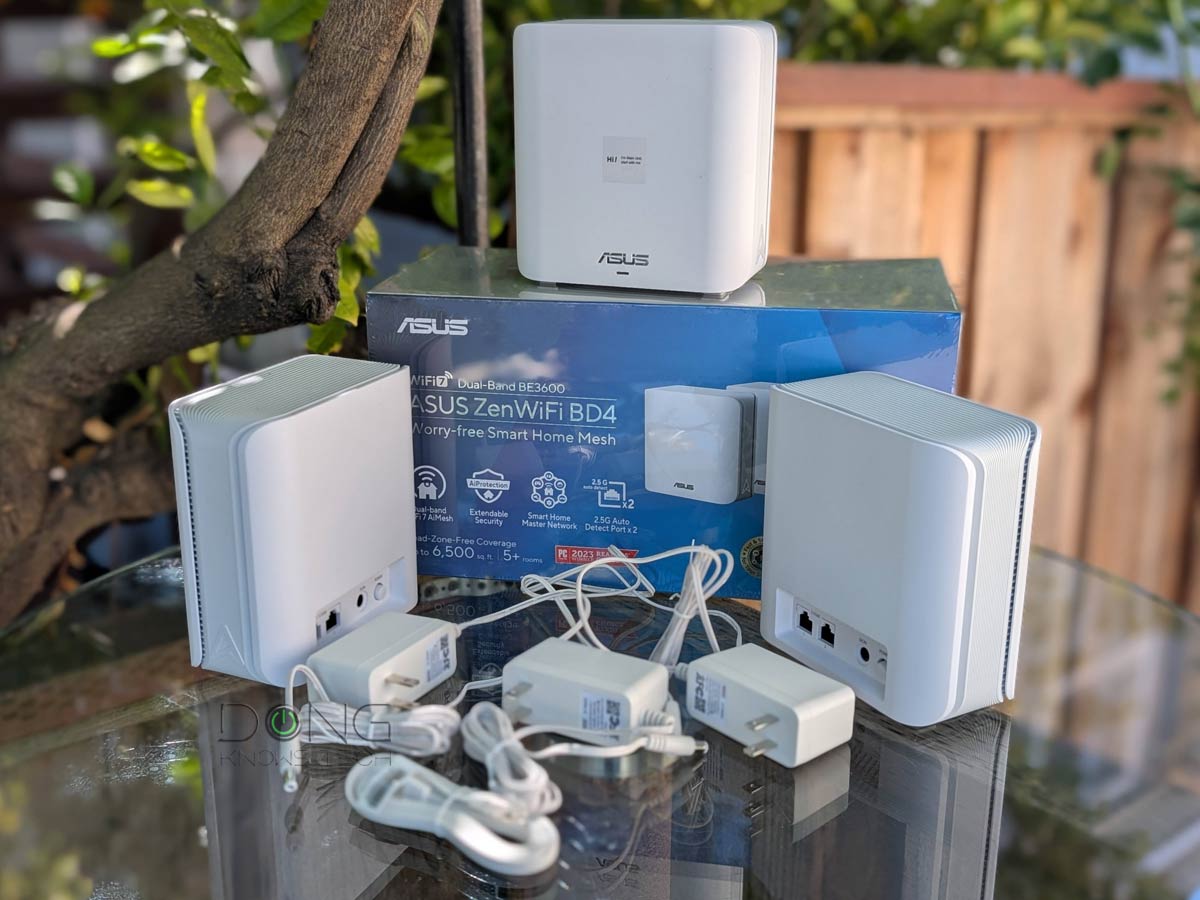 |  | 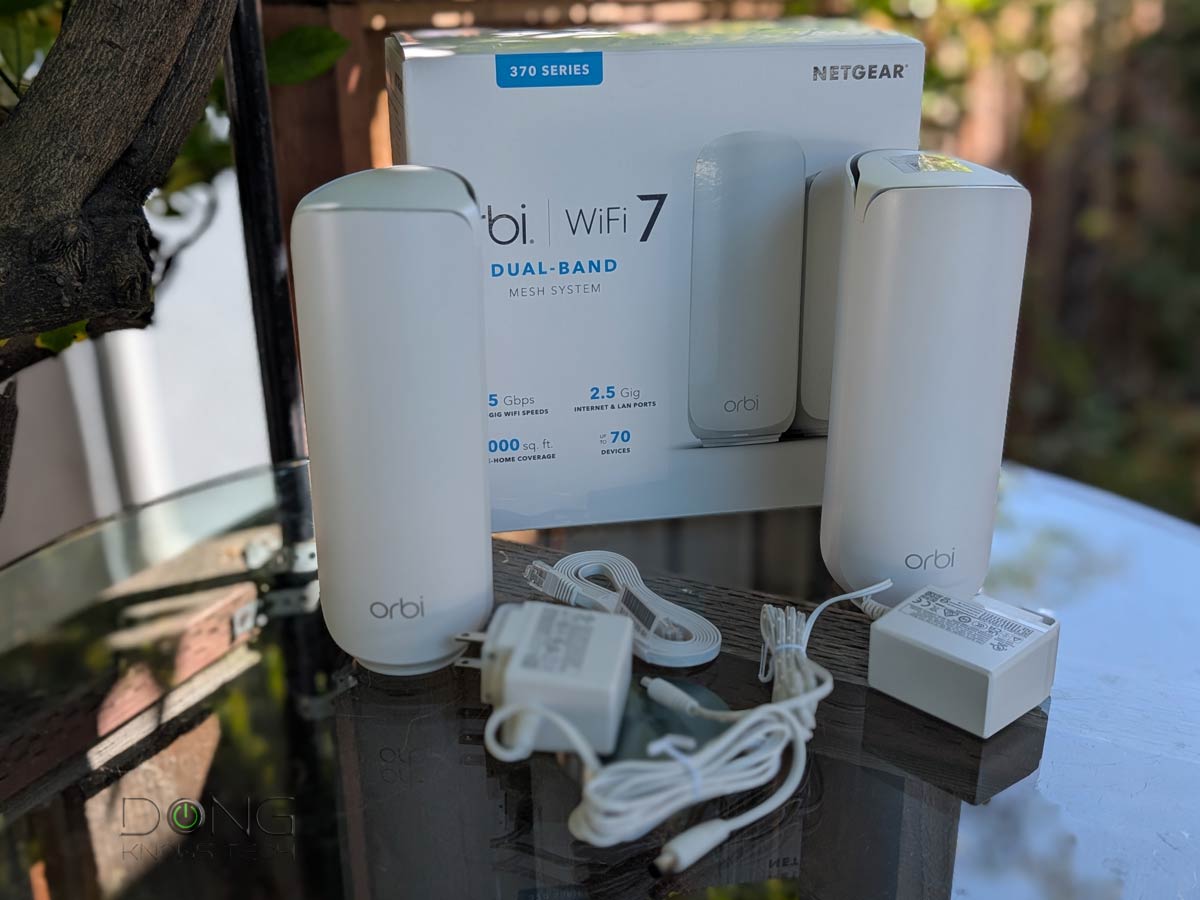 | |
| Name | Dual-Band UniFi Wi-Fi 7 System’s Rating | ASUS ZenWiFi BD5’s Rating | ASUS ZenWiFi BD4’s Rating | TP-Link Deco BE25 (Deco BE5000)’s Rating | NETGEAR Orbi 370 Series’ Rating |
| Price | – | – | – | – | – |
| Rating | |||||
| Description | |||||
| Statistics | |||||
| Buy this product |


Comments are subject to approval, redaction, or removal. You're in the no-nonsense zone and that applies BOTH ways.
It's generally faster to get answers via site/page search. Your question/comment is one of many Dong Knows Tech receives daily.
Thank you!
(•) If you have subscription-related issues or represent a company/product mentioned here, please use the contact page or a PR channel.