
Here’s something to look forward to: ASUS today unveiled its first 10GbB USB-C adapter, the ROG USB-C10G.
Generally, to get the best performance in home networking, you need the 10Gbps port grade on your devices, namely the router, switches, and, of course, your computer.
While the 2.5Gbps port grade, the entry-level of the Multi-Gig Ethernet standard, has been popular, the top-tier 10Gbps port grade has remained rare even in modern motherboards and nonexistent in laptops, where the physical network port is often omitted.
That’s where the new ROG USB-C10G fits in. It’s a simple way to turn a USB-C port into a 10GbE-capable Multi-Gig network port.
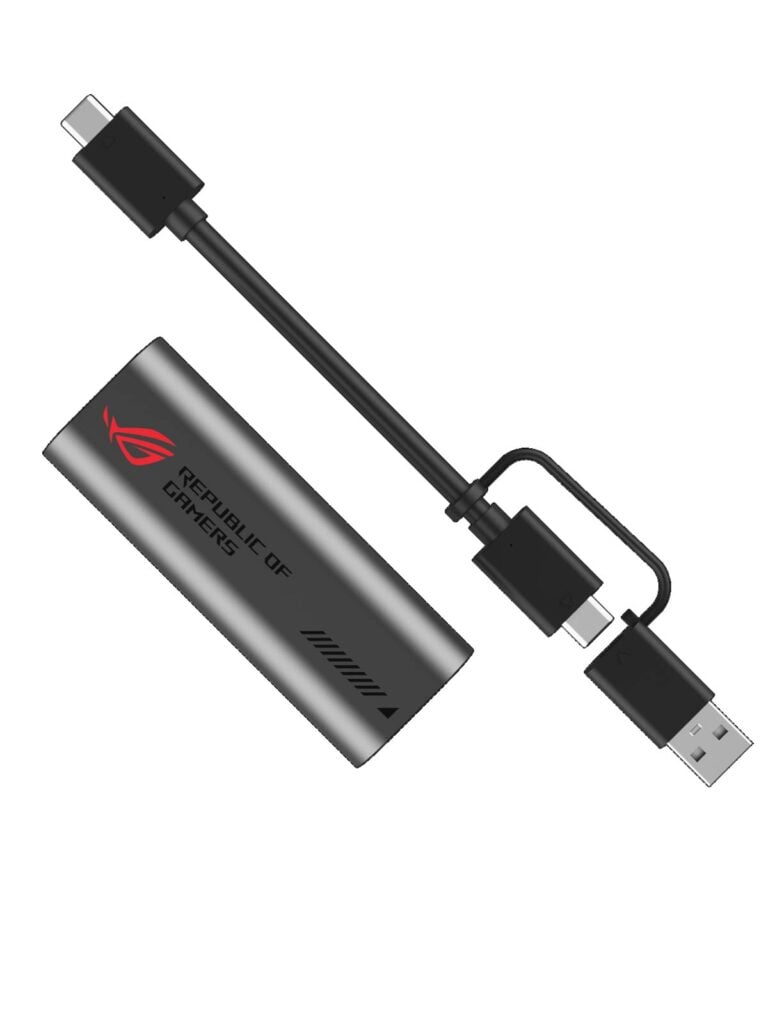
ASUS ROG USB-C10G: A compact yet powerful network adapter
You can easily find a motherboard with one or a couple of 2.5Gbps (even 5Gbps) ports, and there have been plenty of small USB-C network interface adapters (NICs) on the market. However, most of these adapters support only Gigabit Ethernet and 2.5Gbps port grades.
Sure, there are 10Gbps adapters, but they are often impractically bulky and require the Thunderbolt standard, like the OWC Thunderbolt 3 10G Ethernet Adapter.
This is why the new ROG USB-C10G is rather unique. According to ASUS, it’s a compact adapter measuring just 3.35 x 1.26 x 0.75 in (85 x 32 x 19mm) and weighing merely 1.34 oz (38 g). It’s a bout the size of a typical USB Wi-Fi adapter or a thumb drive.
The new adapter has a USB-C port on one end and an RJ45 Multi-Gig port on the other. It comes with a short USB-C cable that has an attached USB-A adapter, allowing it to work with any computer right out of the box. Connect it to a USB port, and it’ll turn that port into a fast network port.
How fast, you may wonder? That depends.
In terms of USB connectivity, ASUS says the ROG USB-C10G features the USB 3.2 Gen 2×2 standard (20Gbps) and is backward compatible with all USB standards and port types—it also works with Thunderbolt 3 and later at 10Gbps.
That said, for the new adapter to deliver 10Gbps network speed, it needs to be connected to a fast USB-C port that supports USB 3.2 Gen 2 (10Gbps) or USB 3.2 Gen 2×2.
As a Multi-Gig device, though, it’ll function at lower Ethernet negotiated speeds, including 5Gbps, 2.5Gbps, Gigabit, and even FastEthernet (100Mbps), depending on the USB port you use it with. For example, if you use it with a USB-A port, 5Gbps will be its ceiling speed. In any case, according to ASUS, the ROG USB-C10G has a “dual-color LED” that indicates its current connection grade.
In terms of usability, ASUS says the new adapter is compatible with all popular platforms, including Windows (10/11), macOS, iOS, and Android. Most importantly, for those owning an ASUS router, it can be used with its USB port to work as an enhanced WAN port in a dual-WAN setup.
Since the adapter belongs to ASUS’s ROG family, which is geared toward gamers, it might come with some game-rated features, such as traffic prioritization, though that remains to be seen.
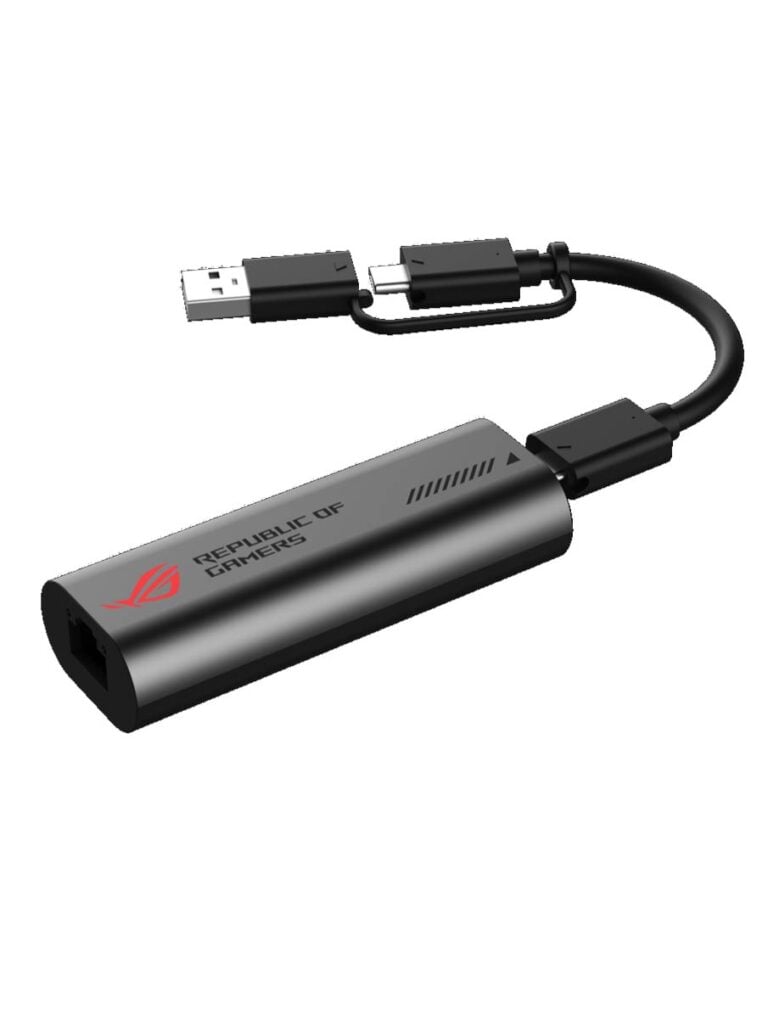
Availability
Considering its compact physical size and the top 10Gbps speed, the ASUS ROG USB-C10G 10Gb Ethernet Adapter is an exciting device for those wanting to add top wired performance to their computer, especially a laptop where adding a PCIe adapter is not an option.
Unfortunately, you can’t get it today just yet! ASUS says the new ASUS ROG USB-C10G 10Gb Ethernet Adapter will be available in the last quarter of 2026, with its pricing being announced then. Check back to see how its performance pans out.



Any idea of the Chipset used? If it is realtek, it better be under $60
We have to wait and see. 🙂
Regular 1g usb 3 nics are a pain in the butt to deal with and have constant i/o errors. I imagine 10g makes it worse. I would only advise this as a last resort or a conveniene and use pcie or pcie via m.2 slot for high speed network adapters when ever possible.
My experience is with realtec and marvel based USB nics on windows and Debian Linux, the results are the same. It works, but there are lots of bus resets, errors, and more latency.
You’re not wrong. But that’s generally the issue with the forgiving USB standard which allows for questionable hardware quality and high overhead. Not to mention the driver issues. That said, if you get brand-name adapters, they tend to be reliable. I’d expect around 8Gbps at best out of a 10GbE USB NIC, which is pretty great. Will have to wait and see on this particular one.
Looks exciting for those of us with >5 Gb Internet!
Have they given any indication on price or chipset? I’ll be curious to see how it compares to existing offerings, like if there are any gaming optimizations.
What I wrote in the post is all I know for now, Tosan. I’ll update when I find out more.